Mineuniverse
Resource Packs
No Totem Pop Animation & Particles

No Totem Pop Animation & Particles

RESOURCE PACK
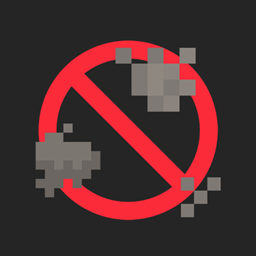
Keep your screen clear when a Totem pops. Perfect for PvP, Hardcore, and creators who want clean footage.
by Zerw
Download Claim this project
Add a badge to your pageLink to No Totem Pop Animation & Particles from a README, website or forum post.
Preview: Badge

Badges update automatically and link to the resource pack page on MineUniverse.

23,201 downloads
0 likes
0 followers
Updated Oct 14, 2026
0 hypes
Follow0
16x Animated
Advertisement Remove ads with Premium →

hide totem

Keep your screen clear when a Totem pops.

This lightweight client-side resource pack removes the flashy Totem of Undying visuals and status-effect swirls, and swaps the default totem sound for a custom one. Perfect for PvP, Hardcore, and creators who want clean footage.

What it does

  • No “totem pop” clutter: Hides the green swirls/glitter particles from Totem of Undying.
  • No status-effect auras: Removes the potion/ambient effect particles around players and mobs.
  • Custom totem sound: Plays a custom sound when the totem saves you (included in the pack).
  • Zero performance cost: Pure textures/sound override, no shaders or mods required.

Compatibility

  • Edition: Minecraft Java.
  • Version: 1.16 - 1.21.x.
  • Works with: Vanilla, Fabric/Quilt, Forge, and common clients.

How to install

Download the ZIP (don’t extract it).

Put it in: Windows: %appdata%/.minecraft/resourcepacks macOS: ~/Library/Application Support/minecraft/resourcepacks Linux: ~/.minecraft/resourcepacks

In Minecraft → Options → Resource Packs, move No Totem Pop Animation & Particles to the top of the Enabled list.

Click Done. If the sound doesn’t change immediately, press F3 + T to reload assets.

No Totem Pop Animation & Particles 1.0.5
MC 1.16.3, 1.17.1, 1.21, 1.16.1, 1.18.1, 1.16, 1.16.5, 1.19.3, 1.20.2, 1.19.4, 1.21.8, 1.17, 1.20.5, 1.21.5, 1.18, 1.21.4, 1.20.1, 1.20, 1.20.6, 1.21.1, 1.21.6, 1.21.3, 1.21.7
Release 2026-09-20 Get
No Totem Pop Animation & Particles 1.0.4
MC 1.16.3, 1.17.1, 1.21, 1.16.1, 1.18.1, 1.16, 1.16.5, 1.19.3, 1.20.2, 1.19.4, 1.21.8, 1.17, 1.20.5, 1.21.5, 1.18, 1.21.4, 1.20.1, 1.20, 1.20.6, 1.21.1, 1.21.6, 1.21.3, 1.21.7
Release 2026-07-21 Get
No Totem Pop Animation & Particles 1.0.3
MC 26.1, 26.1.1, 26.1.2
Release 2026-04-12 Get
No Totem Pop Animation
MC 1.21, 1.19.3, 1.20.2, 1.19.4, 1.21.8, 1.20.5, 1.21.5, 1.21.4, 1.20.1, 1.20, 1.20.6, 1.21.1, 1.21.6, 1.21.3, 1.21.7, 1.19.1, 1.20.4, 1.19.2, 1.20.3, 1.19, 1.21.2, 1.21.9
Release 2026-01-14 Get

Requirements & install

How to use this resource pack in Minecraft
Resolution
16x
Minecraft
1.21.5 – 26.1.2
Install folder
.minecraft/resourcepacks

How to install resource packs

  1. Download the resource pack .zip file (do not extract it).
  2. In Minecraft open Options → Resource Packs → Open Pack Folder.
  3. Drop the .zip into the resourcepacks folder (.minecraft/resourcepacks).
  4. Move the pack to the Selected column and click Done.
Browse more: 16x resource packs 32x resource packs 64x resource packs 128x resource packs 256x resource packs 512x+ resource packs Resource Packs for 26.1.2 All resource packs

More from Zerw

Advertisement Remove ads with Premium →

You Might Also Like