Mineuniverse
Resource Packs
NiNuNa’s Fancy Font

NiNuNa’s Fancy Font

RESOURCE PACK
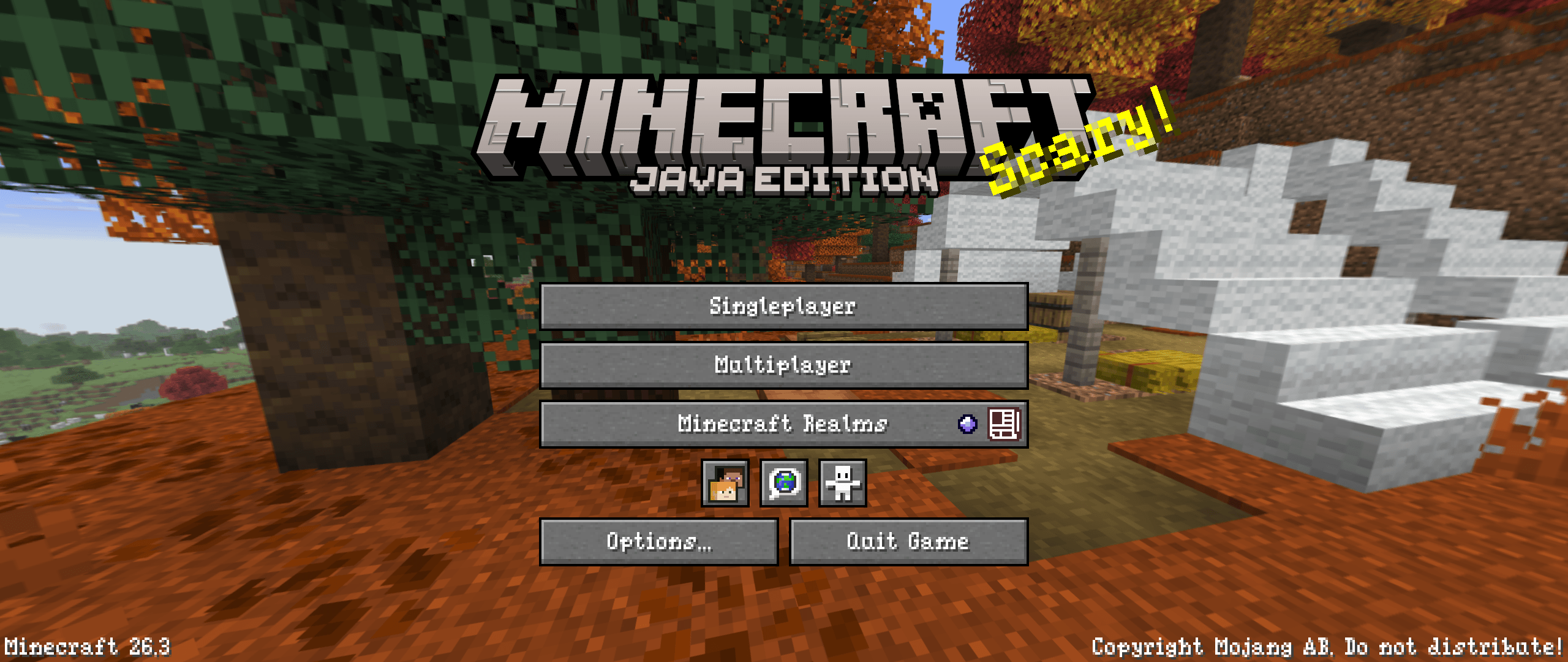
A sleek and fancy serif typeface for Minecraft: Java Edition.
by NiNuNa
Download Claim this project
Add a badge to your pageLink to NiNuNa’s Fancy Font from a README, website or forum post.
Preview: Badge

Badges update automatically and link to the resource pack page on MineUniverse.


141 downloads
0 likes
0 followers
Updated Oct 14, 2026
0 hypes
Follow0
Font Packs Medieval Miscellaneous Traditional
Advertisement Remove ads with Premium →

NiNuNa’s Fancy Font Header

Available on Modrinth Join the Discord Tip me on Ko-fi


NiNuNa's Fancy Font

> A sleek and fancy serif typeface. ✒️🕯️🌹

📖 – About

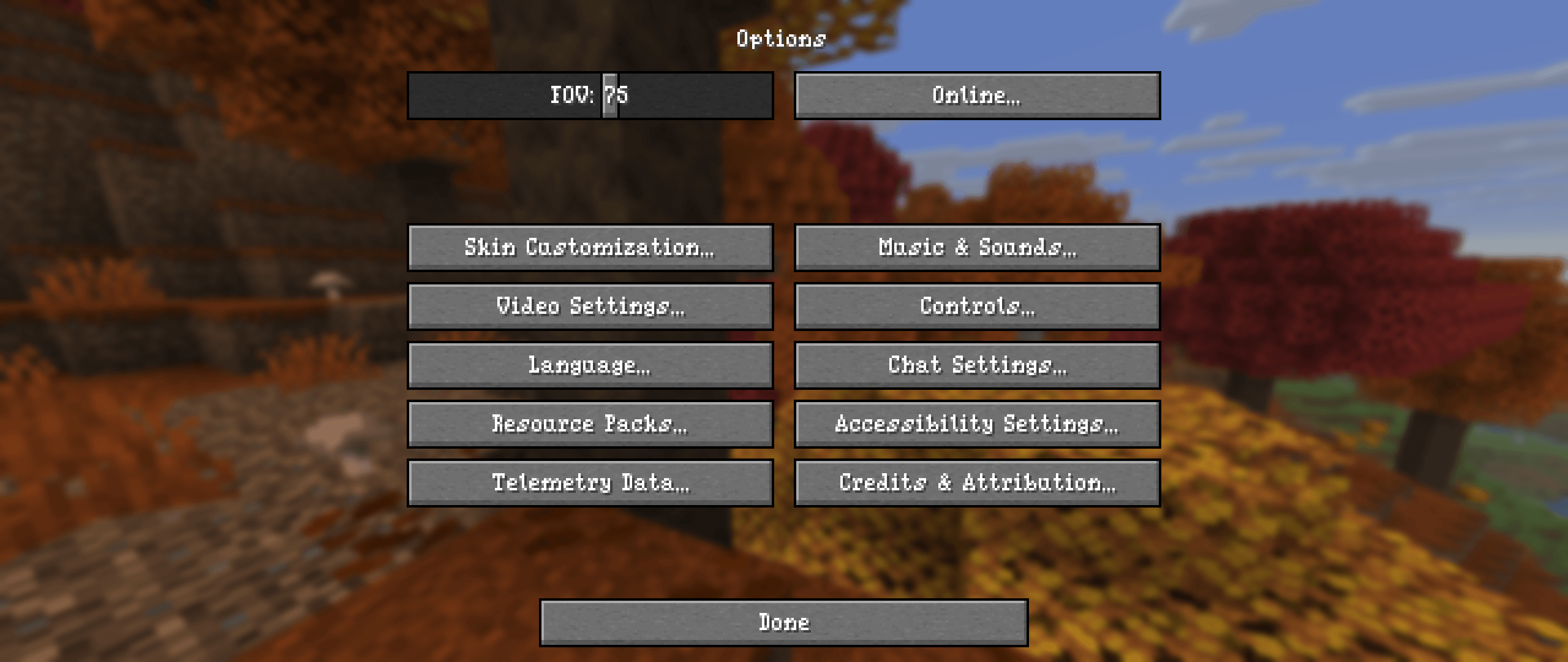
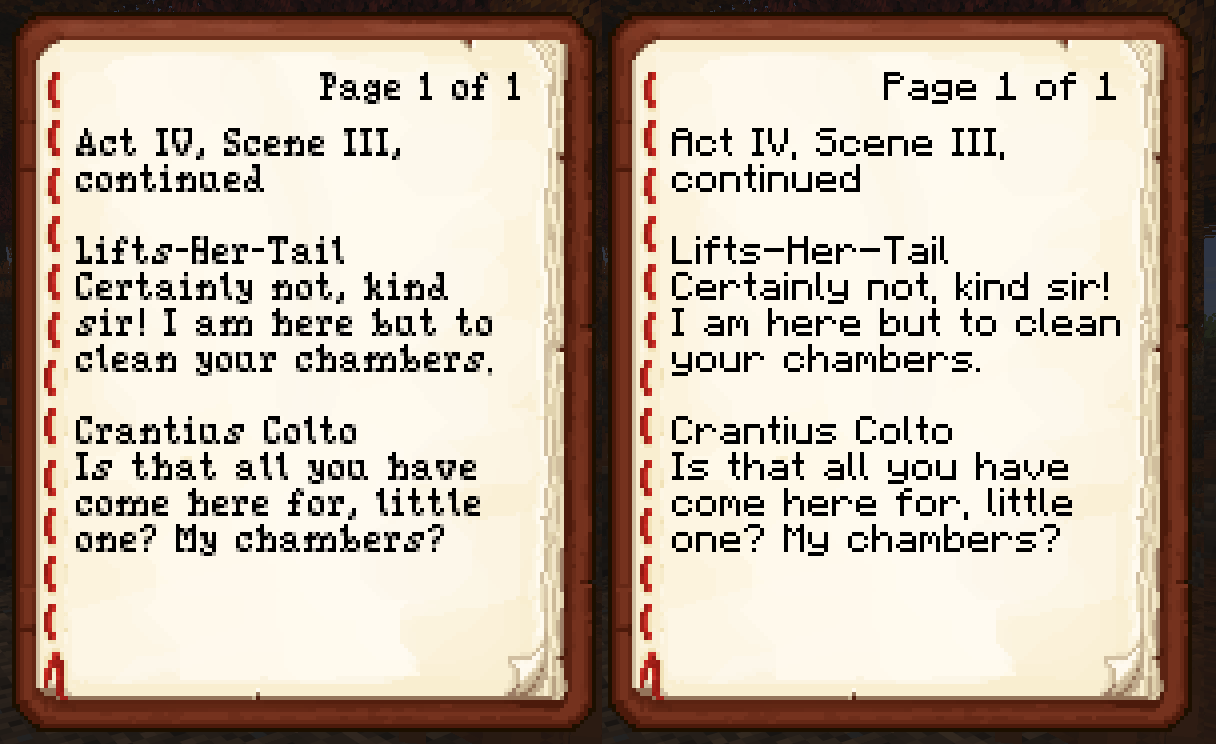
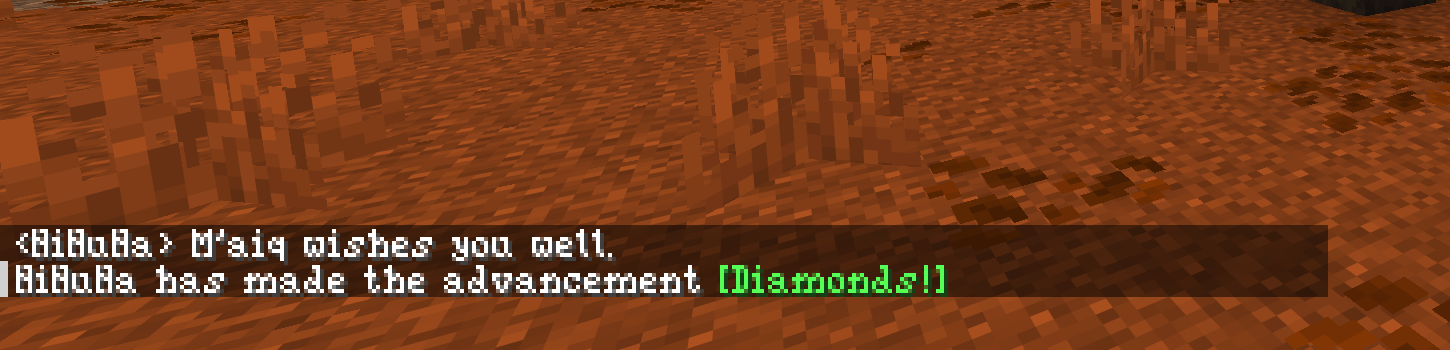
Hey there! This resource pack replaces the standard Minecraft font with a fancy, sleek serif typeface. 

The idea was to make the characters look more fantasy-like, making the font perfect for fantasy and medieval worlds! 

The font is also very compact and slim, and its semi-transparent pixels give it a distinctive appearance.

⚙️ – Installation

Follow the steps below to install and enable the font: 

  • Download the correct ZIP file for your version of Minecraft.
  • Launch the game.
  • Go to 'Options' > 'Resource Packs' > 'Open Pack Folder'.
  • Copy the ZIP file into the folder without extracting it.
  • Move the resource pack from the 'Available' section to the 'Selected' section by pressing the arrow key while hovering over the pack.
  • Confirm and enable the resource pack by pressing 'Done'.

🔗 – Compatibility

This resource pack should be compatible with all others, provided you do not allow another font replacer to override it by default.

Currently, support for diacritics and accents is only partial.

🐛 – Troubleshooting

If you cannot see the font in the game, try the following options in no particular order:

  • Make sure that you only have one version of this font installed and that it is the correct one.
  • In the 'Resource Packs' menu, move this pack to the top of the list to ensure it takes precedence over any other packs that might replace the font.
  • Finally, disable Unicode fonts by going to 'Options' > 'Language' > 'Font Settings...' and turning off 'Force Unicode Font'.

©️ – Licence

© 2026 NiNuNa. All rights reserved.

  • Not an official Minecraft product.
  • Not approved by or associated with Mojang or Microsoft.

Do you have any questions about the resource pack? Is anything broken or not working as expected? Do the characters from your language's alphabet look wrong?

Please let me know!

Thank you for downloading, and enjoy! 🖤

 

NiNuNa’s Fancy Font (1.0.0) for Minecraft: Java Edition (1.20-26.3)
MC 1.21, 1.20.2, 1.21.8, 1.20.5, 1.21.5, 1.21.4, 1.20.1, 1.20, 1.20.6, 1.21.1, 1.21.6, 1.21.3, 1.21.7, 1.20.4, 1.20.3, 1.21.2, 1.21.9, 1.21.10, 1.21.11, 26.1, 26.1.1, 26.1.2
Release 2026-09-20 Get
NiNuNa’s Fancy Font (1.0.0) for Minecraft: Java Edition (1.19-1.19.2)
MC 1.19.1, 1.19.2, 1.19
Release 2026-09-20 Get
NiNuNa’s Fancy Font (1.0.0) for Minecraft: Java Edition (1.19.3)
MC 1.19.3
Release 2026-09-20 Get
NiNuNa’s Fancy Font (1.0.0) for Minecraft: Java Edition (1.19.4)
MC 1.19.4
Release 2026-09-20 Get
NiNuNa’s Fancy Font (1.0.0) for Minecraft: Java Edition (1.18-1.18.2)
MC 1.18.1, 1.18, 1.18.2
Release 2026-09-20 Get
NiNuNa’s Fancy Font (1.0.0) for Minecraft: Java Edition (1.17-1.17.1)
MC 1.17.1, 1.17
Release 2026-09-20 Get
NiNuNa’s Fancy Font (1.0.0) for Minecraft: Java Edition (1.16.2-1.16.5)
MC 1.16.3, 1.16.5, 1.16.2, 1.16.4
Release 2026-09-20 Get
NiNuNa’s Fancy Font (1.0.0) for Minecraft: Java Edition (1.15-1.16.1)
MC 1.16.1, 1.15, 1.16, 1.15.2, 1.15.1
Release 2026-09-20 Get
NiNuNa’s Fancy Font (1.0.0) for Minecraft: Java Edition (1.13-1.14.4)
MC 1.13.1, 1.14.3, 1.13, 1.14.4, 1.14.1, 1.14, 1.13.2, 1.14.2
Release 2026-09-20 Get
NiNuNa’s Fancy Font (1.0.0) for Minecraft: Java Edition (1.11-1.12.2)
MC 1.12.1, 1.12, 1.11, 1.11.1, 1.11.2, 1.12.2
Release 2026-09-20 Get
NiNuNa’s Fancy Font (1.0.0) for Minecraft: Java Edition (1.9-1.10.2)
MC 1.9.3, 1.9.1, 1.10.2, 1.9.4, 1.9.2, 1.10, 1.10.1, 1.9
Release 2026-09-20 Get
NiNuNa’s Fancy Font (1.0.0) for Minecraft: Java Edition (1.0-1.8.9)
MC 1.5.3, 1.8.7, 1.7.4, 1.7.7, 1.7.6, 1.7.5, 1.4.6, 1.6.1, 1.0, 1.7.3, 1.7.2, 1.4.4, 1.0.0, 1.2.4, 1.8.8, 1.8.4, 1.7.9, 1.4.5, 1.3.2, 1.8.3, 1.5.2, 1.5.1, 1.1, 1.2.1, 1.7.10
Release 2026-09-20 Get

Requirements & install

How to use this resource pack in Minecraft
Resolution
Not specified
Minecraft
1.21.7 – 26.1.2
Install folder
.minecraft/resourcepacks

How to install resource packs

  1. Download the resource pack .zip file (do not extract it).
  2. In Minecraft open Options → Resource Packs → Open Pack Folder.
  3. Drop the .zip into the resourcepacks folder (.minecraft/resourcepacks).
  4. Move the pack to the Selected column and click Done.
Browse more: 16x resource packs 32x resource packs 64x resource packs 128x resource packs 256x resource packs 512x+ resource packs Resource Packs for 26.1.2 All resource packs
Advertisement Remove ads with Premium →

You Might Also Like