Mineuniverse
Resource Packs
New Default Textures in older Versions + Better Beds, Iron Bars, Glass Pane, Rain Sounds, and more...

New Default Textures in older Versions + Better Beds, Iron Bars, Glass Pane, Rain Sounds, and more...

RESOURCE PACK
All new Default Textures for Minecraft 1.8.x + Better Beds, Iron Bars, Glass Pane, Rain Sounds, Background [Download in Description]
by K0disa
Download Claim this project
Add a badge to your pageLink to New Default Textures in older Versions + Better Beds, Iron Bars, Glass Pane, Rain Sounds, and more.. from a README, website or forum post.
Preview: Badge

Badges update automatically and link to the resource pack page on MineUniverse.

5,824 downloads
0 likes
0 followers
Updated Oct 14, 2026
0 hypes
Follow0
16x Miscellaneous Traditional
Advertisement Remove ads with Premium →

[English]

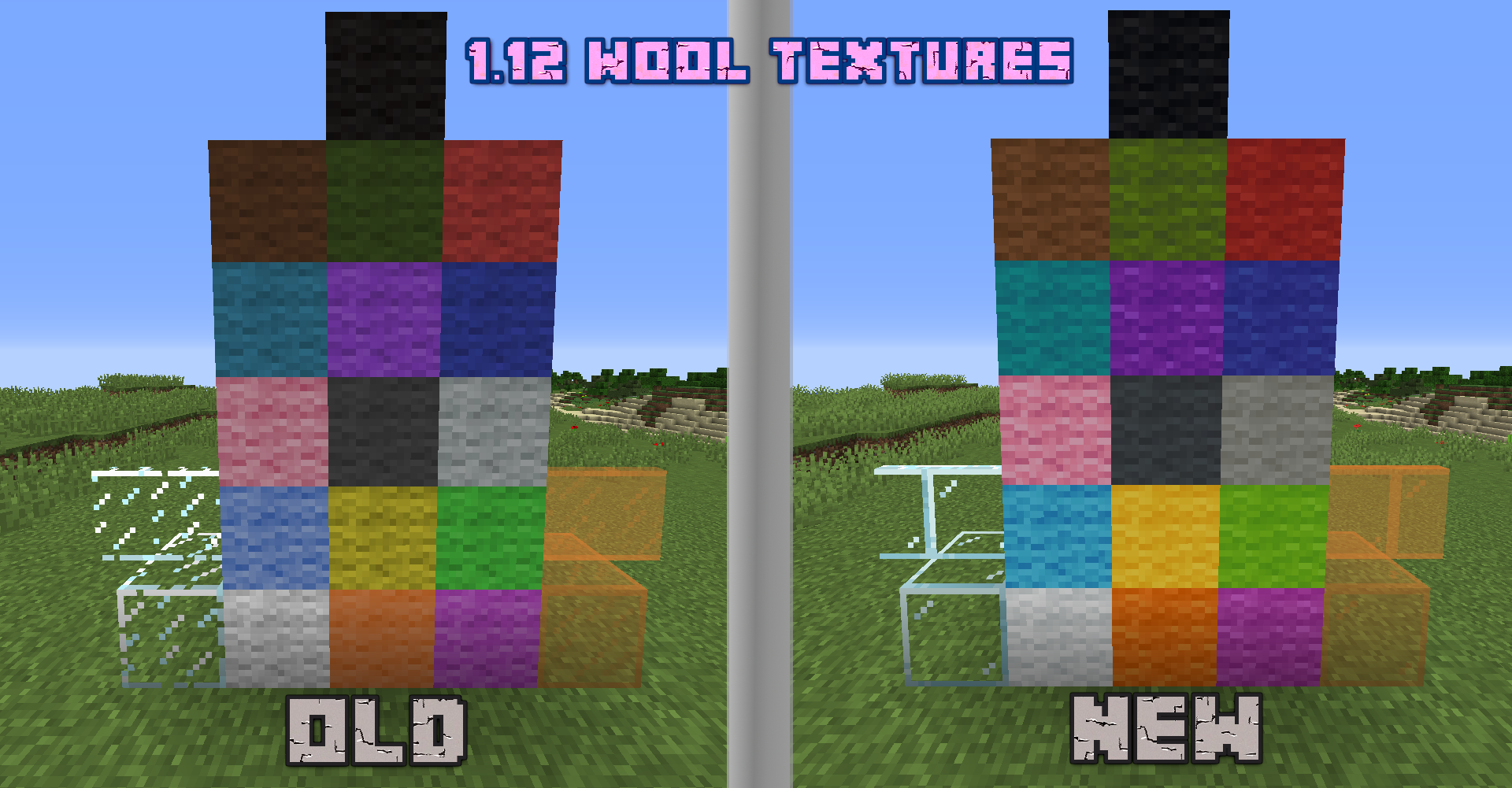
All new Minecraft Textures in 1.8.x

> Includes all new Block, Item and Entity Textures from newer Versions

Adds nice Features to 1.8:

  • 4 Bed Colors - instead of 1 (North=Red, South=Green, East=Blue, West=Yellow)
  • Better Iron Bars and Glass Pane (Like the 1.9+ Model)
  • New Update Themed Background in Main Menu
  • Better Rain Souns (Sounds from 1.9+)


Download: Klick me


[Deutsch]


Alle neuen Minecraft Texturen in 1.8.x

> Enthält alle neuen Block-, Item- und Entity-Texturen aus neueren Versionen

Fügt außerdem nice Features zur 1.8 hinzu:

  • 4 Bett Farben - normalerweise nur 1 (Norden=Rot, Süden=Grün, Osten=Blau, Westen=Gelb)
  • Bessere Iron Bars und Glass Panes (Wie das 1.9+ Model)
  • Neuer themenbasierter Hintergrund im Hauptmenü
  • Bessere Regen Souns (Die Sounds aus der 1.9+)


Download: Klick mich



1.14 Default Textures for 1.8.zip
MC 1.8.7, 1.8.4, 1.8.8, 1.8.3, 1.8.6, 1.7.10, 1.8, 1.8.2, 1.8.5, 1.8.9, 1.8.1
Release 2020-11-04 Get

Requirements & install

How to use this resource pack in Minecraft
Resolution
16x
Minecraft
1.8.2 – 1.8.9
Install folder
.minecraft/resourcepacks

How to install resource packs

  1. Download the resource pack .zip file (do not extract it).
  2. In Minecraft open Options → Resource Packs → Open Pack Folder.
  3. Drop the .zip into the resourcepacks folder (.minecraft/resourcepacks).
  4. Move the pack to the Selected column and click Done.
Browse more: 16x resource packs 32x resource packs 64x resource packs 128x resource packs 256x resource packs 512x+ resource packs Resource Packs for 1.8.9 All resource packs
Advertisement Remove ads with Premium →

You Might Also Like