Mineuniverse
Resource Packs
nether wart indicator

nether wart indicator

RESOURCE PACK
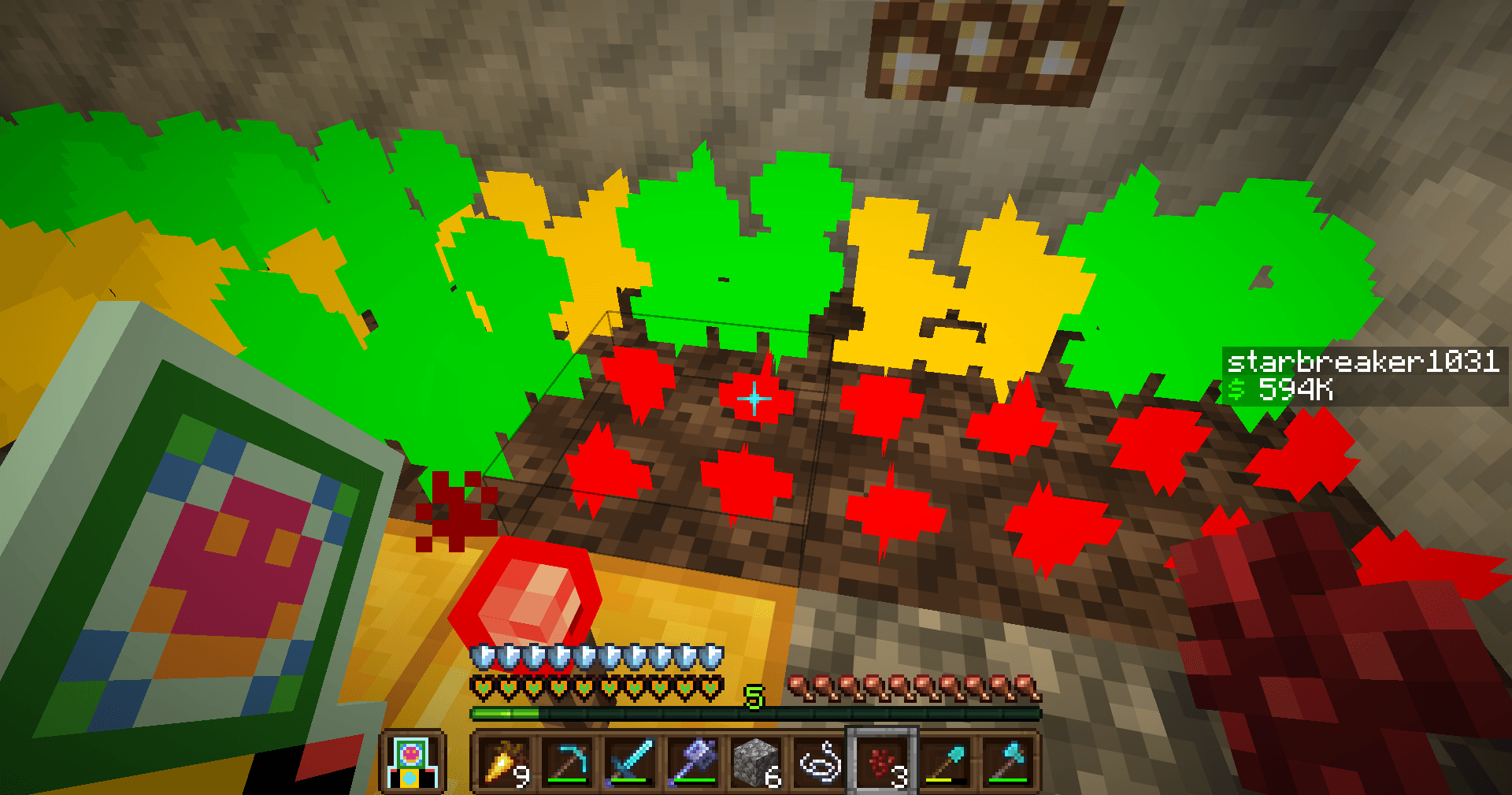
makes the three stages of nether wart easier to see
by user_f6sauf1u6ydxqfrc
Download Claim this project
70 downloads
0 likes
Updated Oct 14, 2026
0 hypes
32x
Advertisement Remove ads with Premium →

makes the three stages of nether wart growing change colors. red for stage one. yellow for stage two. and green for stage three.

netherwartindicator.zip
MC 26.1, 26.1.1, 26.1.2, 26.2
Release 2026-08-07 Get

Requirements & install

How to use this resource pack in Minecraft
Resolution
32x
Minecraft
26.1 – 26.2
Install folder
.minecraft/resourcepacks

How to install resource packs

  1. Download the resource pack .zip file (do not extract it).
  2. In Minecraft open Options → Resource Packs → Open Pack Folder.
  3. Drop the .zip into the resourcepacks folder (.minecraft/resourcepacks).
  4. Move the pack to the Selected column and click Done.
Browse more: 16x resource packs 32x resource packs 64x resource packs 128x resource packs 256x resource packs 512x+ resource packs Resource Packs for 26.2 All resource packs
Advertisement Remove ads with Premium →

You Might Also Like