Mineuniverse
Resource Packs
NeoFullbright

NeoFullbright

RESOURCE PACK
Simple fullbright resource pack, compatible with 26.2 for Vanilla, Optifine, Sodium and Vulkan.
by Pierrecreeper
Download Claim this project
106,559 downloads
0 likes
0 followers
Updated Oct 14, 2026
0 hypes
Follow0
16x Miscellaneous Modern
Advertisement Remove ads with Premium →

Vulkan and Sodium

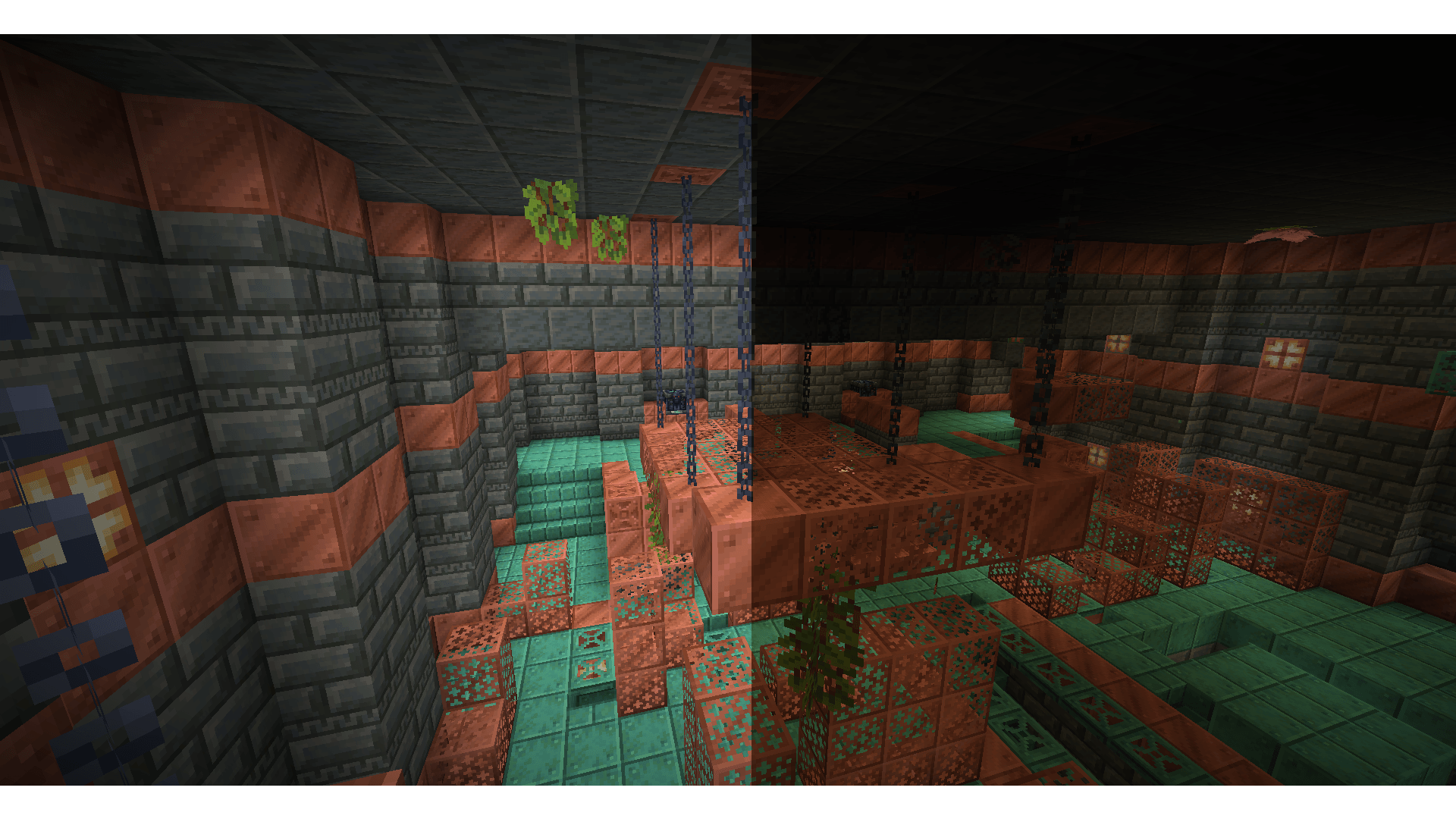
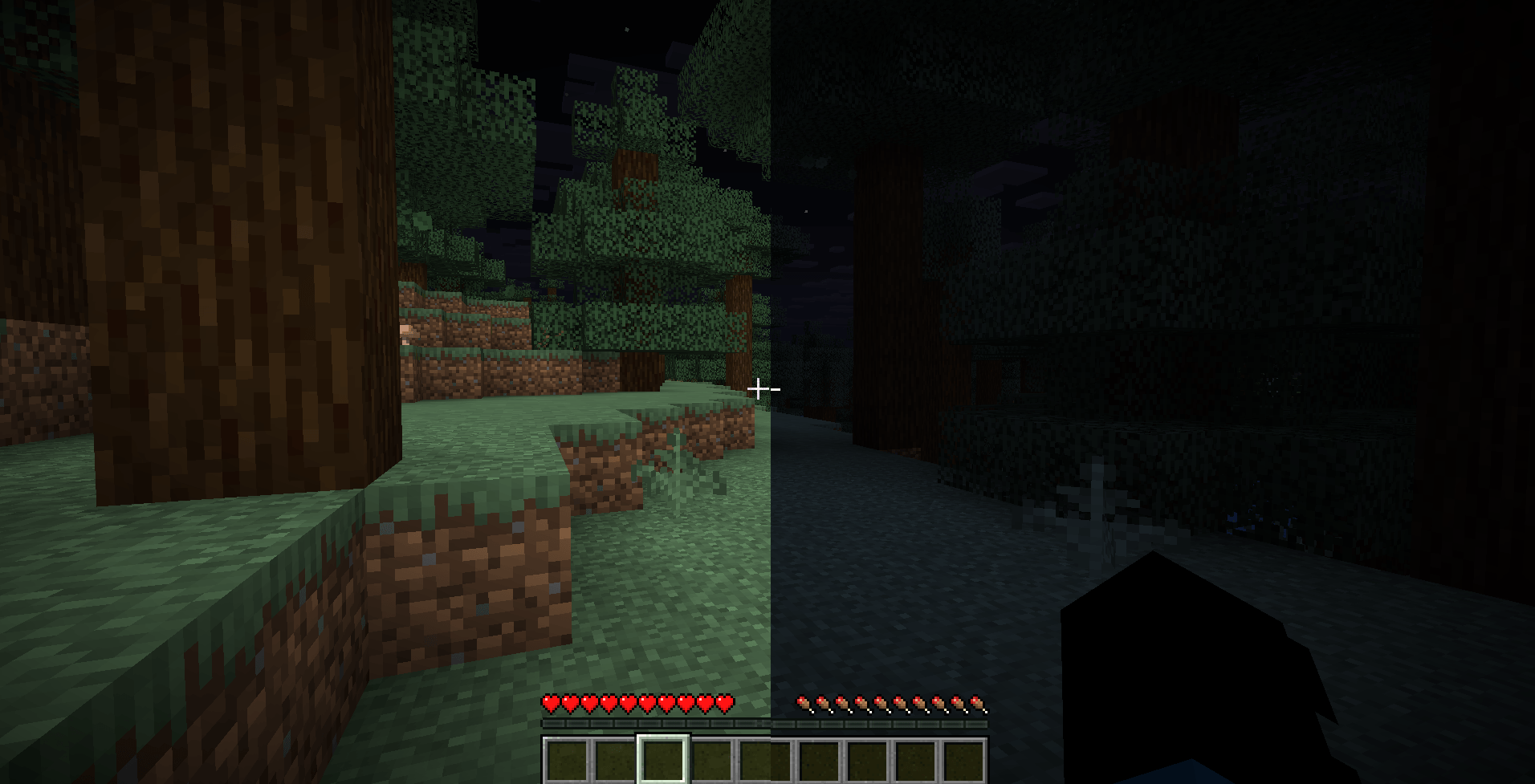
NeoFullbright is a lightweight, 100% vanilla resource pack that applies a permanent fullbright effect — no commands, no mods required, and without breaking text or the UI.


✨ Features

  • Clear vision as if it’s daytime, even in caves or at night
  • Interface and text remain fully visible (no broken fonts)
  • Custom pack icon included
  • OptiFine compatible (includes lightmaps)
  • Ultra-light pack with zero performance impact

📥 Installation

  1. Download the .zip file
  2. Place it in your:
.minecraft/resourcepacks
  1. Launch Minecraft → Options → Resource Packs
  2. Enable NeoFullbright and move it to the top of the list

🔧 Compatibility

  • ✅ Minecraft 1.21.8 (pack_format 46)
  • ✅ Works in vanilla (no mods required)
  • ✅ Compatible with OptiFine/Fabric/Iris
  • ⚠️ Not compatible with external shaders (they will override the effect)

⚠️ Note

If you use an external shader (BSL, Complementary, etc.), the NeoFullbright effect will be overridden.


Fullbright 9.2
MC 1.21.8, 1.21.5, 1.21.4, 1.21.6, 1.21.3, 1.21.7, 1.21.2, 1.21.9, 1.21.10, 1.21.11, 26.1, 26.1.1, 26.1.2, 26.2, 26.3
Release 2026-10-01 Get
Fullbright 9.0
MC 1.21.8, 1.21.5, 1.21.4, 1.21.6, 1.21.3, 1.21.7, 1.21.2, 1.21.9, 1.21.10, 1.21.11, 26.1, 26.1.1, 26.1.2, 26.2, 26.3
Release 2026-09-15 Get
NeoFullbright 8.0 1.21.9-26.2
MC 1.21.9, 1.21.10, 1.21.11, 26.1, 26.1.1, 26.1.2, 26.2
Release 2026-06-07 Get
NeoFullbright 1.21.9 - 26.1
MC 1.21.9, 1.21.10, 1.21.11, 26.1, 26.1.1, 26.1.2
Release 2026-03-24 Get
NeoFullbright 1.21-1.21.2
MC 1.21, 1.21.1, 1.21.2
Release 2026-03-21 Get
NeoFullbright 1.21.8
MC 1.21.8, 1.21.5, 1.21.4, 1.21.6, 1.21.3, 1.21.7
Release 2026-03-21 Get
NF 1.21.9 - 26.1 Pre Release 2
MC 1.21.9-snapshot, 1.21.9, 1.21.10, 1.21.11-snapshot, 1.21.11, 26.1-snapshot
Release 2026-03-15 Get
NF 1.21.9 - 26.1 Snapshot 11
MC 1.21.9-snapshot, 1.21.9, 1.21.10, 1.21.11-snapshot, 1.21.11, 26.1-snapshot
Release 2026-03-09 Get
NeoFullbright 1.21.9 - 26.1 Snapshot 9
MC 1.21.9-snapshot, 1.21.9, 1.21.10, 1.21.11-snapshot, 1.21.11, 26.1-snapshot
Release 2026-02-23 Get
1.21.9 - 1.21.11
MC 1.21.9, 1.21.10, 1.21.11-snapshot, 1.21.11
Release 2025-12-09 Get
1.21.9 - 1.21.11 snapshot
MC 1.21.9, 1.21.10, 1.21.11-snapshot
Release 2025-10-28 Get
NeoFullbright 1.20-1.20.4
MC 1.20.2, 1.20.3, 1.20.1, 1.20, 1.20.4
Release 2025-10-18 Get
NeoFullbright 25w41 - 1.21.11
MC 1.21.11-snapshot
Release 2025-10-14 Get
NeoFullbright 1.21.9 - 1.21.10
MC 1.21.9, 1.21.10
Release 2025-10-02 Get
NeoFullbright 1.21.3- 1.21.8
MC 1.21.5, 1.21.8, 1.21.4, 1.21.3, 1.21.7, 1.21.6
Release 2025-10-01 Get
NeoFullbright 1.21.9
MC 1.21.9
Release 2025-10-01 Get
NeoFullbright 1.21-1.21.2
MC 1.21, 1.21.1, 1.21.2
Release 2025-10-01 Get
NeoFullbright 1.21-1.21.2 v2
MC 1.21, 1.21.1, 1.21.2
Release 2025-10-01 Get
NeoFullbright 1.17-1.21.2
MC 1.17.1, 1.19.3, 1.20.2, 1.21, 1.18.1, 1.20.5, 1.17, 1.19.4, 1.18.2, 1.19.2, 1.20.3, 1.20.1, 1.20, 1.20.6, 1.19.1, 1.20.4, 1.21.1, 1.18, 1.19, 1.21.2
Release 2025-10-01 Get

Requirements & install

How to use this resource pack in Minecraft
Resolution
16x
Minecraft
1.21.11-snapshot – 26.3
Install folder
.minecraft/resourcepacks

How to install resource packs

  1. Download the resource pack .zip file (do not extract it).
  2. In Minecraft open Options → Resource Packs → Open Pack Folder.
  3. Drop the .zip into the resourcepacks folder (.minecraft/resourcepacks).
  4. Move the pack to the Selected column and click Done.
Browse more: 16x resource packs 32x resource packs 64x resource packs 128x resource packs 256x resource packs 512x+ resource packs Resource Packs for 26.3 All resource packs

More from Pierrecreeper

Advertisement Remove ads with Premium →

You Might Also Like