Mineuniverse
Resource Packs
Nekoyoubi Texture Pack

Nekoyoubi Texture Pack

RESOURCE PACK
Nekoyoubi's texture pack. Used by many, loved by none.
by Nekoyoubi
Download Claim this project
20,019 downloads
0 likes
0 followers
Updated Oct 14, 2026
0 hypes
Follow0
Miscellaneous
Advertisement Remove ads with Premium →

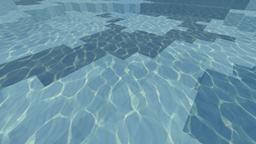
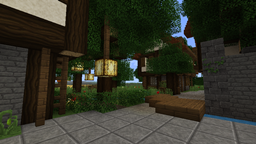
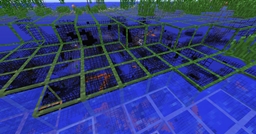
I, like many others, wanted to make my own pack and all. So I did... well, sort of. It's a work in progress, but it's functional. ;Þ

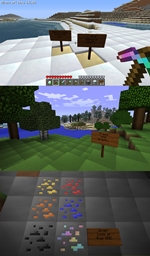
  • I've basically given everything a "newer", smoother look. I've also added a bit of a pillow-like shading to the common blocks for creative construction purposes (i.e. makes counting them easier).

  • Diamonds are spectral across the board (blocks and items, both).

  • Wooden object are darker and richer - not just the wood block (trees, wood, ladders, chests, etc...).

  • There have also been minor changes by request that aren't really themed (e.g. reeds are now four instead of three, beds are purple-sheeted instead of red, etc..)

Most blocks have been replaced, but many more still need to get some love. Let me know if there are an that by not being replaced make the pack less desirable.

I didn't want to take away from the base feeling of the original textures, so a lot of items are untouched.

I haven't updated any mobs yet. I will be adding to this though, skinning more than just the blocks and a few items if anyone cares, but it's not my top focus so it just depends on feedback.

Nekoyoubi.zip
MC 1.5.1
Release 2013-04-08 Get
Nekoyoubi.zip
MC 1.4.2
Release 2012-10-29 Get
Nekoyoubi.zip
MC 1.3.2
Release 2012-08-26 Get
Nekoyoubi.zip
MC 1.0.0
Release 2011-12-02 Get
Nekoyoubi.zip
MC CB 1337
Release 2011-11-12 Get
Nekoyoubi.zip
MC CB 1337
Release 2011-11-03 Get

Requirements & install

How to use this resource pack in Minecraft
Resolution
Not specified
Minecraft
1.0.0 – 1.5.1
Install folder
.minecraft/resourcepacks

How to install resource packs

  1. Download the resource pack .zip file (do not extract it).
  2. In Minecraft open Options → Resource Packs → Open Pack Folder.
  3. Drop the .zip into the resourcepacks folder (.minecraft/resourcepacks).
  4. Move the pack to the Selected column and click Done.
Browse more: 16x resource packs 32x resource packs 64x resource packs 128x resource packs 256x resource packs 512x+ resource packs Resource Packs for 1.5.1 All resource packs

More from Nekoyoubi

Advertisement Remove ads with Premium →

You Might Also Like