Mineuniverse
Resource Packs
NBT Items

NBT Items

RESOURCE PACK
Makes items with extra NBT data display uniquely
by 6_28318530717958
Download Claim this project
2,354 downloads
0 likes
0 followers
Updated Oct 14, 2026
0 hypes
Follow0
16x Animated Miscellaneous Mod Support Traditional
Advertisement Remove ads with Premium →

NBT Items

(link to Planet Minecraft page)


NBT Items adds custom textures and models for items with stored NBT data.

Use Ctrl + Pick block on a block to get its stored data.

Requires OptiFine, CIT Resewn or Chime.


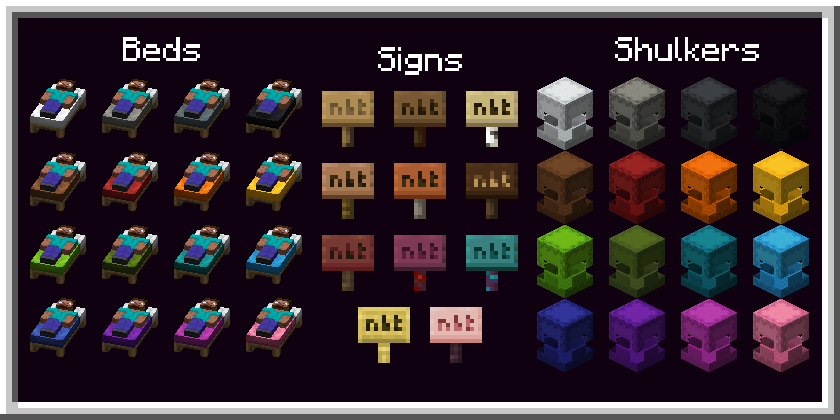
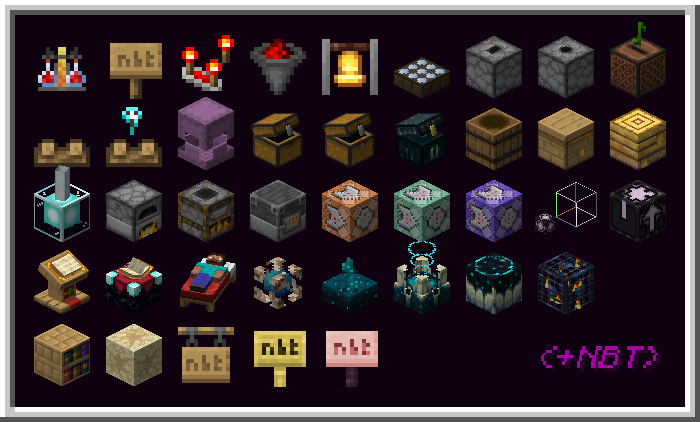
the features of this pack, with and without NBT

Features:

  • Signs
  • Hanging Signs
  • Barrel
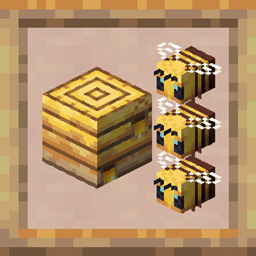
  • Bee Nest
  • Bee Hive
  • Blast Furnace
  • Brewing Stand
  • Campfire
  • Command Block (including Chain and Repeat)
  • Comparator
  • Daylight Sensor
  • Furnace
  • Jukebox
  • Smoker
  • Soul Campfire
  • Structure Block
  • Bell
  • Dispenser
  • Dropper
  • Hopper
  • Chest
  • Trapped Chest
  • Shulker Box
  • Ender Chest
  • Beacon
  • Lectern
  • Enchanting Table
  • Chiselled Bookshelf
  • Jigsaw
  • Bed
  • Conduit
  • Sculk Sensor
  • Sculk Shrieker
  • Sculk Catalyst
  • Spawner
  • Suspicious Sand


Terms of usage:

If you use or feature this resourcepack through any medium (PMC, YouTube, Curseforge, etc.), you must credit me and link to this page and/or my profile.

If you would like to use this in your public resourcepack, please ask me first, and include credit and a link to this page both in a credits.txt in the resourcepack file and in the description.

Usage must be a modification or addition to your pack, not a repost.

If you see anyone using my content without permission, please let me know so I can sort it out :)


License: 

This resourcepack is licensed under Creative Commons Attribution-NonCommercial-ShareAlike 4.0 International License.

NBT Items v1.8
MC 1.19.3, 1.19.4, 1.19-Snapshot, 1.19.2, 1.19.1, 1.19
Release 2023-03-27 Get
NBT Items v1.7
MC 1.19-Snapshot, 1.19.2, 1.19.1, 1.19
Release 2022-08-15 Get
NBT Items v1.6
MC 1.18.1, 1.18.2, 1.18, 1.18-Snapshot
Release 2022-03-09 Get

Requirements & install

How to use this resource pack in Minecraft
Resolution
16x
Minecraft
1.18.1 – 1.19.4
Install folder
.minecraft/resourcepacks

How to install resource packs

  1. Download the resource pack .zip file (do not extract it).
  2. In Minecraft open Options → Resource Packs → Open Pack Folder.
  3. Drop the .zip into the resourcepacks folder (.minecraft/resourcepacks).
  4. Move the pack to the Selected column and click Done.
Browse more: 16x resource packs 32x resource packs 64x resource packs 128x resource packs 256x resource packs 512x+ resource packs Resource Packs for 1.19.4 All resource packs

More from 6_28318530717958

Advertisement Remove ads with Premium →

You Might Also Like