Mineuniverse
Resource Packs
Nature's Carpet: Twigs 'n' Leaves

Nature's Carpet: Twigs 'n' Leaves

RESOURCE PACK
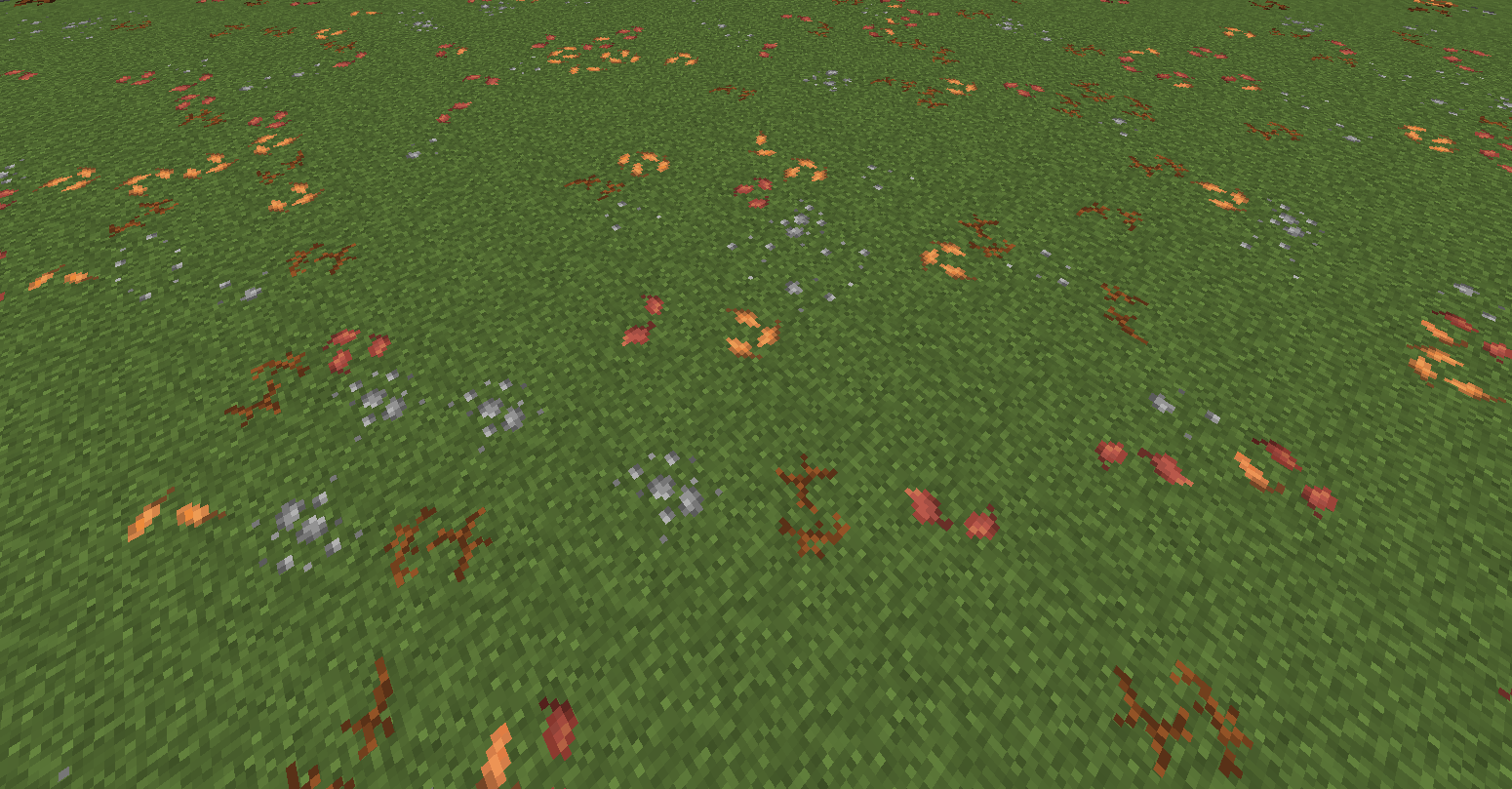
Nature's Carpet: Twigs & Leaves brings the forest floor to life, adding scattered twigs and leaves to grass textures for a natural, rustic feel.
by Azturax
Download Claim this project
Add a badge to your pageLink to Nature's Carpet: Twigs 'n' Leaves from a README, website or forum post.
Preview: Badge

Badges update automatically and link to the resource pack page on MineUniverse.

5,201 downloads
0 likes
0 followers
Updated Oct 14, 2026
0 hypes
Follow0
16x
Advertisement Remove ads with Premium →

1

transforms the look of your Minecraft world by adding intricate details to grass textures. This resource pack scatters twigs, leaves, and natural debris across the grassy surfaces, creating a more immersive, forest-like atmosphere. Whether you're walking through lush meadows or dense woodlands, the organic elements bring a rustic, weathered charm to the terrain, making every outdoor scene feel alive and in harmony with nature. Perfect for players who love a realistic, earthy aesthetic in their Minecraft landscapes.


Support the work

If you enjoy what I create, supporting the page helps me spend more time on updates, polishing features, fixing issues, and creating new content for future releases.

Every bit of support helps keep development going — thank you for making the next update possible.  

natures_carpet_TnL1.21-26.1.1.zip
MC 1.21, 1.21.8, 1.21.5, 1.21.4, 1.21.1, 1.21.6, 1.21.3, 1.21.7, 1.21.2, 1.21.9, 1.21.10, 1.21.11, 26.1, 26.1.1, 26.1.2
Release 2026-04-10 Get
Nature's Carpet Twigs 'n' Leaves 1.20+ - 1.21+.zip
MC 1.21, 1.20.2, 1.21.8, 1.20.5, 1.21.5, 1.21.4, 1.20.1, 1.20, 1.20.6, 1.21.1, 1.21.6, 1.21.3, 1.21.7, 1.20.4, 1.20.3, 1.21.2
Release 2025-08-17 Get

Requirements & install

How to use this resource pack in Minecraft
Resolution
16x
Minecraft
1.21.7 – 26.1.2
Install folder
.minecraft/resourcepacks

How to install resource packs

  1. Download the resource pack .zip file (do not extract it).
  2. In Minecraft open Options → Resource Packs → Open Pack Folder.
  3. Drop the .zip into the resourcepacks folder (.minecraft/resourcepacks).
  4. Move the pack to the Selected column and click Done.
Browse more: 16x resource packs 32x resource packs 64x resource packs 128x resource packs 256x resource packs 512x+ resource packs Resource Packs for 26.1.2 All resource packs

More from Azturax

Advertisement Remove ads with Premium →

You Might Also Like