Mineuniverse
Resource Packs
Mushified Mobs

Mushified Mobs

RESOURCE PACK
The pack for adding your favorate Mushy Mobs!
by GillsBills
Download Claim this project
Add a badge to your pageLink to Mushified Mobs from a README, website or forum post.
Preview: Badge

Badges update automatically and link to the resource pack page on MineUniverse.

1,416 downloads
0 likes
0 followers
Updated Oct 14, 2026
0 hypes
Follow0
16x Miscellaneous Modern Traditional
Advertisement Remove ads with Premium →


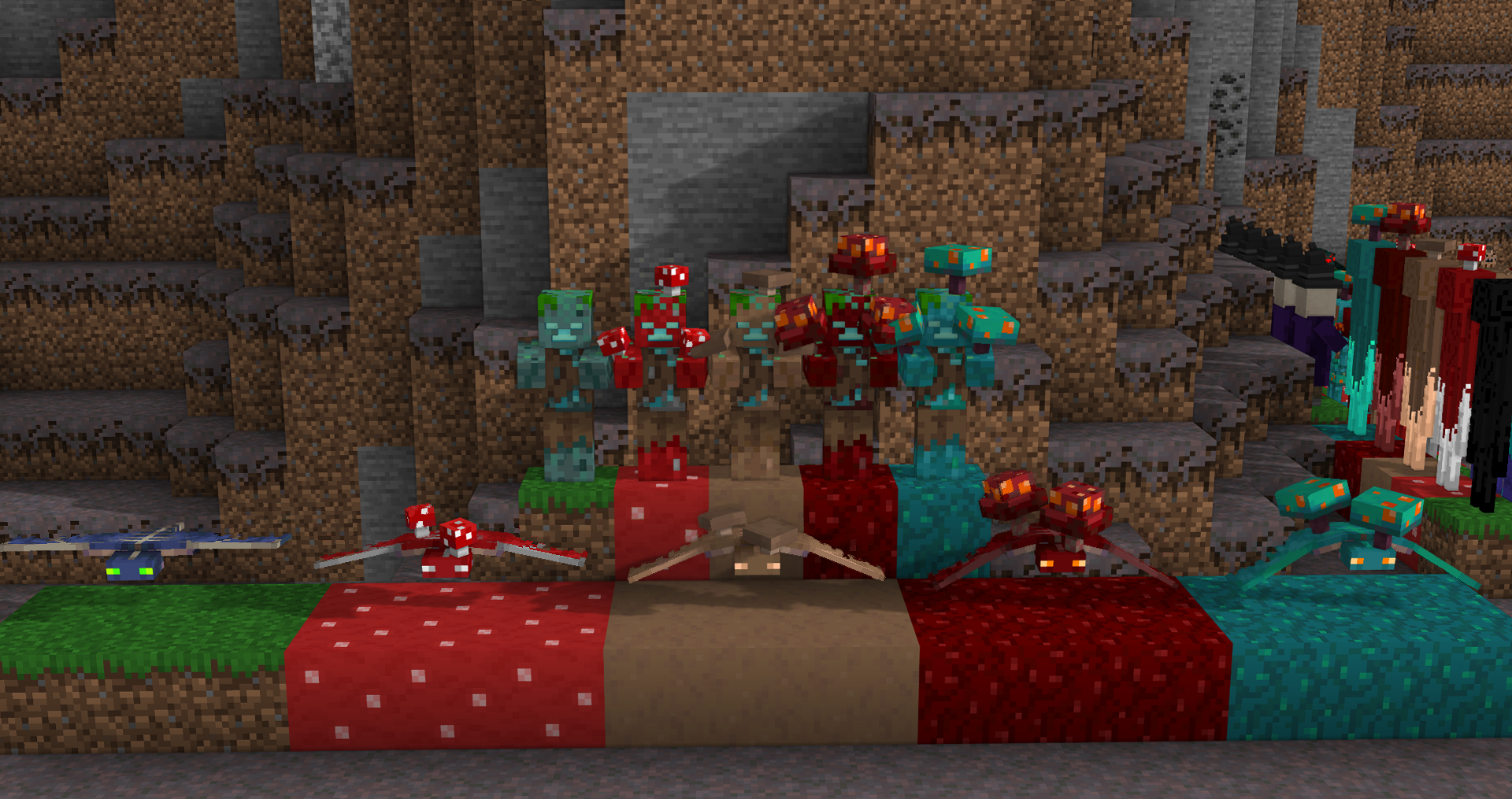
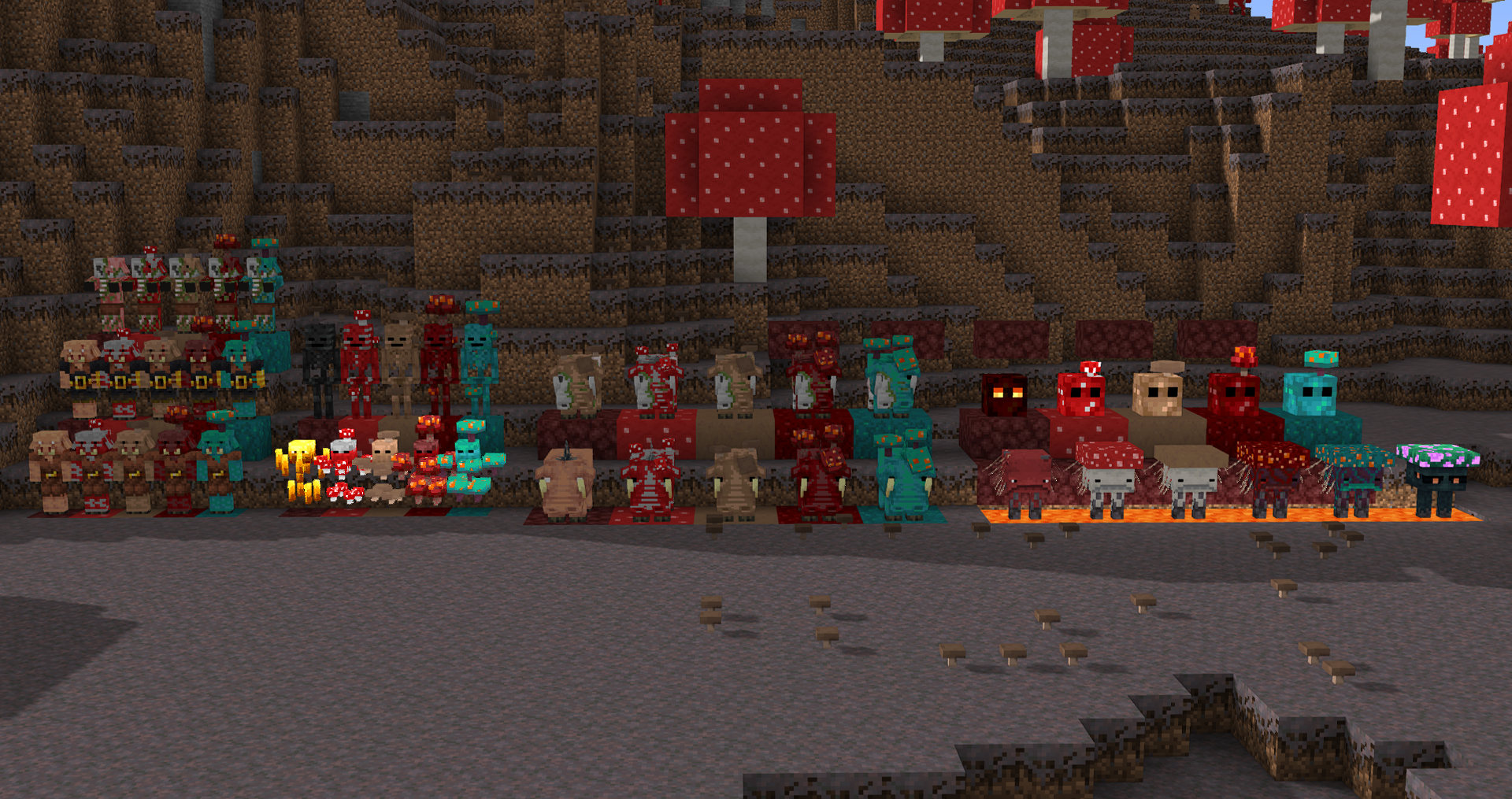
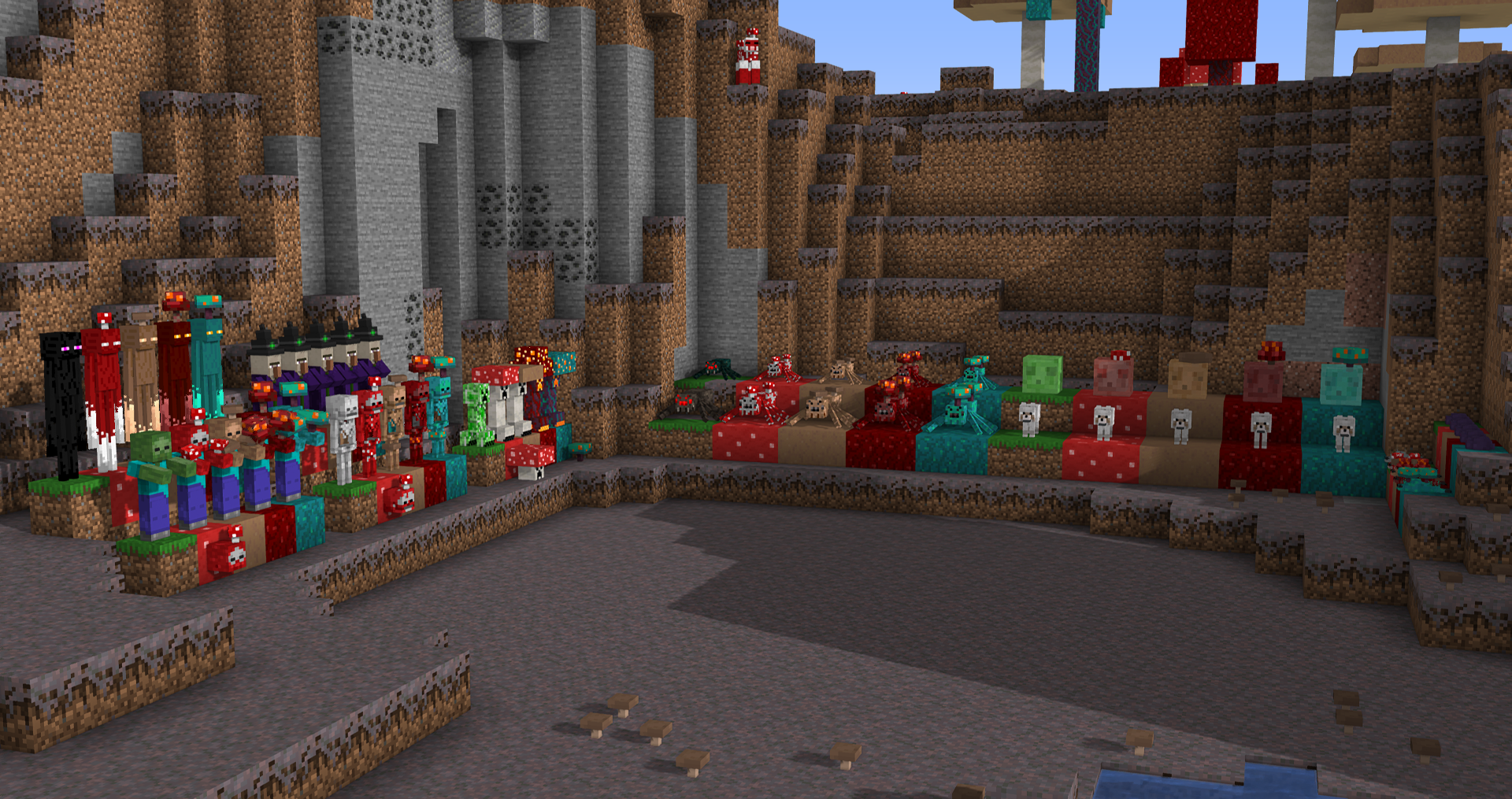
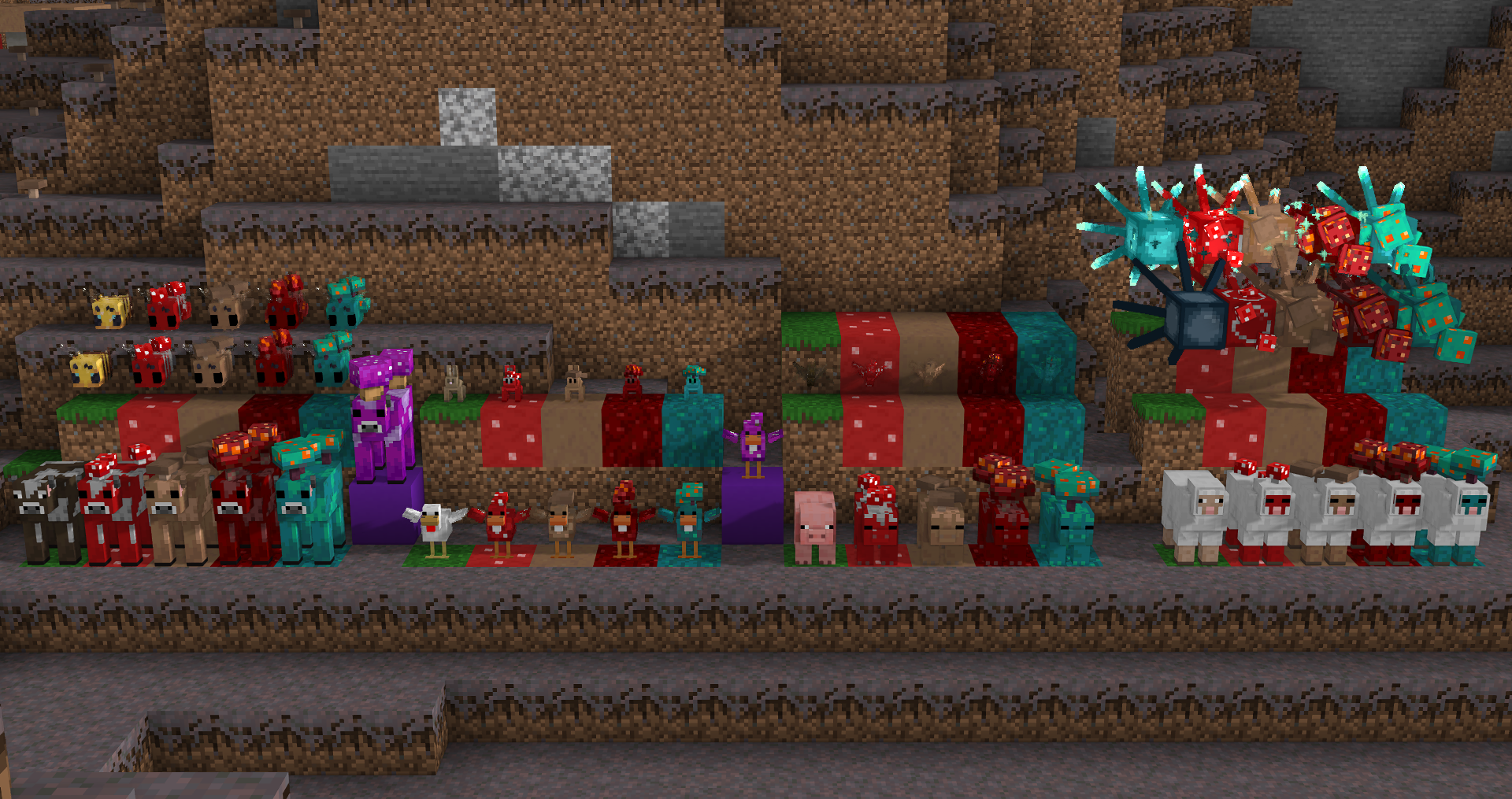
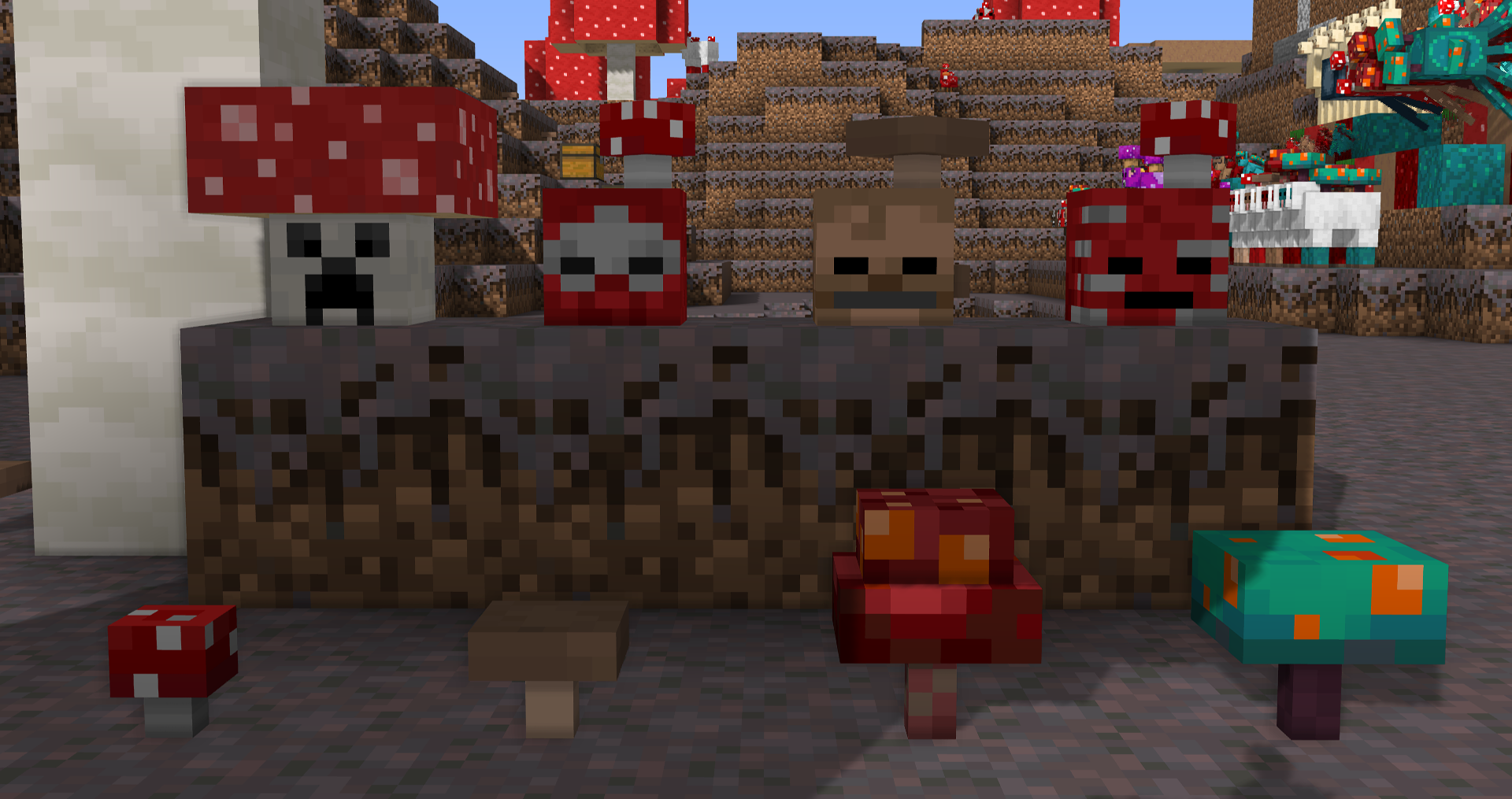
Behold, the ultimate resource pack that adds mushroom variants to most of the mobs in your Minecraft World!

These include mushroom variants of the following mushrooms:

  • Red Mushroom
  • Brown Mushroom
  • Crimson Fungi
  • Warped Fungi

These mob variants all can be renamed to their appropriate skin by either the mushroom or the sound they make along with shroom and can spawn naturally in the biome.

Ex: A pig oinks, it would be called a

Oinkshroom for a Red Mushroom,
Brown Oinkshroom for a Brown mushroom,
Crimson Oinkshroom/fungi* for a Crimson Fungi
Warped Oinkshroom/fungi* for a Warped Fungi

*Nether variants can be tagged with a shroom or a fungi at the end of the name, it's down to personal preference


width=220
Optifine is required in order to access the mobs and not have them all bug out!

Other video settings that is needed to access the full potential of the pack
Options/Video Settings/Quality

  • Custom Entity Models: ON
  • Random Entities: ON
  • Emissive Textures: ON


More mob variants are planned that are not already added

PinkuRinku
Bold Muddy
FishStacks


The Content in this pack is licensed under Creative Commons Attribution-NonCommercial-ShareAlike 4.0 International License

Mushified Mobs.zip
MC 1.18.1
Release 2022-02-24 Get

Requirements & install

How to use this resource pack in Minecraft
Resolution
16x
Minecraft
1.18.1
Install folder
.minecraft/resourcepacks

How to install resource packs

  1. Download the resource pack .zip file (do not extract it).
  2. In Minecraft open Options → Resource Packs → Open Pack Folder.
  3. Drop the .zip into the resourcepacks folder (.minecraft/resourcepacks).
  4. Move the pack to the Selected column and click Done.
Browse more: 16x resource packs 32x resource packs 64x resource packs 128x resource packs 256x resource packs 512x+ resource packs Resource Packs for 1.18.1 All resource packs

More from GillsBills

Advertisement Remove ads with Premium →

You Might Also Like