Mineuniverse
Resource Packs
Muse Health Bars

Muse Health Bars

RESOURCE PACK
Faithfully restyles the HUD with tasteful status bars
by juniranger
Download Claim this project
4,002 downloads
0 likes
0 followers
Updated Oct 14, 2026
0 hypes
Follow0
16x Animated Miscellaneous Mod Support Modern
Advertisement Remove ads with Premium →

About

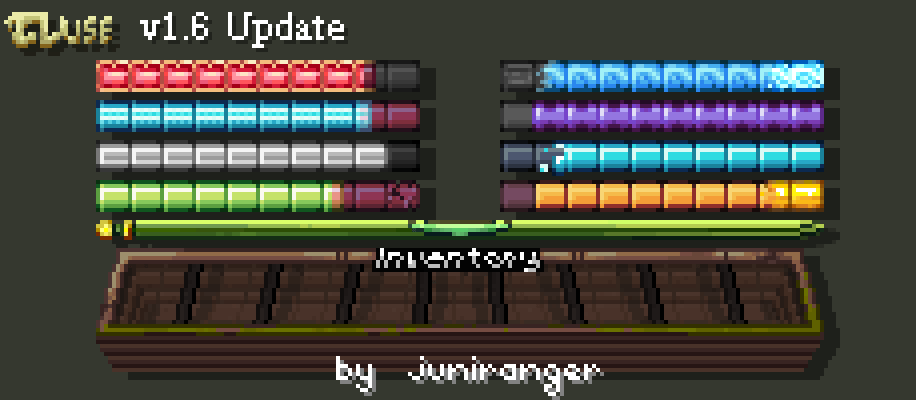
Usually, the HUD of Minecraft displays the player's status with separated icons in an easy to view manner. Most resource packs preserve the use of hearts for health, drumsticks for hunger, and other images for the status bars. It's good because usually the icons represent the status accordingly.

The purpose of this pack is to personalize the status bars without losing their original significance. In addition, the unique characteristics of the style are sure to make an impression on others who see you play.
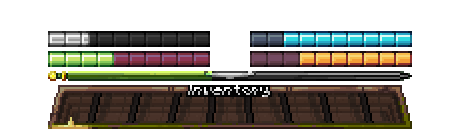

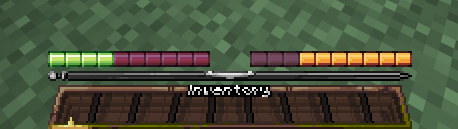
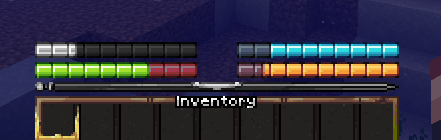
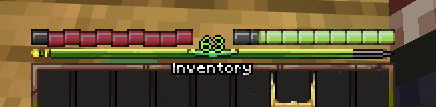
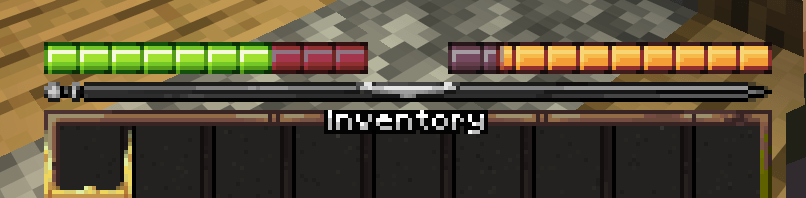
An overview of the player hotbar


Stylized HUD

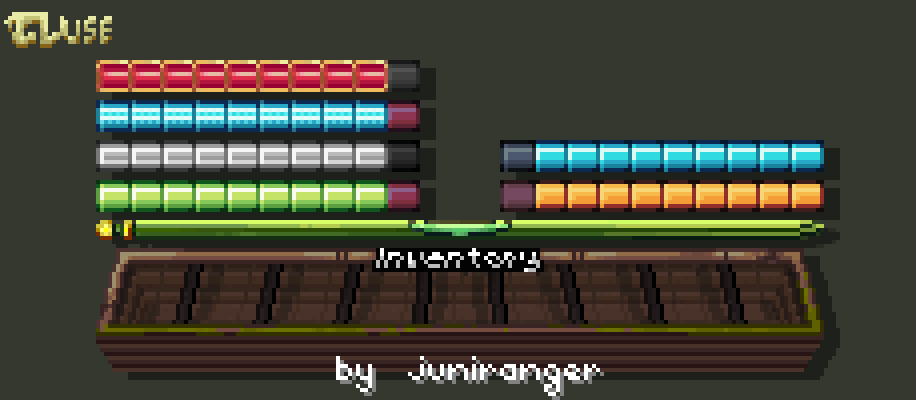
This resource pack alters much of the HUD to have a more natural and interconnected feel. Despite reusing the same core pieces, it tries to reduce the modular feel of the HUD, bringing it together. In addition to the usual indicators, it includes a refined and stylized experience bar. All this and more is included in the pack.


Interested?

Unlike my other projects, I'm watching this one. If you have issues with this pack or want something changed, please comment.

Muse Health Bars 1.20.1 v1.6
MC 1.20.1
Release 2026-05-30 Get
Muse Health Bars 26.1 v1.6
MC 1.21, 1.20.4, 26.1.2
Release 2026-05-30 Get
Muse Health Bars 1.20.1 v1.5
MC 1.20.1
Release 2026-05-23 Get
Muse Health Bars v1.4
MC 1.21, 1.20.6, 1.21.1, 1.20.4, 1.21.11, 26.1, 26.1.1, 26.1.2
Release 2026-04-14 Get
Muse Health Bars v1.3
MC 1.21, 1.20.1, 1.20, 1.20.6, 1.21.1, 1.20.4, 1.21.11, 26.1, 26.1.1, 26.1.2
Release 2026-04-09 Get
Muse Health Bars v1.2
MC 1.21, 1.20.1, 1.20, 1.20.6, 1.21.1, 1.21.10, 1.21.11, 26.1, 26.1.1
Release 2026-04-08 Get
Muse Health Bars v1.1
MC 1.21, 1.20.1, 1.20, 1.20.6, 1.21.1, 1.21.10, 1.21.11, 26.1, 26.1.1
Release 2026-04-07 Get
Muse Health Bars v1.0
MC 1.21, 1.20.4, 1.21.11, 26.1, 26.1.1
Release 2026-04-06 Get

Requirements & install

How to use this resource pack in Minecraft
Resolution
16x
Minecraft
1.20.6 – 26.1.2
Install folder
.minecraft/resourcepacks

How to install resource packs

  1. Download the resource pack .zip file (do not extract it).
  2. In Minecraft open Options → Resource Packs → Open Pack Folder.
  3. Drop the .zip into the resourcepacks folder (.minecraft/resourcepacks).
  4. Move the pack to the Selected column and click Done.
Browse more: 16x resource packs 32x resource packs 64x resource packs 128x resource packs 256x resource packs 512x+ resource packs Resource Packs for 26.1.2 All resource packs

More from juniranger

Advertisement Remove ads with Premium →

You Might Also Like