Mineuniverse
Resource Packs
Muddy Waters & Ashen Skies

Muddy Waters & Ashen Skies

RESOURCE PACK
Makes water murky looking and the sky desaturated | For Polytone
by Paputronics
Download Claim this project
Add a badge to your pageLink to Muddy Waters & Ashen Skies from a README, website or forum post.
Preview: Badge

Badges update automatically and link to the resource pack page on MineUniverse.

11,410 downloads
0 likes
0 followers
Updated Oct 14, 2026
0 hypes
Follow0
16x Miscellaneous Mod Support
Advertisement Remove ads with Premium →

This is a resource pack that requires Polytone

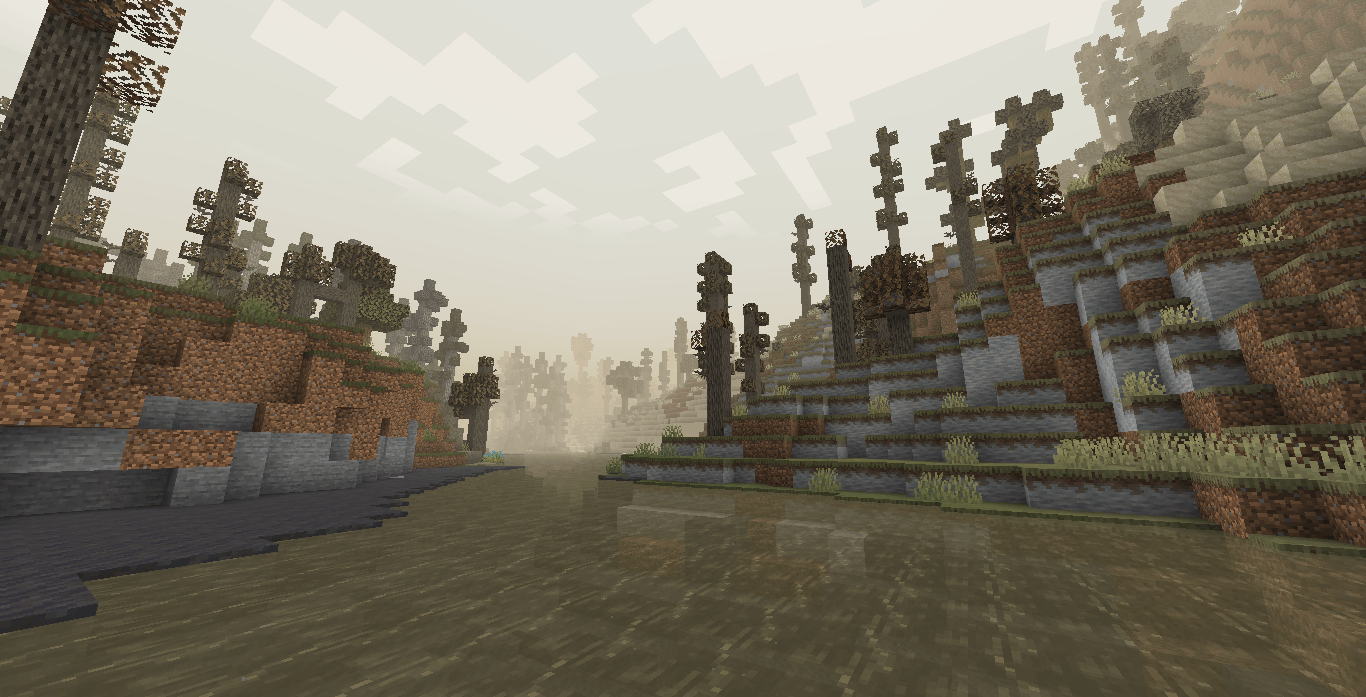
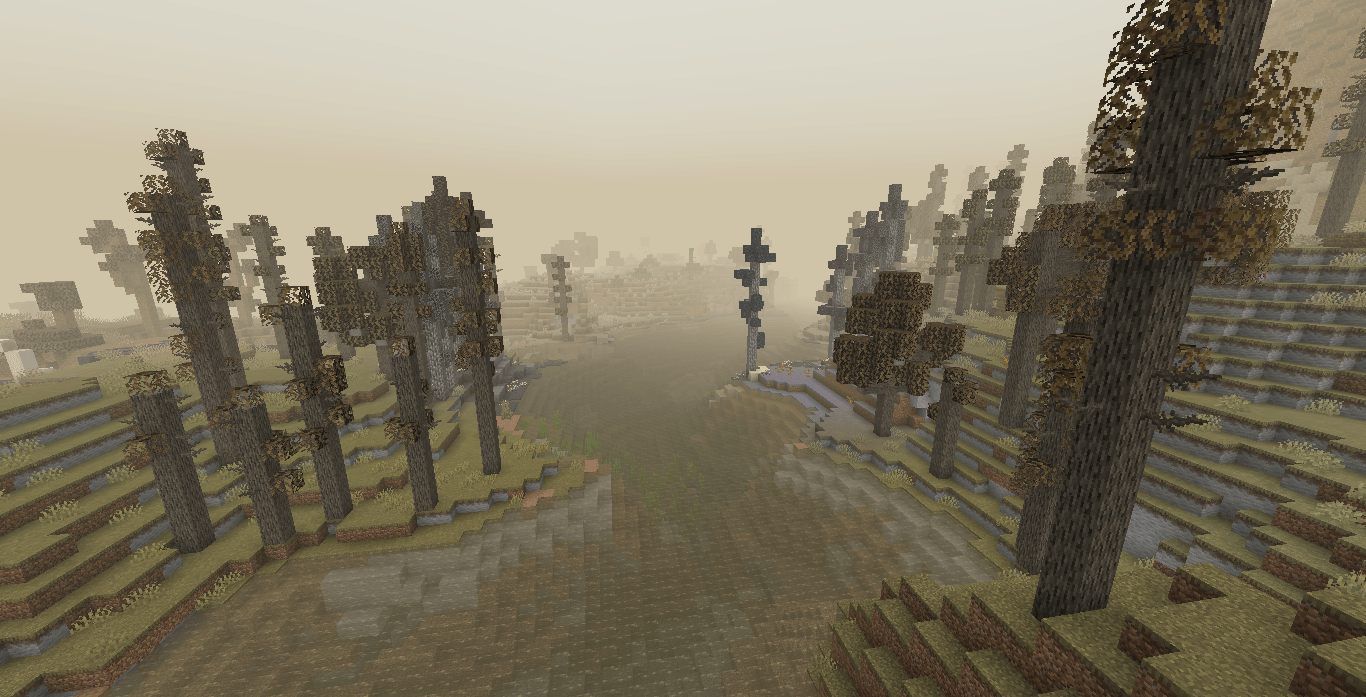
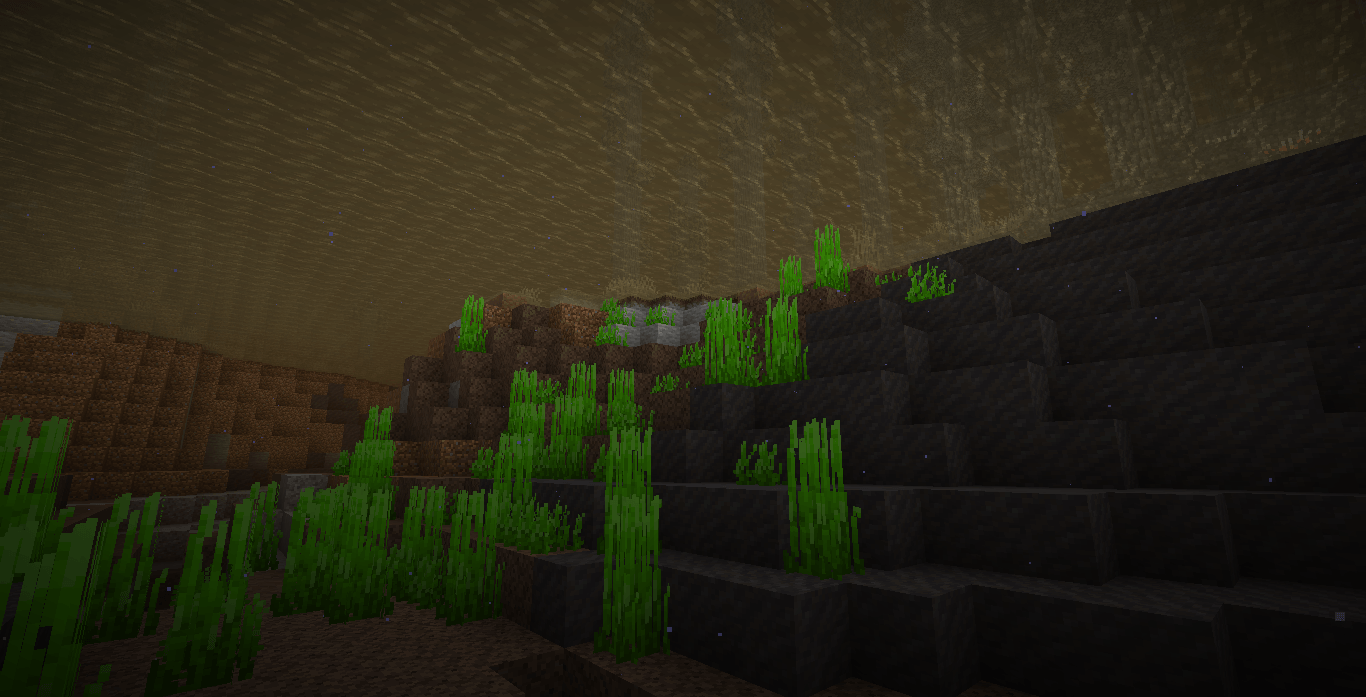
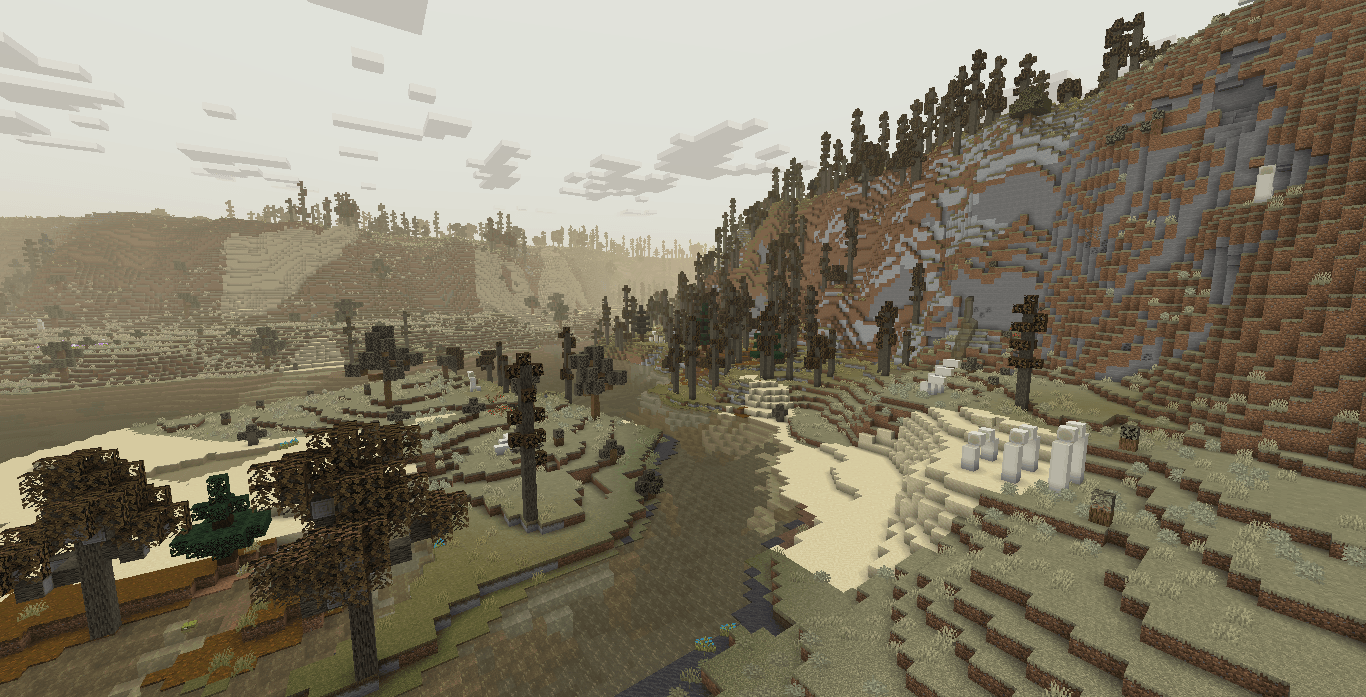
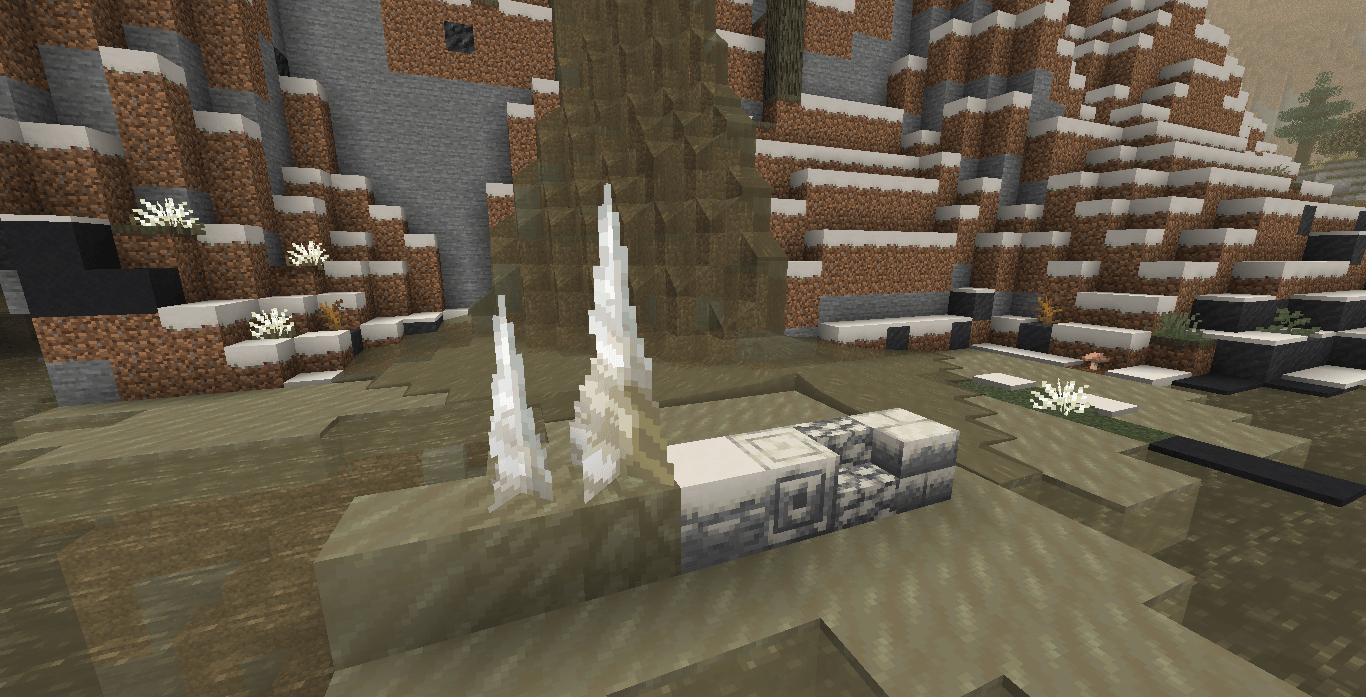
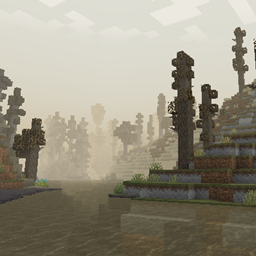
This resourcepack changes the color of water to make it appear murky and dirty, the sky is now ashen and desaturated, while the fog makes the air appear dusty. This look is maintained across all biomes (even modded ones) to give the world a consistent and homogeneous look of desolation and decay. This pack is designed to be used with my modpack The Drylands but could also work well with any post apocalyptic or dead world themed modpack. x.x

I also highly recommend using the Fog enhancing mod Fog Looks Good Now.

Features:

  • Sky is ashen white and the fog has a dusty sepia color
  • Water looks murky with a dark brown color
  • Foliage and grass colors are desaturated and dry looking
  • Ice blocks and snow textures have been recolored to fit better with the color of water
  • Compatibility with Immersive Weathering, changing icicles, snowy variant blocks and grass snow overlays

Even though it was made with 1.20.1 in mind, it should work for other versions supported by Polytone, but I don't reccomend using it for versions past 1.20+ since some Polytone features are unsupported in newer Minecraft versions.

MuddyWater2.1.zip
MC 1.18.2, 1.19.2, 1.20.1
Release 2025-09-21 Get
MuddyWaters2.0.zip
MC 1.18.2, 1.19.2, 1.20.1
Release 2025-08-08 Get
MuddyWaters.zip
MC 1.18.2, 1.19.2, 1.20.1
Release 2025-08-01 Get

Requirements & install

How to use this resource pack in Minecraft
Resolution
16x
Minecraft
1.18.2 – 1.20.1
Install folder
.minecraft/resourcepacks

How to install resource packs

  1. Download the resource pack .zip file (do not extract it).
  2. In Minecraft open Options → Resource Packs → Open Pack Folder.
  3. Drop the .zip into the resourcepacks folder (.minecraft/resourcepacks).
  4. Move the pack to the Selected column and click Done.
Browse more: 16x resource packs 32x resource packs 64x resource packs 128x resource packs 256x resource packs 512x+ resource packs Resource Packs for 1.20.1 All resource packs

More from Paputronics

Advertisement Remove ads with Premium →

You Might Also Like