Mineuniverse
Resource Packs
Mr Crayfish Furniture Model Backport

Mr Crayfish Furniture Model Backport

RESOURCE PACK
Brings the 1.14+ models used by CFM into 1.12.2
by jbredwards
Download Claim this project
Add a badge to your pageLink to Mr Crayfish Furniture Model Backport from a README, website or forum post.
Preview: Badge

Badges update automatically and link to the resource pack page on MineUniverse.

27,044 downloads
0 likes
0 followers
Updated Oct 14, 2026
0 hypes
Follow0
16x Animated Mod Support Modern
Advertisement Remove ads with Premium →

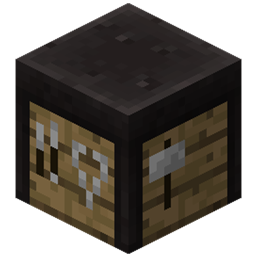
This pack requires the Mr Crayfish Furniture Mod to function! This is a resource pack that backports the updated models from the 1.14+ versions of the Mr Crayfish Furniture Mod into 1.12. This pack does not backport the new functionality of certain blocks, as that can't be done via resource pack. I will update this mod shortly after whenever new models are introduced into the 1.14+ versions of the Mr Crayfish Furniture Mod.


Possible questions:


q: What rights do I have with this pack? 

a: You can do anything with this pack, I don't really care, although if you repost this pack, please link back to this post!


q: What does this pack do?

a: Nothing! ...unless you have the Mr Crayfish Furniture Mod, than it backports the models from the 1.14+ versions of the Mr Crayfish Furniture Mod into 1.12.


q: Will this work with older versions of the Mr Crayfish Furniture Mod?

a: It probably will work in some older versions, although I haven't tested this myself.


q: Why does this pack say that it's outdated?

a: The pack itself isn't outdated and works fine in 1.12. It has something to do with one of the .lang files. I'm not currently sure what I can do to fix this.


CFM Model Backport mc1.12.2-v6.3.1
MC 1.12.2
Release 2019-08-09 Get
CFM Model Backport mc1.12.2-v1.0
MC 1.12.2
Release 2019-08-09 Get
CFM Model Backport mc1.12.2-v1.1.zip
MC 1.12.2
Release 2019-08-09 Get
cfm model backport mc1.12.2-v1.2
MC 1.12.2
Release 2019-08-09 Get

Requirements & install

How to use this resource pack in Minecraft
Resolution
16x
Minecraft
1.12.2
Install folder
.minecraft/resourcepacks

How to install resource packs

  1. Download the resource pack .zip file (do not extract it).
  2. In Minecraft open Options → Resource Packs → Open Pack Folder.
  3. Drop the .zip into the resourcepacks folder (.minecraft/resourcepacks).
  4. Move the pack to the Selected column and click Done.
Browse more: 16x resource packs 32x resource packs 64x resource packs 128x resource packs 256x resource packs 512x+ resource packs Resource Packs for 1.12.2 All resource packs

More from jbredwards

Advertisement Remove ads with Premium →

You Might Also Like