Mineuniverse
Resource Packs
Motschen's Better Leaves (Programmer Art Edition)

Motschen's Better Leaves (Programmer Art Edition)

RESOURCE PACK
Improves the appearance of leaves with high mod compatibility and performance – now with Programmer Art textures!
by Motschen
Download Claim this project
Add a badge to your pageLink to Motschen's Better Leaves (Programmer Art Edition) from a README, website or forum post.
Preview: Badge

Badges update automatically and link to the resource pack page on MineUniverse.

144,516 downloads
0 likes
0 followers
Updated Oct 14, 2026
0 hypes
Follow0
16x Miscellaneous Mod Support Photo Realistic
Advertisement Remove ads with Premium →

Better Leaves adds additional layers to leaf blocks, making them appear more bushy, dense and natural.

A banner showing a leaf block with the text 'Better Leaves Performance Update'

Version 9.0 is focused on performance, with textures being automatically created for every leaf. Unlike 8.1, this is not dynamic, so you have to follow a few simple steps to compile custom versions for use with texturepacks. I have already done so for Minecraft's Programmer Art textures.

I strongly recommend installing the Cull Leaves mod alongside Sodium/Embeddium to get more FPS.
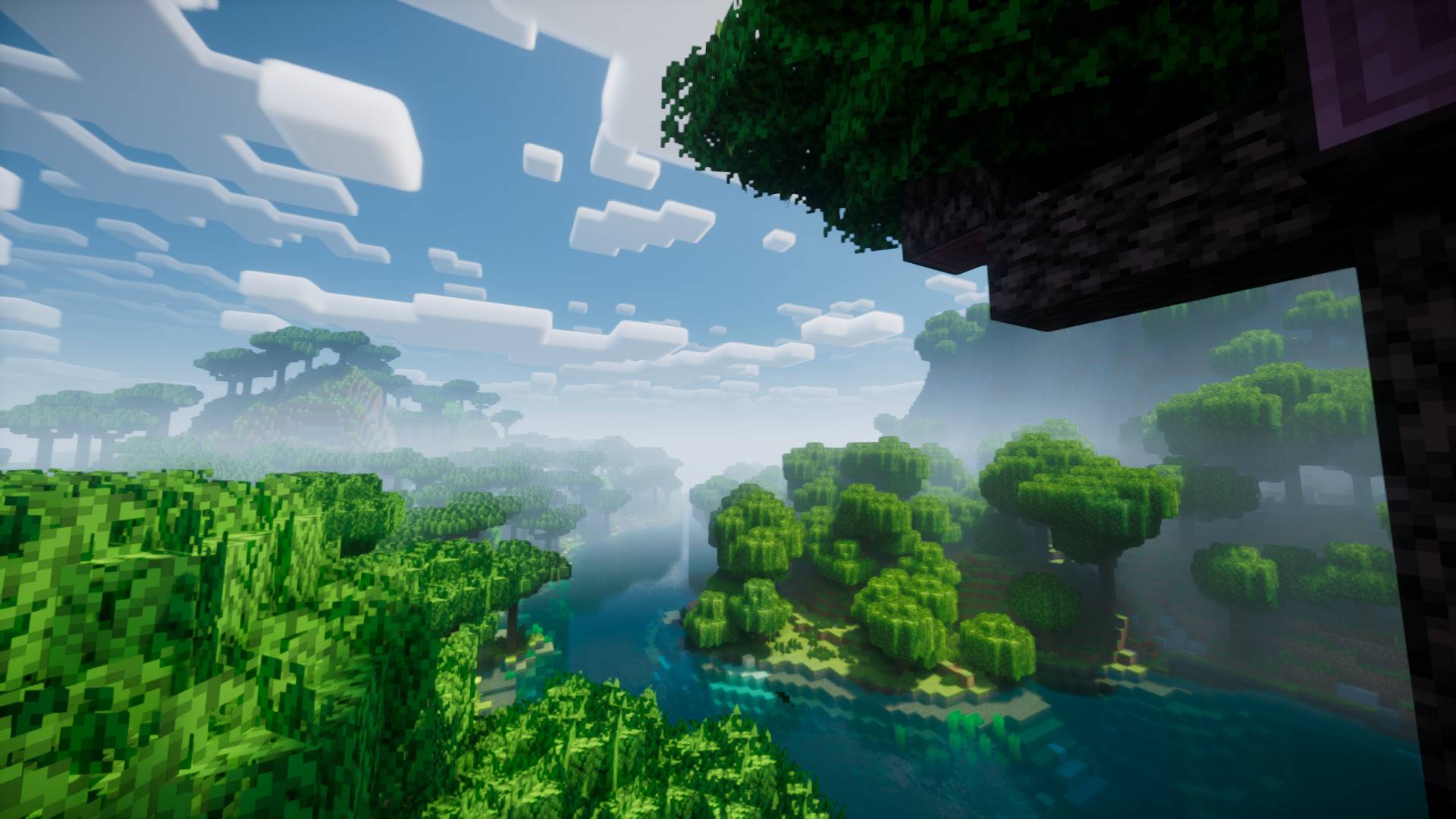


 Explicitly supported mods (9.5):


Looking for the regular version? Find it here.

Better Leaves Logo

Like this pack? Check out my other pack, Round Trees.

Round Trees Logo 

Better Leaves (Programmer Art) 9.6 - 1.20+
MC 1.21, 1.20.2, 1.21.8, 1.20.5, 1.21.5, 1.21.4, 1.20.1, 1.20, 1.20.6, 1.21.1, 1.21.6, 1.21.3, 1.21.7, 1.20.4, 1.20.3, 1.21.2, 1.21.9, 1.21.10, 1.21.11, 26.1, 26.1.1, 26.1.2
Release 2026-09-14 Get
Better Leaves (Programmer Art) 9.5 - 1.20+
MC 1.21, 1.20.2, 1.21.8, 1.20.5, 1.21.5, 1.21.4, 1.20.1, 1.20, 1.20.6, 1.21.1, 1.21.6, 1.21.3, 1.21.7, 1.20.4, 1.20.3, 1.21.2, 1.21.9, 1.21.10, 1.21.11, 26.1, 26.1.1, 26.1.2
Release 2026-01-31 Get
Better Leaves (Programmer Art) 9.4 - 1.20+
MC 1.20.2, 1.21, 1.20.5, 1.21.5, 1.21.8, 1.21.9, 1.21.10, 1.21.4, 1.20.3, 1.20.1, 1.20, 1.20.6, 1.20.4, 1.21.3, 1.21.7, 1.21.1, 1.21.6, 1.21.2
Release 2025-09-27 Get
Better Leaves (Programmer Art) 9.3 - 1.20+
MC 1.20.2, 1.21, 1.20.5, 1.21.5, 1.21.8, 1.21.4, 1.20.3, 1.20.1, 1.20, 1.20.6, 1.20.4, 1.21.3, 1.21.7, 1.21.1, 1.21.6, 1.21.2
Release 2025-07-27 Get
Better Leaves (PA) 9.2 - 1.20+
MC 1.20.2, 1.21, 1.20.5, 1.21.5, 1.21.8, 1.21.4, 1.20.3, 1.20.1, 1.20, 1.20.6, 1.20.4, 1.21.3, 1.21.7, 1.21.1, 1.21.6, 1.21.2
Release 2025-04-20 Get

Requirements & install

How to use this resource pack in Minecraft
Resolution
16x
Minecraft
1.21.7 – 26.1.2
Install folder
.minecraft/resourcepacks

How to install resource packs

  1. Download the resource pack .zip file (do not extract it).
  2. In Minecraft open Options → Resource Packs → Open Pack Folder.
  3. Drop the .zip into the resourcepacks folder (.minecraft/resourcepacks).
  4. Move the pack to the Selected column and click Done.
Browse more: 16x resource packs 32x resource packs 64x resource packs 128x resource packs 256x resource packs 512x+ resource packs Resource Packs for 26.1.2 All resource packs

More from Motschen

Advertisement Remove ads with Premium →

You Might Also Like