Mineuniverse
Resource Packs
Morning Dew Theme (Legendary Tooltips)

Morning Dew Theme (Legendary Tooltips)

RESOURCE PACK
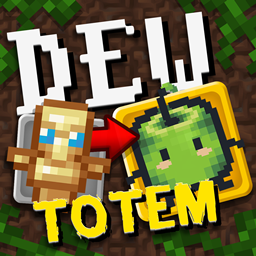
Changes the Legendary Tooltips to be themed around Morning Dew (And Stardew Valley Junimos). Made for the modpack Farming Valley.
by Kehaan
Download Claim this project
Add a badge to your pageLink to Morning Dew Theme (Legendary Tooltips) from a README, website or forum post.
Preview: Badge

Badges update automatically and link to the resource pack page on MineUniverse.

5,404 downloads
0 likes
0 followers
Updated Oct 14, 2026
0 hypes
Follow0
128x Miscellaneous Mod Support
Advertisement Remove ads with Premium →

This is a resource pack for the mod "Legendary Tooltips" by Grend_G.

This resourcepack makes the tooltip themed around Farming. It was made for my modpack "Farming Valley", but it can be used in any modpacks. There is 4 different styles of tooltips, that can be used. This resourcepack can be used in any pack. The mod makes it so when a player hovers over a item it will display a special style for the tooltip. Given it a completely new look. Each style is themed around the Stardew Valley modpack "Morning Dew" with inspiration of Junimo from the game "Stardew Valley (Steam Link)"

The 4 styles:

Level0: (1 red Junimo)

Level1: (2 red Junimo)

Level2: (1 green Junimo)

Level3: (1 green Junimo)

All:

How to use:

* Add the resourcepack.

* Then go to the config of "Legendary Tooltips" called "legendarytooltip-common.toml", open it.

* Scroll down to [client.definitions]

* Here you can set level0, level1, level2 and level3 entries.

Example:

        level0_entries = ["@minecraft"]
        level1_entries = ["@biomesoplenty"]
        level2_entries = ["@harvestfestival"]
        level3_entries = ["@mysticalagriculture"]

This makes it so all Minecraft items, uses the level0 style (Which is the 1 red junimo), and all items from biomes o plenty uses level1 style (2 red junimo)), harvest festival is level2 which is (1 green junimo), and then mystical agriculture is level3 which is the 2 green junimo. Read the config file, in Legendary Tooltips, to see how to add each style to a entry. Scroll up to see which level, is which style.

Drawn by amaicitrus / Yanchan.


MorningDewThemeLegendaryTooltipsRP_1.12.2_v1.0.2.zip
MC 1.12.2
Release 2026-03-25 Get
MorningDewThemeLegendaryTooltipsRP_1.16.5_v1.0.2.zip
MC 1.16.5
Release 2026-03-25 Get
MorningDewThemeLegendaryTooltipsRP_1.20.1_v1.0.2.zip
MC 1.20.1
Release 2026-03-25 Get
MorningDewThemeLegendaryTooltipsRP_1.21_v1.0.2.zip
MC 1.21
Release 2026-03-25 Get
MorningDewThemeLegendaryTooltipsRP_1.21.1_v1.0.2.zip
MC 1.21.1
Release 2026-03-25 Get
MorningDewThemeLegendaryTooltipsRP_1.12.2_v1.0.1.zip
MC 1.12.2
Release 2024-09-03 Get
MorningDewThemeLegendaryTooltipsRP_1.16.5_v1.0.1.zip
MC 1.16.5
Release 2024-09-03 Get
MorningDewThemeLegendaryTooltipsRP_1.20.1_v1.0.1.zip
MC 1.20.1
Release 2024-09-03 Get
MorningDewThemeLegendaryTooltipsRP_1.21_v1.0.1.zip
MC 1.21
Release 2024-09-03 Get

Requirements & install

How to use this resource pack in Minecraft
Resolution
128x
Minecraft
1.12.2 – 1.21.1
Install folder
.minecraft/resourcepacks

How to install resource packs

  1. Download the resource pack .zip file (do not extract it).
  2. In Minecraft open Options → Resource Packs → Open Pack Folder.
  3. Drop the .zip into the resourcepacks folder (.minecraft/resourcepacks).
  4. Move the pack to the Selected column and click Done.

Packs from 128x upwards need more video memory: install a performance mod such as Sodium for smooth frame rates.

Browse more: 16x resource packs 32x resource packs 64x resource packs 128x resource packs 256x resource packs 512x+ resource packs Resource Packs for 1.21.1 All resource packs

More from Kehaan

Advertisement Remove ads with Premium →

You Might Also Like