Badges update automatically and link to the resource pack page on MineUniverse.
ESPAÑOL
Agrega mas variantes de los esqueletos por bioma,ademas de mejorar la skin de algunos esqueletos como el stray y bogged,tendras 8 nuevas variantes de esqueletos y un total de 9 nuevos arcos. En cada bioma los esqueletos tienen un efecto de pociòn. Si un esqueleto normal esta mucho tiempo en el bioma de sculk o si esta parado sobre este mismo se transformara en un esqueleto de sculk. Para diferenciar a los esqueletos que nacieron en el bioma de Sculk por casualidad o de los que se transformaron los esqueletos sculks transformados cada cierto tiempo recibiran daño. ya que estan peliando contra el sculk para liberarse de este mismo
ENGLISH
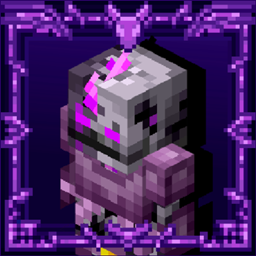
Adds more skeleton variants per biome, in addition to improving the skin of some skeletons Like stray and bogged, you will have 8 new skeleton variants and a total of 9 new bows.
In each biome the skeletons have a potion effect. If a normal skeleton is in the sculk biome for a long time or is standing on it, it will transform into a sculk skeleton. To differentiate the skeletons that were born in the Sculk biome by chance or those that were transformed, the transformed sculk skeletons will receive damage from time to time. since they are fighting against the sculk to free themselves from it
-Biomes: -Desert-Sculk-Badlands-Soul sand valley -Dark forest-Taiga-Savana-End-Jungle-Snow biomes
-Optifine requierd