Mineuniverse
Resource Packs
Monochromatic PVP - Short Swords

Monochromatic PVP - Short Swords

RESOURCE PACK
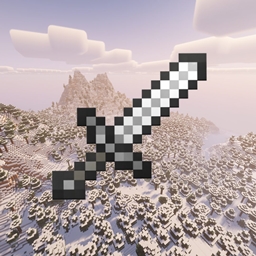
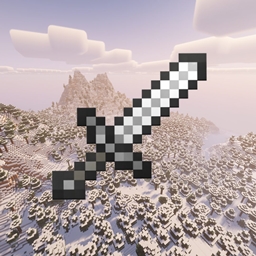
An official addon to the Monochromatic PVP resource pack with short swords
by CarrFN
Download Claim this project
Add a badge to your pageLink to Monochromatic PVP - Short Swords from a README, website or forum post.
Preview: Badge

Badges update automatically and link to the resource pack page on MineUniverse.

253 downloads
0 likes
0 followers
Updated Oct 14, 2026
0 hypes
Follow0
16x Miscellaneous Modern
Advertisement Remove ads with Premium →

Core Texture Pack - https://www.curseforge.com/minecraft/texture-packs/monochromatic-pvp

----------------------------------------------------------------------------------------------------------------------------------

Monochromatic PvP is a minimalist Minecraft texture pack built for players who enjoy a clean, competitive style. Featuring a sleek black, white, and grayscale color palette, the pack gives the game a unique monochrome look while keeping the visuals simple and consistent during PvP.

Textures are redesigned with a smooth, simplified style that removes unnecessary visual clutter and keeps the focus on gameplay. Weapons, armor, items, and the GUI follow the same monochromatic theme to create a cohesive and modern aesthetic that fits perfectly with fast-paced PvP modes like BedWars, SkyWars, and duels.

If you enjoy a minimal design and a stylish black-and-white theme, Monochromatic PvP offers a fresh look while keeping the game feeling smooth and competitive, however this one has short swords.

1.0
MC 1.16.3, 1.13.1, 1.9.3, 1.16-Snapshot, 1.17.1, 1.9.1, 1.21.2-Snapshot, 1.21, 1.21.6-snapshot, 1.15-Snapshot, 1.16.1, 1.18.1, 1.20.2-Snapshot, 1.20.5-Snapshot, 1.14.3, 1.15, 1.16
Release 2026-03-18 Get
1.0
MC 1.16.3, 1.13.1, 1.9.3, 1.16-Snapshot, 1.17.1, 1.9.1, 1.21.2-Snapshot, 1.21, 1.21.6-snapshot, 1.15-Snapshot, 1.16.1, 1.18.1, 1.20.2-Snapshot, 1.20.5-Snapshot, 1.14.3, 1.15, 1.16
Release 2026-03-16 Get

Requirements & install

How to use this resource pack in Minecraft
Resolution
16x
Minecraft
1.16.3 – 1.21.6-snapshot
Install folder
.minecraft/resourcepacks

How to install resource packs

  1. Download the resource pack .zip file (do not extract it).
  2. In Minecraft open Options → Resource Packs → Open Pack Folder.
  3. Drop the .zip into the resourcepacks folder (.minecraft/resourcepacks).
  4. Move the pack to the Selected column and click Done.
Browse more: 16x resource packs 32x resource packs 64x resource packs 128x resource packs 256x resource packs 512x+ resource packs Resource Packs for 1.21.6-snapshot All resource packs

More from CarrFN

Advertisement Remove ads with Premium →

You Might Also Like