Mineuniverse
Resource Packs
Mo'Rafts x Resourcepacks

Mo'Rafts x Resourcepacks

RESOURCE PACK
Makes Mo'Rafts compatible with resourcepacks.
by littleneko_254
Download Claim this project
Add a badge to your pageLink to Mo'Rafts x Resourcepacks from a README, website or forum post.
Preview: Badge

Badges update automatically and link to the resource pack page on MineUniverse.

4 downloads
0 likes
0 followers
Updated Oct 14, 2026
0 hypes
Follow0
16x Miscellaneous Mod Support
Advertisement Remove ads with Premium →

Terms of Use (click on the spoiler)

You MAY:

  • Use the modification in your singleplayer/multiplayer worlds
  • Include the modification in modpacks hosted on Curseforge and/or Modrinth
  • Use the modification in non-commercial or commercial videos, so long as you give credit in the description with a link back to the mod's CurseForge and/or Modrinth page.

You MAY NOT:

  • Redistribute the modification (modified or unmodified)
  • Reupload the modification to any website or launcher
  • Use the the modification's textures and/or code for your own projects
  • Fork the modification to another version

Report bugs here: https://forms.gle/tL58GMvoNBYUQEFU8

Mo'Rafts x Bare Bones Mo'Rafts x Resourcepacks

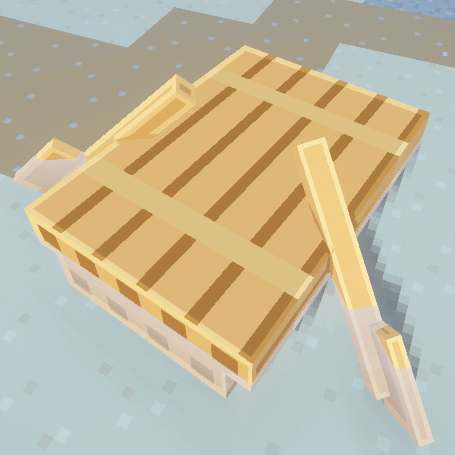
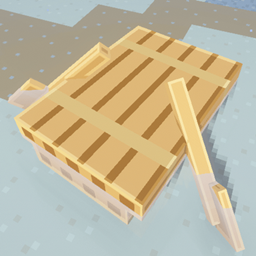
Simple resourcepack that makes the Mo'Rafts mod compatible with other resourcepacks.

Resourcepack Variants:

  • Mo'Rafts x Bare Bones
  • Mo'Rafts x FA: Objects

In order to use the Mo'Rafts x FA Objects pack with this, please place the Bare Bones pack ABOVE the Mo'Rafts x FA Objects pack.

Credits

The animation/models for the rafts in "Mo'Rafts x FA: Objects" come from FA: Objects. Get it here: https://curseforge.com/minecraft/texture-packs/fresh-animations-objects

Mo'Rafts x FA_Objects.zip
MC 1.20.1, 1.21.1, 26.1.2, 26.2, 26.3
Release 2026-10-04 Get
Mo'Rafts x Bare Bones.zip
MC 1.20.1, 1.21.1, 26.1.2, 26.2, 26.3
Release 2026-10-01 Get

Requirements & install

How to use this resource pack in Minecraft
Resolution
16x
Minecraft
1.20.1 – 26.3
Install folder
.minecraft/resourcepacks

How to install resource packs

  1. Download the resource pack .zip file (do not extract it).
  2. In Minecraft open Options → Resource Packs → Open Pack Folder.
  3. Drop the .zip into the resourcepacks folder (.minecraft/resourcepacks).
  4. Move the pack to the Selected column and click Done.
Browse more: 16x resource packs 32x resource packs 64x resource packs 128x resource packs 256x resource packs 512x+ resource packs Resource Packs for 26.3 All resource packs

More from littleneko_254

Advertisement Remove ads with Premium →

You Might Also Like