Mineuniverse
Resource Packs
Mix Optimize

Mix Optimize

RESOURCE PACK
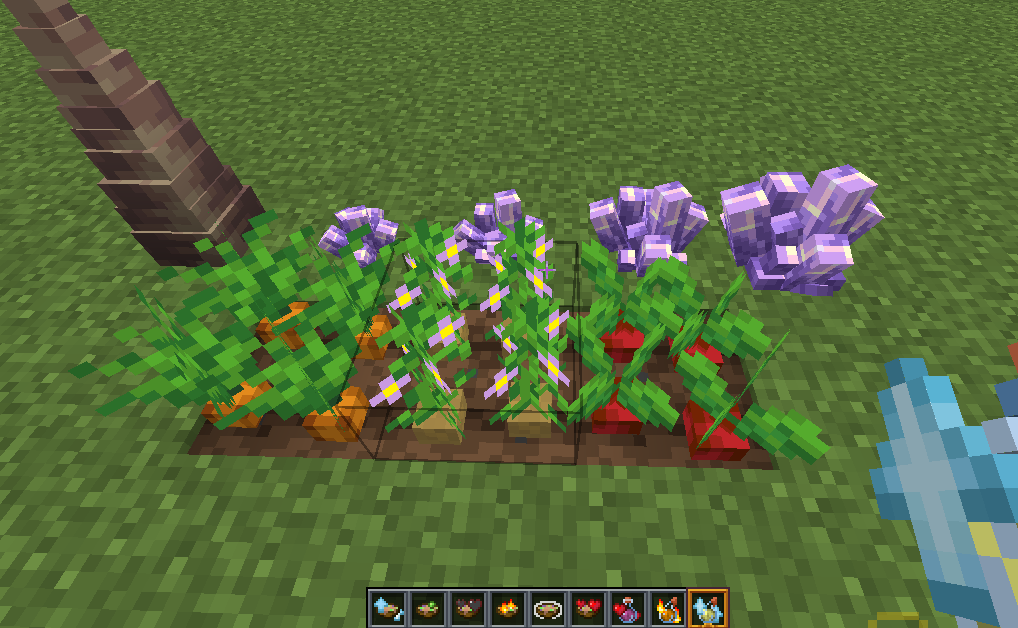
Make some items 3D and make it easier to distinguish between enchantment books, potions, etc
by ag8513
Download Claim this project
1,066 downloads
0 likes
Updated Oct 14, 2026
0 hypes
16x Animated Font Packs Miscellaneous Mod Support
Advertisement Remove ads with Premium →

· 3D Crop

· 3D Spawn eggs

· 3D etc.

· Dynamic enchantment book

· Dynamic weapon enchantment

· Dynamic weapon durability

· Some items have dynamic effects

· Dark Colored Gui

· Visualized potion

· Visualized suspicious stew

· Shield and Flame effects are reduced in view

· Reduce block particles

· Brewing stand can view the recipe

· Support for larger levels of enchantment and potion

There are many functions waiting for you to discover!

This texture pack requires CIT Resewn and Continuity.

 

Resource Packs Ver1.4.zip
MC 1.19.3, 1.19.4-Snapshot, 1.19.4, 1.19-Snapshot, 1.19.2, 1.20.1, 1.20, 1.19.1, 1.20-Snapshot, 1.19, 1.19.3-Snapshot
Release 2023-10-31 Get

Requirements & install

How to use this resource pack in Minecraft
Resolution
16x
Minecraft
1.19.2 – 1.20.1
Install folder
.minecraft/resourcepacks

How to install resource packs

  1. Download the resource pack .zip file (do not extract it).
  2. In Minecraft open Options → Resource Packs → Open Pack Folder.
  3. Drop the .zip into the resourcepacks folder (.minecraft/resourcepacks).
  4. Move the pack to the Selected column and click Done.
Browse more: 16x resource packs 32x resource packs 64x resource packs 128x resource packs 256x resource packs 512x+ resource packs Resource Packs for 1.20.1 All resource packs
Advertisement Remove ads with Premium →

You Might Also Like