Mineuniverse
Resource Packs
Mindthemood's Miscellaneous Tweaks

Mindthemood's Miscellaneous Tweaks

RESOURCE PACK
Consistency Tweaks for redstone and magic
by Mindthemoods
Download Claim this project
1,938 downloads
0 likes
0 followers
Updated Oct 14, 2026
0 hypes
Follow0
16x Miscellaneous Mod Support
Advertisement Remove ads with Premium →

Adds some various tweaks to the appearances of redstone components; intended to be used alongside 'Copper Integration,' a datapack that modifies the recipes of various redstone components to involve more copper.

This pack makes the following tweaks:

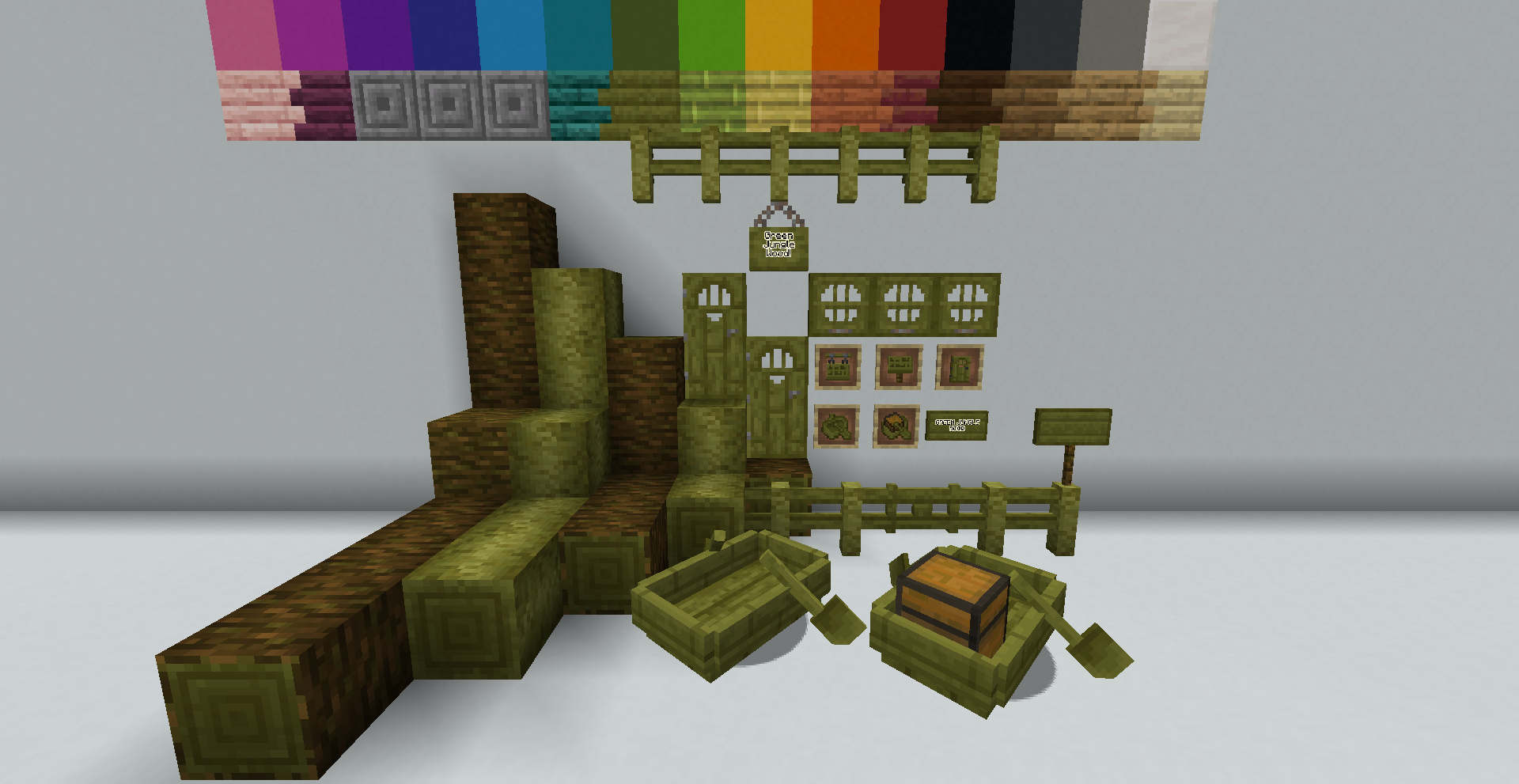
  • Turns Jungle Wood Green, including all assosiated things. (Doors, fences, buttons, etc.) I personally find the old jungle textures redundant given the wood types available, and wanted to add something a little bit more unique. (Yes, I'm aware Vanilla tweaks has this for older versions.) The textures are also compatible with StayTrue, and will give more varied and detailed variants when StayTrue is installed.
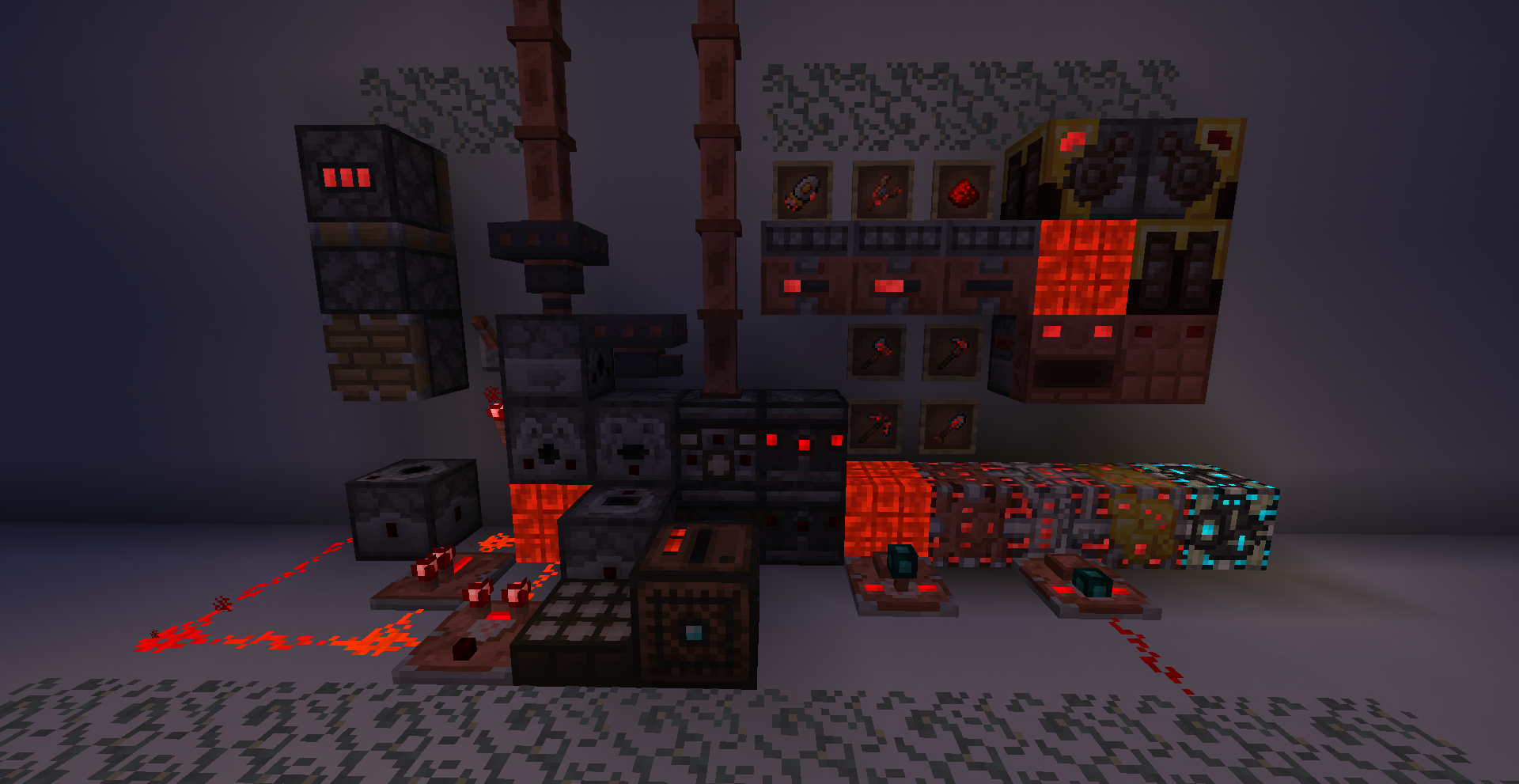
  • Adds Copper Components to most redstone blocks to match modded components from Mindthemood's Bits & Bobs, and to reflect the datapack's recipes.
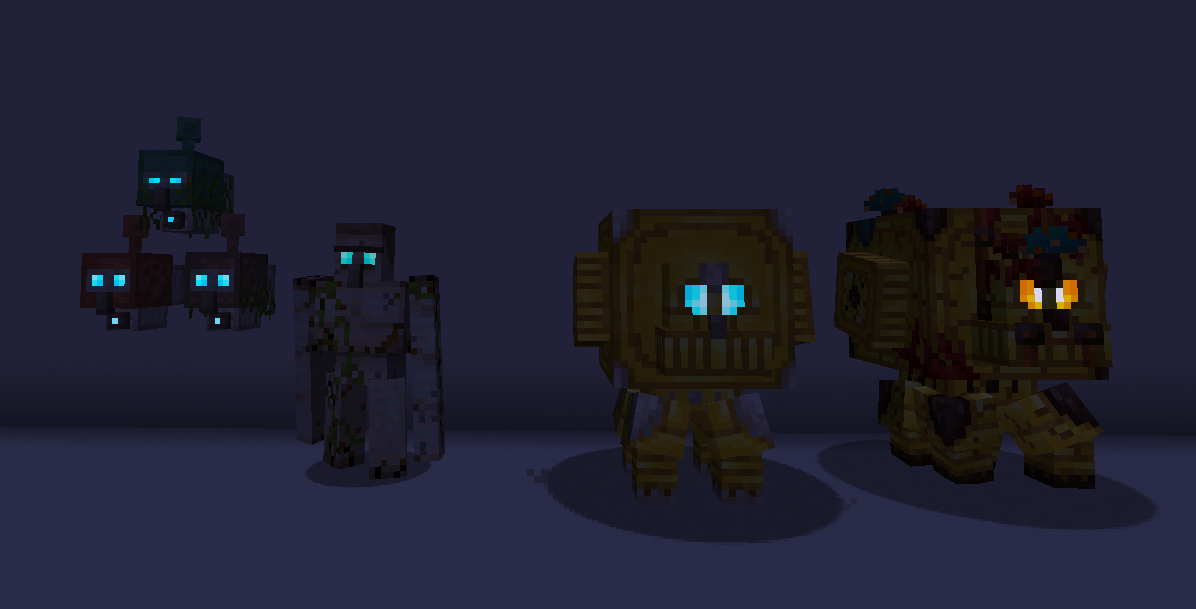
  • All Iron blocks, (doors, trapdoors, bars, etc), are now consistent with the Iron Golem iron texture, and look a bit more weathered. This extends to other blocks and mobs with iron components.
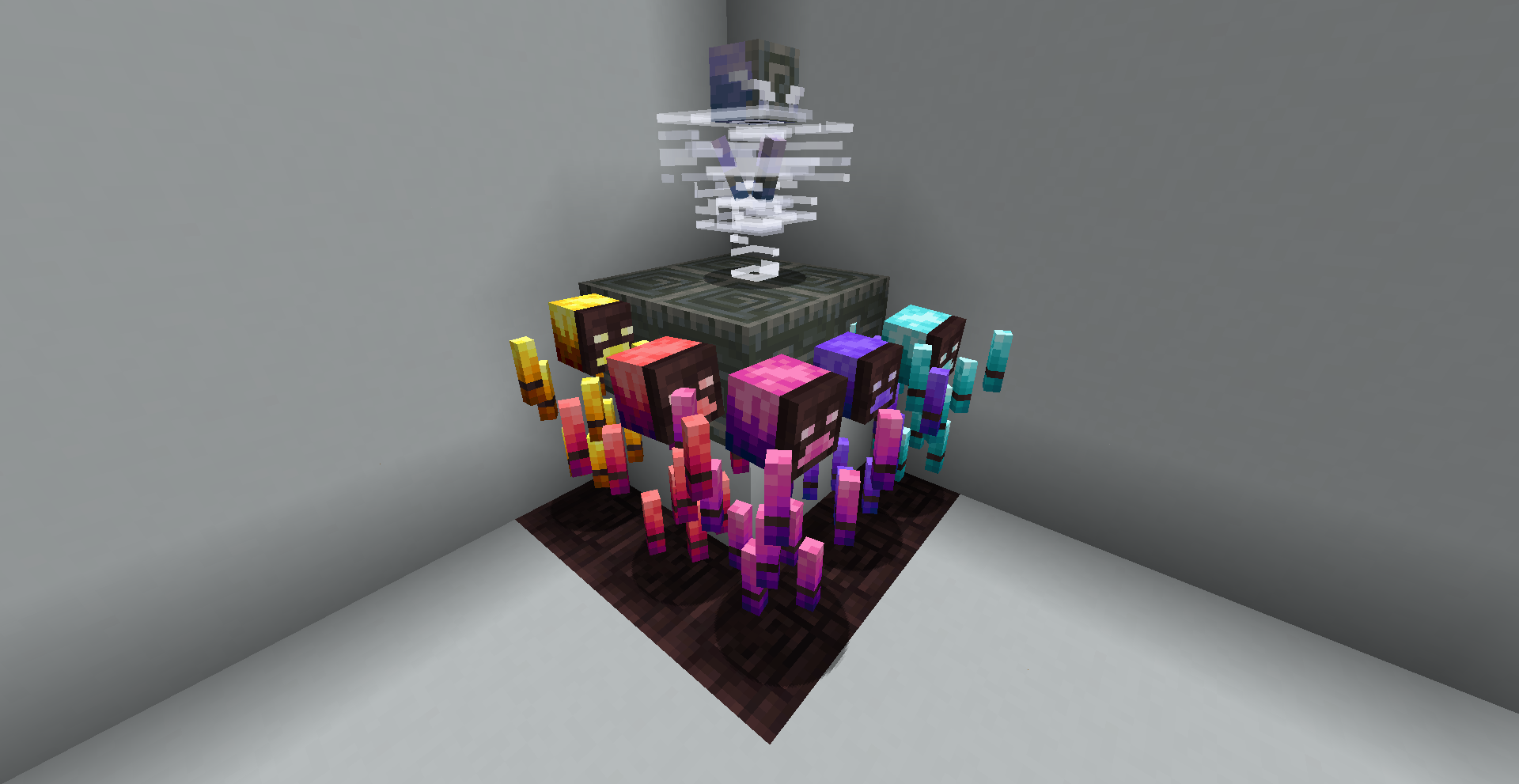
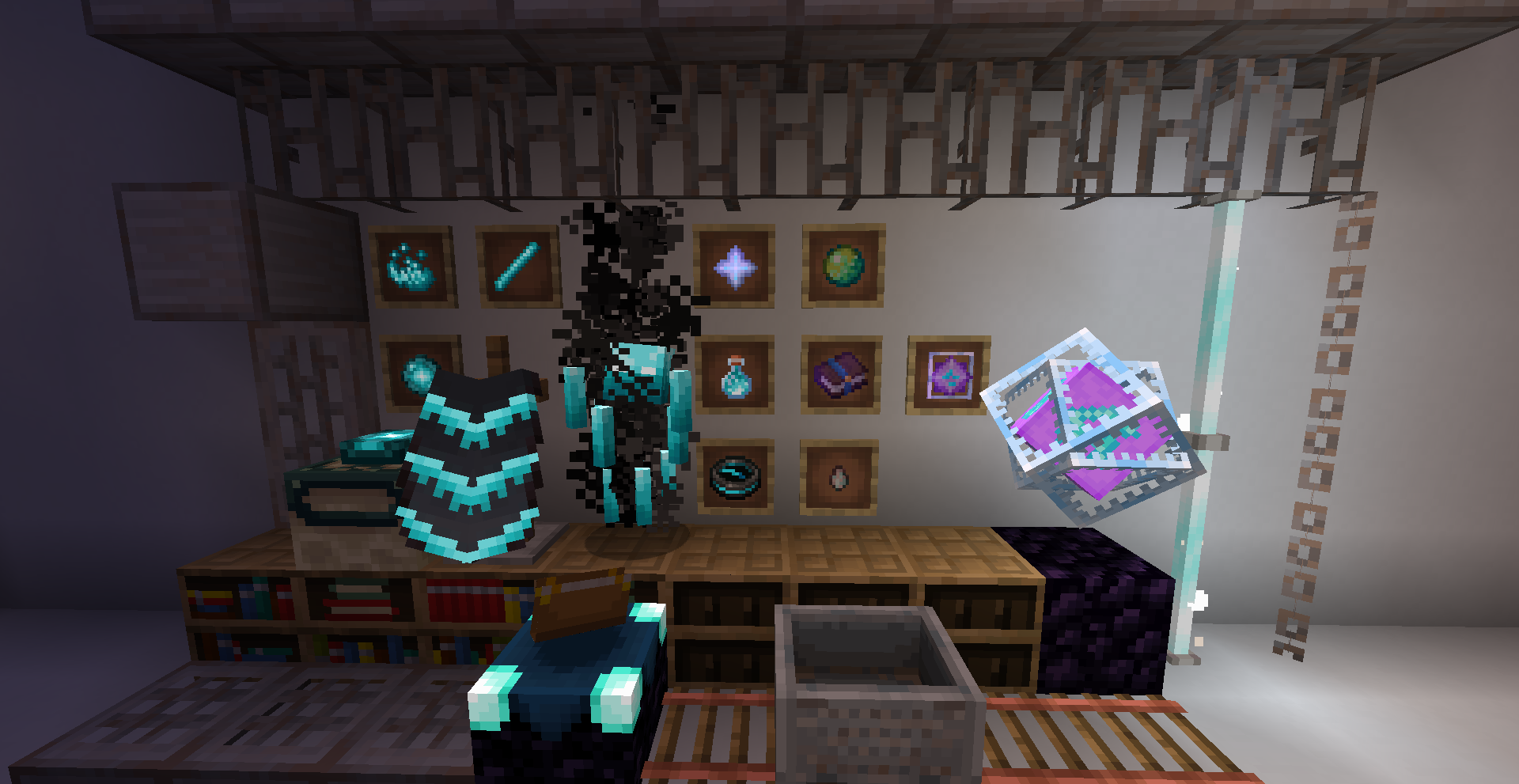
  • Magical mobs, (such as blazes, endermen, ghasts, phantoms, etc), now have soul themed textures.
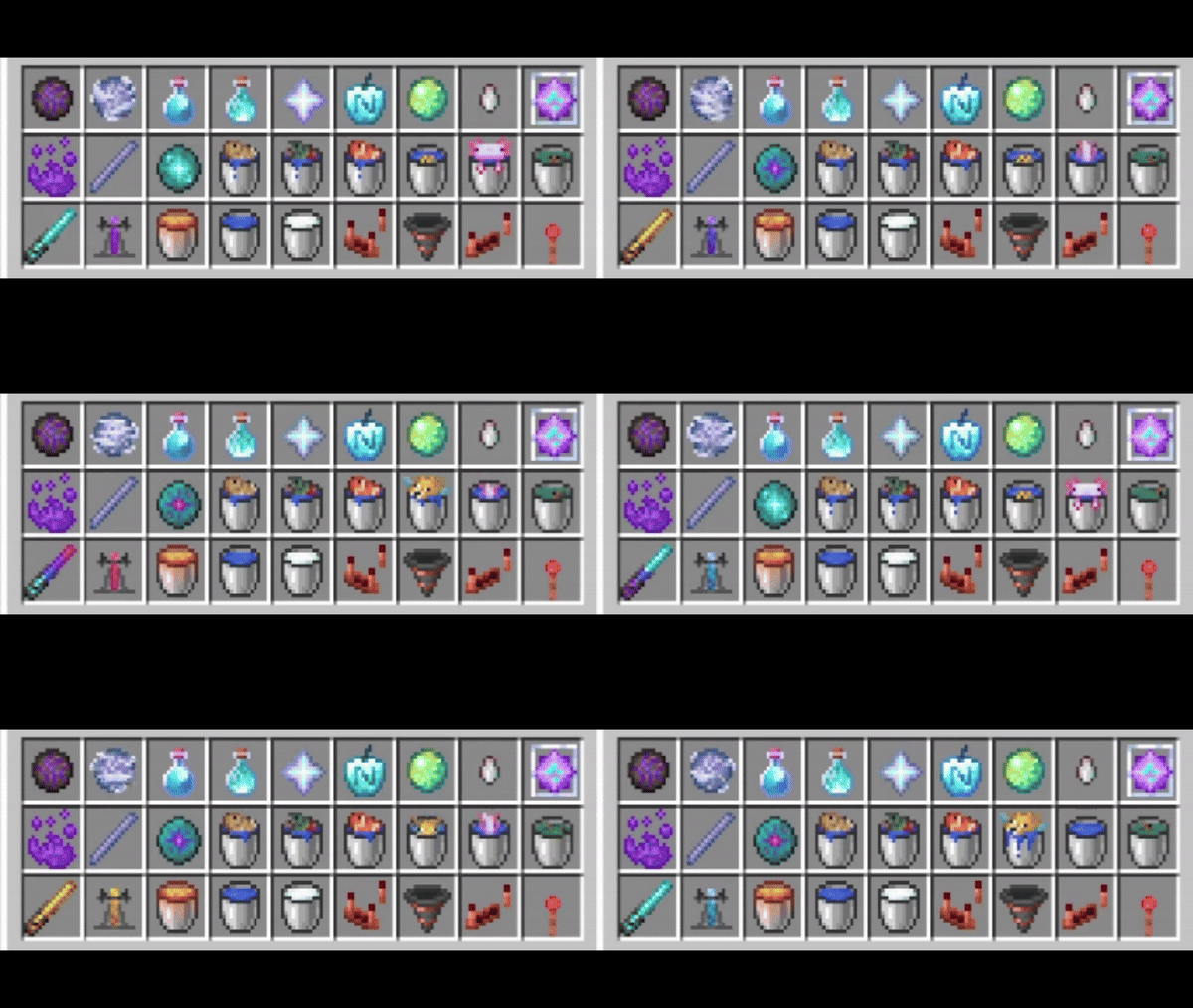
  • Magical items, (such as ender eyes, dragon's breath, blaze powder/rods, etc), now have soul themed textures, along with the player's experience bar.
  • Elytra now have additional soul themed details, partly for coolness, partly to indicate their function when used with Mindthemood's Soulytra.
  • Guardians and Elder Guardians now use copper textures similar to other golems.
  • Adds unique shapes for generic dyes.
  • Creepers now have a mossy texture consistent with regular moss.
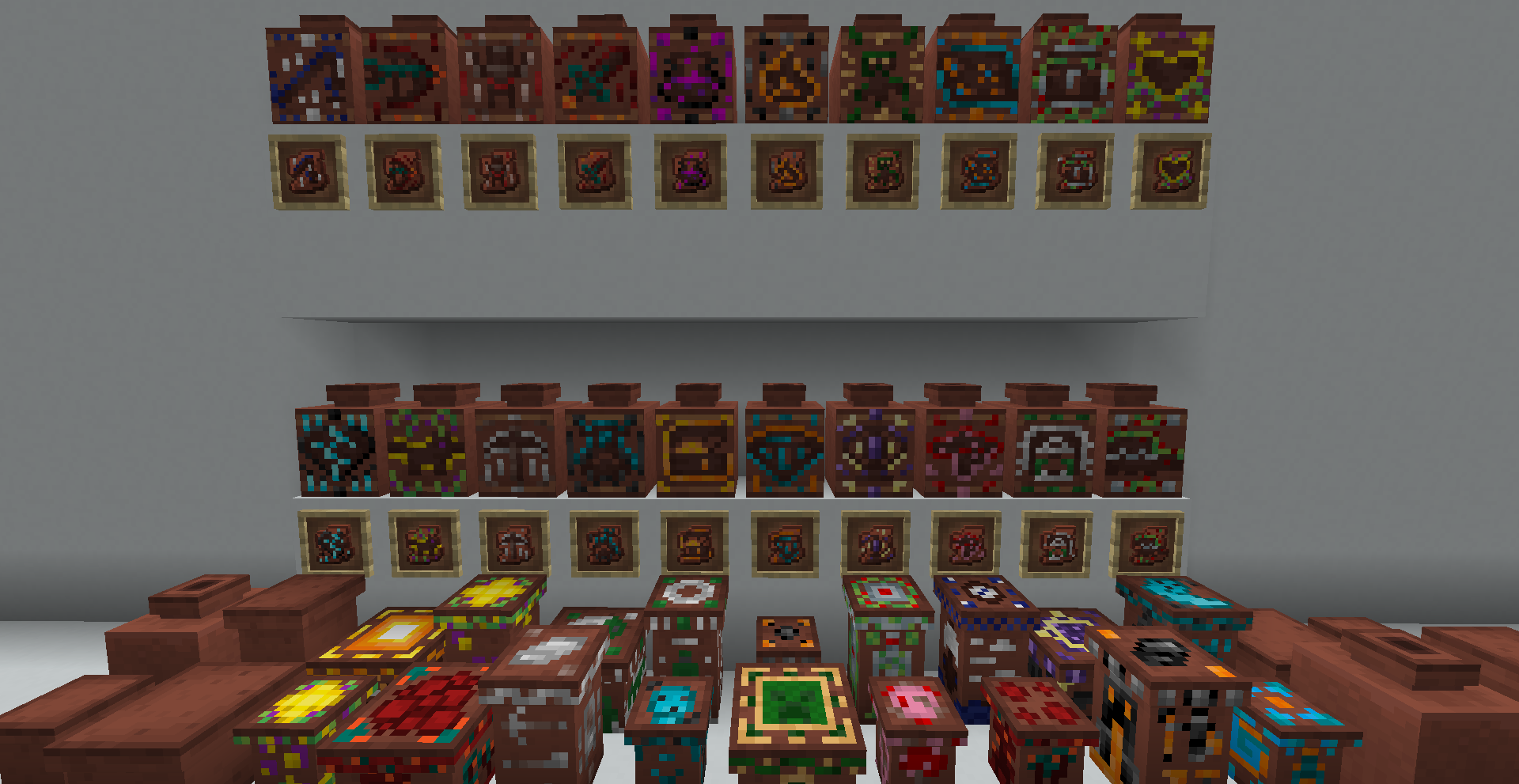
  • Decorated Pots have more detailed components consistent with Mindthemood's Bits & Bobs.
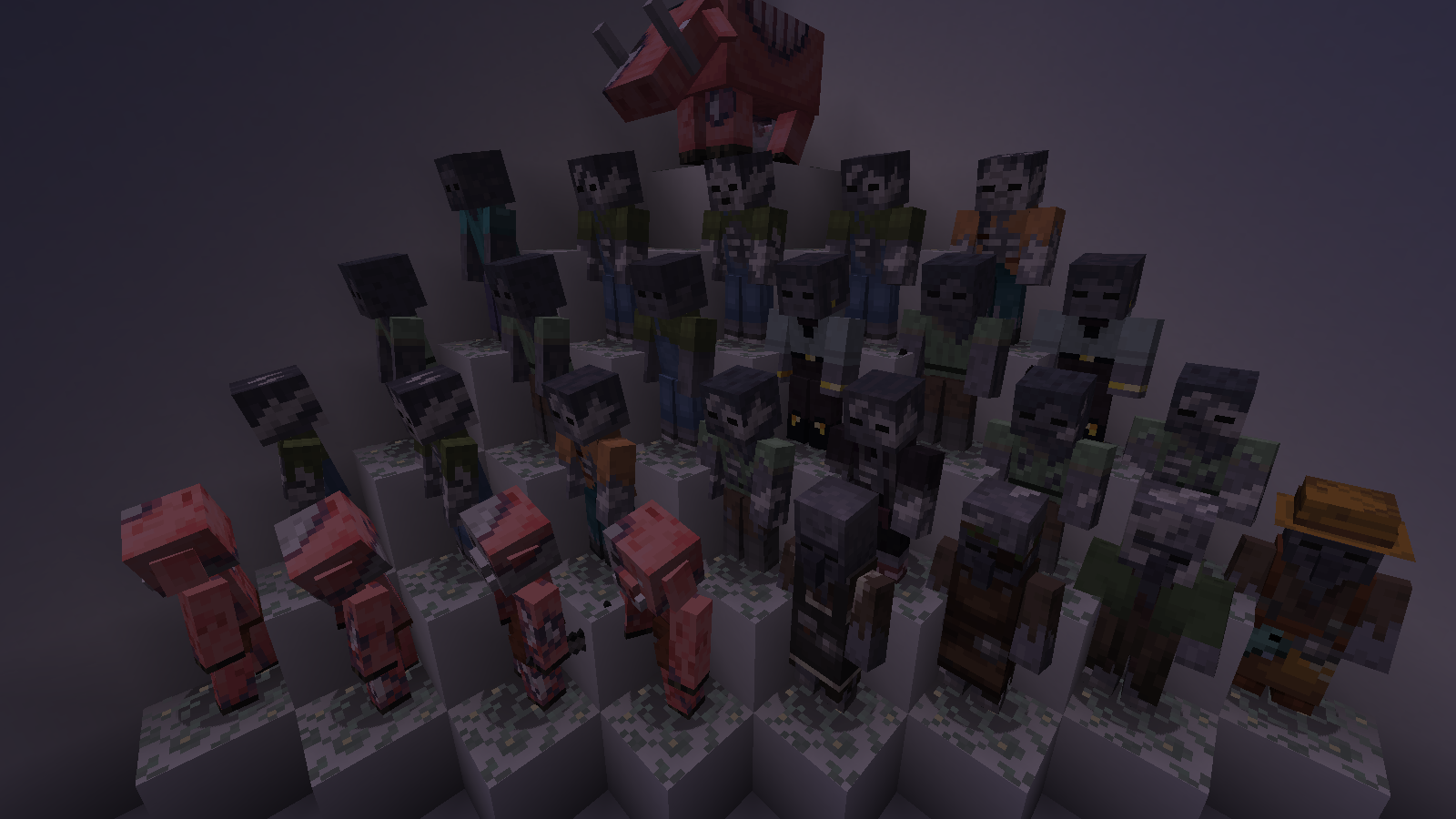
  • Wounded Entities now have different appearances depending on their remaining health. This effects basically everything in the game, including both friendly and hostile mobs. (Most creatures bleed, zombie skin falls off, skeletons crack, and so on and so forth.  Requires Optifine.)
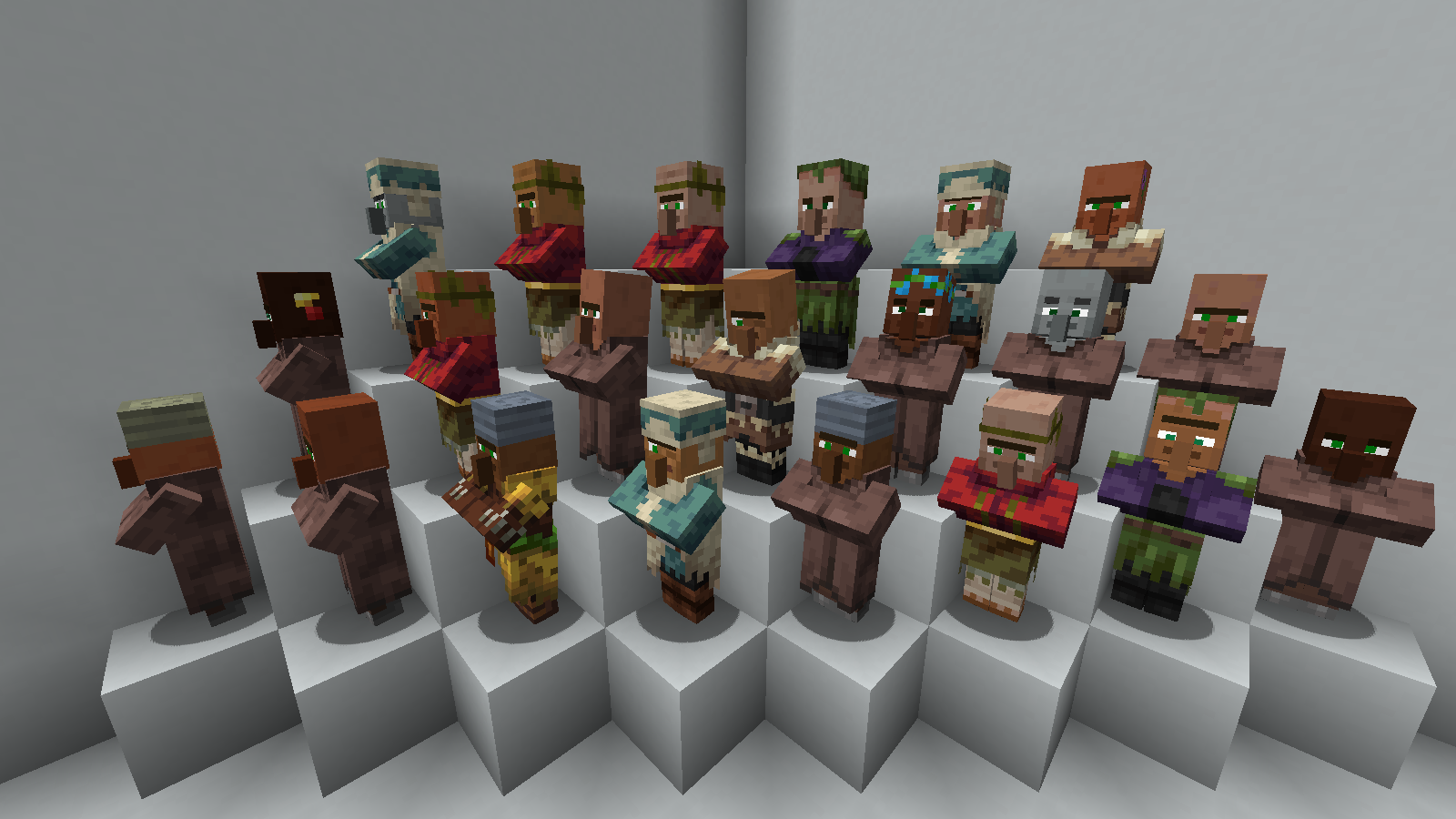
  • Villagers now have a variety of different skin tones and slightly variated facial features/jewelry to make them easier to tell apart. (There's over 200 variants!)
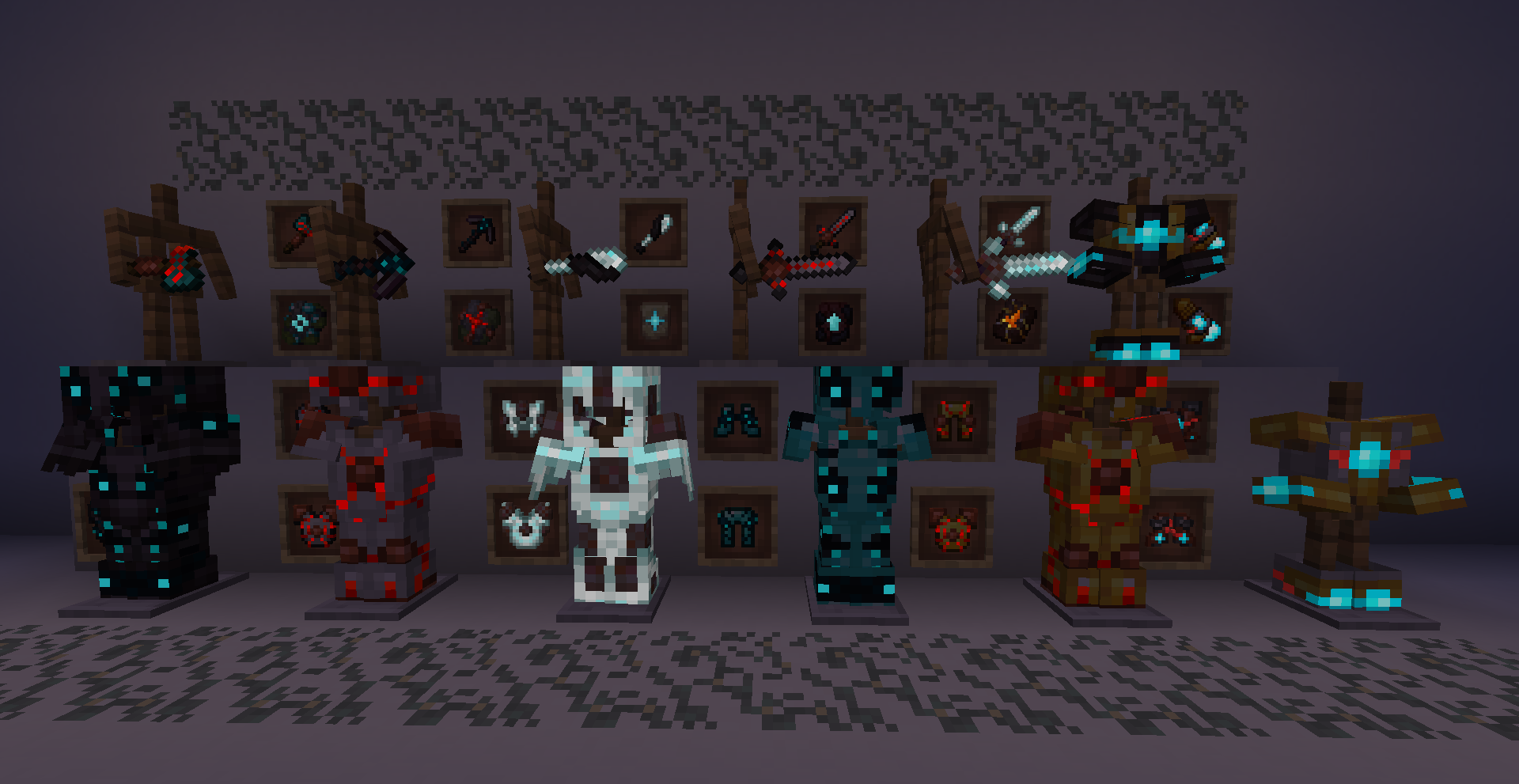
  • Mod Support, for other Mindthemoods Mods! Includes texture tweaks to Fabulous Fletching, Bits and Bobs, Superior Structures, and Ashen Remains.
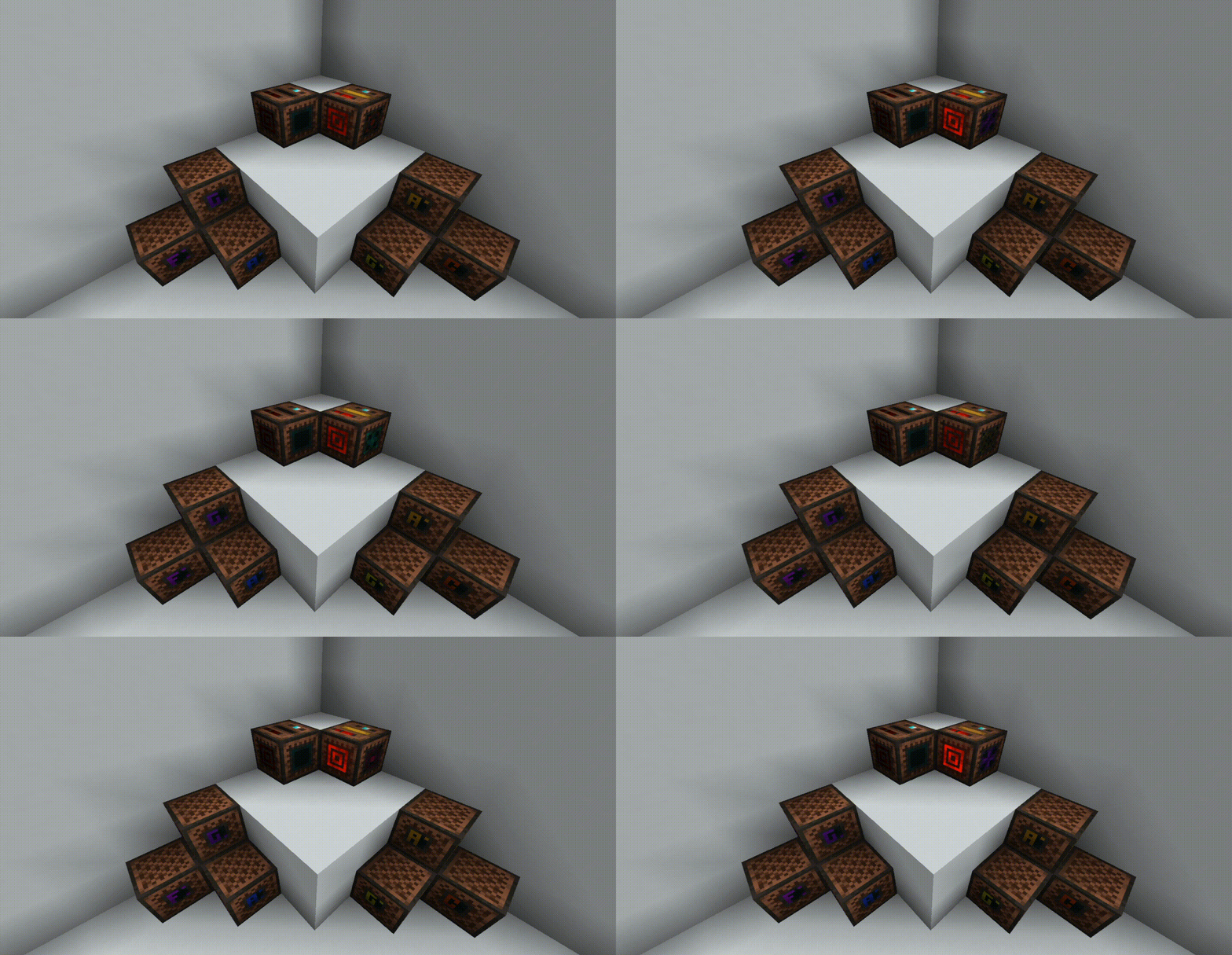
  • Emissive Textures for armor, equipment, blocks, and smithing templates have been added for Superior Smithing, Ashen Remains, and Bits & Bobs. This is (mostly) shader compatible, but requires Optifine. It also looks extremely cool.
  • Animated Textures for various magical items, buckets, and the like.
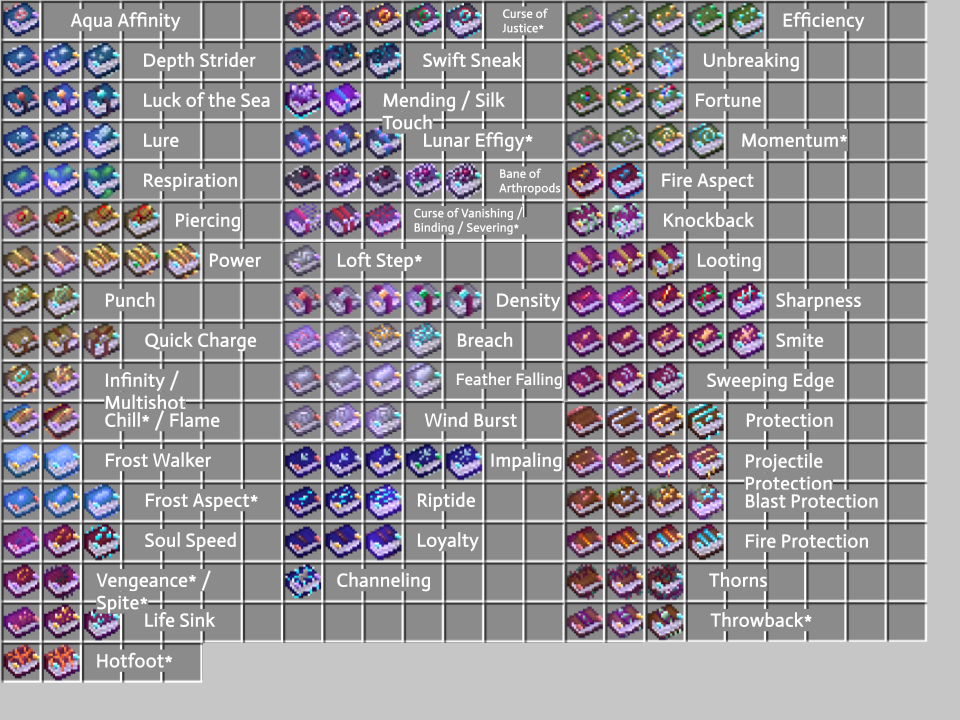
  • Enchanted Book Textures, with a unique texture for each book. (Compatible with Superior Smithing's Enchantments!)

(For version 1.21. Going forward I'll be moving away from Optifine, in order to update stuff to Neoforge. Polytone has some really cool features, and combined with EMF and ETF, it's a solid replacement.)




Mindthemood'sMisselaneousV12.1.zip
MC 1.21.1
Release 2024-10-27 Get
Mindthemood'sMisselaneousV12.zip
MC 1.21.1
Release 2024-10-25 Get
Mindthemood'sMisselaneousV11.1.zip
MC 1.20.1
Release 2024-08-14 Get
Mindthemood'sMisselaneousV11.zip
MC 1.20.1
Release 2024-08-04 Get
Mindthemood'sMisselaneousV10.6.zip
MC 1.20.1
Release 2024-07-26 Get
Mindthemood'sMisselaneousV10.5.zip
MC 1.20.1
Release 2024-07-24 Get
Mindthemood'sMisselaneousV10.2.zip
MC 1.19.4, 1.18.2, 1.20.1
Release 2024-06-04 Get
Mindthemood'sMisselaneousV10.1.zip
MC 1.19.4, 1.18.2, 1.20.1
Release 2024-05-31 Get
Mindthemood'sMisselaneousV10.zip
MC 1.19.4, 1.18.2, 1.20.1
Release 2024-03-30 Get
Mindthemood'sMisselaneousV9.1.zip
MC 1.19.4, 1.18.2, 1.20.1
Release 2024-03-23 Get
Mindthemood'sMisselaneousV9.zip
MC 1.20.1
Release 2024-02-17 Get
Mindthemood'sMisselaneousV8.7.zip
MC 1.20.1
Release 2024-02-16 Get
Mindthemood'sMisselaneousV8.6.zip
MC 1.19.4, 1.18.2, 1.20.1
Release 2024-02-11 Get
Mindthemood'sMisselaneousV8.7.zip
MC 1.19.4, 1.18.2, 1.20.1
Release 2024-02-11 Get
Mindthemood'sMisselaneousV8.3.zip
MC 1.20.1
Release 2023-12-14 Get
Mindthemood'sMisselaneousV8.2.zip
MC 1.19.4, 1.20.1
Release 2023-11-12 Get
Mindthemood'sMisselaneousV8.zip
MC 1.19.4, 1.20.1
Release 2023-11-01 Get
Mindthemood'sMisselaneousV8.1.zip
MC 1.19.4, 1.20.1
Release 2023-11-01 Get
Mindthemood'sMisselaneousV7.1.zip
MC 1.20.1
Release 2023-10-29 Get
Mindthemood'sMisselaneousV7.zip
MC 1.19.4, 1.20.1
Release 2023-10-18 Get
Mindthemood'sMisselaneousV6.zip
MC 1.20.1, 1.20
Release 2023-10-11 Get
Mindthemood'sMisselaneousV5.1.zip
MC 1.19.4, 1.18.2, 1.20
Release 2023-08-03 Get
Mindthemood'sMisselaneousV4.1.zip
MC 1.19.4
Release 2023-07-30 Get
Mindthemood'sMisselaneousV5.zip
MC 1.19.4, 1.18.2, 1.20, 1.19
Release 2023-07-30 Get
Mindthemood'sMisselaneousV4.zip
MC 1.19.4, 1.19.2
Release 2023-07-20 Get
Mindthemood'sMisselaneousV4.zip
MC 1.17, 1.19.4, 1.16.5, 1.18.2, 1.19.2
Release 2023-05-29 Get
Mindthemood'sCircuitryV3.5.zip
MC 1.17.1, 1.16.5, 1.18.2, 1.19.2
Release 2023-03-10 Get
Mindthemood's Circuitry V3.zip
MC 1.17.1, 1.18.1, 1.18.2, 1.19.2
Release 2023-02-12 Get
Mindthemood'sCircuitryV2.5.zip
MC 1.18.1, 1.18.2, 1.19.1, 1.18, 1.19
Release 2022-07-29 Get
Mindthemood's Circuitry V2.zip
MC 1.18.1, 1.18.2, 1.19.1, 1.18, 1.19
Release 2022-07-23 Get
Mindthemood's Circuitry.zip
MC 1.18.1, 1.18.2, 1.19.1, 1.18, 1.18-Snapshot, 1.19
Alpha 2022-07-22 Get
Mindthemood's Circuitry.zip
MC 1.18.1, 1.19-Snapshot, 1.18.2, 1.19.1, 1.18, 1.18-Snapshot, 1.19
Alpha 2022-07-15 Get

Requirements & install

How to use this resource pack in Minecraft
Resolution
16x
Minecraft
1.19-Snapshot – 1.21.1
Install folder
.minecraft/resourcepacks

How to install resource packs

  1. Download the resource pack .zip file (do not extract it).
  2. In Minecraft open Options → Resource Packs → Open Pack Folder.
  3. Drop the .zip into the resourcepacks folder (.minecraft/resourcepacks).
  4. Move the pack to the Selected column and click Done.
Browse more: 16x resource packs 32x resource packs 64x resource packs 128x resource packs 256x resource packs 512x+ resource packs Resource Packs for 1.21.1 All resource packs

More from Mindthemoods

Advertisement Remove ads with Premium →

You Might Also Like