Mineuniverse
Resource Packs
miles's Enchanted Deluxe Edition

miles's Enchanted Deluxe Edition

RESOURCE PACK
Visual enchantments RPG style
by milesdemillas
Download Claim this project
Add a badge to your pageLink to miles's Enchanted Deluxe Edition from a README, website or forum post.
Preview: Badge

Badges update automatically and link to the resource pack page on MineUniverse.

116,810 downloads
0 likes
0 followers
Updated Oct 14, 2026
0 hypes
Follow0
16x Miscellaneous
Advertisement Remove ads with Premium →

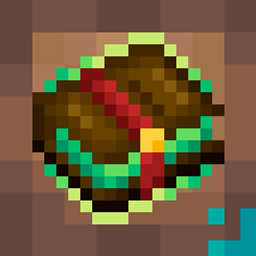
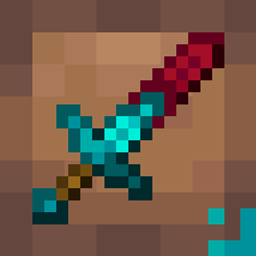
Greetings, This texture pack give mineral or gem trims for weapons, books and soon tools enchantments. It's basically Visual Enchantments but thematic.
This texture pack requires OptiFine or CIT Resewn.
And make sure your configs are set corretly:
Option/Video Setting/Quality/Custom Item: ON
Works on 1.20 and below versions.

Fresh animated books designs (WIP)


 Fresh RPG swords designs (WIP)


 Fresh bows and trindent designs (trident have 2 ench combi) (WIP)

https://imgur.com/1AAtoaU.png 

 Designs for 3! combinations enchantments


Extra
Netherite plus sword, jade sword and copper sword: It is available from rename on the anvil (on netherite sword)

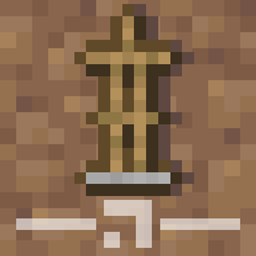
Also, new designs for hoes, frames, arrows and exp bottles


 Extra 2
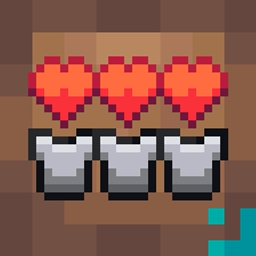
New heart, hunger, respiration, armor and exp bar designs


 Extra 3
Boxes and some effects designs were modified

If you’d like to support me on Ko-Fi, it’s super appreciated <3
https://ko-fi.com/milesdemillas

miles's Enchanted Deluxe Edition v0.3.zip
MC 1.20.4
Release 2024-02-18 Get
miles's Enchanted Deluxe Edition v0.2.zip
MC 1.20.2, 1.19.4, 1.18.2
Release 2023-09-19 Get
miles's Enchanted Deluxe Edition V0.1.zip
MC 1.19.4, 1.18.2, 1.20.1
Release 2023-09-12 Get

Requirements & install

How to use this resource pack in Minecraft
Resolution
16x
Minecraft
1.18.2 – 1.20.4
Install folder
.minecraft/resourcepacks

How to install resource packs

  1. Download the resource pack .zip file (do not extract it).
  2. In Minecraft open Options → Resource Packs → Open Pack Folder.
  3. Drop the .zip into the resourcepacks folder (.minecraft/resourcepacks).
  4. Move the pack to the Selected column and click Done.
Browse more: 16x resource packs 32x resource packs 64x resource packs 128x resource packs 256x resource packs 512x+ resource packs Resource Packs for 1.20.4 All resource packs

More from milesdemillas

Advertisement Remove ads with Premium →

You Might Also Like