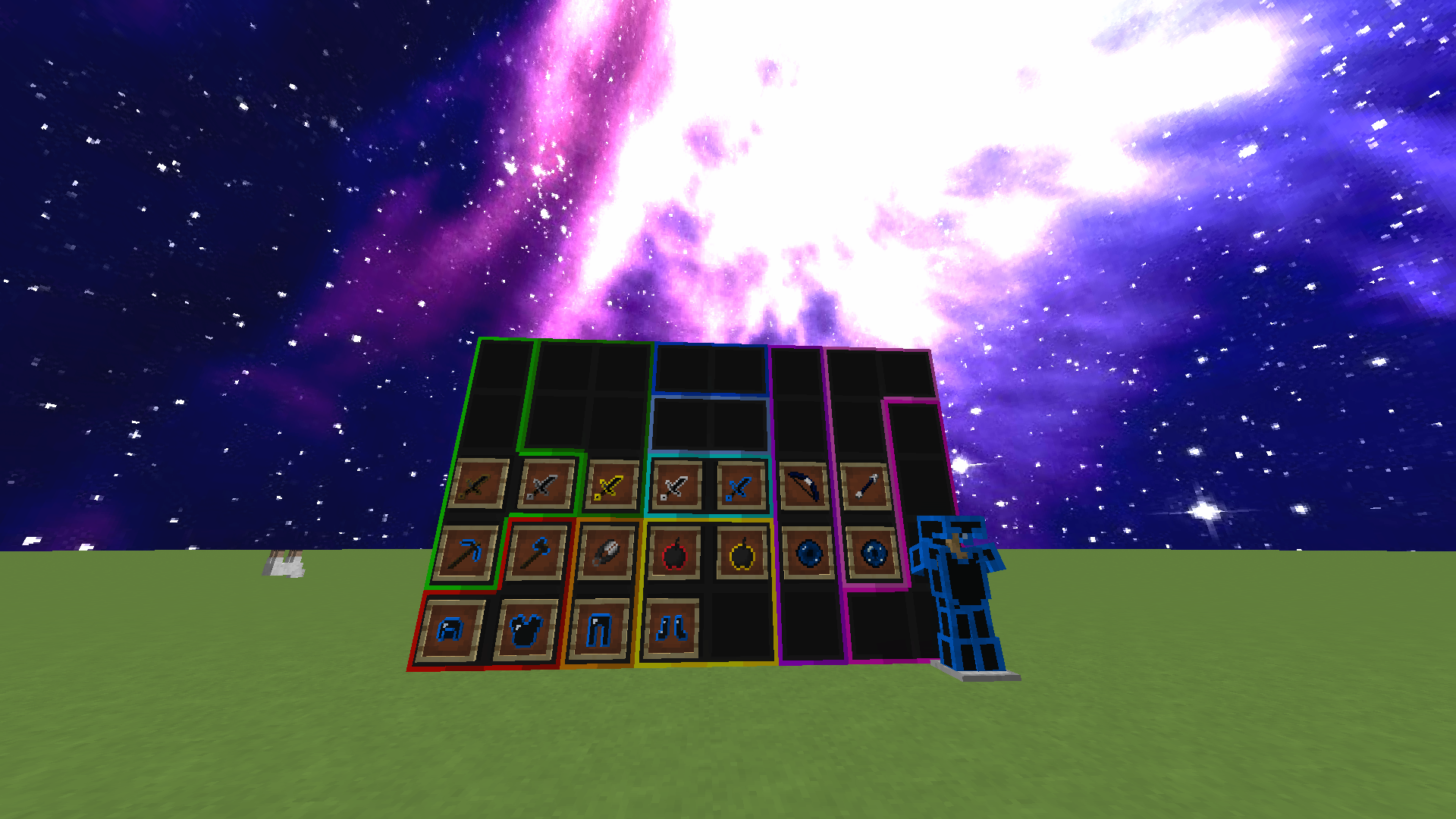
A dark-themed texture pack! Comment some feedback or tell me in the #texture-pack-feedback channel on my discord server: https://dsc.gg/berry
Credits:
Sky: Colorful Space Overlay - By Yuruze
Wool: IDEA by Telly 60k (keyword idea it's not exactly the same)
Lava: Jaba 3k
Fire: Dark Rustic PVP
Inventory: Acid Blitz
Prerelease 4
- Changed xp bar so the transition between colors looked smoother and fixed xp bar appearing full 24/7
- Changed hotbar and gui
- Changed the bed texture
- Changed the chest textures
- Changed the diamond, emerald, gold, and iron textures
Prerelease 3
- Changed the break block, place block, eat, click, dragon roar, and bow hit sounds
- Changed the clay textures
Prerelease 2
- Changed shovel and hoe textures
- Changed container, hotbar, and game menu GUI
- Changed wood textures
- Changed bow and arrow textures again
- Changed bucket textures
- Changed fishing rod textures
- Changed fire and lava textures
- Changed tnt textures
- Increased fireball animated texture frame time so it doesn't trigger epilepsy
Prerelease 1
- Changed the wool textures
- Added connected textures for the wool
- Changed the sword textures
- Changed the tool textures
- Changed the destroy textures
- Changed the health, hunger, and xp bars
- Changed the bow and arrow textures
- Changed the armor textures
- Changed eye of ender and ender pearl textures
- Changed the fireball texture (the flashing lights might be bad so don't use it or delete the texture if you have epilepsy)