Mineuniverse
Resource Packs
Merrell Twins Pack

Merrell Twins Pack

RESOURCE PACK
Made By Tye Pavitt
by tyepavitt15
Download Claim this project
2,986 downloads
0 likes
Updated Oct 14, 2026
0 hypes
16x
Advertisement Remove ads with Premium →

Merrell Twins Pack

- Merrell Twins Themed Resource Pack Made By Tye Pavitt -

LATEST RELEASE: V14

To download click on files tab and click the 3 dots next to the version u want and click on Download file.

You'll get redirected to a page. Wait a few seconds, then should automatically start downloadling

v14 has 4 versions of the pack for the different hunger icon versions


Latest Update Features:

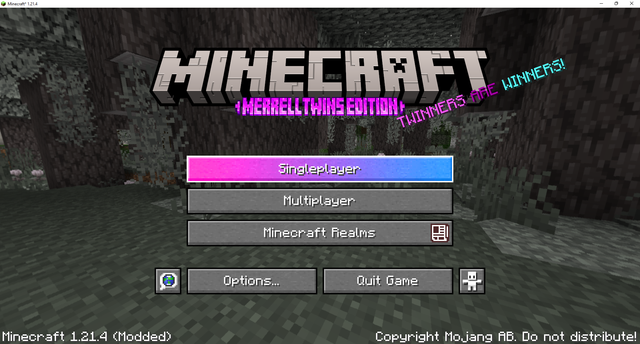
- Updated Minecraft Title & Buttons -

Before:

After:


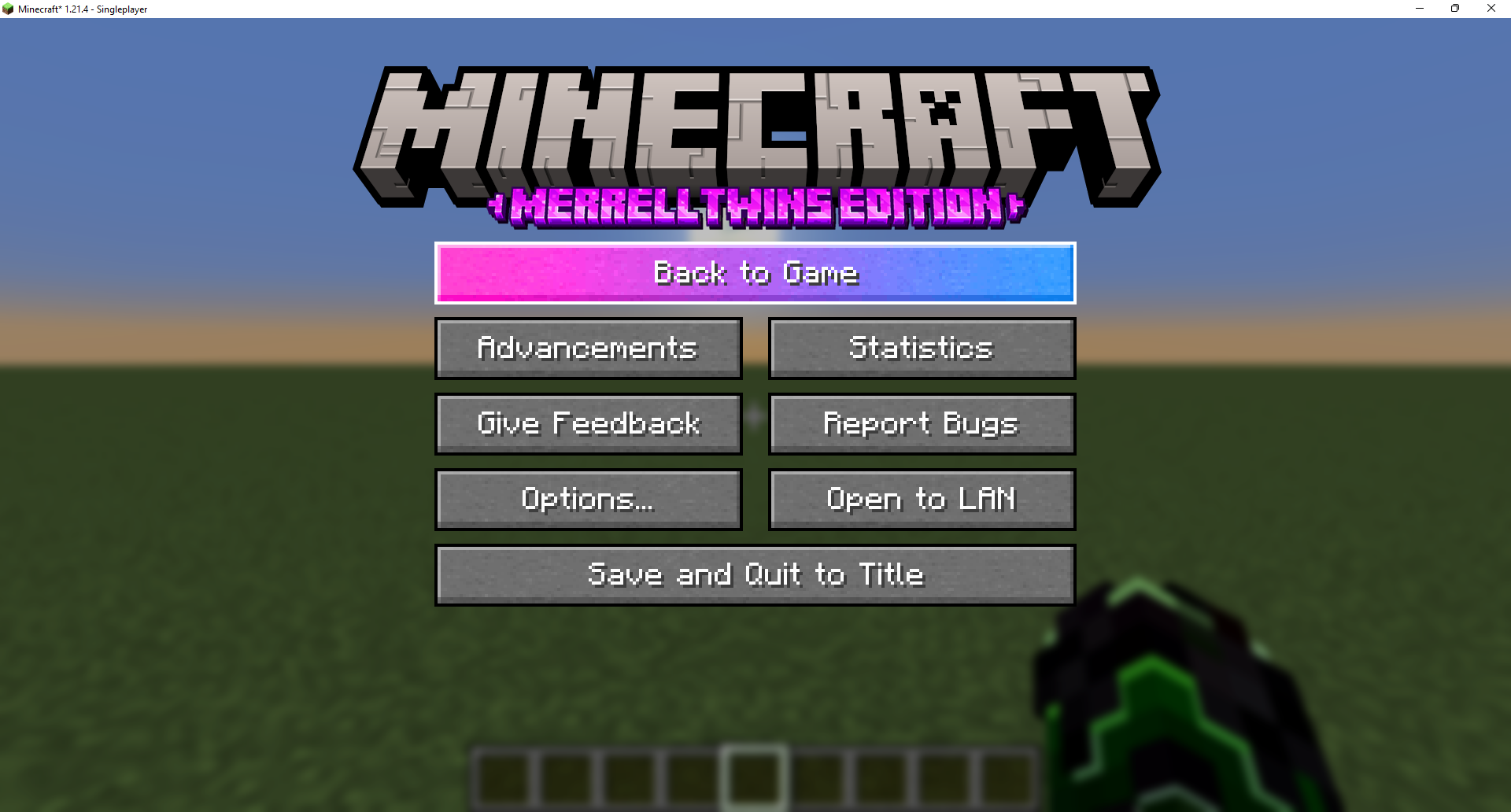
- Pause screen title -


- 1.20+ Sprites Folder Support -

- Crafter GUI Retextured -
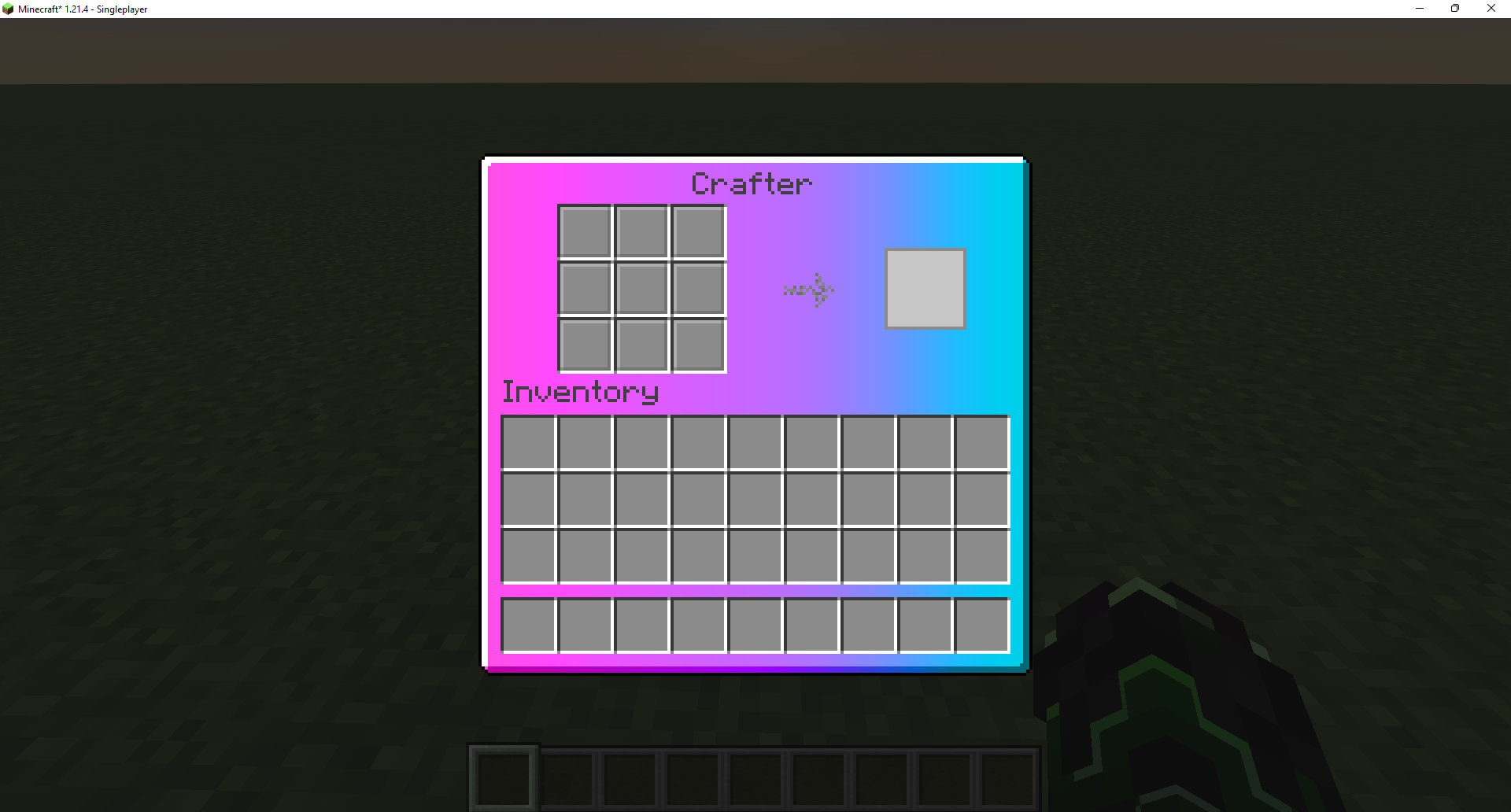


- New Emojis that can be used in Chat, Signs, Books and Anvils -

To use them you need to press the LALT + number on numpad.

Here's the list of all available Emojis and their number on numpad + New ones at end:


V14+:
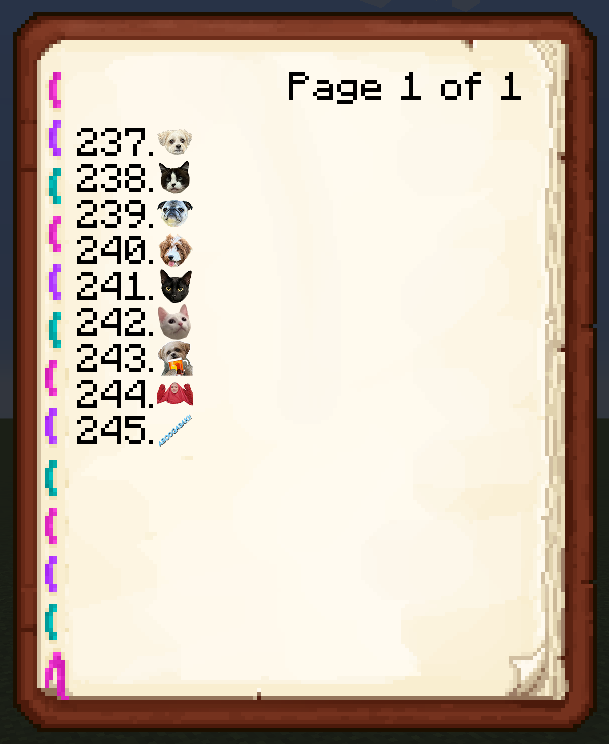
NOTE: In order to make emojis show up correctly in signs and books you'll need to:


Signs 
Use a white dye on the sign after putting your emojis to color them correctly.


Books
type '§f' before the emoji you want to put to color it correctly.


Latest Update Features - Optifine:

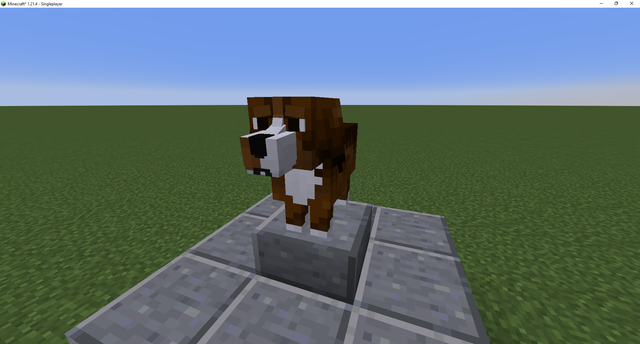
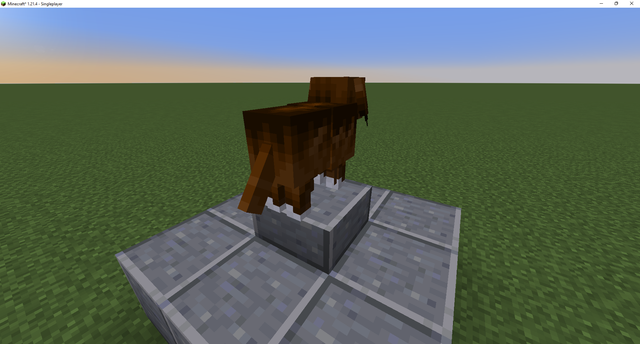
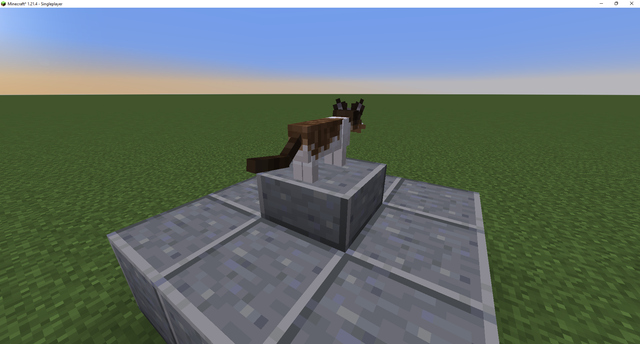
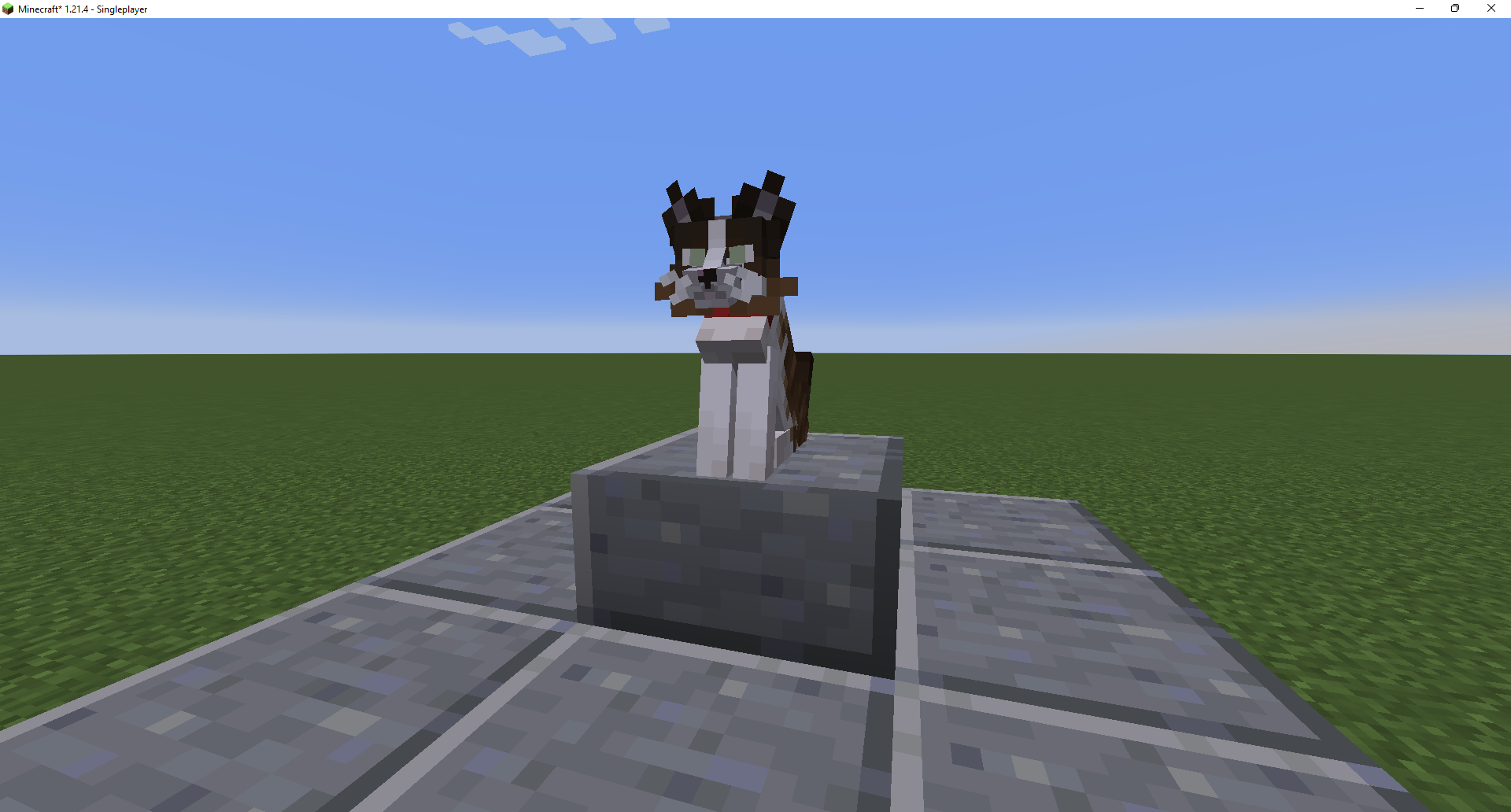
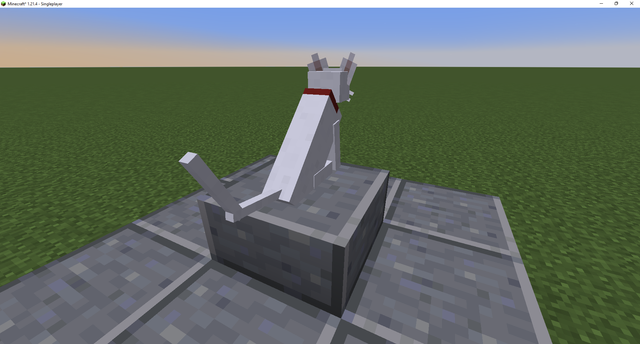
- Added Ellie Wolf Texture/Model with Animated Ears -


Will now randomly spawn Ellie, Guppy and Tiger wolves.

Can rename wolves Ellie, Guppy or Tiger using nametags if you want a specific one.


- 1.20.5+ wolf armor & variants support -
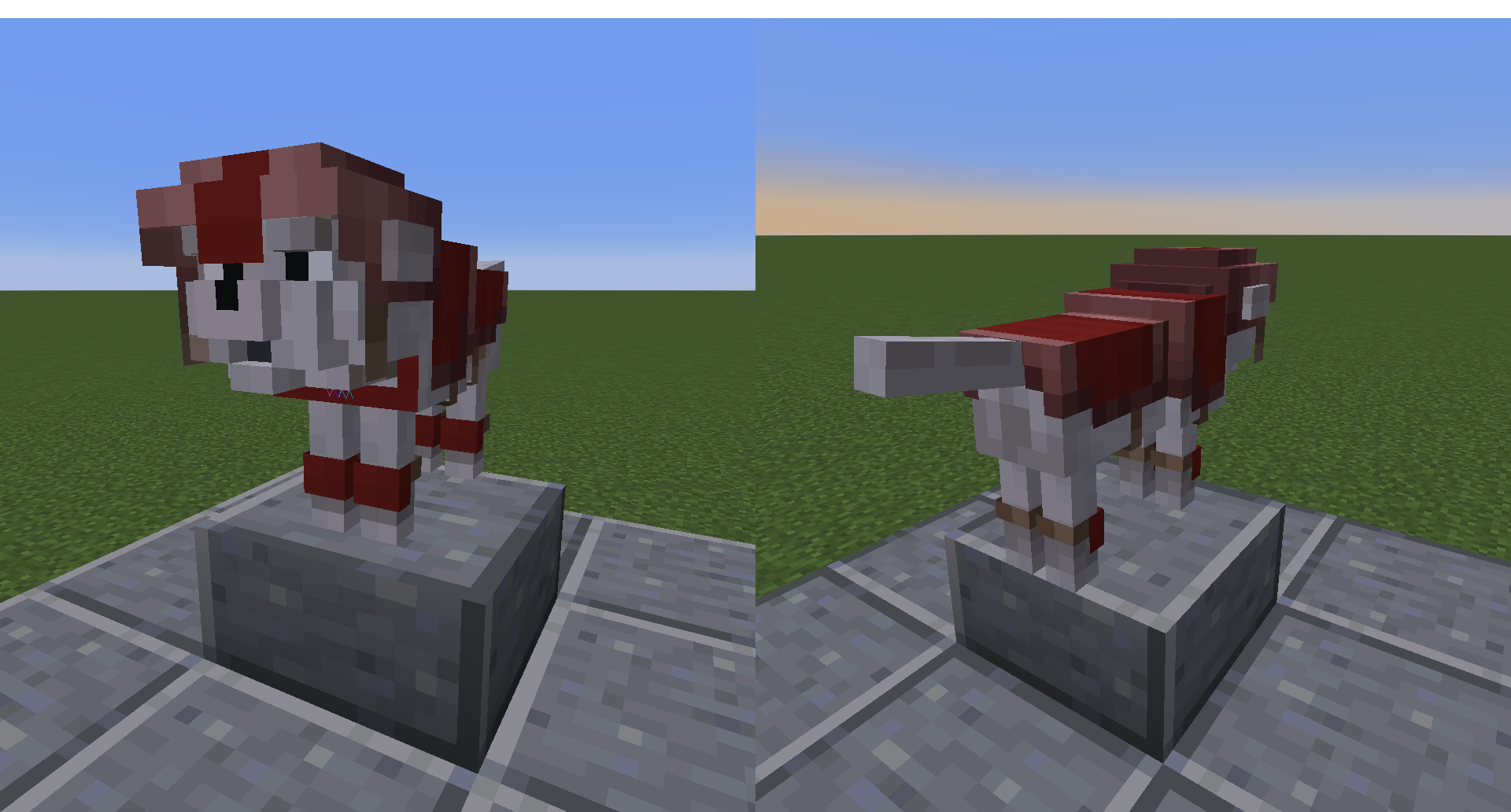


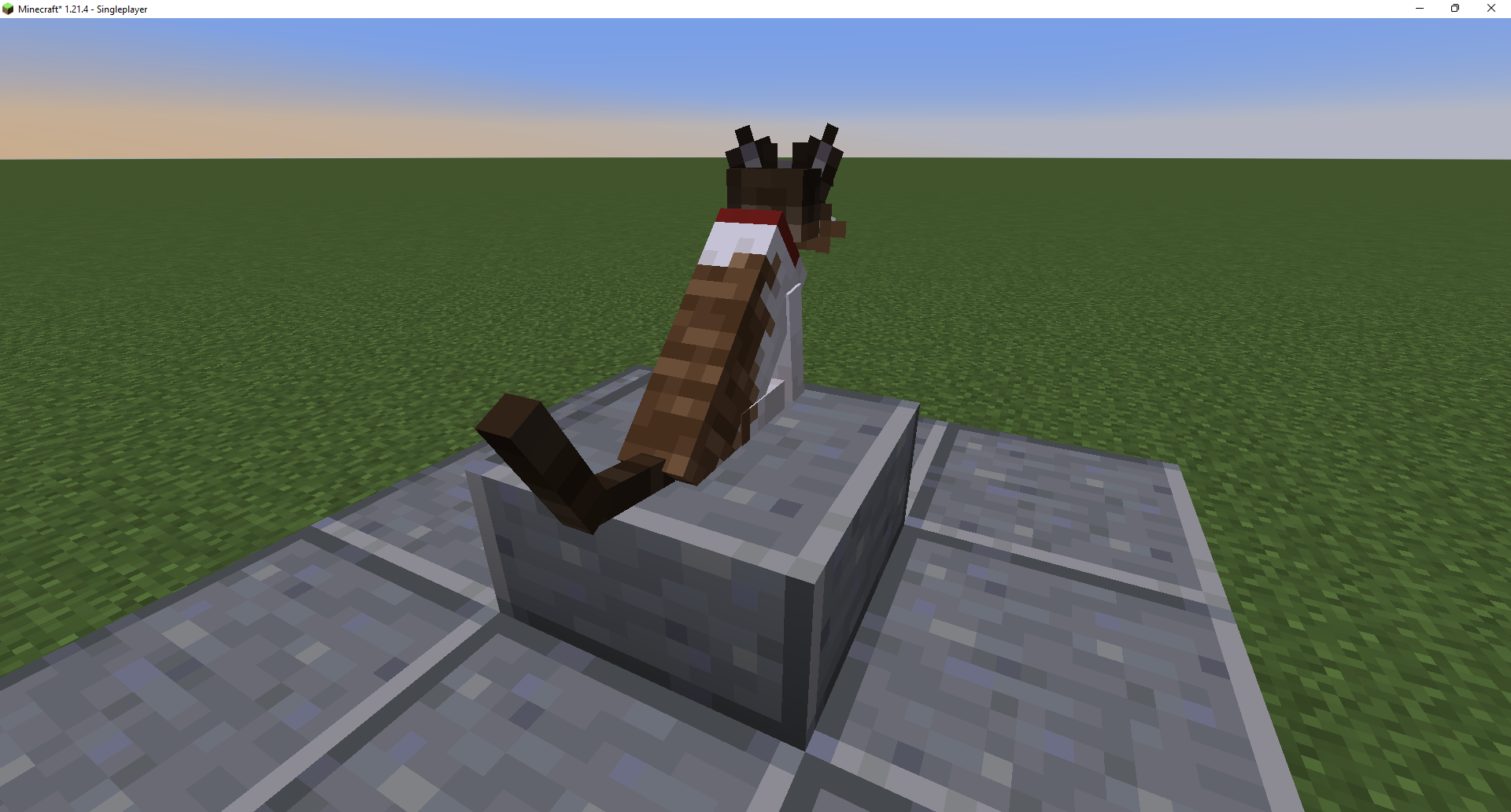
- Updated Quirkie Cat Texture/Model for Optifine users - 
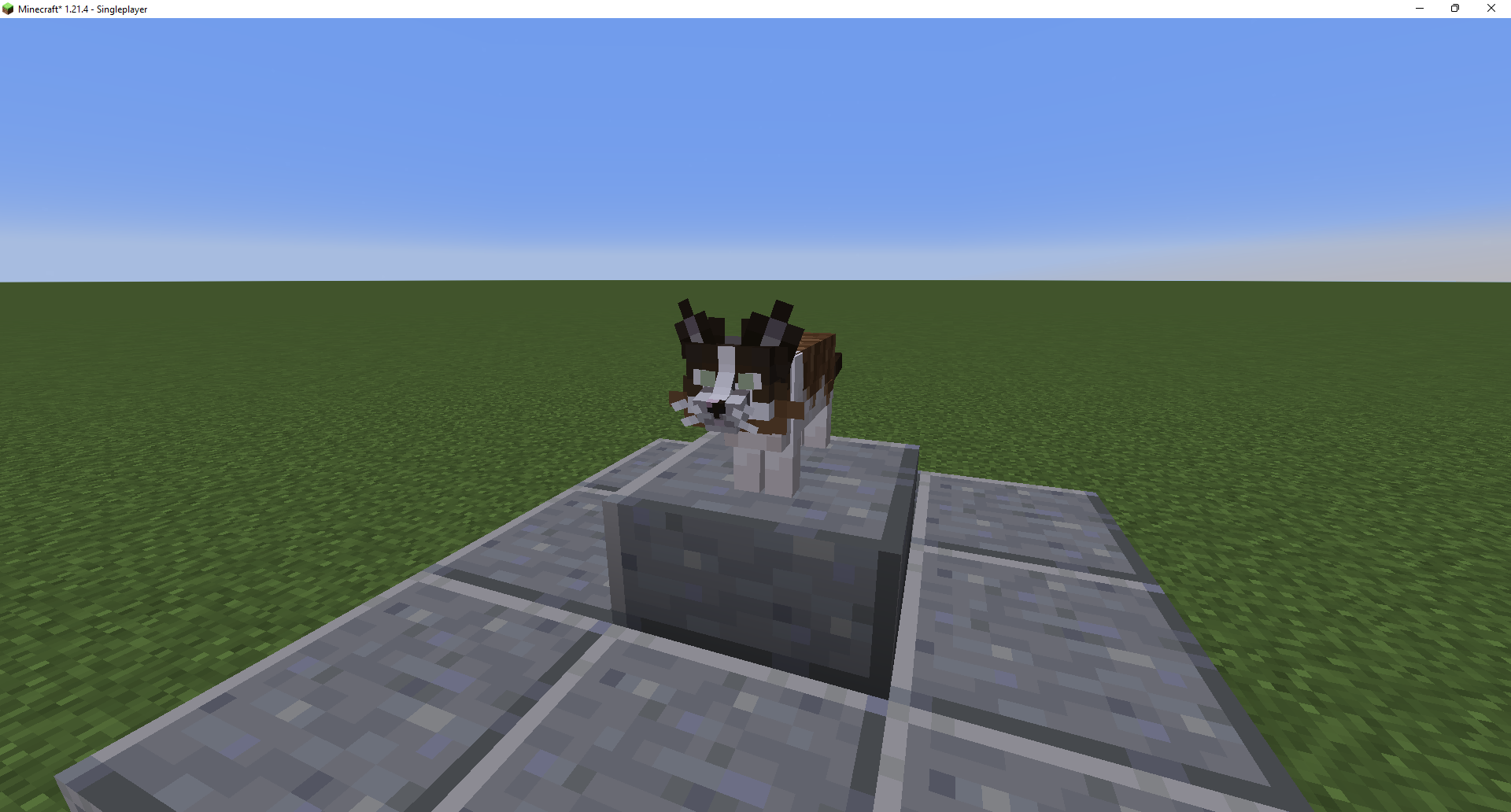


The model/texture overides the jellie cat skin.


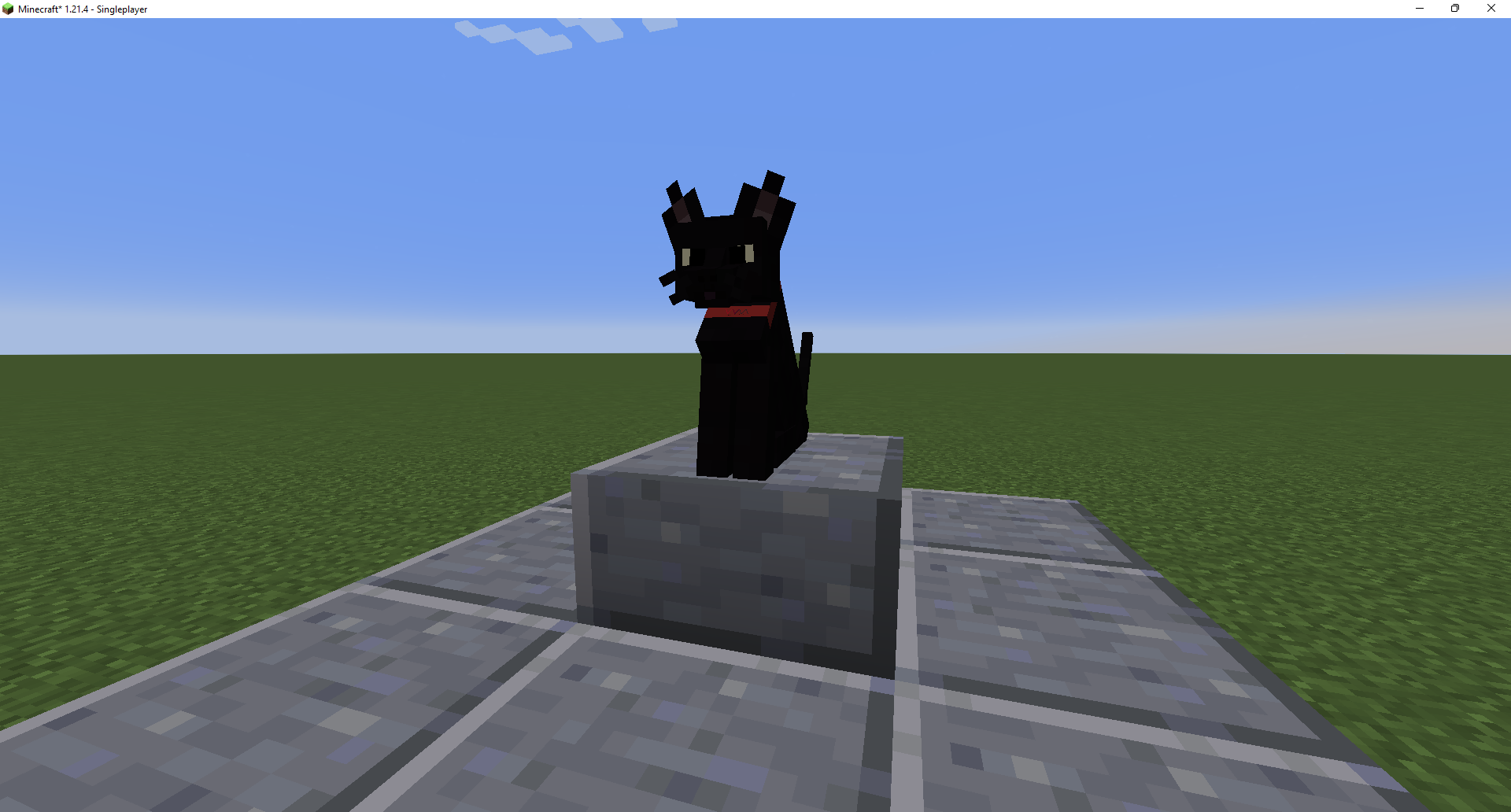
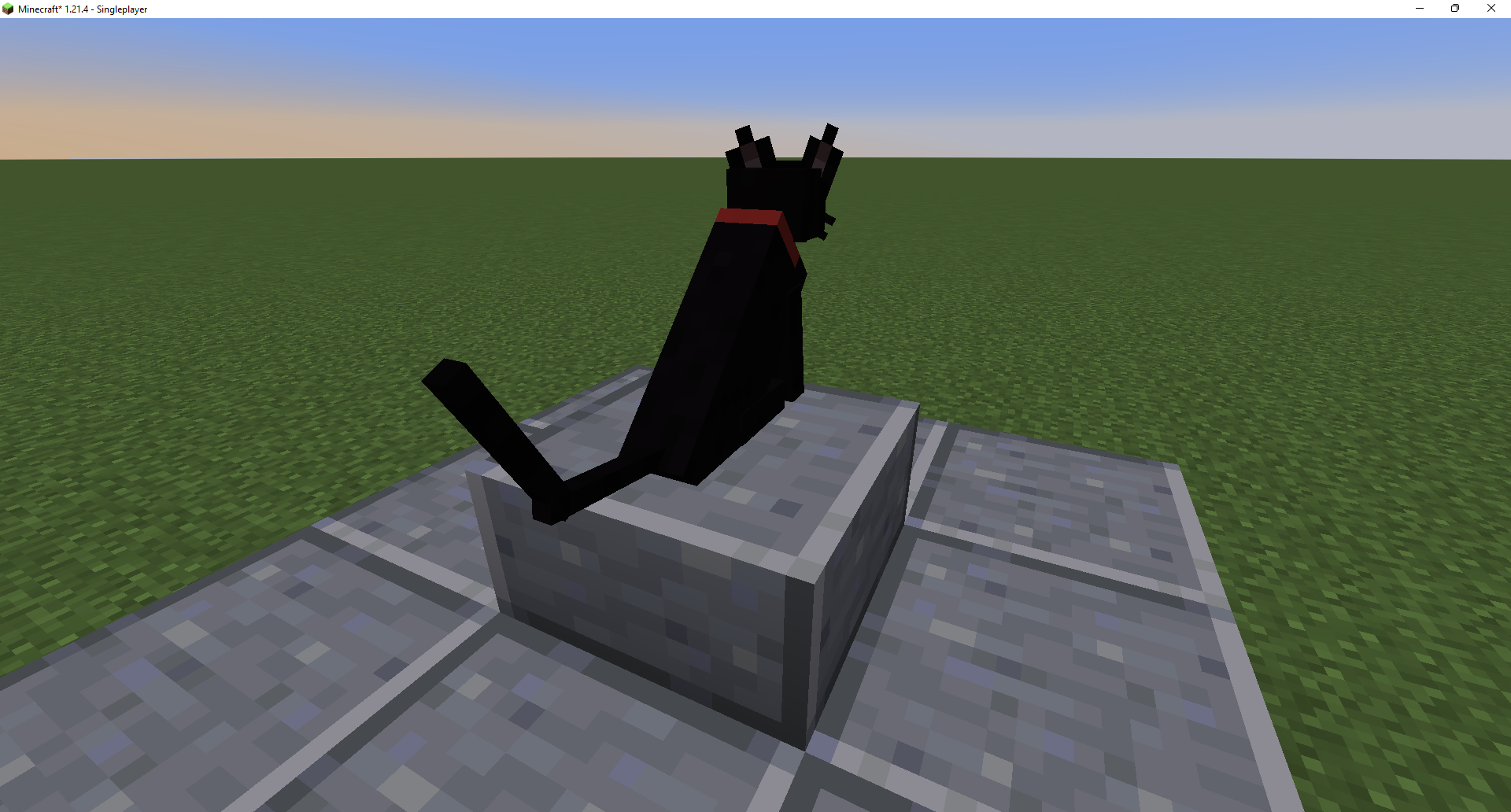
- Added Aragorn/Arrow Cat Texture/Model  -


The model/texture overides the all black cat skin.


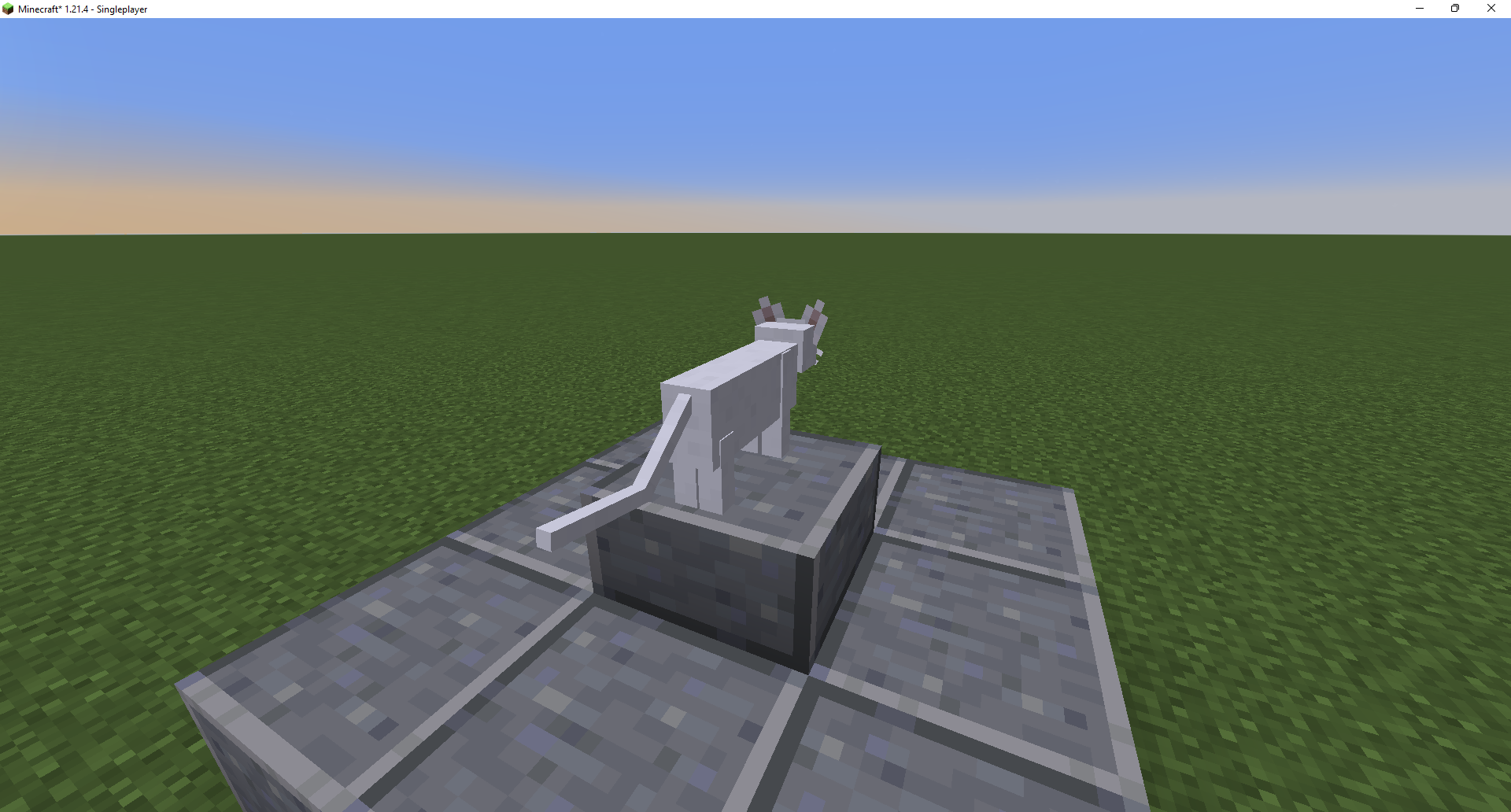
- Added Legolas/Lego Cat Texture/Model  -
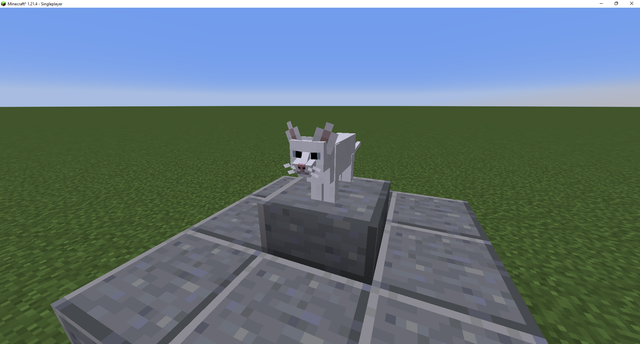


The model/texture overides the white cat skin.

Will now randomly spawn Quirkie, Aragorn, Legolas and the default skin Cats.

Can rename cats Quirkie, Aragorn/Arrow or Legolas/Lego using nametags if you want a specific one.


 Features:

- Custom Splashes, Title, Widgets, Background music and Background -


- Most Paintings Replaced With Fan Art (You can message me on twitter or instagram @tyepavitt if you want your fan art to be featured) -


- Custom Creeper Texture -


- Custom Slime Texture -


 - Cat Quirkie Texture - 


 - Custom Armor Stand Texture -


 - Custom Bed Textures -


- Custom TNT Texture -


- Custom Chestplate Textures -


- Custom Pet Collar Textures (Supports All Colours) -


- Custom Exp. Bar Texture -


- Custom Moon and Sun Textures -


-


- Custom Moon and Sun Textures (v8+) -


 - Custom Music Discs -


- Custom Color Changing Nether Portal Texture -


 - Changed default skins to Roni and Nessa -

Alex = Roni

 Steve = Nessa


Roni


Nessa


You can download the skins here if you want a specific one:


Roni (slim) =

https://textures.minecraft.net/texture/79e226b855bfc0bb4e3c651b7a157e1996055899b0abc773cffa8138d431f58a


Nessa (classic) =

https://textures.minecraft.net/texture/4e689e64118d30751b604886609a3b8aff1f55b27b000b7d9bdd38d8efec21bf


- Custom saddle textures -


- Custom horse armor textures -


- Custom normal and trapped chest textures -


- Custom Elytra texture -


- Custom Tools and Item Textures -


- Wut I'm Plastic Totem Of Undying -


- Zombie wearing VVM Merch Texture -


- Custom Ender Dragon Texture -


- Custom Shulker Box Textures -


- Retextured All the GUI's -


2021-01-21-22-43-46


- Re textured the Advancement Made Bar - 


- Retexured Enderpearls, Eye of enders, End portal frames and Ender chests, Thanks to joeywinchester115 for the idea -


2021-04-10-06-05-00


- Custom Merrell Twins styled Netherite gear, items, tools and blocks, Thanks to joeywinchester115 for the idea -


2021-04-10-09-30-24


- Merrell Twins styled Enchanted Table -


- New VVM Banner Pattern and Retextured the Banner base -


- Custom Ghast Texture -


2021-04-10-13-52-43


- All Piglins now wear VVM Merch -


- Retextured the End Crytal Beams to the VVM Colours -


- Removed the Pumpkin Head Blur Overlay so it's easier to see -


Before:

After:


- Custom Hunger Icon To Choose From (Default Is a Taco) -


If you want to change the Hunger Icon to sushi, doughnut (v10+) or to the default you'll need to:

Go into the zip file and replace the icons.png in 'assets/minecraft/textures/gui' with the hunger icon you want in 'assets/minecraft/textures/gui/hunger_icons'.


- Custom Wither Skeleton Texture -


- Custom Wither Texture -


- Nether blocks and Nether Brick & Nether Wart Items Changed To VVM Colours -


- VVM Emojis that can be used in Chat, Signs, Books and Anvils -

To use them you need to press the LALT + number on numpad.

Here's the list of available Emojis and their number on numpad:


NOTE: In order to make emojis show up correctly in signs and books you'll need to:


Signs 
Use a white dye on the sign after putting your emojis to color them correctly.


Books
type '§f' before the emoji you want to put to color it correctly.


- VVM styled inventory player backdrop -


- Furnace, Blast Furnace and Smoker Retexture -


- VVM Color Changing Lava and Fire Textures and Changed Lava Bucket Item Texture -


- Dropper and Dispenser Retexture -


- Hopper Retexture -


- Wut Im Plastic Totem of Undying Audio -


Optifine Pack

You can download Optifine Here: https://optifine.net/downloads


Optifine Pack Features:


- All Villagers changed to Paul -


- All Wolves Remodeled and Textured to Tiger and Renamed the Wolf Spawn Egg to Tiger S

MerrellTwinsPack - v14: Default hunger
MC 1.20.2, 1.21.2-Snapshot, 1.21, 1.21.6-snapshot, 1.20.5, 1.21.5, 1.20.5-Snapshot, 1.21.1-Snapshot, 1.21.4, 1.21.5-Snapshot, 1.20.3-Snapshot, 1.20.3, 1.20.6, 1.20.4, 1.21-Snapshot
Release 2025-04-23 Get
MerrellTwinsPack - v14: Sushi hunger
MC 1.20.2, 1.21.2-Snapshot, 1.21, 1.21.6-snapshot, 1.20.5, 1.21.5, 1.20.5-Snapshot, 1.21.1-Snapshot, 1.21.4, 1.21.5-Snapshot, 1.20.3-Snapshot, 1.20.3, 1.20.6, 1.20.4, 1.21-Snapshot
Release 2025-04-23 Get
MerrellTwinsPack - v14: Doughnut hunger
MC 1.20.2, 1.21.2-Snapshot, 1.21, 1.21.6-snapshot, 1.20.5, 1.21.5, 1.20.5-Snapshot, 1.21.1-Snapshot, 1.21.4, 1.21.5-Snapshot, 1.20.3-Snapshot, 1.20.3, 1.20.6, 1.20.4, 1.21-Snapshot
Release 2025-04-23 Get
MerrellTwinsPack - v14: Taco hunger
MC 1.20.2, 1.21.2-Snapshot, 1.21, 1.21.6-snapshot, 1.20.5, 1.21.5, 1.20.5-Snapshot, 1.21.1-Snapshot, 1.21.4, 1.21.5-Snapshot, 1.20.3-Snapshot, 1.20.3, 1.20.6, 1.20.4, 1.21-Snapshot
Release 2025-04-23 Get
MerrellTwinsPack - Optifine - 1.17-1.19 v9
MC 1.17.1, 1.19.3, 1.18.1, 1.17, 1.19.4, 1.18.2, 1.19.2, 1.19.1, 1.18, 1.19
Release 2022-07-18 Get
MerrellTwinsPack - v13
MC 1.17.1, 1.16.3, 1.18.1, 1.17, 1.16.5, 1.18.2, 1.18, 1.16.4, 1.19
Release 2022-06-19 Get
MerrellTwinsPack - Optifine - 1.17-1.18.2 v8
MC 1.17.1, 1.18.1, 1.17, 1.18.2, 1.18
Release 2022-06-19 Get
MerrellTwinsPack - v12
MC 1.17.1, 1.16.3, 1.18.1, 1.17, 1.16.5, 1.18.2, 1.18, 1.16.4, 1.19
Release 2022-06-09 Get
MerrellTwinsPack - Optifine - 1.17-1.18.2 v7
MC 1.17.1, 1.18.1, 1.17, 1.18.2, 1.18
Release 2022-06-09 Get
MerrellTwinsPack - v11
MC 1.17.1, 1.16.3, 1.18.1, 1.17, 1.16.5, 1.18.2, 1.18, 1.16.4
Release 2022-06-02 Get
MerrellTwinsPack - Optifine - 1.17-1.18.2 v6
MC 1.17.1, 1.18.1, 1.17, 1.18.2, 1.18
Release 2022-06-02 Get
MerrellTwinsPack - v10
MC 1.17.1, 1.16.3, 1.18.1, 1.17, 1.16.5, 1.18.2, 1.18, 1.16.4
Release 2022-06-01 Get
MerrellTwinsPack - Optifine - 1.17-1.18.2 v5
MC 1.17.1, 1.18.1, 1.17, 1.18.2, 1.18
Release 2022-06-01 Get
MerrellTwinsPack - v9
MC 1.17.1, 1.16.3, 1.18.1, 1.17, 1.16.5, 1.18.2, 1.18, 1.16.4
Release 2022-02-03 Get
MerrellTwinsPack - Optifine - 1.17-1.18.1 v4
MC 1.17.1, 1.18.1, 1.17, 1.18.2, 1.18
Release 2022-02-03 Get
MerrellTwinsPack - v8
MC 1.17.1, 1.16.3, 1.18.1, 1.17, 1.16.5, 1.18.2, 1.18, 1.16.4
Release 2022-01-02 Get
MerrellTwinsPack - Optifine - 1.17-1.18.1 v3
MC 1.17.1, 1.18.1, 1.17, 1.18.2, 1.18
Release 2022-01-02 Get
MerrellTwinsPack - v7
MC 1.17.1, 1.16.3, 1.18.1, 1.17, 1.16.5, 1.18.2, 1.18, 1.16.4
Release 2021-12-22 Get
MerrellTwinsPack - Optifine - 1.17-1.18.1 v2
MC 1.17.1, 1.18.1, 1.17, 1.18.2, 1.18
Release 2021-12-22 Get
MerrellTwinsPack - Optifine - v5
MC 1.16.3, 1.16.5, 1.16.4
Release 2021-09-14 Get
MerrellTwinsPack - Optifine - 1.17+
MC 1.17.1, 1.17
Release 2021-09-14 Get
MerrellTwinsPack - v6
MC 1.17.1, 1.16.3, 1.17, 1.16.5, 1.16.4
Release 2021-09-13 Get
MerrellTwinsPack - v5
MC 1.17.1, 1.16.3, 1.17, 1.16.5, 1.16.4
Release 2021-04-11 Get
MerrellTwinsPack - Optifine - v4
MC 1.16.3, 1.16.5, 1.16.4
Release 2021-04-11 Get
MerrellTwinsPack - v4
MC 1.17.1, 1.16.3, 1.17, 1.16.5, 1.16.4
Release 2021-01-22 Get
MerrellTwinsPack - Optifine - v3
MC 1.16.3, 1.16.5, 1.16.4
Release 2021-01-22 Get
MerrellTwinsPack - v3
MC 1.17.1, 1.16.3, 1.17, 1.16.5, 1.16.4
Release 2021-01-13 Get
MerrellTwinsPack - Optifine - v2
MC 1.16.3, 1.16.5, 1.16.4
Release 2021-01-13 Get
MerrellTwinsPack - v2
MC 1.17.1, 1.16.3, 1.17, 1.16.5, 1.16.4
Release 2021-01-01 Get
MerrellTwinsPack - Optifine
MC 1.16.3, 1.16.5, 1.16.4
Release 2021-01-01 Get
MerrellTwinsPack - 1.16.3
MC 1.16.3
Release 2020-09-15 Get

Requirements & install

How to use this resource pack in Minecraft
Resolution
16x
Minecraft
1.21-Snapshot – 1.21.6-snapshot
Install folder
.minecraft/resourcepacks

How to install resource packs

  1. Download the resource pack .zip file (do not extract it).
  2. In Minecraft open Options → Resource Packs → Open Pack Folder.
  3. Drop the .zip into the resourcepacks folder (.minecraft/resourcepacks).
  4. Move the pack to the Selected column and click Done.

You Might Also Like