Mineuniverse
Resource Packs
Mercurial Miscs

Mercurial Miscs

RESOURCE PACK
Bring new and interesting customization options to your game with this Item Bound inspired resourcepack!
by Cubey79
Download Claim this project
165 downloads
0 likes
Updated Oct 14, 2026
0 hypes
16x Miscellaneous Traditional
Advertisement Remove ads with Premium →

Welcome to Mercurial Miscs


This pack requires Optifine to work & make sure you go into your settings with the following path: [Options > Video Settings > Quality > Custom Items: ON] to enable the features of the pack.


Current Item Count: 693


Mercurial Miscs is a resourcepack heavily inspired by SixFootBlue's Itembound. This project aims to add vanilla friendly customizations for your equipment and new roleplay oriented food items. I plan to continue to expand this pack with more weapons and armour from different cultures, new foods, clothing/cosmetic armour sets and more over time!


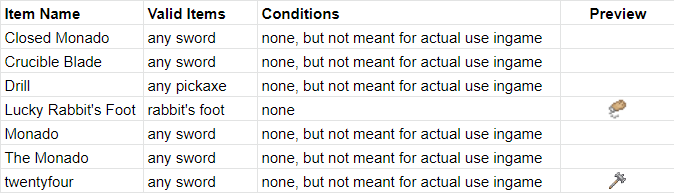
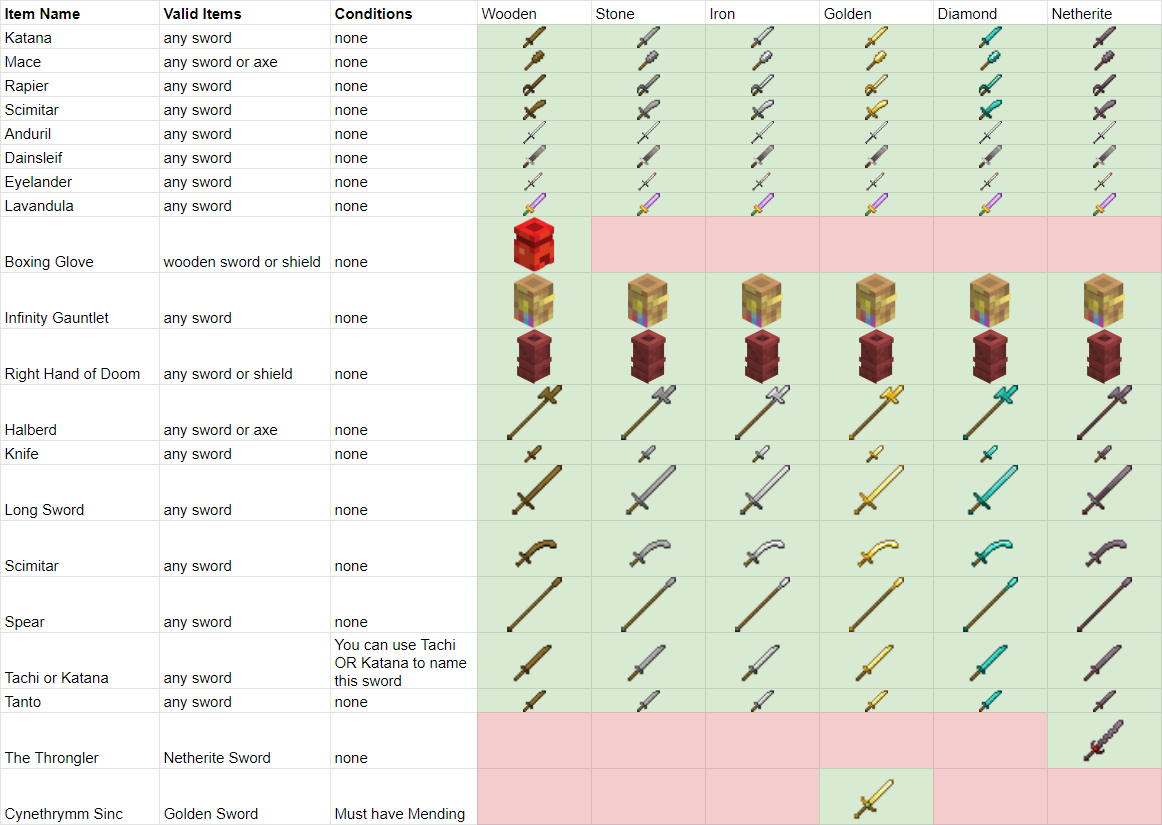
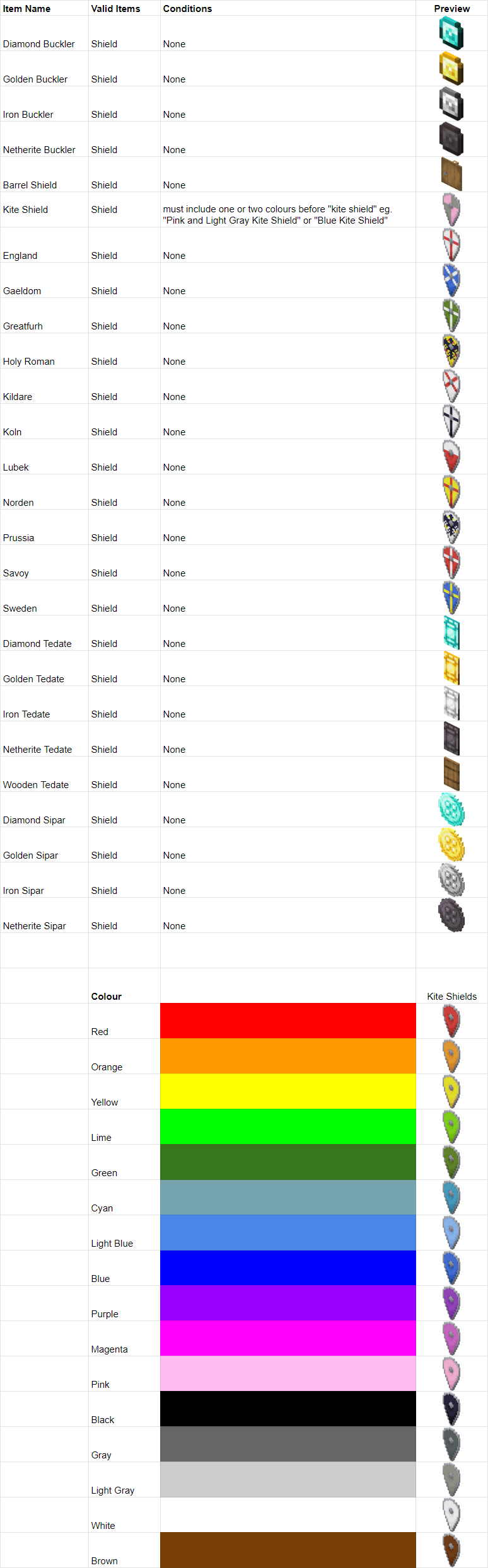
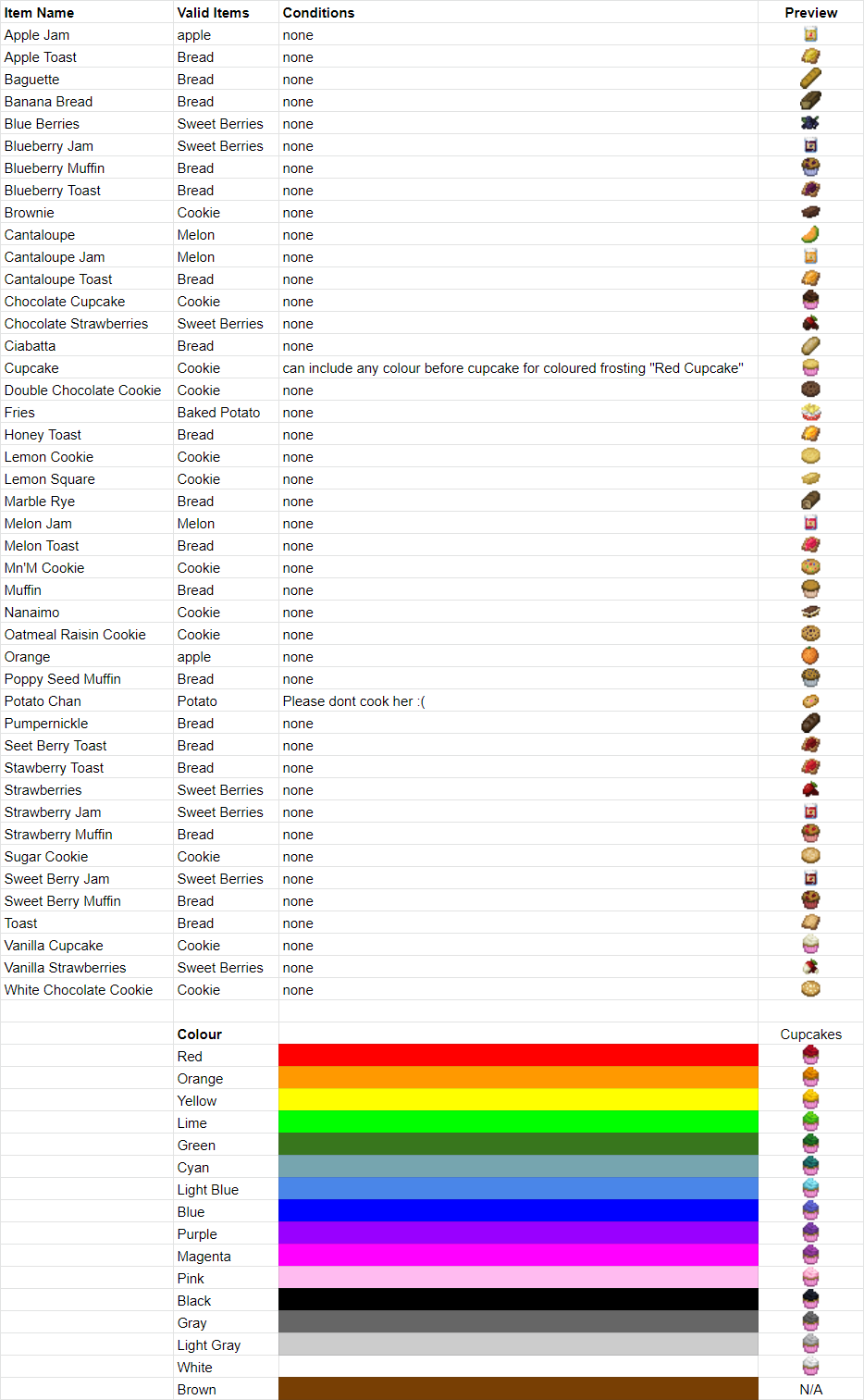
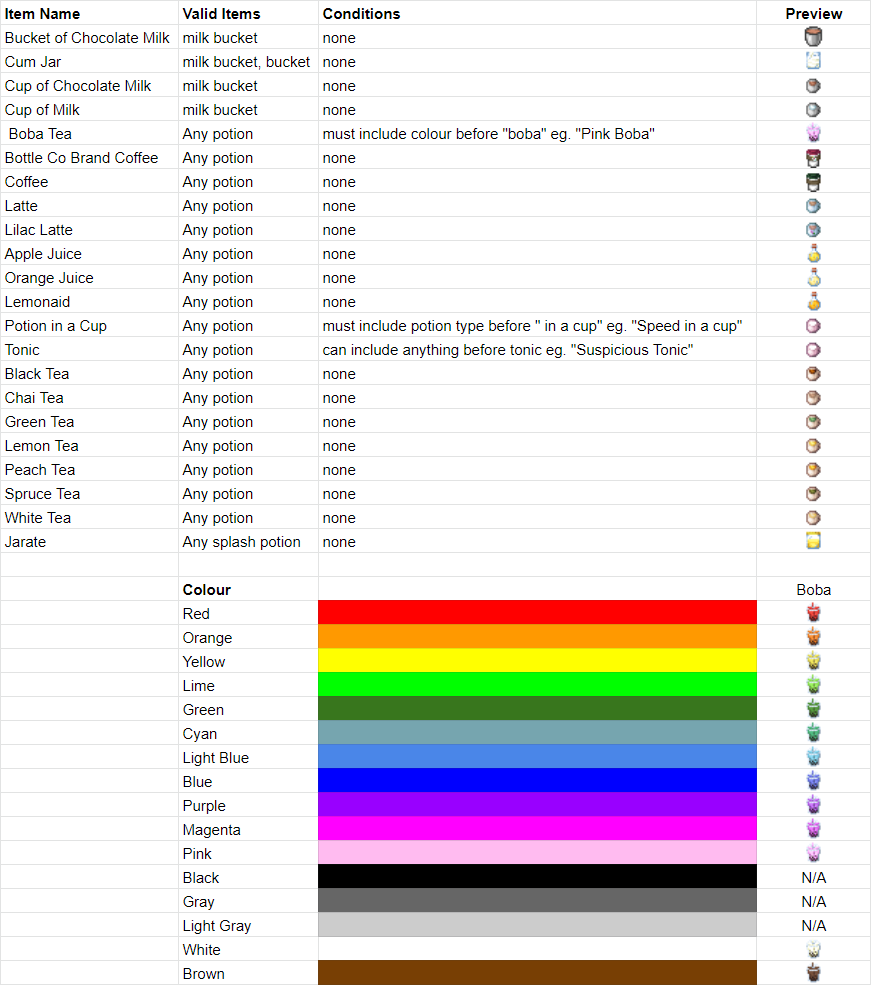
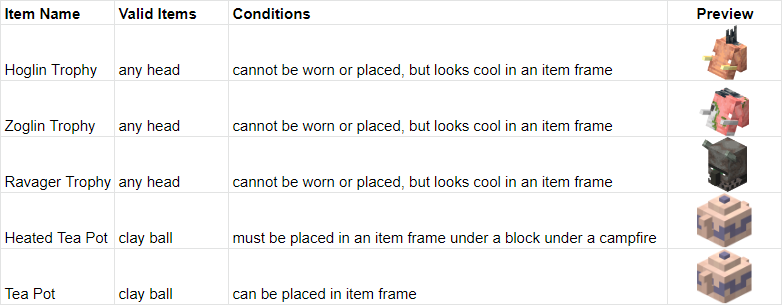
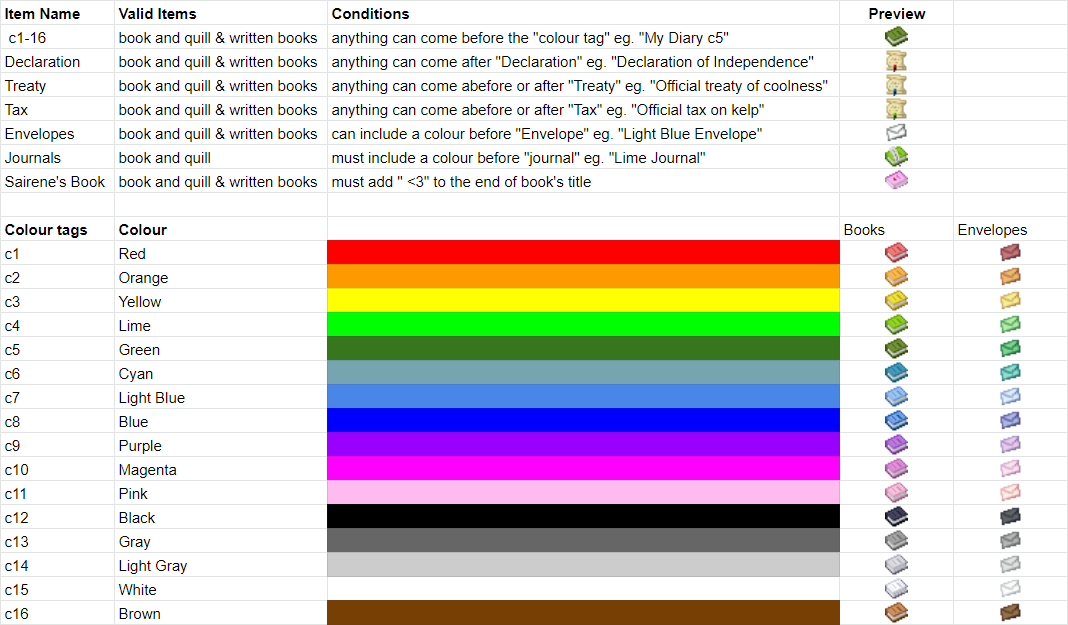
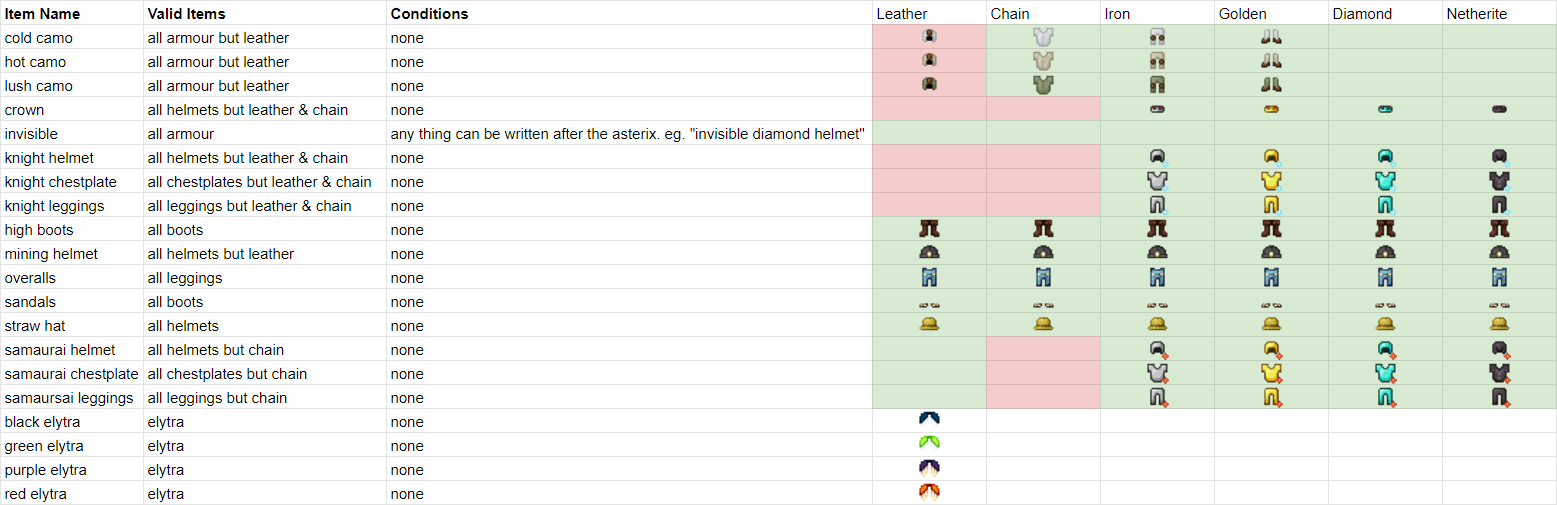
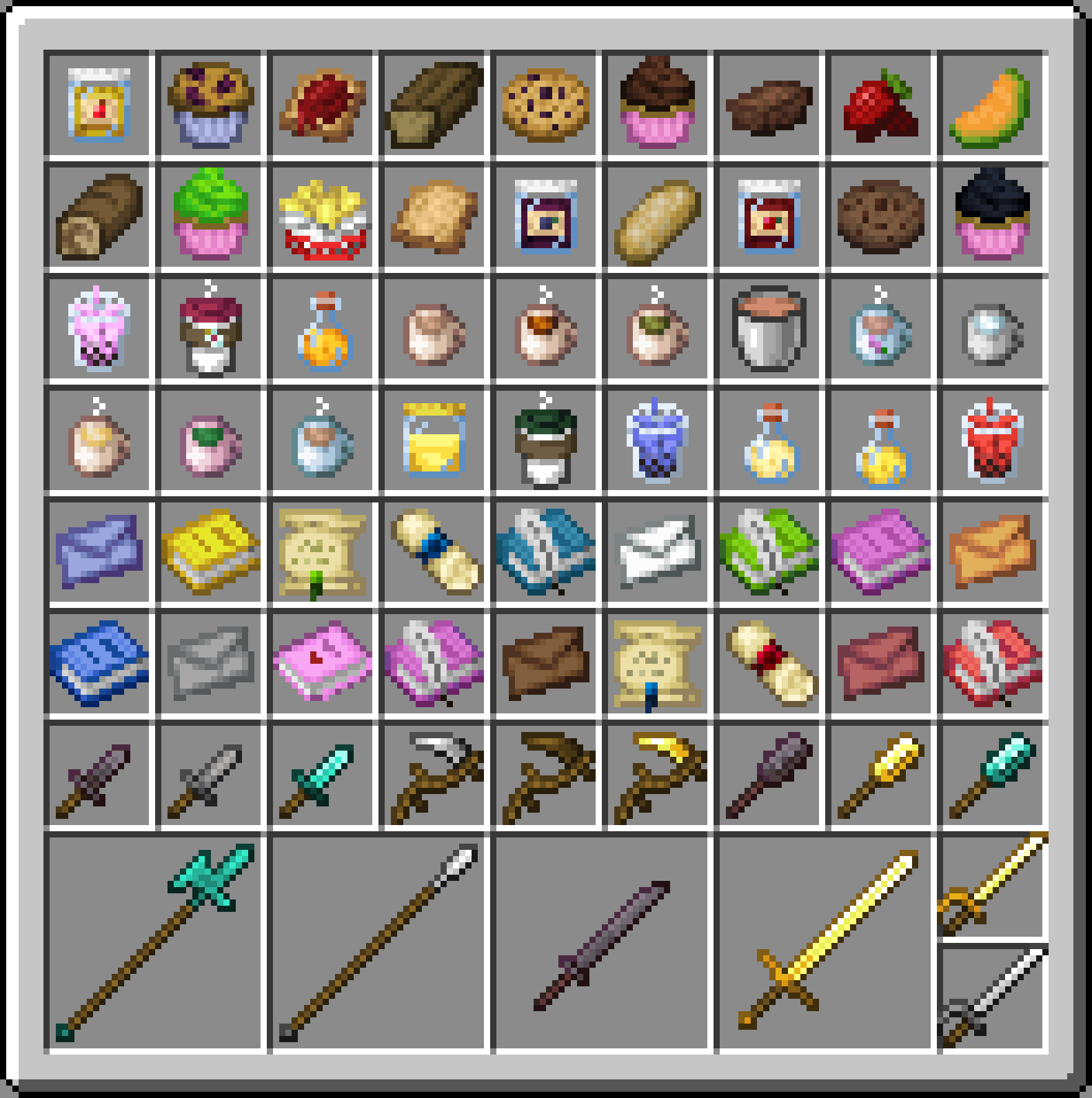
Look to the Images tab to see all items in the pack and what to rename them to get them. If you have any questions feel free to leave a comment down below but for more immediate answers join my discord here. 


Current Features:

  • Eastern and Western armour sets for every material type.
  • Hidden armour for those who want to show off some skin.
  • Biome themed camouflaged armour for sneaking into your friend's base.
  • Insect themed coloured elytra (more to come).
  • Dyable cosmetic leather armour.
  • Official documents for roleplay.
  • Coloured book covers.
  • Coloured envelopes.
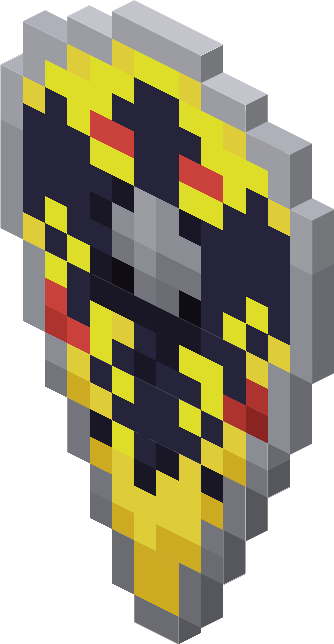
  • 3 special mob head trophy (works well with Vanilla Tweaks' More Mob Heads).
  • A plethora of cozy drinks to add some spice to those dull potion bottles.
  • More than a baker's dozen's worth of breads, jams, and toast!
  • Three metal shield sets.
  • Fully customizable kite shields.
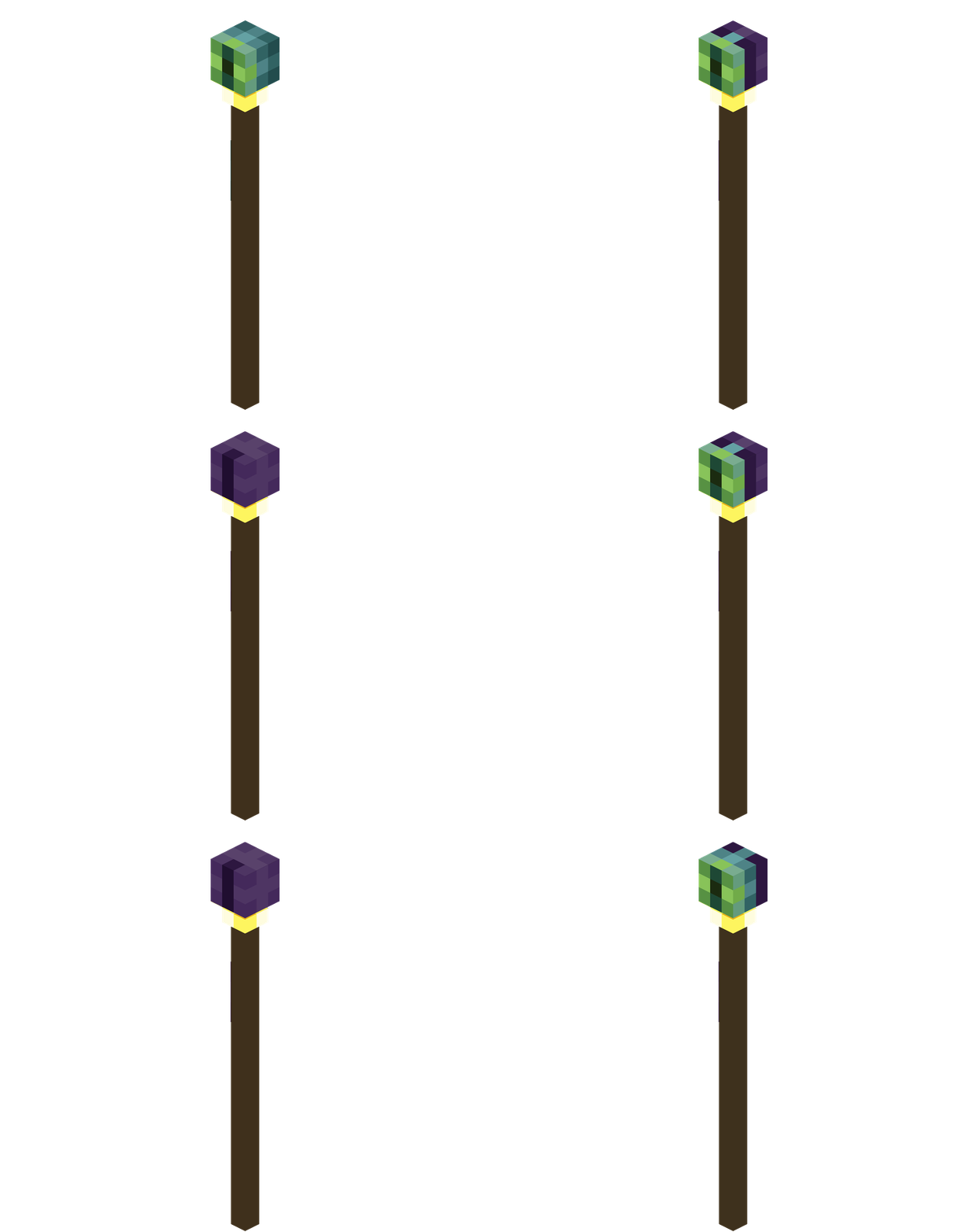
  • 6 unique fancy staves (the eyeball blinks!)
  • And a whole arsenal of tools and weapons to choose from.


Mercurial+Miscs+v0.1.7
MC 1.18.1
Release 2022-01-06 Get
mercurial-miscs.zip
MC 1.17.1, 1.16.5, 1.18
Release 2021-12-04 Get

Requirements & install

How to use this resource pack in Minecraft
Resolution
16x
Minecraft
1.16.5 – 1.18.1
Install folder
.minecraft/resourcepacks

How to install resource packs

  1. Download the resource pack .zip file (do not extract it).
  2. In Minecraft open Options → Resource Packs → Open Pack Folder.
  3. Drop the .zip into the resourcepacks folder (.minecraft/resourcepacks).
  4. Move the pack to the Selected column and click Done.
Browse more: 16x resource packs 32x resource packs 64x resource packs 128x resource packs 256x resource packs 512x+ resource packs Resource Packs for 1.18.1 All resource packs

More from Cubey79

Advertisement Remove ads with Premium →

You Might Also Like