Mineuniverse
Resource Packs
Mekanism CTM w/ Fusion

Mekanism CTM w/ Fusion

RESOURCE PACK
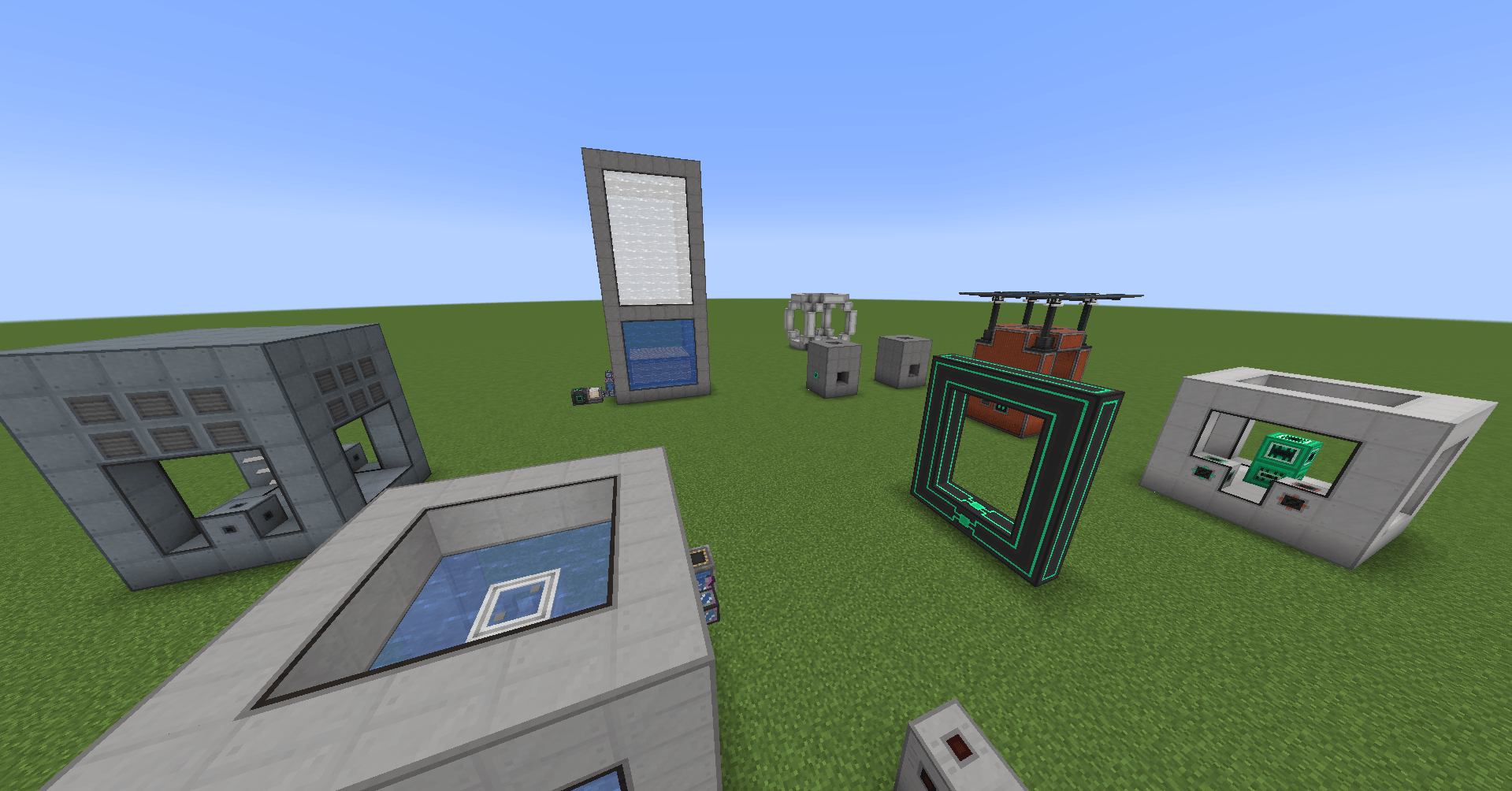
Adds the CTM from Mekanism with Fusion
by Phobos043
Download Claim this project
Add a badge to your pageLink to Mekanism CTM w/ Fusion from a README, website or forum post.
Preview: Badge

Badges update automatically and link to the resource pack page on MineUniverse.

3,921,960 downloads
0 likes
0 followers
Updated Oct 14, 2026
0 hypes
Follow0
16x Modern
Advertisement Remove ads with Premium →

You need Fusion (Connected Textures) 1.2.3+ and Mekanism for this to work (of course).


RECOMMENDED TO USE THE LATEST VERSION OF THE PACK!


This pack basically adds Mekanism's CTM textures through Fusion without the need of Optifine.

Are you tired of Mekanism's multiblocks ugly look without CTM?
Then this pack is for you!

Is this Resource Pack compatible with Embeddium?
Yes.

Is this Resource Pack compatible with Optifine?
Why?


Highly recommended for All the Mods 9


Notes:

I only modified Mekanism's built in textures to make this work. Therefore, the textures still belong to them.

Special Thanks to SuperMartijn642 for fixing "render_type"!
The Shaders used for the screenshots is Complementary Reimagined.

Never thought this would get this popular, thank you so much everyone!

[Forge] Mekanism CTM-Fusion 1.1.zip
MC 1.20.1, 1.21.1, 1.20.4
Release 2026-04-10 Get
[NeoForge] Mekanism CTM-Fusion 1.1.zip
MC 1.20.1, 1.21.1, 1.20.4
Release 2026-04-10 Get
Mekanism CTM-Fusion 1.0.zip
MC 1.21, 1.20.1, 1.20.4, 1.21.1
Release 2025-02-11 Get
MekanismThings CTM-Fusion_devbuild0.41.zip
MC 1.20.1
Release 2025-02-10 Get
Mekanism CTM-Fusion 0.9.zip
MC 1.20.1
Release 2025-02-10 Get
MekanismThings_CTM-Fusion_devbuild0.1.zip
MC 1.20.1
Release 2024-01-07 Get

Requirements & install

How to use this resource pack in Minecraft
Resolution
16x
Minecraft
1.20.1 – 1.21.1
Install folder
.minecraft/resourcepacks

How to install resource packs

  1. Download the resource pack .zip file (do not extract it).
  2. In Minecraft open Options → Resource Packs → Open Pack Folder.
  3. Drop the .zip into the resourcepacks folder (.minecraft/resourcepacks).
  4. Move the pack to the Selected column and click Done.
Browse more: 16x resource packs 32x resource packs 64x resource packs 128x resource packs 256x resource packs 512x+ resource packs Resource Packs for 1.21.1 All resource packs

More from Phobos043

Advertisement Remove ads with Premium →

You Might Also Like