Mineuniverse
Resource Packs
MC 4Kids - AppleSkin Addon

MC 4Kids - AppleSkin Addon

RESOURCE PACK
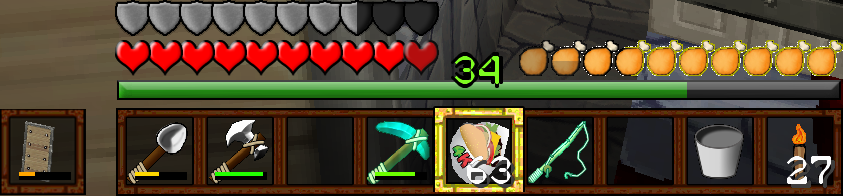
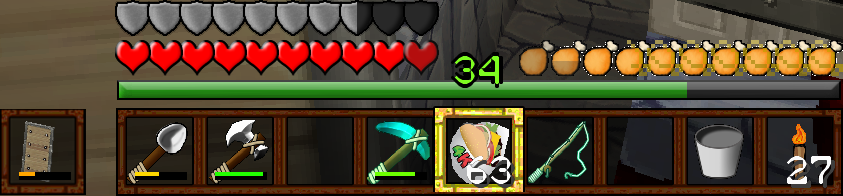
Adds support for the AppleSkin mod when using MineCraft 4Kids.
by asgorechara
Download Claim this project
417 downloads
0 likes
0 followers
Updated Oct 14, 2026
0 hypes
Follow0
128x Mod Support
Advertisement Remove ads with Premium →

Fix hunger with some buggy when using MineCraft 4Kids: Genesis 128x Version (by Ethiokea444 & TheGamerTrials) and AppleSkin (by squeek502)

NOTE: THIS PACK STILL REQUIRES MineCraft 4Kids TO WORK.

Link to MineCraft 4Kids: Genesis: https://www.planetminecraft.com/texture-pack/minecraft-4kids-genesis-1-15-2-4516565/

Link to AppleSkin: https://www.curseforge.com/minecraft/mc-mods/appleskin


You may:

Modify this pack for personal use

Use this pack in a video, stream WITH pack download link

You may NOT:

Publish this pack on another website

Take credit for/claim ownership to this pack or any of it's textures (Based on textures from both AppleSkin and MineCraft 4Kids anyway)

Use this pack for anything malicious

128x 1.19 Minecraft 4Kids AppleSkin Addon.zip
MC 1.19-Snapshot, 1.19.2, 1.19.1, 1.19
Release 2022-08-09 Get

Requirements & install

How to use this resource pack in Minecraft
Resolution
128x
Minecraft
1.19-Snapshot – 1.19.2
Install folder
.minecraft/resourcepacks

How to install resource packs

  1. Download the resource pack .zip file (do not extract it).
  2. In Minecraft open Options → Resource Packs → Open Pack Folder.
  3. Drop the .zip into the resourcepacks folder (.minecraft/resourcepacks).
  4. Move the pack to the Selected column and click Done.

Packs from 128x upwards need more video memory: install a performance mod such as Sodium for smooth frame rates.

Browse more: 16x resource packs 32x resource packs 64x resource packs 128x resource packs 256x resource packs 512x+ resource packs Resource Packs for 1.19.2 All resource packs
Advertisement Remove ads with Premium →

You Might Also Like