Mineuniverse
Resource Packs
MB's Medieval Villagers and Illagers

MB's Medieval Villagers and Illagers

RESOURCE PACK
Redesigned their clothing in medieval styles
by MaBroxx
Download Claim this project
Add a badge to your pageLink to MB's Medieval Villagers and Illagers from a README, website or forum post.
Preview: Badge

Badges update automatically and link to the resource pack page on MineUniverse.

20,511 downloads
0 likes
0 followers
Updated Oct 14, 2026
0 hypes
Follow0
16x Medieval Traditional
Advertisement Remove ads with Premium →

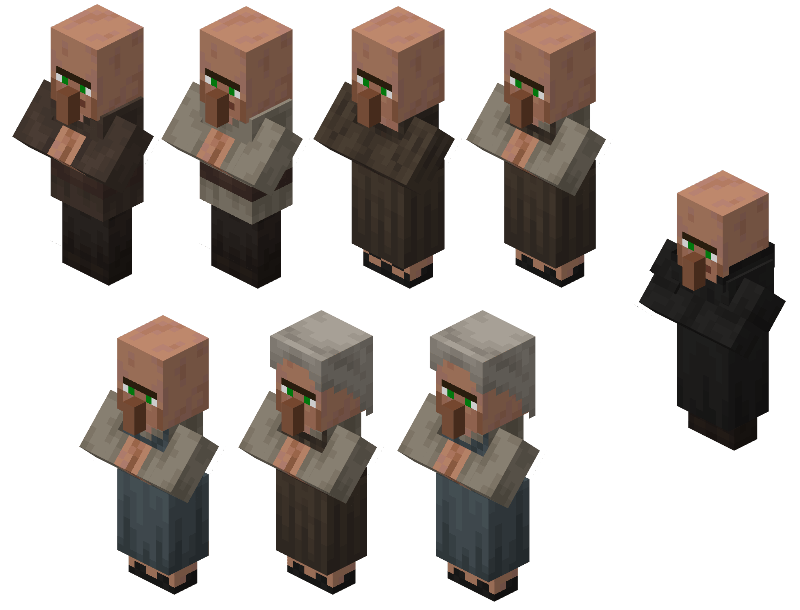
Redesigned Villagers and Illagers clothing based on historical medieval (with a bit of fantasy) with Vanilla style and a little bit my artstyle. Additionally, adds gender-based faces and some extra details.


This Resource Pack uses Optifine / Entity Model Features [EMF] & Entity Texture Features [ETF] features


The Resources Pack is still not finished

This is my side-project and was made only for me, I won't really focusing much on this, so expect massive or mid delay update (or probably never).


Redesigned Entities

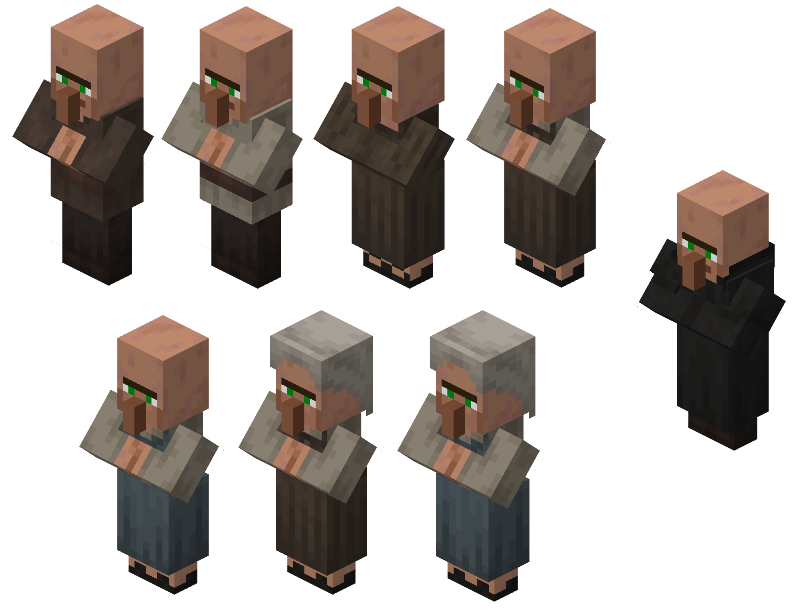
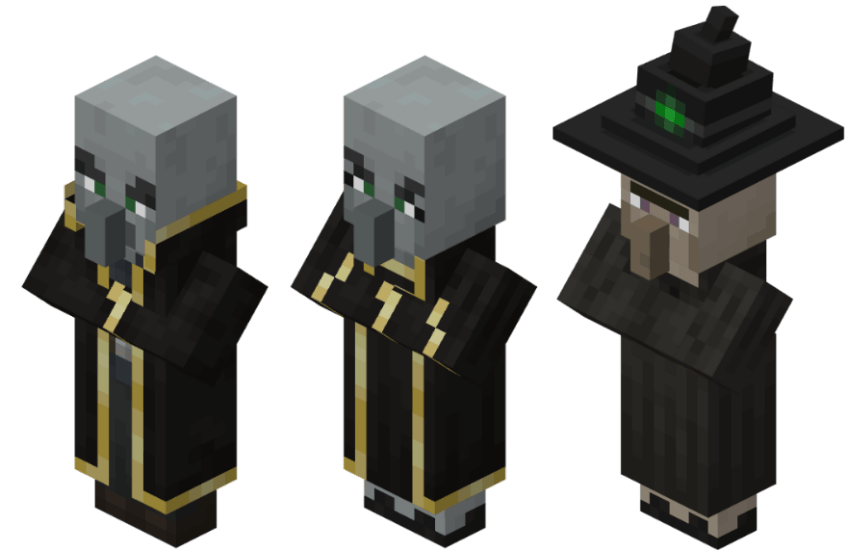
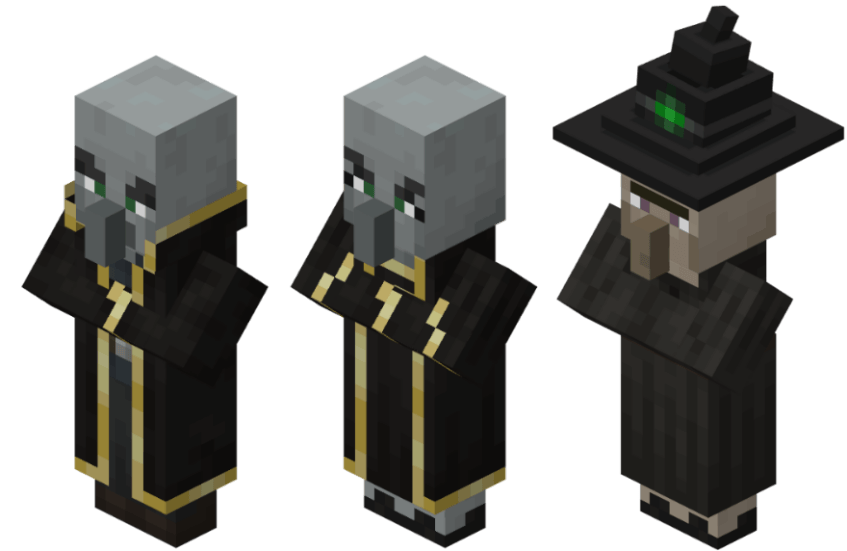
Some of images below are outdated

Villager

Plains Variants & male Cleric

Illager and Witch

Evoker & Witch

Pillager, Vindicator & Vex (no image cause im lazy)


Additional Retextured Entities

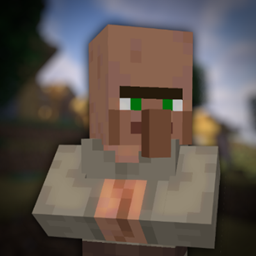
Librarian


Upcoming Entities Retextured

Pillager = Medieval Crossbowman ✅

Vindicator = Medieval "Vindicator" (sort of) ✅

More Villager Plains = European Peasants

Villager And Illager Desert Variant = Arab

Villager And Illager Savanna Variant = African


Permissions

  • Using this resource pack for Modpack
    • Yes, you can 🫶
Beta V1.1
MC 1.17.1, 1.16.3, 1.19.3, 1.20.2, 1.21, 1.16.1, 1.18.1, 1.20.5, 1.14.4, 1.14.1, 1.17, 1.14.3, 1.15, 1.16, 1.19.4, 1.16.5, 1.18.2, 1.19.2, 1.20.3, 1.15.2, 1.14, 1.20.1, 1.20
Beta 2025-01-08 Get
Beta v1
MC 1.20.1
Beta 2024-12-02 Get

Requirements & install

How to use this resource pack in Minecraft
Resolution
16x
Minecraft
1.19.3 – 1.21
Install folder
.minecraft/resourcepacks

How to install resource packs

  1. Download the resource pack .zip file (do not extract it).
  2. In Minecraft open Options → Resource Packs → Open Pack Folder.
  3. Drop the .zip into the resourcepacks folder (.minecraft/resourcepacks).
  4. Move the pack to the Selected column and click Done.
Browse more: 16x resource packs 32x resource packs 64x resource packs 128x resource packs 256x resource packs 512x+ resource packs Resource Packs for 1.21 All resource packs

More from MaBroxx

Advertisement Remove ads with Premium →

You Might Also Like