Mineuniverse
Resource Packs
Marble GUI (w/ Dark Mode)

Marble GUI (w/ Dark Mode)

RESOURCE PACK
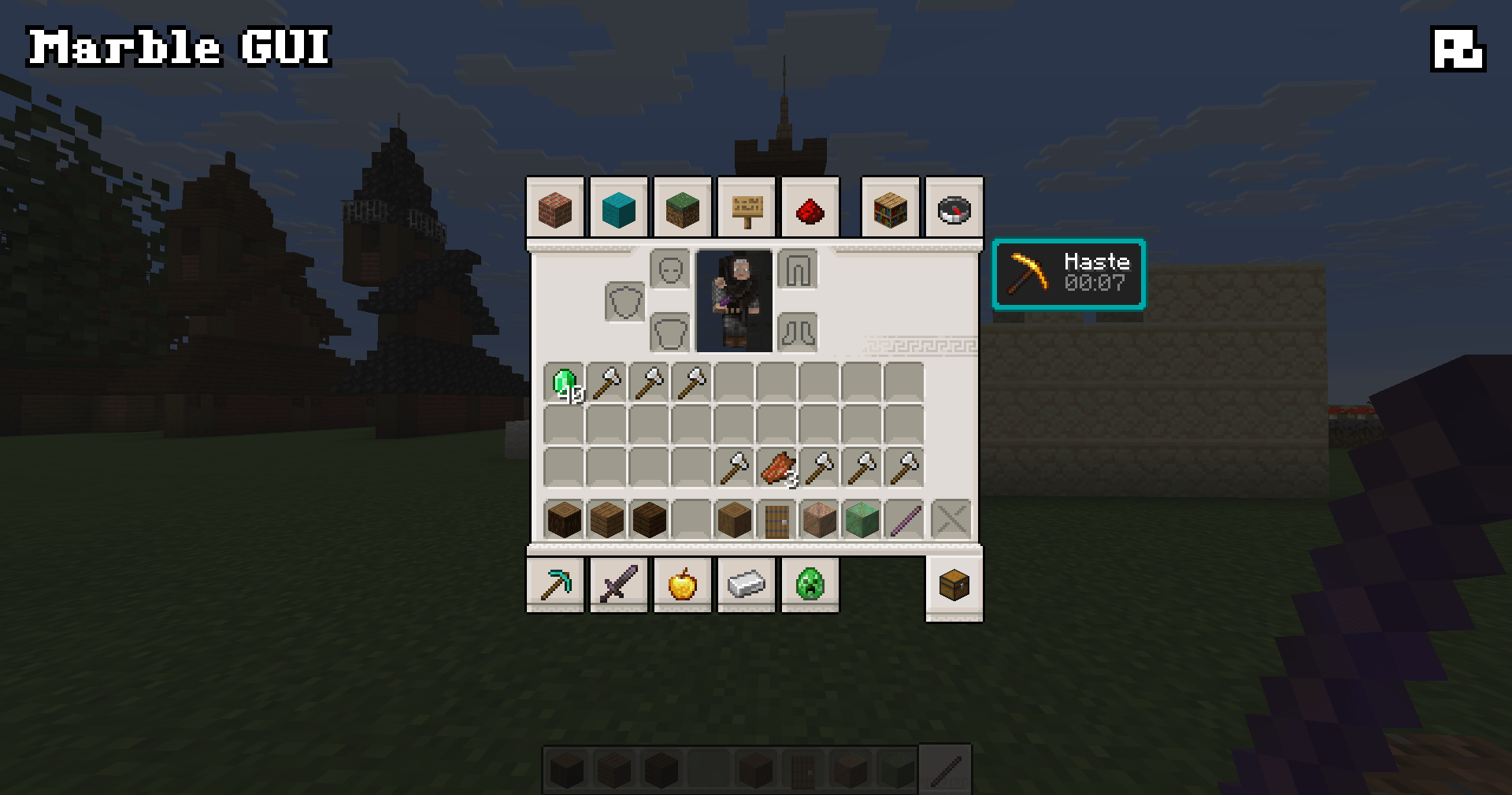
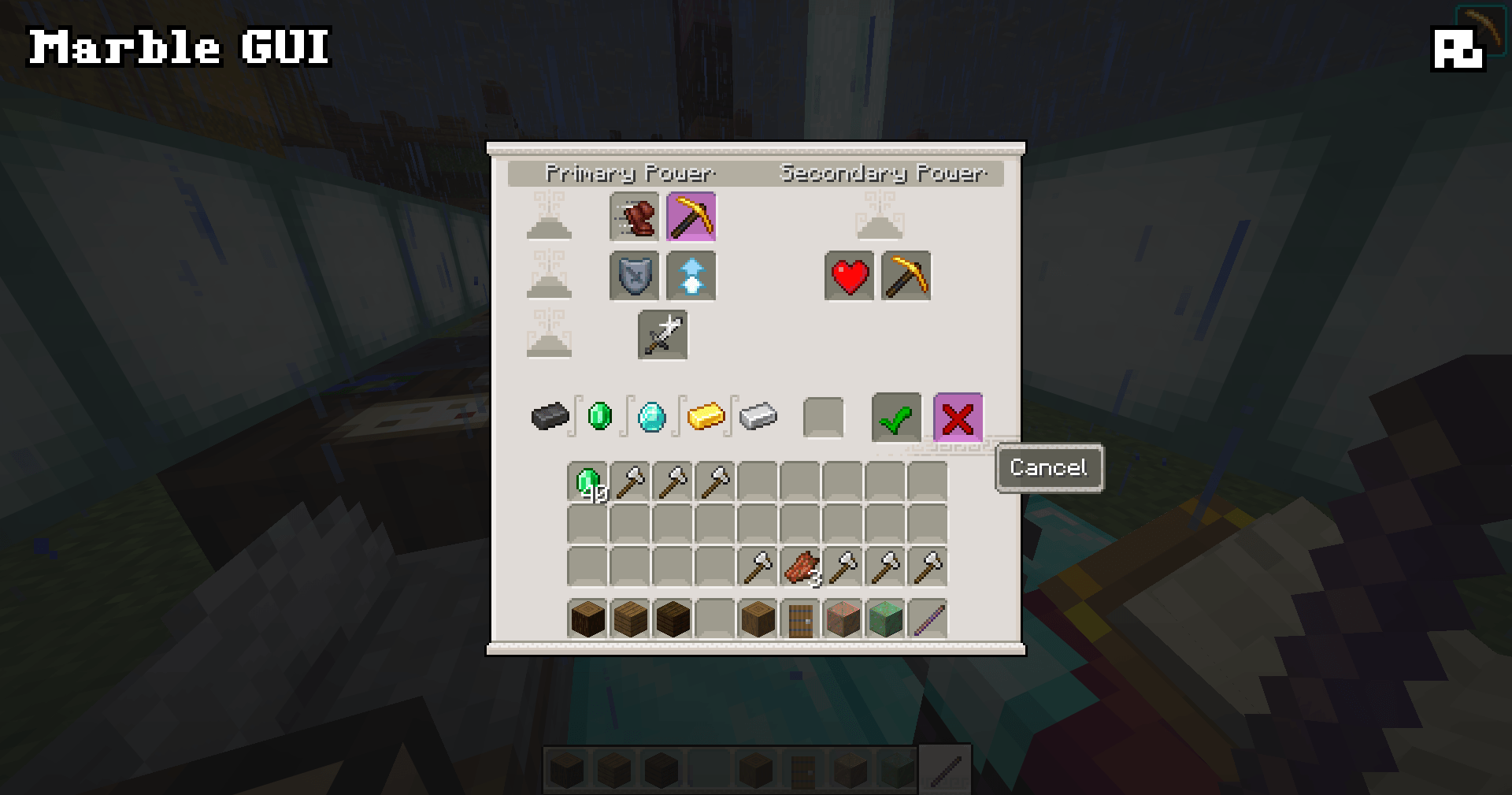
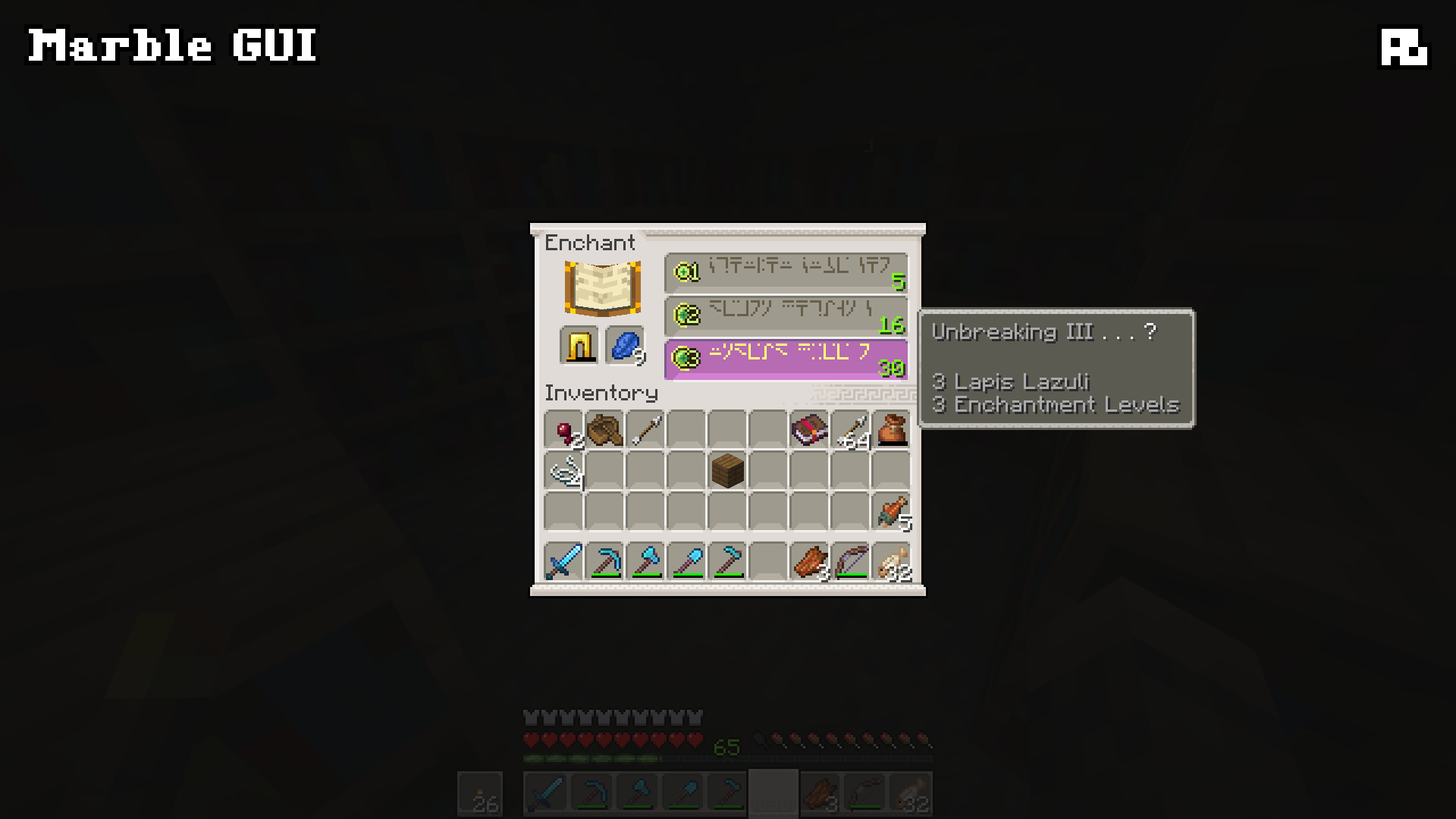
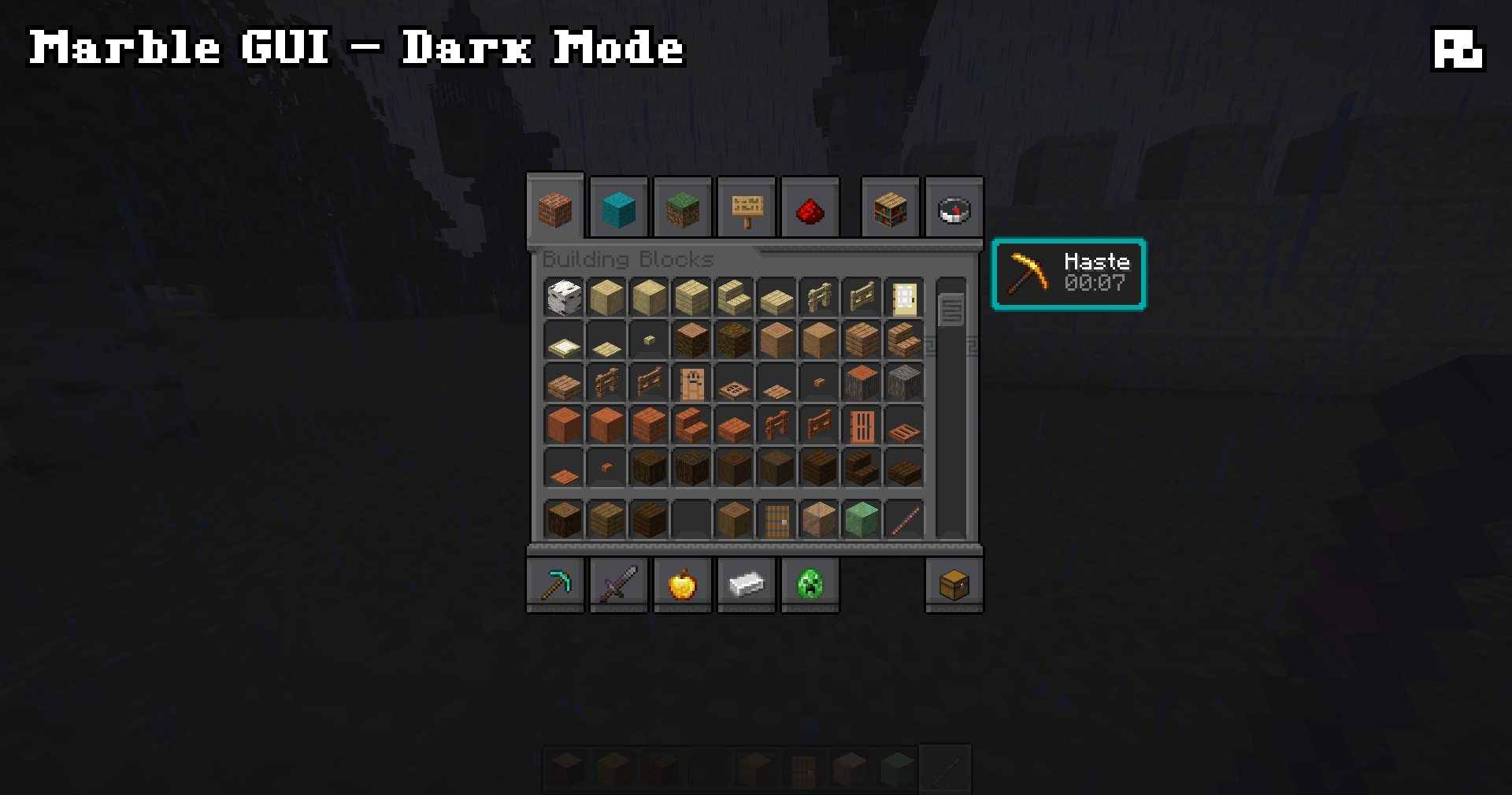
Retextures the game's GUI, inspired by marble and Greek meanders (and it has a Dark Mode version!)
by Aim__Boot
Download Claim this project
149 downloads
0 likes
Updated Oct 14, 2026
0 hypes
16x Medieval Miscellaneous Traditional
Advertisement Remove ads with Premium →

Marble GUI

Do you need to endure a perilous, ten-year journey to return to your starter base? Have your friends all been banned for killing the server admin's favorite cows? Is your wolf waiting exactly where you left him? Well, why not have your GUI reflect that?!

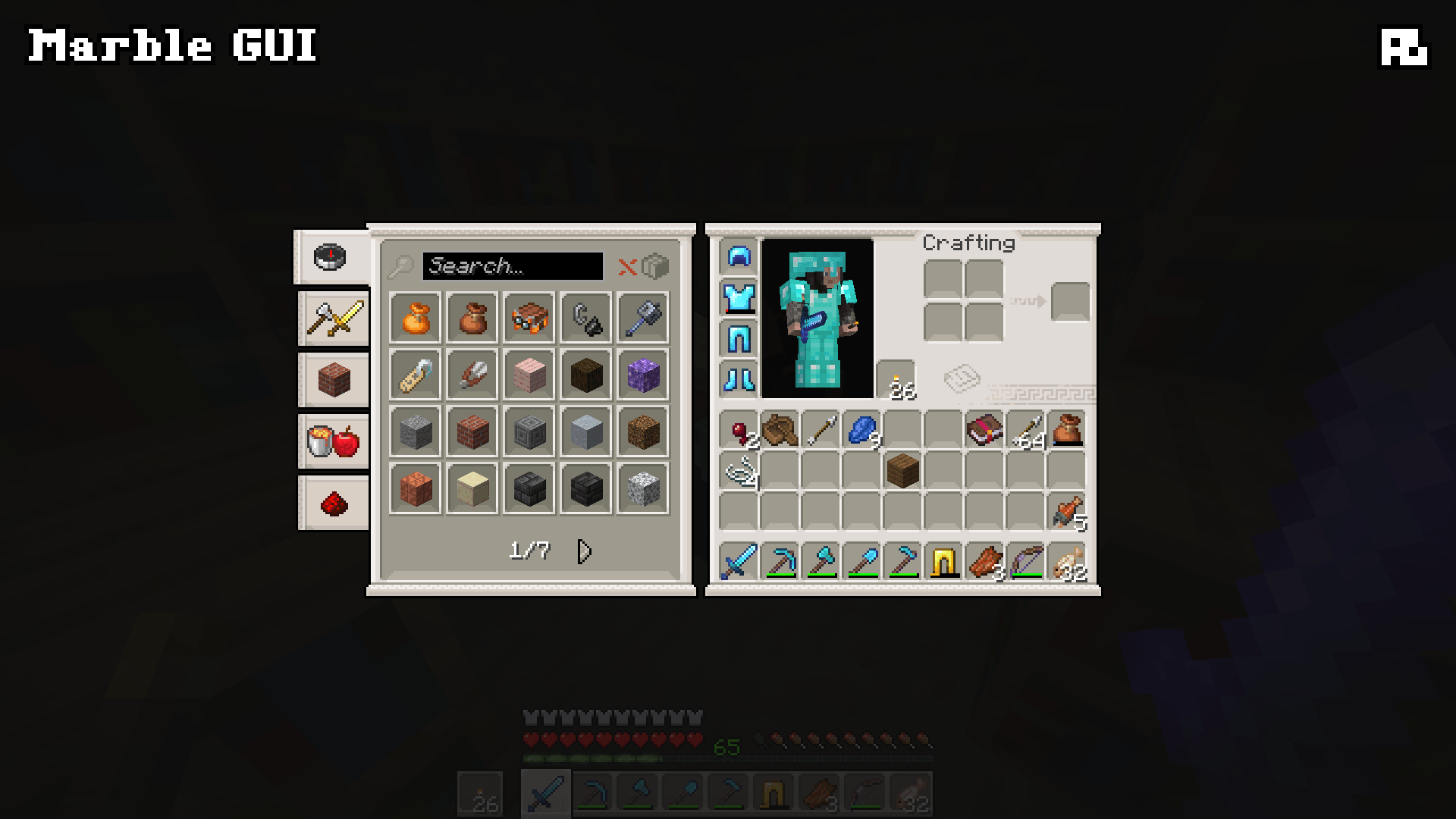
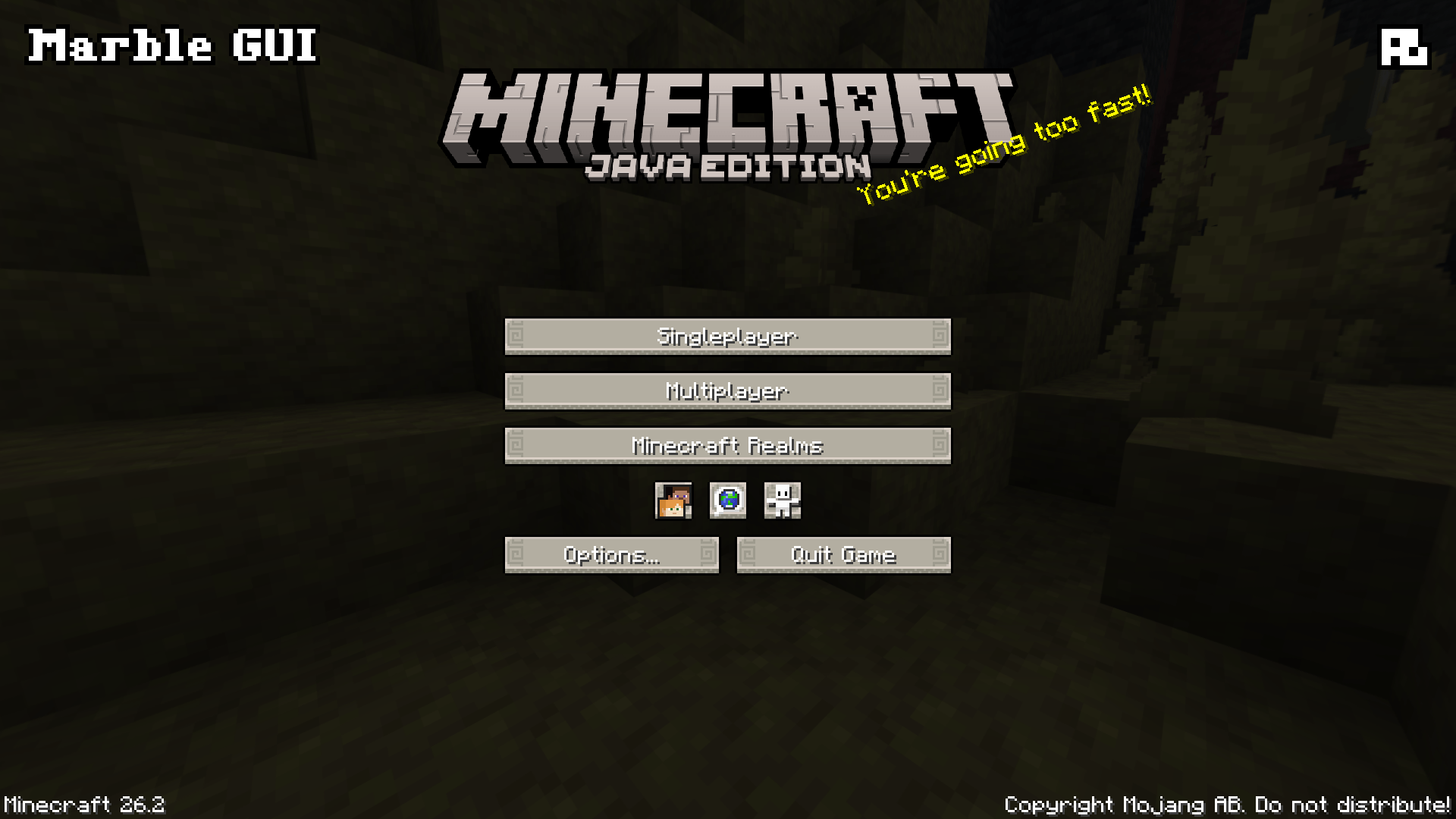
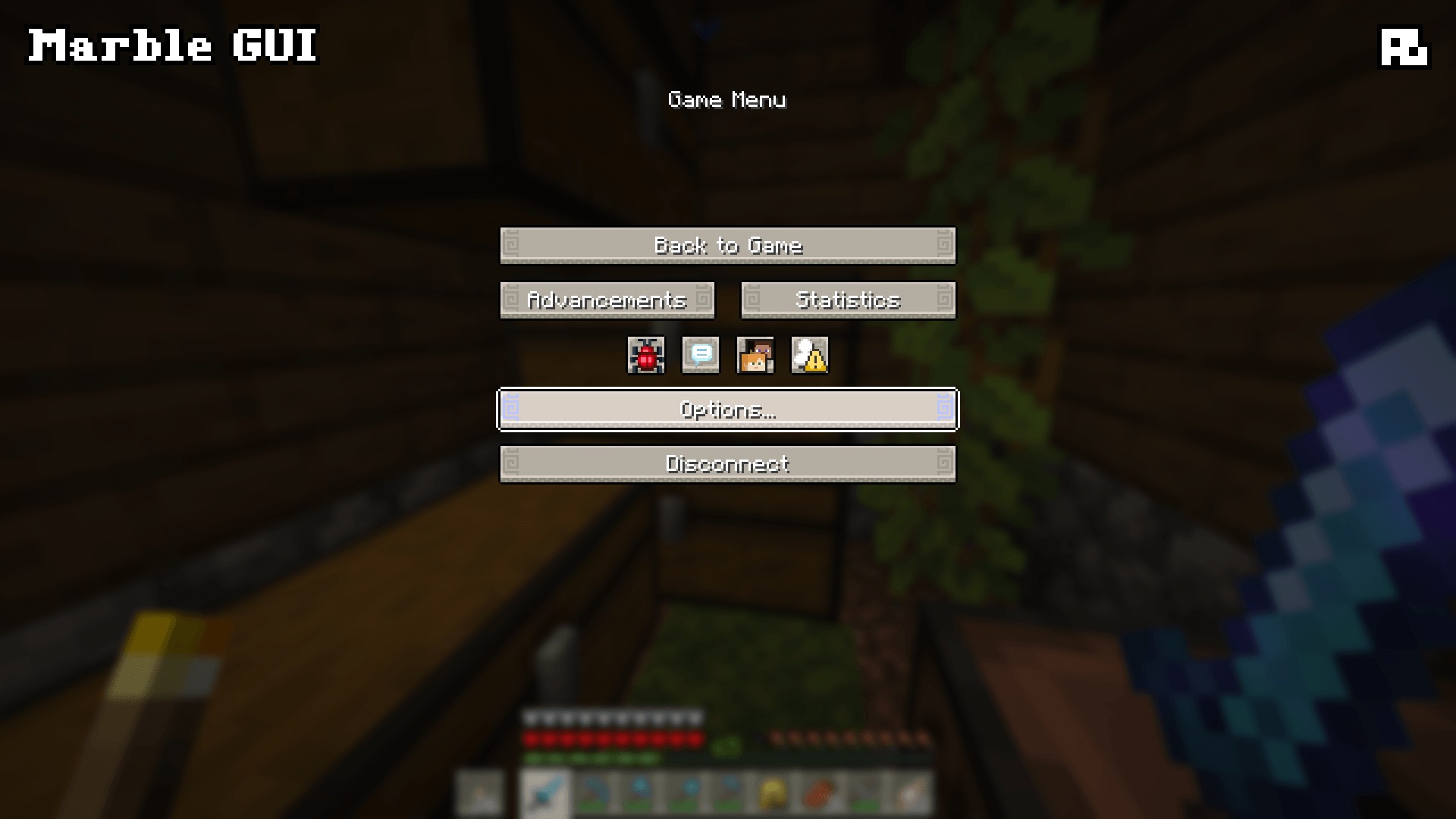
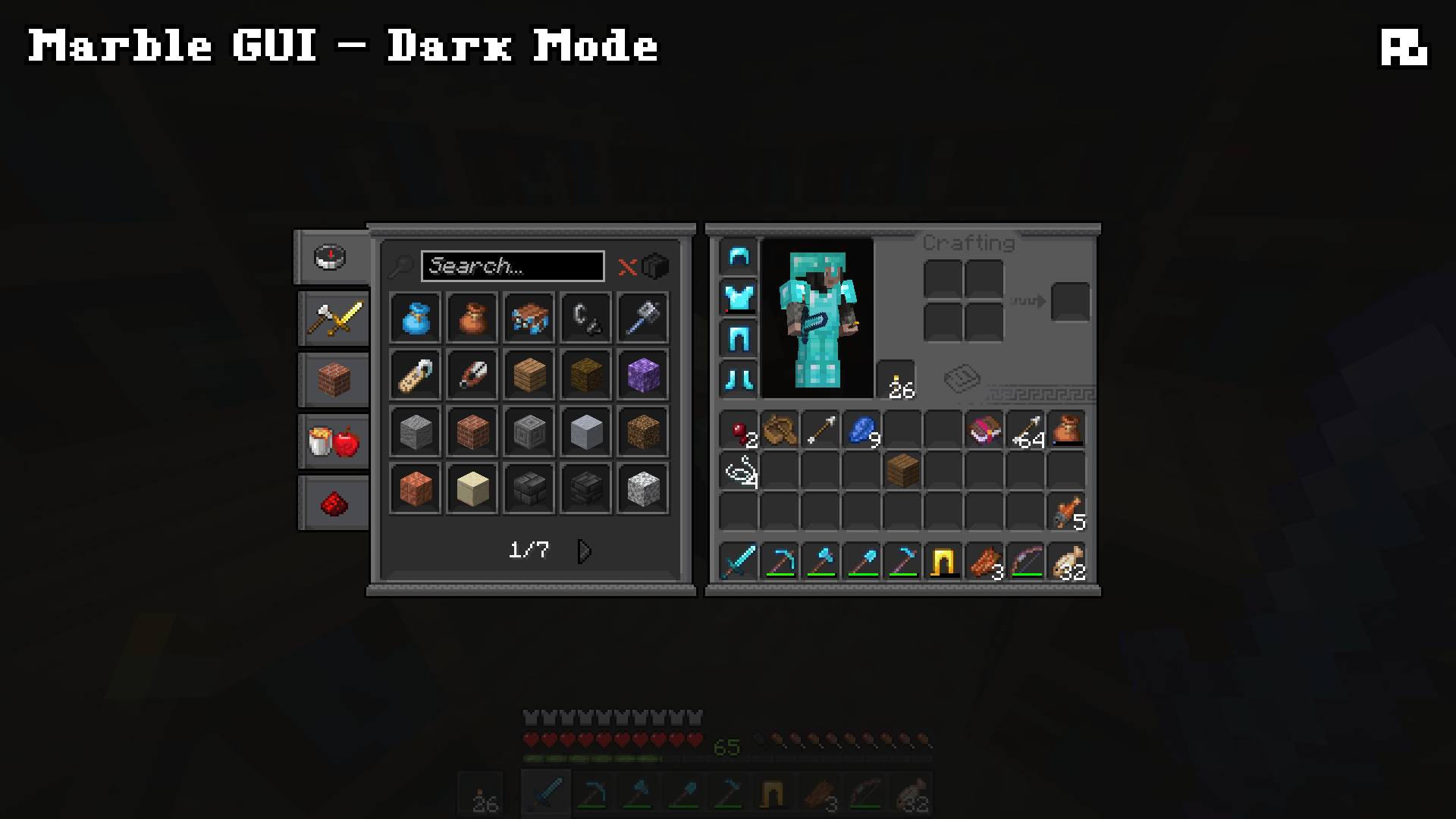
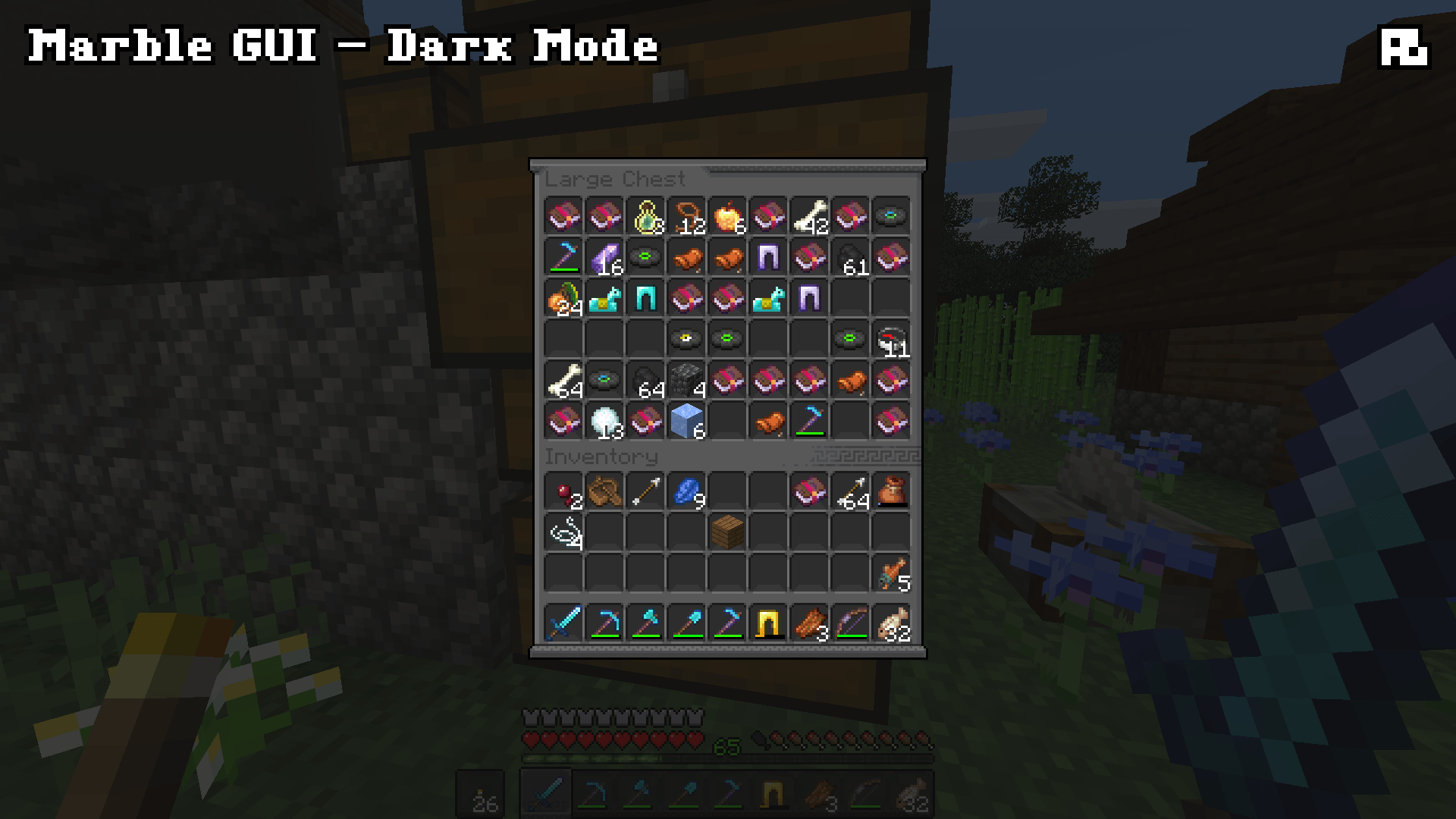
Marble GUI is inspired by Greek meanders and pop depictions of Classical and Hellenistic architecture. I tried to keep this one fairly simple, respecting the general ideas of Minecraft's default GUI but reimagining it with a more specific theme. The basic version of the pack is based on the Quartz color palette, whereas the Dark Mode version is based on the Deepslate color palette.

What does Marble GUI do?

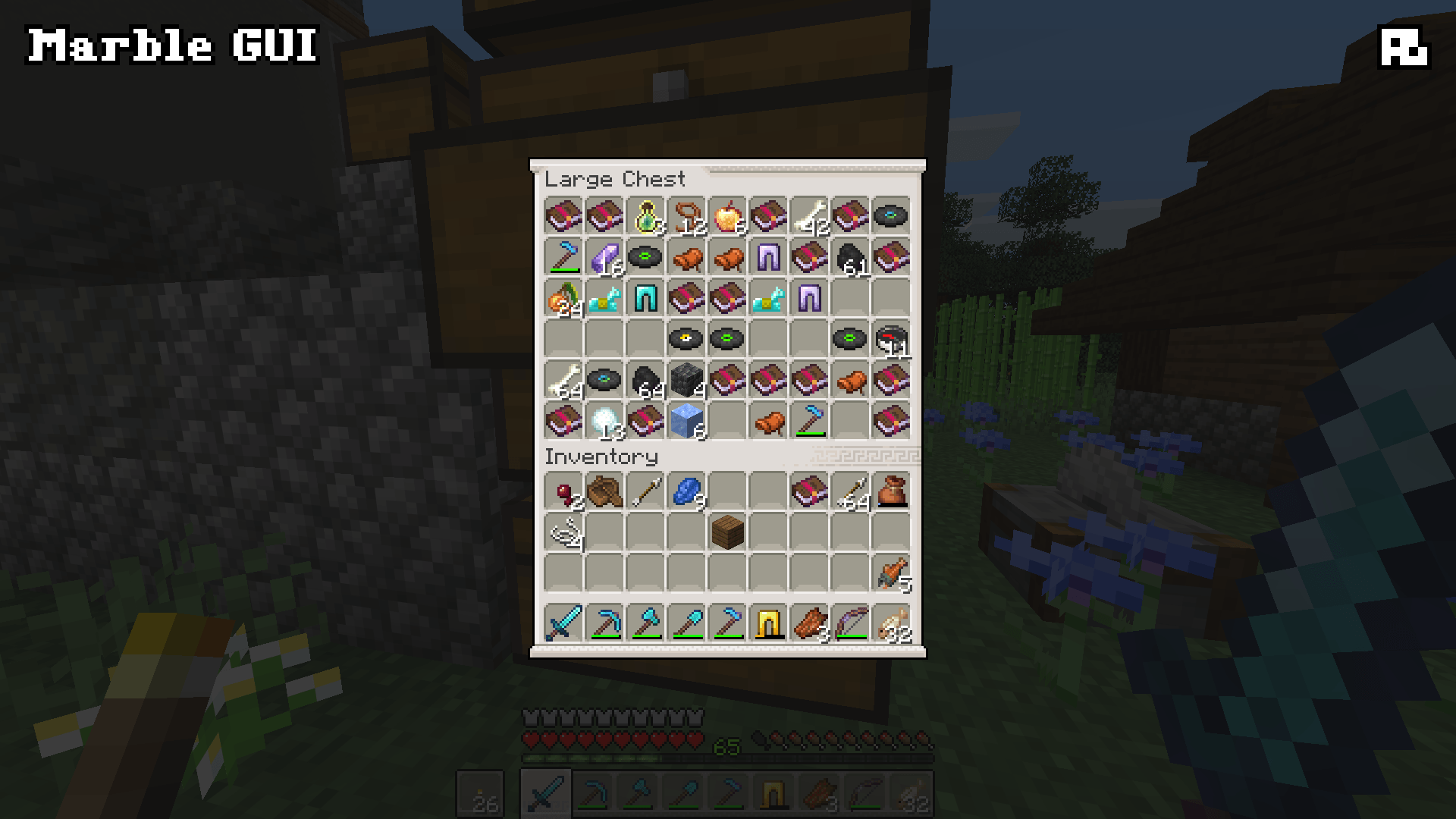
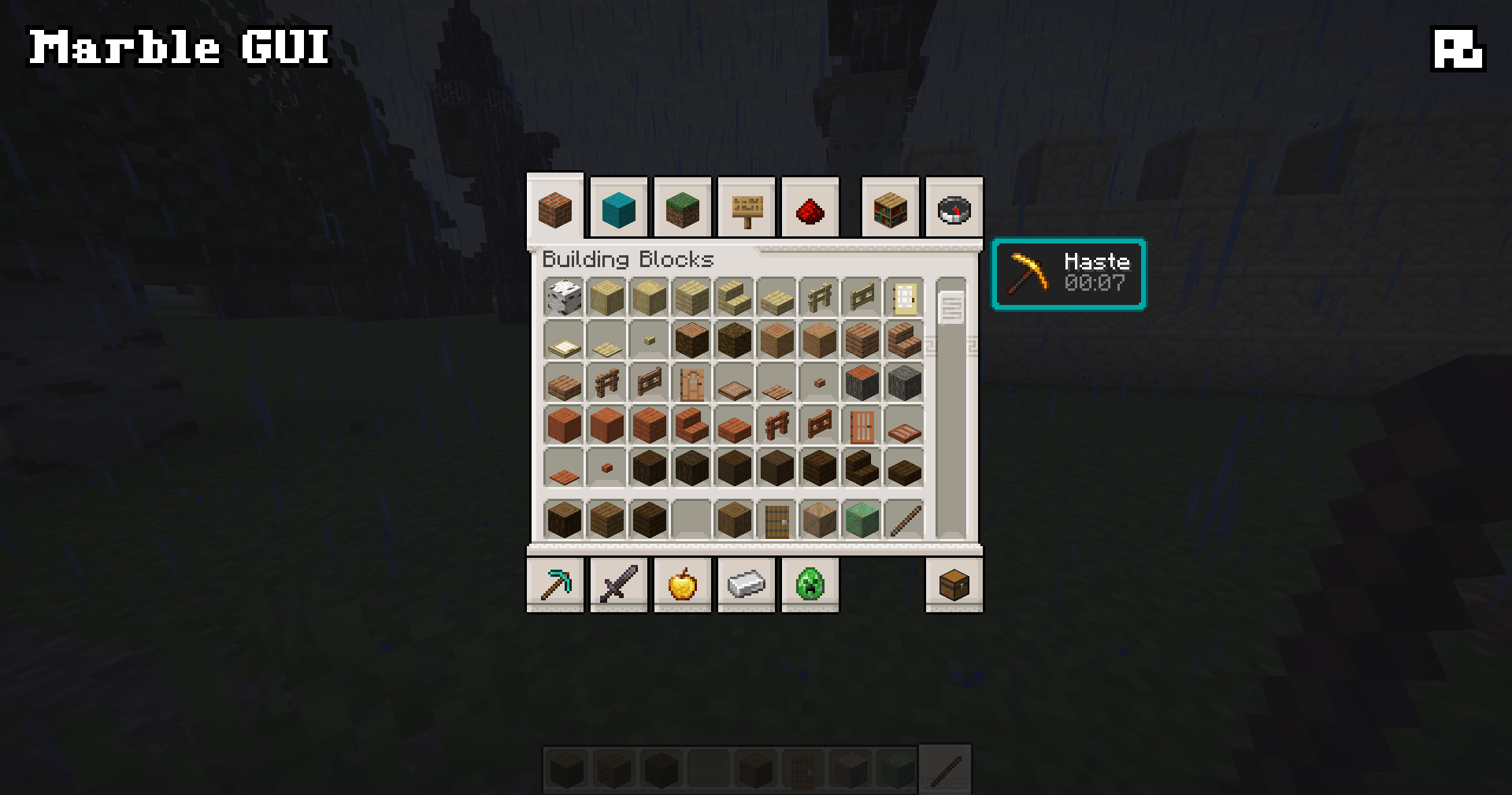
Marble GUI replaces anything that uses an inventory-style window or menu widget, such as:

  • All crafting station GUIs
  • The Recipe Book
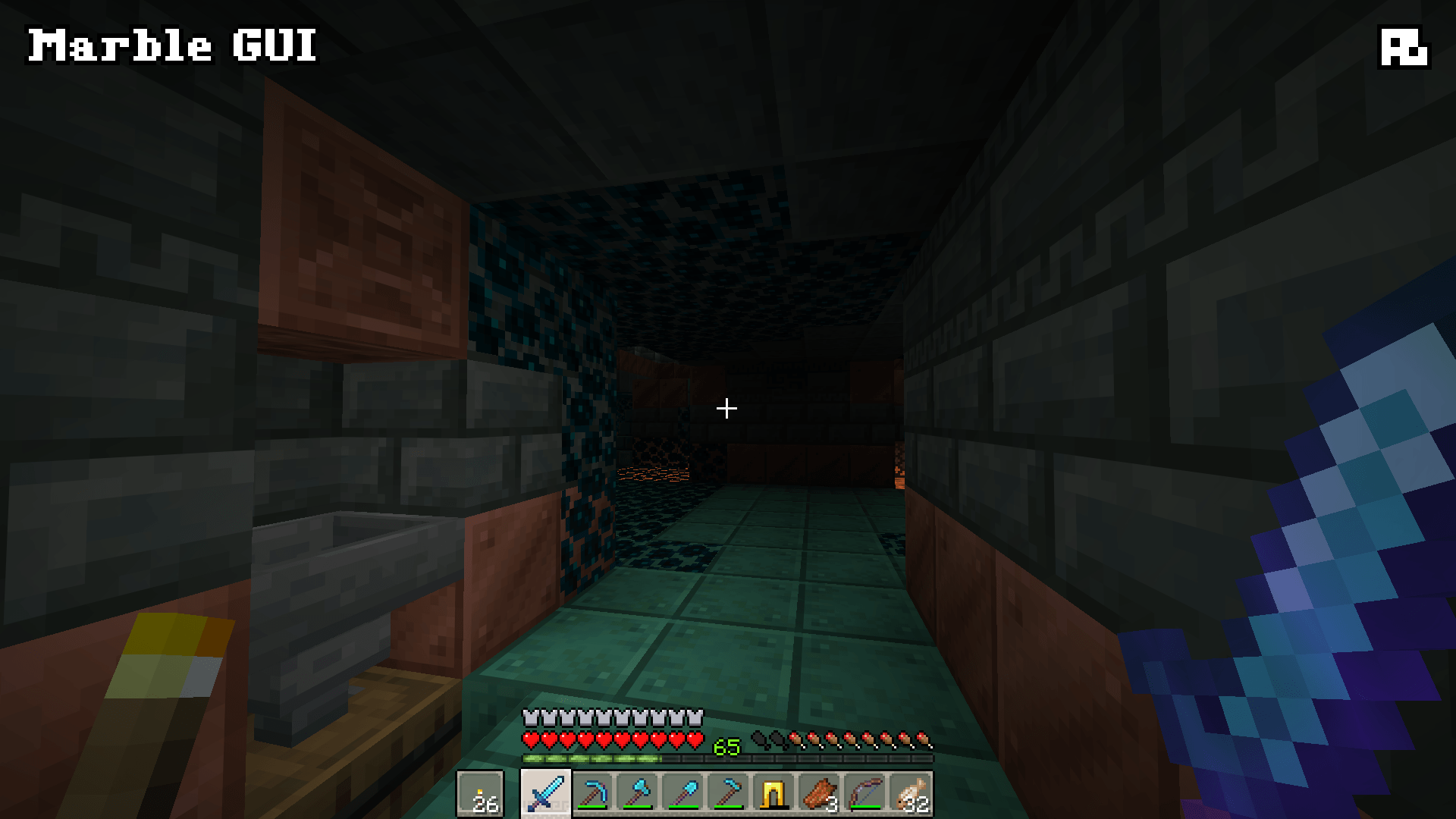
  • The Hotbar and Item Selection indicator
  • Main Menu and Pause Menu buttons
  • Newer features, like the Friends List

Marble GUI does not replace icons, such as:

  • Status indicators like Health Hearts or Air Bubbles
  • the Experience Bar
  • empty item outlines (such as those in the Smithing Table GUI)

This approach means that Marble GUI is fully compatible with your favorite resource packs!

Other Info

Marble GUI is a pretty basic project, but that's by design. I do not plan to expand it. All of the textures were hand-drawn (and hand-recolored, in the case of the Dark Mode version) in Aseprite over about three days or so. I do not use (or endorse the use of) generative AI at any stage of the packmaking process, and I never will. This pack was designed specifically for Modjam 2026 and its theme, "Echoes of the Past." This pack will, admittedly, likely not see updates for future GUI changes.

Happy crafting!

Marble GUI v1
MC 26.1, 26.1.1, 26.1.2, 26.2
Release 2026-07-31 Get
Marble GUI - Dark Mode v1
MC 26.1, 26.1.1, 26.1.2, 26.2
Release 2026-07-31 Get

Requirements & install

How to use this resource pack in Minecraft
Resolution
16x
Minecraft
26.1 – 26.2
Install folder
.minecraft/resourcepacks

How to install resource packs

  1. Download the resource pack .zip file (do not extract it).
  2. In Minecraft open Options → Resource Packs → Open Pack Folder.
  3. Drop the .zip into the resourcepacks folder (.minecraft/resourcepacks).
  4. Move the pack to the Selected column and click Done.
Browse more: 16x resource packs 32x resource packs 64x resource packs 128x resource packs 256x resource packs 512x+ resource packs Resource Packs for 26.2 All resource packs

More from Aim__Boot

Advertisement Remove ads with Premium →

You Might Also Like