Mineuniverse
Resource Packs
MappleTextDisplay

MappleTextDisplay

RESOURCE PACK
correctly implements text on the Mapple
by blockman224
Download Claim this project
70 downloads
0 likes
Updated Oct 14, 2026
0 hypes
Data Packs
Advertisement Remove ads with Premium →

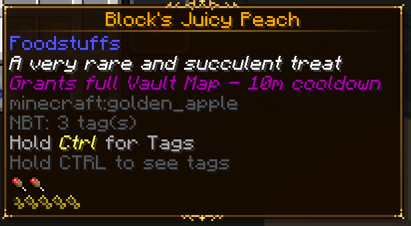
This resource pack works exclusively with a data pack created for Knights of the Vault.  An item is found in the Vault dimension called the Mapple.  This mapple is a golden apple with nbt data attached.  This resource pack will flag the mapple (if in an inventory) and retexture it so as to add the correct name and the correct Lore for the item.  Without this, the Mapple, a legendary item, will simply look like a golden apple.  Our intention is that the Lore and name of the Mapple, correctly render, providing an immersive experience.


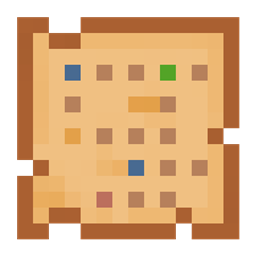
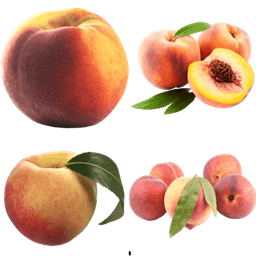
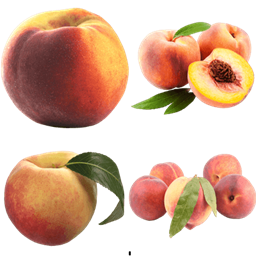
The player finds the material box in the vault.  The Box gives the player a banana, that is immediately changed via datapack into a golden apple, with special nbt data.  The other essential resourcepack, works to retexture this special golden apple into the Mapple (in this case the peach).  THIS resourcepack, forces the game to display the Mapple's correct in game name, and two lore lines, as shown. The Mapple then gives the entire map layout.

mapple_text.zip
MC 1.18.2
Release 2025-12-04 Get

Requirements & install

How to use this resource pack in Minecraft
Resolution
Not specified
Minecraft
1.18.2
Install folder
.minecraft/resourcepacks

How to install resource packs

  1. Download the resource pack .zip file (do not extract it).
  2. In Minecraft open Options → Resource Packs → Open Pack Folder.
  3. Drop the .zip into the resourcepacks folder (.minecraft/resourcepacks).
  4. Move the pack to the Selected column and click Done.
Browse more: 16x resource packs 32x resource packs 64x resource packs 128x resource packs 256x resource packs 512x+ resource packs Resource Packs for 1.18.2 All resource packs

More from blockman224

Advertisement Remove ads with Premium →

You Might Also Like