Mineuniverse
Resource Packs
Mandala's Confluence - White mode

Mandala's Confluence - White mode

RESOURCE PACK
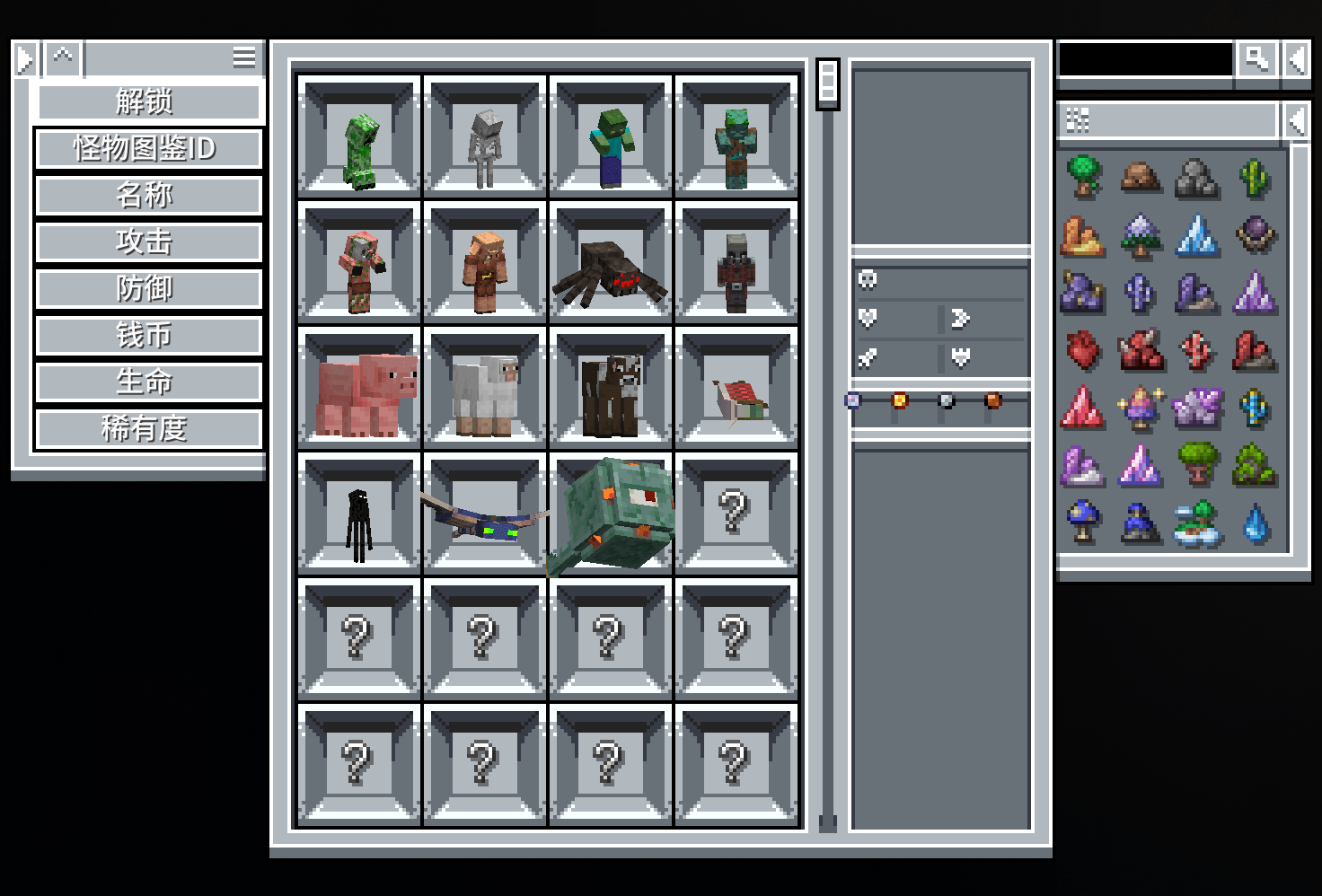
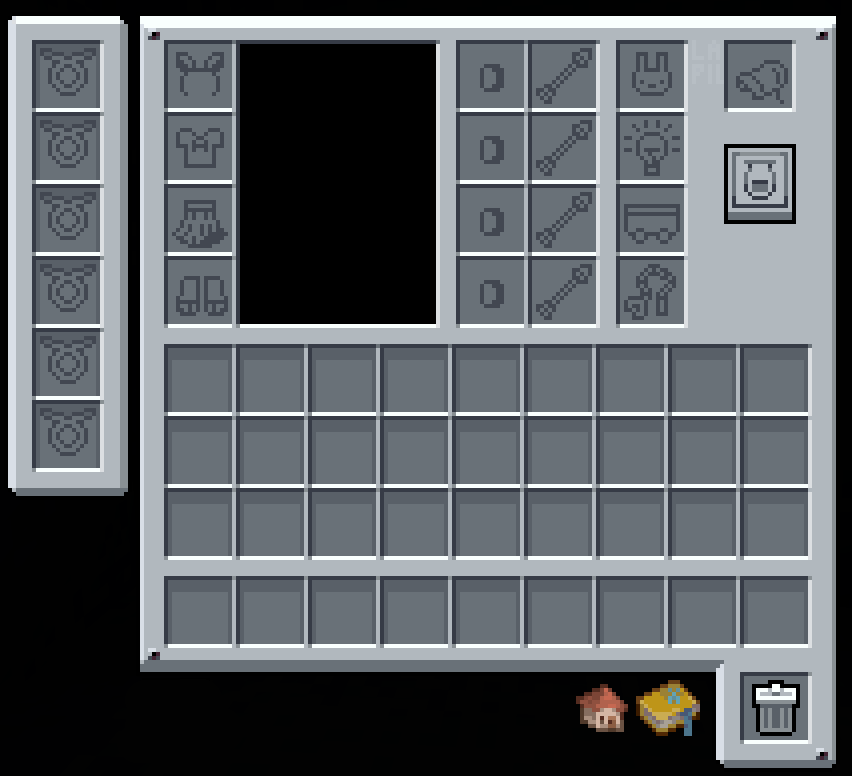
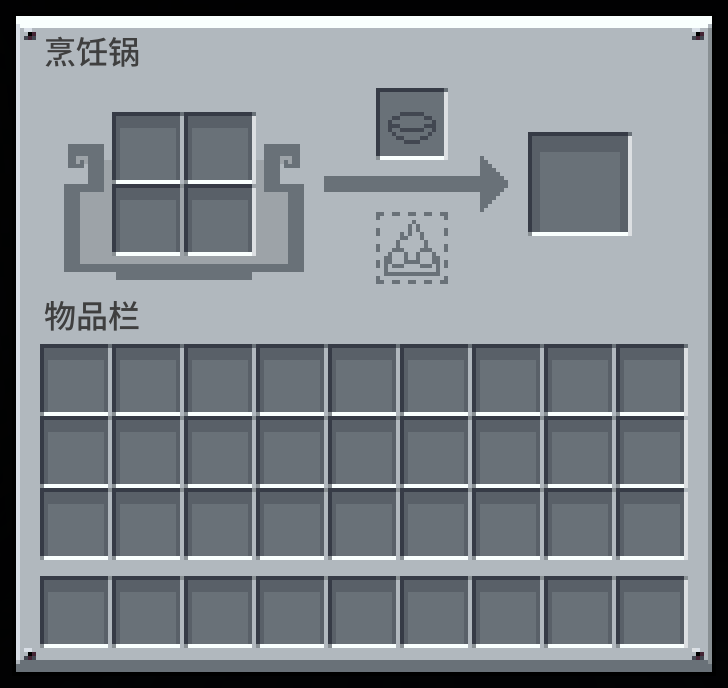
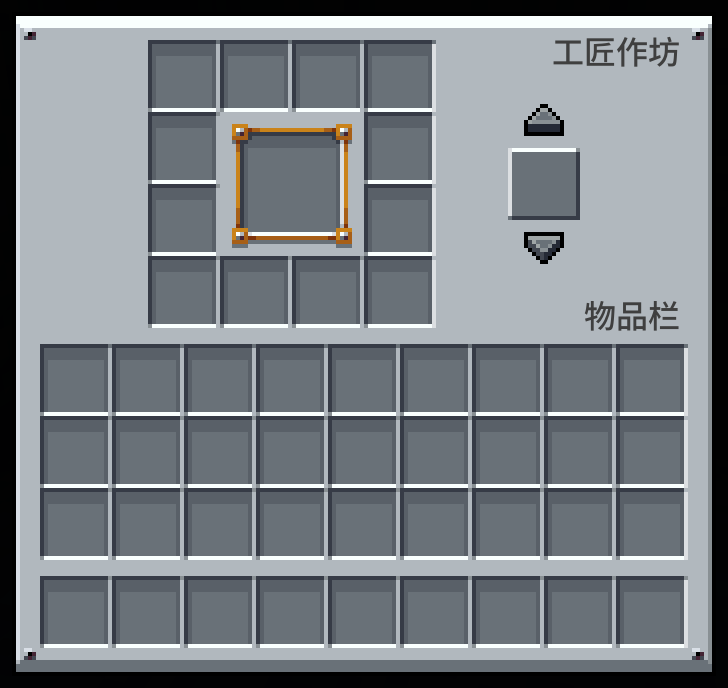
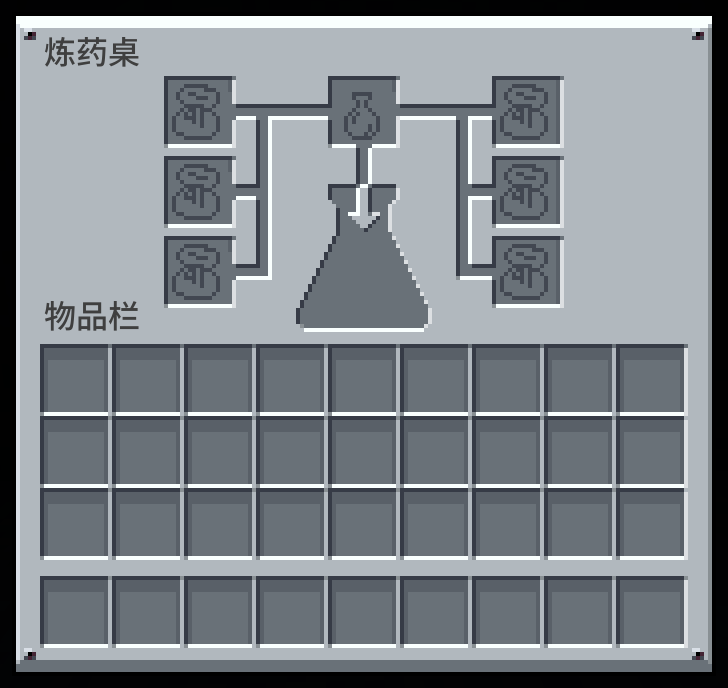
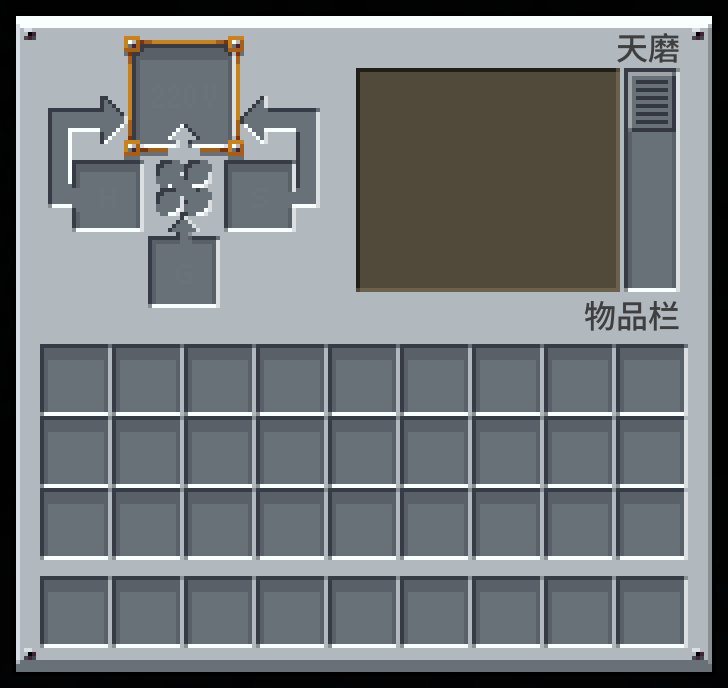
A clean white UI theme for Confluence: Otherworld, inspired by Mandala's GUI.
by 220vHgS
Download Claim this project
7,066 downloads
0 likes
0 followers
Updated Oct 14, 2026
0 hypes
Follow0
16x Mod Support
Advertisement Remove ads with Premium →

简介 - Description

本资源包受 Mandala's GUI 浅色风格的启发,专为汇流来世模组量身定制。希望它能够为您带来简洁、现代且富有视觉美感的用户界面,并在不改变任何物品或方块的前提下,提升模组的整体视觉体验。

  • 出于个人偏好,此包还内置了原版风格的准星。

This resource pack is inspired by the elegant style of Mandala's GUI - White mode, tailored specifically for the Confluence: Otherworld mod. We hope it brings a clean, modern, and minimalist interface to your modded Minecraft experience, enhancing the visual coherence of the game without altering any items or blocks.

  • As a personal preference, this pack comes with a vanilla-style crosshair.

致谢 - Acknowledgements

Mandala's GUI 由 cesarzorak 制作,它是一款设计优雅、风格清新现代的用户界面,为 Minecraft 带来了别具一格的视觉体验。而本项目最初改自 jungle_boots 的作品,他率先将 Mandala's GUI 的暗色模式适配到了汇流来世模组中。非常感谢两位作者的精彩创作与启发!

Mandala's GUI was created by cesarzorak, an elegantly designed interface that brings a clean, modern aesthetic to Minecraft with its distinctive visual style. This project is originally adapted from jungle_boots' work, who first ported the Dark mode of Mandala's GUI to the Confluence: Otherworld mod. Many thanks to both creators for their wonderful work and inspiration!

MandalasConfluence+Whitemode_v1.zip
MC 1.21.1
Release 2026-06-13 Get
MandalasConfluence+Whitemode_v1.1.zip
MC 1.21.1
Release 2026-06-13 Get
MandalasConfluence+Whitemode_v1.2.zip
MC 1.21.1
Release 2026-06-13 Get

Requirements & install

How to use this resource pack in Minecraft
Resolution
16x
Minecraft
1.21.1
Install folder
.minecraft/resourcepacks

How to install resource packs

  1. Download the resource pack .zip file (do not extract it).
  2. In Minecraft open Options → Resource Packs → Open Pack Folder.
  3. Drop the .zip into the resourcepacks folder (.minecraft/resourcepacks).
  4. Move the pack to the Selected column and click Done.
Browse more: 16x resource packs 32x resource packs 64x resource packs 128x resource packs 256x resource packs 512x+ resource packs Resource Packs for 1.21.1 All resource packs

More from 220vHgS

Advertisement Remove ads with Premium →

You Might Also Like