Mineuniverse
Resource Packs
Male_07 Banshee - RLCraft Soundpack

Male_07 Banshee - RLCraft Soundpack

RESOURCE PACK
Lycanites mobs / RLCraft Banshee Half life 2 Citizen soundpack
by BlissfulRussian
Download Claim this project
Add a badge to your pageLink to Male_07 Banshee - RLCraft Soundpack from a README, website or forum post.
Preview: Badge

Badges update automatically and link to the resource pack page on MineUniverse.

1,433 downloads
0 likes
0 followers
Updated Oct 14, 2026
0 hypes
Follow0
16x Data Packs Miscellaneous Mod Support
Advertisement Remove ads with Premium →


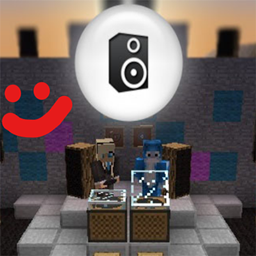
Sound pack is made for the Mob "Banshee" in RLCRAFT, / Lycanite's mobs mod.       (can be used with any minecraft version with the Lycanite's Mobs mod)


How to install?

Drop the BanSheetizen.zip file itself into Resourcepacks folder


Made for RLCRAFT, works even in multiplayer, since only you are gonna hear this beauty rather than some screams of jumpscare.

(That means its clientside :) and can be used anywhere)


Replaces original spooky jumpscare loud Banshee sounds, with something more lovely and legendary,

the one and only, Male_07 from Half Life 2.


 The lore is that he now possesses Banshee with his unbreakable spirit.

Reincarnation, call it.


If you value your peace of mind, and not a fan of being jumpscared or blasted with loud spook screams, then this if just for you


made it for myself, since in multiplayer we cant just remove the mob like we can in singleplayer 

but I knew you will enjoy & love it too 


Small taste of 1% of the content

turn volume up for the first 10 seconds


The Complete Male_07 Experience
MC 1.12.1, 1.12, 1.12.2
Release 2022-08-18 Get

Requirements & install

How to use this resource pack in Minecraft
Resolution
16x
Minecraft
1.12 – 1.12.2
Install folder
.minecraft/resourcepacks

How to install resource packs

  1. Download the resource pack .zip file (do not extract it).
  2. In Minecraft open Options → Resource Packs → Open Pack Folder.
  3. Drop the .zip into the resourcepacks folder (.minecraft/resourcepacks).
  4. Move the pack to the Selected column and click Done.
Browse more: 16x resource packs 32x resource packs 64x resource packs 128x resource packs 256x resource packs 512x+ resource packs Resource Packs for 1.12.2 All resource packs

More from BlissfulRussian

Advertisement Remove ads with Premium →

You Might Also Like