Badges update automatically and link to the resource pack page on MineUniverse.
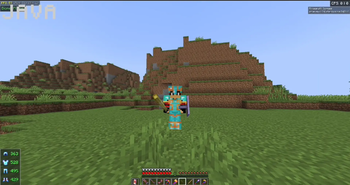
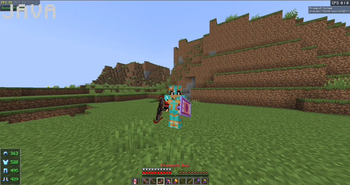
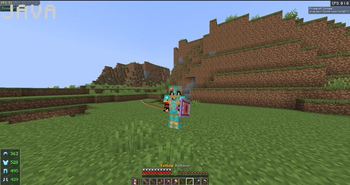
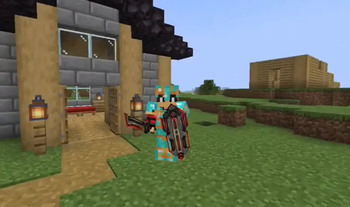
A Minecraft Java Edition 1.21.11 CustomModelData resource pack containing a large collection of custom armor, weapons, tools, cosmetics, and other 3D models.
This pack is designed for vanilla /give commands using CustomModelData and does not require ItemsAdder, Oraxen, or another custom-items plugin.
Arcanist Set
Bumble Collection
Angel Set
Easter Bunny Set
Protocol Set
Sapphire Set
Thunderbolt Set
Valerie Set
Scarecrow Animated Weapon Set
Inferno Set
Little Crocodile Set
Darth Vader Set
Obi-Wan Set
Stormtrooper Set
Merry Christmas Set
Saint Patrick's Set
Shogun Set
Spider-Man Set
Thor Set
UFO Set
The pack also contains many custom 3D models for:
Swords
Greatswords
Katanas
Daggers
Battleaxes
Axes
Pickaxes
Shovels
Hoes
Hammers
Spears
Halberds
Scythes
Sickles
Maces
Clubs
Gauntlets
Bows
Crossbows
Tridents
Shields
Fishing Rods
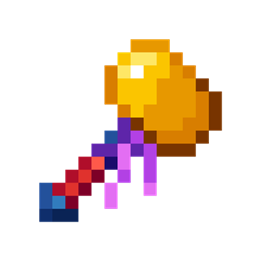
Wands / Staffs
Backpacks
Wings
Keys
And other cosmetic models
Includes multiple katana variants:
Blue
Red
Purple
Green
Yellow
Orange
Black
The pack also contains additional model collections and effects, including:
Dragon Warrior content
Purple World weapons
Little Otter content
Spring-themed content
Aceruin content
Cardael content
Frostbite content
UFO cosmetics
Various cosmetic/backpack models
Custom flags and decorative items
This pack uses Minecraft Java Edition CustomModelData.
Armor models use Netherite Armor + CustomModelData.
Example:
/give @p minecraft:netherite_helmet[custom_model_data=1]
/give @p minecraft:netherite_chestplate[custom_model_data=1]
/give @p minecraft:netherite_leggings[custom_model_data=1]
/give @p minecraft:netherite_boots[custom_model_data=1]
The armor CustomModelData values are assigned separately for helmets, chestplates, leggings, and boots.
The pack currently contains:
15 helmet models
19 chestplate models
19 leggings models
19 boot models
Additional weapons and items use their corresponding vanilla Minecraft item with CustomModelData.
THE MODELS IN THIS PACK ARE NOT MY ORIGINAL MODELS.
Some of the models included in this resource pack are paid models obtained from their respective creators/sources.
I am providing the resource-pack configuration and CustomModelData setup for use with this pack. I do not claim ownership of the original paid 3D models.
You MUST NOT:
Extract the 3D models from this pack.
Re-upload the models separately.
Redistribute the models.
Sell the models.
Claim the models as your own.
Use these models in another resource pack without permission.
Use these models in ItemsAdder or any other custom-items plugin.
Convert the models into another format and redistribute them.
Use the models in a different custom-items project without the original model creator's permission.
The models are included only as part of this specific pack and remain subject to their original creators' licenses and terms.
If you want to use any of these models in your own project, contact and obtain permission from the original model creator first.
Credits belong to the original creators of the respective paid models.
Please respect the original creators and their licenses.
Minecraft Java Edition: 1.21.11
System: CustomModelData Resource Pack
Designed for: Vanilla commands / resource-pack setups
Custom Items Plugins: Not required
Important: This pack is not a license to use the included paid models in other projects or custom-item plugins.
M123 does not claim ownership of the third-party paid models included in this pack. All third-party models remain the property of their respective creators.
By downloading and using this pack, you agree to respect the original creators' licenses and usage restrictions.