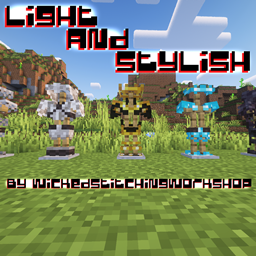
I was following the line of these minimal armor resourcepacks that people use on roleplay servers to show more skin parts. I made it look semi like actual armor though and added a little bit of my designer feeling.
Don't wait for me to finish this or keep developing this resourcepack, i'm a busy person. If it says that it was made for older/newer version of the game then just edit the pack.mcmeta, it shouldn't break for now.
Things to do for upcoming versions/updates:
1) adapt trims to new textures
2) make leather armor look cool as well. I mean, who ever wears leather in survival minecraft but... some people may be confused that I left it unchanged
3) add CIT features (such as keeping retro textures for new versions or just complete redesigns or color flips, anything I can imagine and implement)
4) expand item range with weapons and other various things I want to look good in this damned game
5) make a sweet eyecandy thumbnail

front pov

back pov
Shader: complementary reimagined
thanks: VanillaTweaks devs who helped me to understand how resorucepacks work,
Mizuno for inspiration,
Blockbench devs, you're amazing,
Mojang for making bad textures and allowing me to make them look cool and have fun in process. Minecraft was always about creativity, right?
Terms of use: you can customize my textures, play around with them, I will be happy that i actually made someone pay attention to what i made. If you're not an as.. i mean bad person... (this site likes being "weird" about profanity) you can credit me like "Hey I took textures from that dude, go check em". Free to use in modpacks as well.
Contacts: discord - wickedstitchingworkshop