Mineuniverse
Resource Packs
Levviata's No Tree Punching Modernized

Levviata's No Tree Punching Modernized

RESOURCE PACK
Makes No Tree Punching's textures resemble newer versions.
by Levviata
Download Claim this project
Add a badge to your pageLink to Levviata's No Tree Punching Modernized from a README, website or forum post.
Preview: Badge

Badges update automatically and link to the resource pack page on MineUniverse.

677 downloads
0 likes
0 followers
Updated Oct 14, 2026
0 hypes
Follow0
16x Modern
Advertisement Remove ads with Premium →

Levviata - Levviatas-No-Tree-Punching-Modernized

No Tree Punching Modernized

A resource pack for the No Tree Punching mod by Alcatraz Escapee

Description

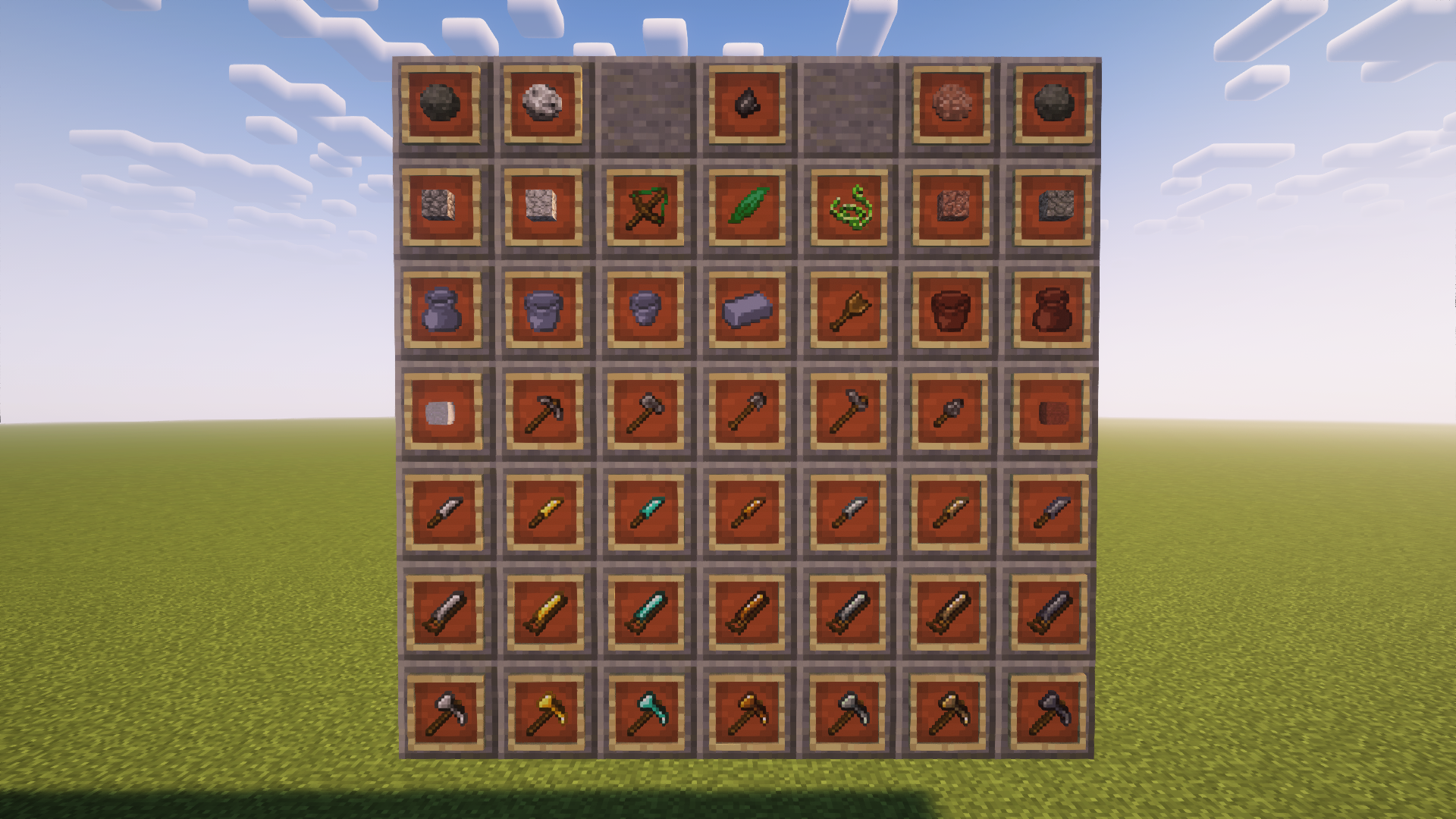
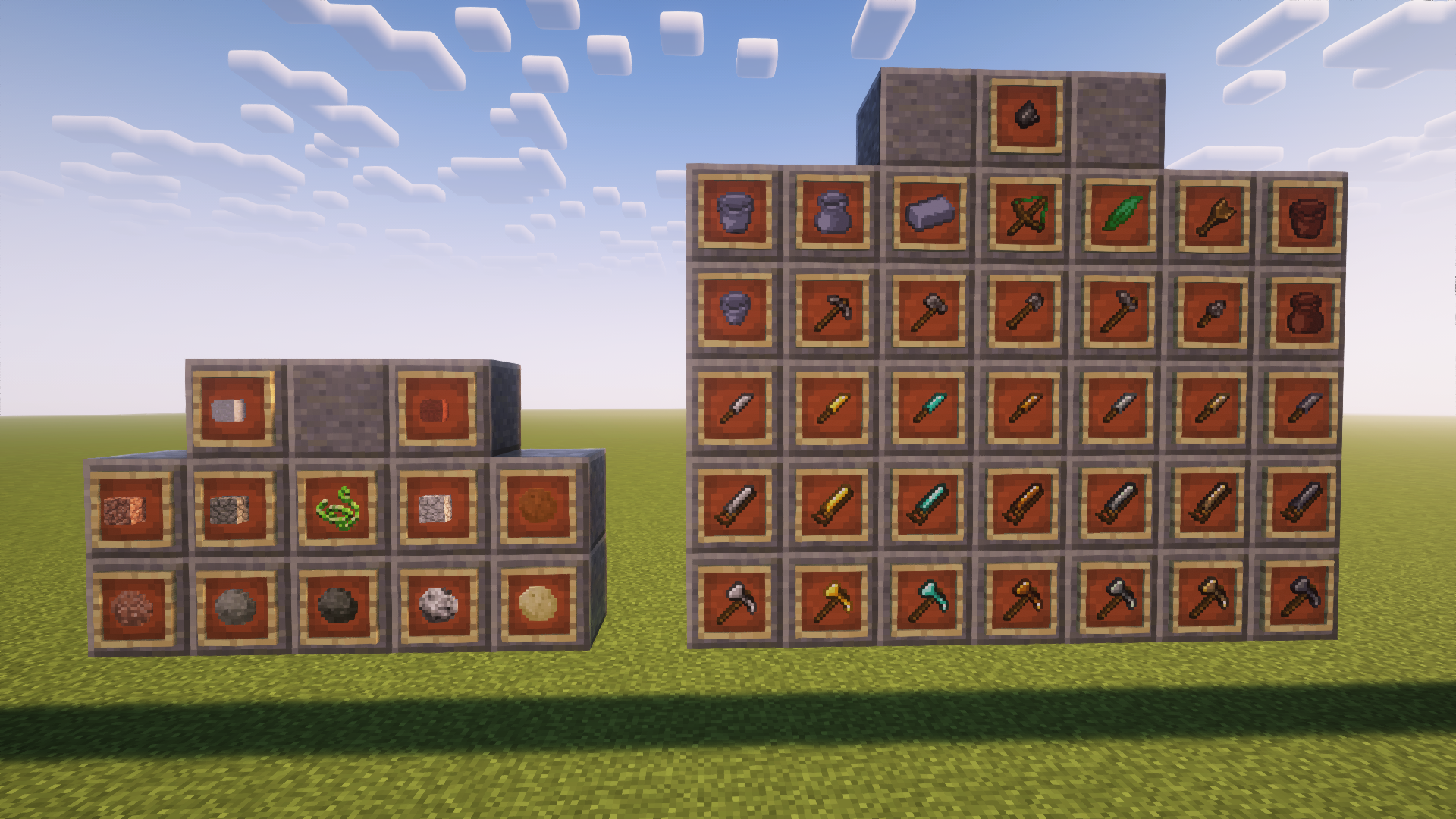
A retexture of NTP in a "modern" style

Features

Retexture of:

  • Pickaxes, axes, mattocks, saws, flint tools, clay tool, knives, fire starter
  • Clay and brick pots (item)
  • Flint shard, clay brick

Gallery

New textures

New

Old textures

Old

Credits

Stop sign icons created by Freepik - Flaticon

License

All rights deserved. Can be added to modpacks

No Tree Punching Modernized v1.5
MC 1.12.2
Release 2026-09-18 Get
No Tree Punching Modernized v1.6
MC 1.12.2
Release 2026-09-18 Get
No Tree Punching Modernized v1.6
MC 1.15.2
Release 2026-09-18 Get
No Tree Punching Modernized v1.6
MC 1.16.5
Release 2026-09-18 Get
No Tree Punching Modernized v1.6
MC 1.18.2
Release 2026-09-18 Get
No Tree Punching Modernized v1.6
MC 1.19.2
Release 2026-09-18 Get
No Tree Punching Modernized v1.6
MC 1.20.1
Release 2026-09-18 Get
No Tree Punching Modernized v1.6
MC 1.21.1
Release 2026-09-18 Get
Levviata's No Tree Punching Modernized v1.4
MC 1.12.2
Release 2023-11-02 Get
Levviata's No Tree Punching Modernized v1.1
MC 1.12.2
Release 2023-10-31 Get
Levviata's No Tree Punching Modernized v1.2
MC 1.12.2
Release 2023-10-31 Get
Levviata's No Tree Punching Modernized v1.3
MC 1.12.2
Release 2023-10-31 Get
Levviata's No Tree Punching Modernized v1.0
MC 1.12.2
Release 2023-10-29 Get

Requirements & install

How to use this resource pack in Minecraft
Resolution
16x
Minecraft
1.12.2 – 1.21.1
Install folder
.minecraft/resourcepacks

How to install resource packs

  1. Download the resource pack .zip file (do not extract it).
  2. In Minecraft open Options → Resource Packs → Open Pack Folder.
  3. Drop the .zip into the resourcepacks folder (.minecraft/resourcepacks).
  4. Move the pack to the Selected column and click Done.
Browse more: 16x resource packs 32x resource packs 64x resource packs 128x resource packs 256x resource packs 512x+ resource packs Resource Packs for 1.21.1 All resource packs

More from Levviata

Advertisement Remove ads with Premium →

You Might Also Like