Mineuniverse
Resource Packs
JustAWoolOverlay

JustAWoolOverlay

RESOURCE PACK
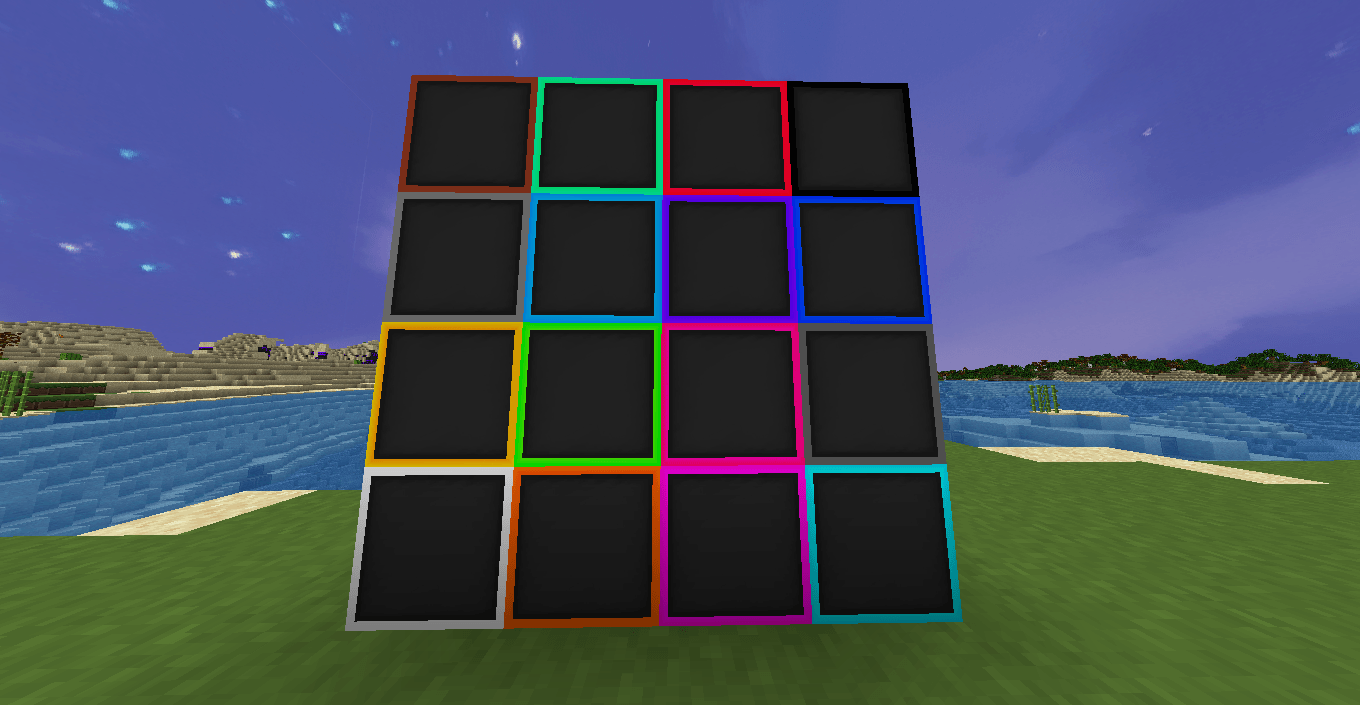
A clean Bedwars / PVP wool overlay for focus and aesthetic.
by voidbonked
Download Claim this project
674 downloads
0 likes
Updated Oct 14, 2026
0 hypes
128x Miscellaneous
Advertisement Remove ads with Premium →


---

**JustAWoolOverlay – \[1.8.9+] Bedwars Wool Pack from Telly 100K (FULL CREDIT)**

A super lightweight pack that only changes wool textures — nothing else. Perfect for overlays or combining with your favorite PvP packs.

---

**Features:**

* Simplified, recolored wool textures
* Works as an overlay on top of any pack
* Great for Bedwars, bridging, or clean visuals
* No item, GUI, or sound changes

---

**Installation:**

1. Place this pack **above** your main PvP pack in the resource pack list
2. Enable both
3. Done — enjoy cleaner wool without affecting anything else

---

**Compatibility:**
✔ Works on 1.8.9+
✔ Compatible with all clients (Lunar, Badlion, Feather, etc.)

---

§fJustAnotherWoolOverlay §512x [§fOVERLAY].zip
MC 1.8.8, 1.7.10, 1.8.9
Release 2025-08-19 Get

Requirements & install

How to use this resource pack in Minecraft
Resolution
128x
Minecraft
1.7.10 – 1.8.9
Install folder
.minecraft/resourcepacks

How to install resource packs

  1. Download the resource pack .zip file (do not extract it).
  2. In Minecraft open Options → Resource Packs → Open Pack Folder.
  3. Drop the .zip into the resourcepacks folder (.minecraft/resourcepacks).
  4. Move the pack to the Selected column and click Done.

Packs from 128x upwards need more video memory: install a performance mod such as Sodium for smooth frame rates.

Browse more: 16x resource packs 32x resource packs 64x resource packs 128x resource packs 256x resource packs 512x+ resource packs Resource Packs for 1.8.9 All resource packs

More from voidbonked

Advertisement Remove ads with Premium →

You Might Also Like