Mineuniverse
Resource Packs
Just Cigarette

Just Cigarette

RESOURCE PACK
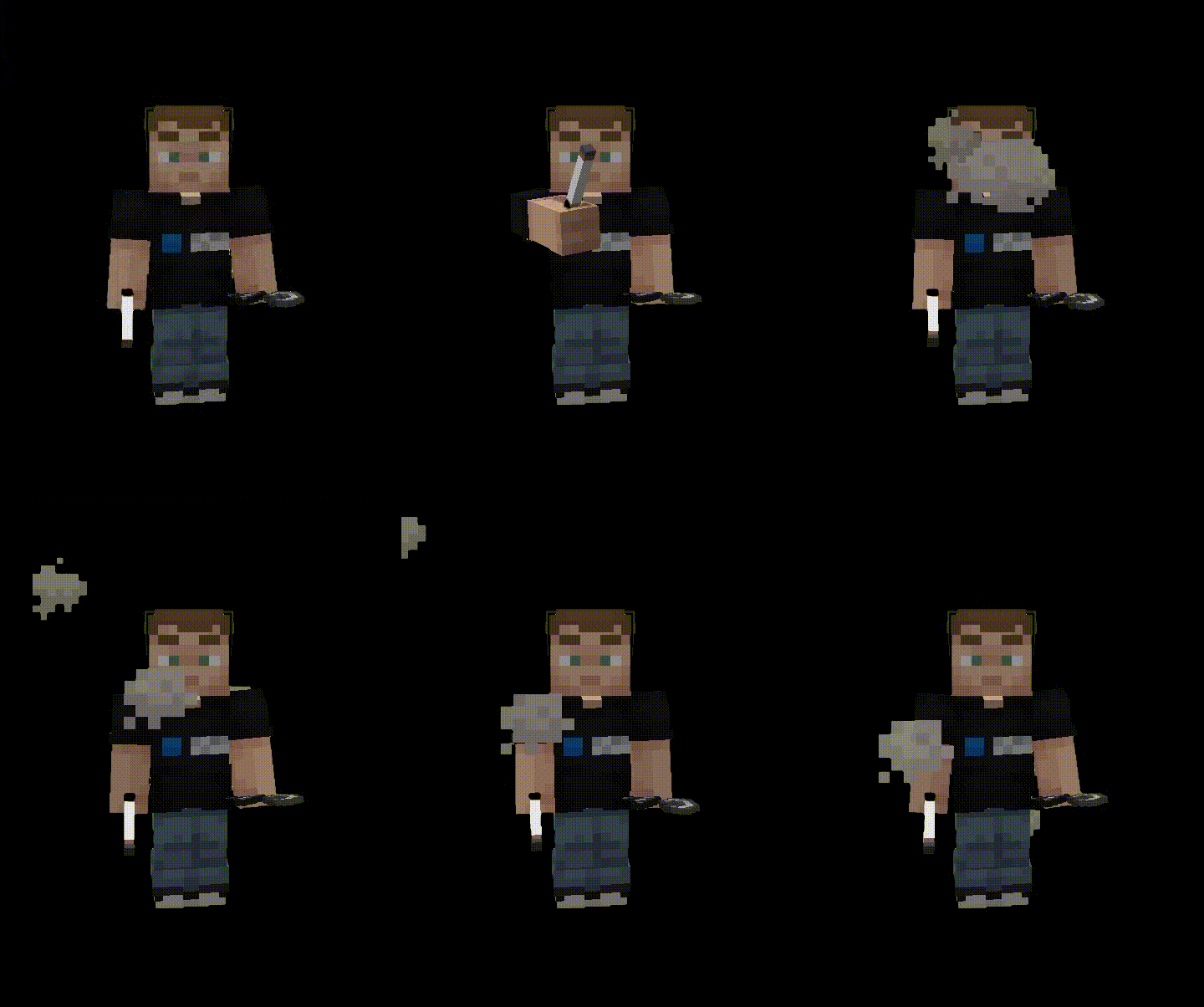
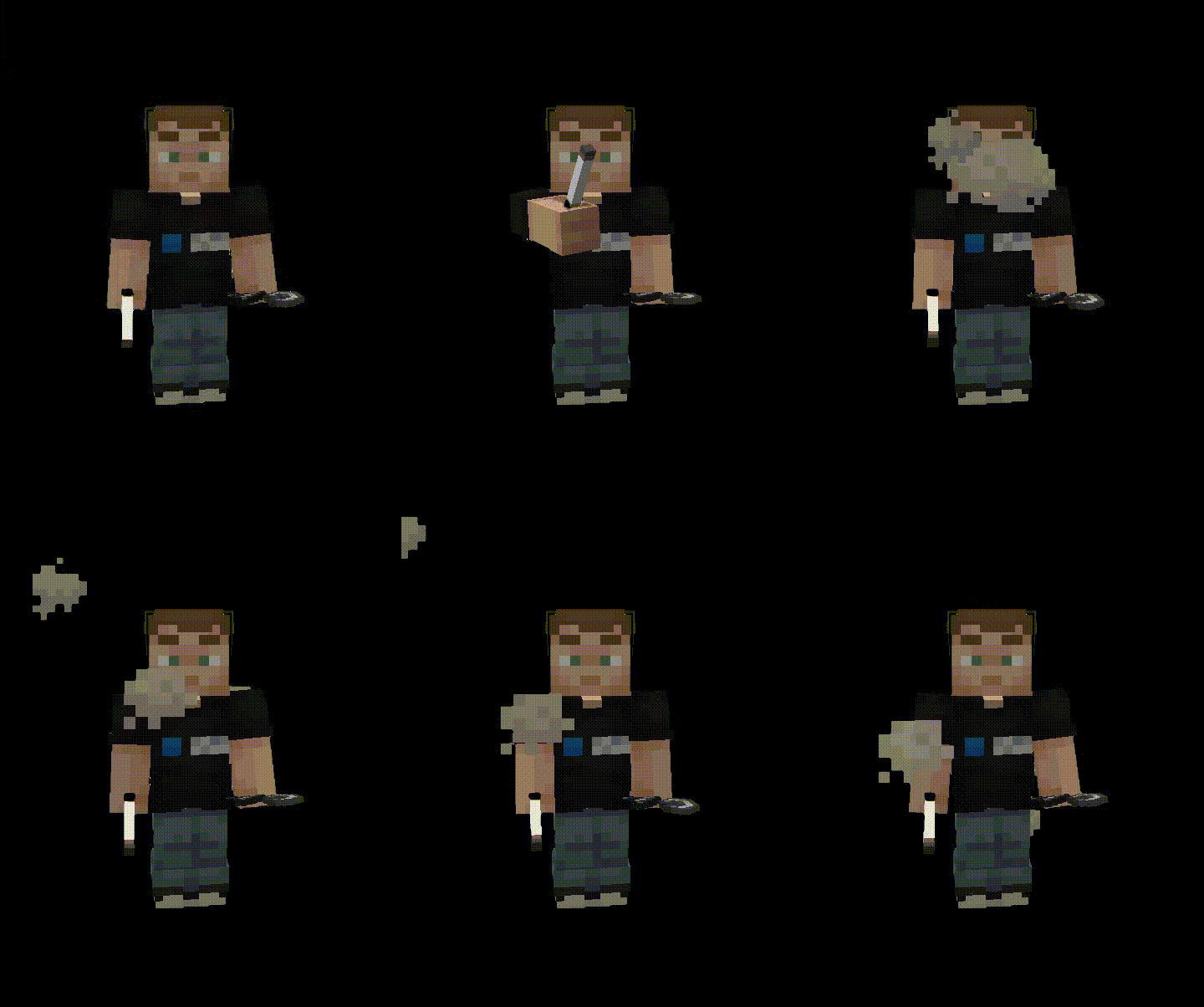
Just cigarettes you can smoke. Nothing more. r
by softoryce
Download Claim this project
603 downloads
0 likes
Updated Oct 14, 2026
0 hypes
Animated Data Packs
Advertisement Remove ads with Premium →

This application contains tobacco-related content. By downloading, installing, or using the "Just Cigarette" app, you confirm that you are 18 years of age or older.
https://www.curseforge.com/minecraft/data-packs/just-cigarette

This content is for entertainment purposes only and is not intended to encourage or promote smoking.

Just Cigarette is a companion resource pack for the Just Cigarette data pack. It provides the custom textures and item assets required for the cigarette to render correctly in the game. This resource pack does not add standalone features on its own and is designed to be used alongside the Just Cigarette data pack. Features: • Custom cigarette texture and model • Designed specifically for the Just Cigarette data pack • Simple, vanilla-style aesthetic. Installation: 1. Place this resource pack in your Minecraft resource pack folder. 2. Activate it via the Resource Packs menu. 3. Place the corresponding Just Cigarette data pack into your world's datapacks folder. This project contains tobacco-related content intended solely for entertainment and role-playing purposes. It does not encourage or promote smoking in the real world.

Just_Cigarette_RP_1.20.1-1.21.10__PUT_ON_TOP.zip
MC 1.21, 1.20.2, 1.21.8, 1.20.5, 1.21.5, 1.21.4, 1.20.1, 1.20.6, 1.21.1, 1.21.6, 1.21.3, 1.21.7, 1.20.4, 1.20.3, 1.21.2, 1.21.9, 1.21.10
Release 2026-08-14 Get
just_cigarette_rp 1.0 MC 26.2.zip
MC 26.2
Release 2026-08-14 Get

Requirements & install

How to use this resource pack in Minecraft
Resolution
Not specified
Minecraft
1.21.4 – 26.2
Install folder
.minecraft/resourcepacks

How to install resource packs

  1. Download the resource pack .zip file (do not extract it).
  2. In Minecraft open Options → Resource Packs → Open Pack Folder.
  3. Drop the .zip into the resourcepacks folder (.minecraft/resourcepacks).
  4. Move the pack to the Selected column and click Done.
Browse more: 16x resource packs 32x resource packs 64x resource packs 128x resource packs 256x resource packs 512x+ resource packs Resource Packs for 26.2 All resource packs

More from softoryce

Advertisement Remove ads with Premium →

You Might Also Like