Mineuniverse
Resource Packs
Jappa Glass with Connected Textures

Jappa Glass with Connected Textures

RESOURCE PACK
Jappa
by Dnator
Download Claim this project
138,292 downloads
0 likes
0 followers
Updated Oct 14, 2026
0 hypes
Follow0
16x Miscellaneous Modern Steampunk Traditional
Advertisement Remove ads with Premium →

THIS PACK INSTALLS BY DEFAULT WITH THE LATEST VERSION OF OPTIFINE!!!
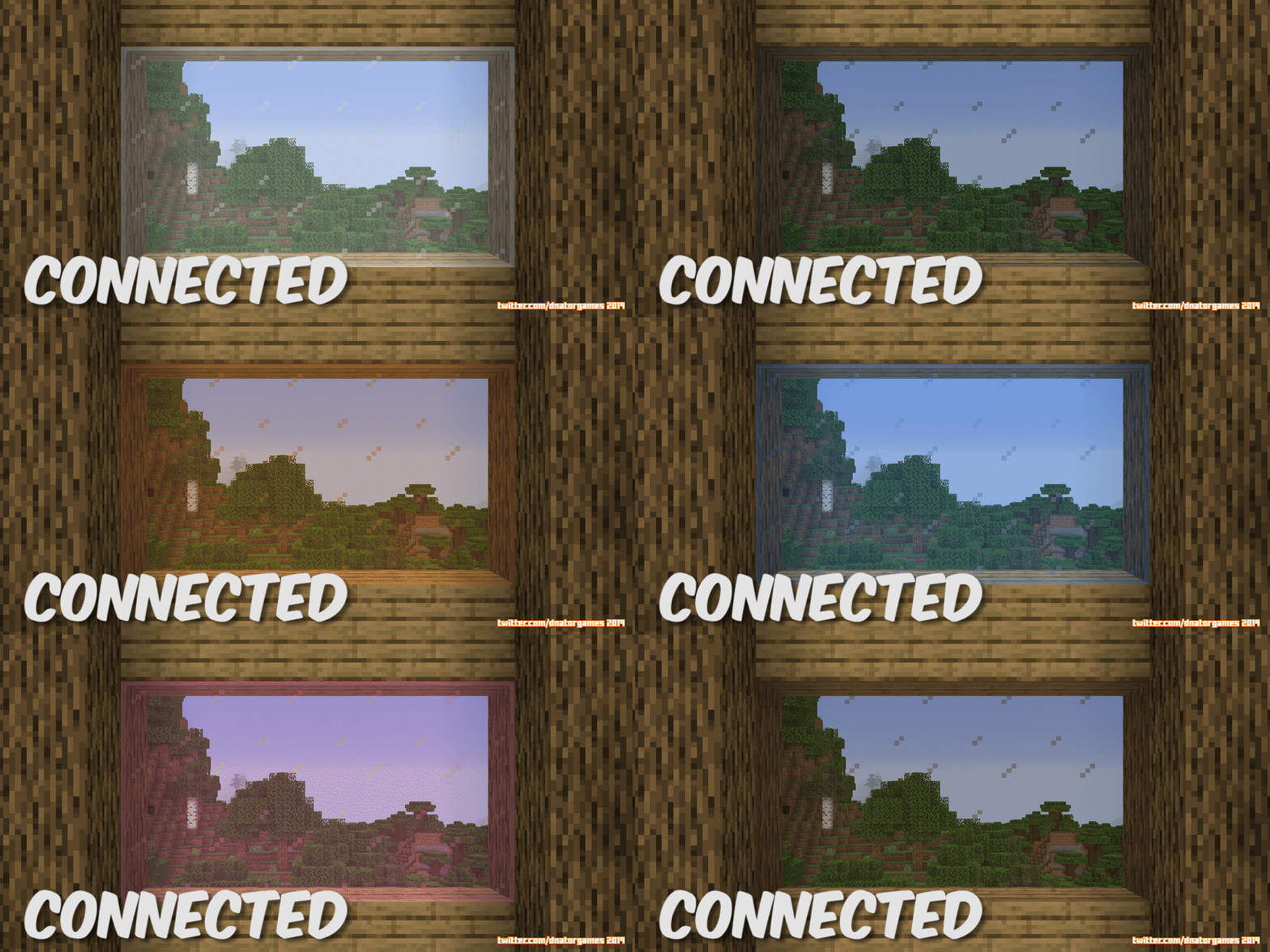
Jappa Connected Textures (Animated GIF)

 Jappa's done good! But Connected Textures could make it better!

 DISCLAIMER: To access Connected Textures you must have Optifine installed.

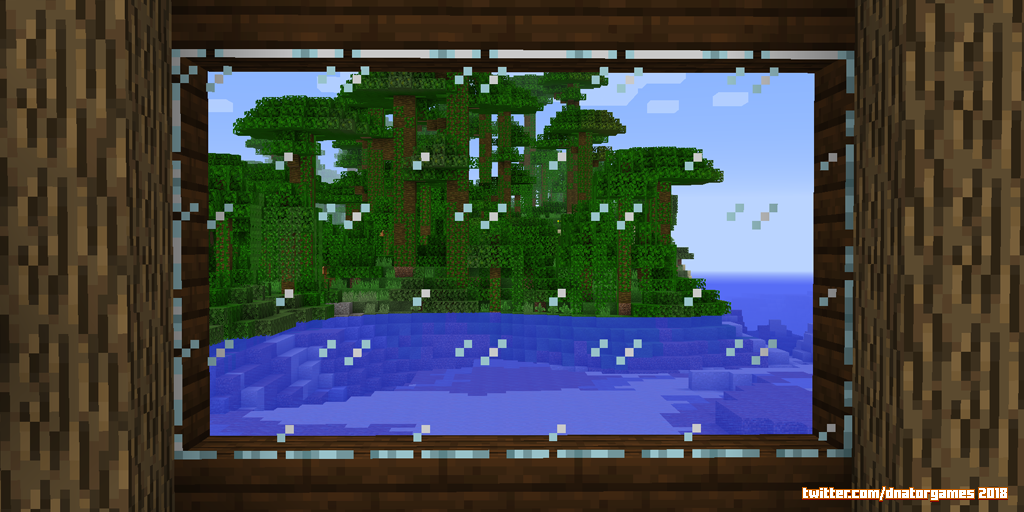
Hey Internets. So MOJANG have recently released their Official Beta Resource Pack that will be replacing the Default Style of the game. This is an incredible improvement to the glass textures! Hands down one of the best textures Jappa has done.

Anyway, since I don't think Minecraft will ever officially support connected textures, and since it's a common request I've seen on Jappa's twitter, here you are! The latest glass with Connected Textures!


Try out the Latest Official Minecraft Resource Pack [1.14]

And be sure to leave your thoughts about the latest textures!

Jappa's Twitter: @JasperBoerstra


THIS PACK INCLUDES:

  • Regular Glass with Connected Textures (Fancy)
  • All Stained Glass Varieties with Connected Textures (Fancy)

Just a reminder I don't want to take any credit for the textures themselves. I'm only the compiler! But if you are a content creator and wish to share this pack a Download Link in your video descriptions or wherever would be awesome!

JAPPA GLASS CREDIT TEMPLATE

Jappa Glass 1.14: @JasperBoerstra (https://twitter.com/JasperBoerstra)

Connected Support: @DnatorGames (http://twitter.com/DnatorGames)

Download at (https://minecraft.curseforge.com/projects/New-Glass)


Not your thing? Consider my CLEAR GLASS with CONNECTED TEXTURES!

Download at (https://minecraft.curseforge.com/projects/clear-glass-pack)

Clear Glass Pack by DnatorGames

Jappa's 1.14 Glass for 1.8 with CTM
MC 1.7.6, 1.8.7, 1.7.4, 1.7.7, 1.7.5, 1.6.1, 1.8.4, 1.7.9, 1.8.8, 1.7.2, 1.8.3, 1.8.6, 1.7.8, 1.6.4, 1.7.10, 1.8, 1.8.2, 1.8.5, 1.8.9, 1.8.1, 1.6.2
Release 2019-05-18 Get
Jappa's 1.14 Glass for 1.9 and 1.10 with CTM
MC 1.9.1, 1.9.3, 1.9.4, 1.9.2, 1.10.2, 1.10, 1.10.1, 1.9
Release 2019-05-18 Get
Jappa's 1.14 Glass for 1.11 and 1.12 with CTM
MC 1.12.1, 1.12, 1.11, 1.11.1, 1.11.2, 1.12.2
Release 2019-05-18 Get
Jappa's 1.14 Glass for 1.13 or 1.14 with CTM
MC 1.13.1, 1.14.4, 1.14.1, 1.14.3, 1.13, 1.14, 1.14.2, 1.13-Snapshot, 1.14-Snapshot, 1.13.2
Release 2019-05-18 Get
Jappa Glass [BETA] 1.8
MC 1.7.6, 1.8.7, 1.7.4, 1.7.7, 1.7.5, 1.6.1, 1.8.4, 1.7.9, 1.8.8, 1.7.2, 1.8-Snapshot, 1.8.3, 1.8.6, 1.7.8, 1.6.4, 1.7.10, 1.8, 1.8.2, 1.8.5, 1.8.9, 1.8.1, 1.6.2
Release 2018-02-02 Get
Jappa Glass [BETA] 1.9 or 1.10
MC 1.9.1, 1.9.3, 1.10-Snapshot, 1.9.4, 1.9.2, 1.10.2, 1.10, 1.10.1, 1.9-Snapshot, 1.9
Release 2018-02-02 Get
Jappa Glass [BETA] 1.11 or 1.12
MC 1.12.1, 1.12, 1.11, 1.11.1, 1.11.2, 1.11-Snapshot, 1.12.2, 1.12-Snapshot
Release 2018-02-02 Get

Requirements & install

How to use this resource pack in Minecraft
Resolution
16x
Minecraft
1.13.1 – 1.14.4
Install folder
.minecraft/resourcepacks

How to install resource packs

  1. Download the resource pack .zip file (do not extract it).
  2. In Minecraft open Options → Resource Packs → Open Pack Folder.
  3. Drop the .zip into the resourcepacks folder (.minecraft/resourcepacks).
  4. Move the pack to the Selected column and click Done.
Browse more: 16x resource packs 32x resource packs 64x resource packs 128x resource packs 256x resource packs 512x+ resource packs Resource Packs for 1.14.4 All resource packs

More from Dnator

Advertisement Remove ads with Premium →

You Might Also Like