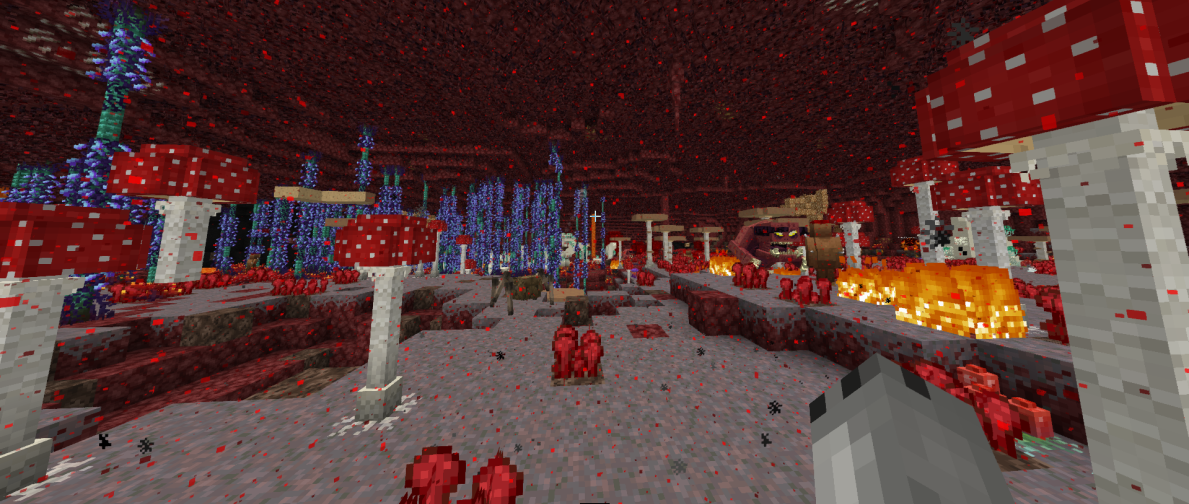
This resource pack just changes mods (Better Nether and Charm) textures to the JAPPA (aka. the author behind modern Minecraft textures) style.
Installation of the JAPPA Backport resource pack for Minecraft's official JAPPA textures is required for this add-on pack to work properly:
https://www.curseforge.com/minecraft/texture-packs/jappa-backport
(Mainly ment for RLCraft version 2.9.1c but is most certainly compatible for other versions too.)
This project is a Work In Progress.
Small tutorial:
------------------------------------
1. Open the resource pack folder: Open RLCraft > Options > Resource Packs > Open Resource Pack Folder
2. Drag the JAPPA Backport and the RLCraft add-on: JAPPA Compatibility (Nether only) pack into the folder you just opened.
3. Refresh the RLCraft resource pack interface by reopening it and select both packs. (In order to avoid any possible confliction: Make sure the RLCraft add-on: JAPPA Compatibility (Nether only) pack is layered on top of JAPPA Backport
-------------------------------------
Disclaimer:
I ONLY ALTERED THE TEXTURES OF THE MODS: BetterNether and Charm. I DO NOT CLAIM THESE TEXTURES AS MY OWN, NOR DO I MONETIZE MY ADD-ON PACK IN ANY WAY.
All credits for the original textures go to Minecraft (JAPPA), BetterNether and Charm
Links to the mods:
- BetterNether: https://beta.curseforge.com/minecraft/mc-mods/betternether
- Charm: https://beta.curseforge.com/minecraft/mc-mods/charm
Texture packs used in the screenshots:
- Lycanites Redux: https://www.curseforge.com/minecraft/texture-packs/lycanites-redux
- JAPPA Backport: https://www.curseforge.com/minecraft/texture-packs/jappa-backport