Badges update automatically and link to the resource pack page on MineUniverse.
■ Japanese Style BGM Resource Pack
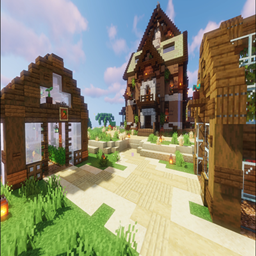
Enhance your Minecraft world with the serene and traditional sounds of Japan. This resource pack features high-quality music tracks specifically composed to fit a Japanese-themed aesthetic. It is the perfect companion for players using Japanese-themed mods (such as those adding samurai armor, traditional architecture, or cherry blossom biomes) to fully immerse yourself in the atmosphere.
■ Pack Content (Free Lite Version)
This is a curated sampler of my 'Japanese Style BGM' pack.
Main Menu Music (1 track): The 1st track in the video.
In-Game Background Music (1 track): The 6th track in the video.
Music Discs (2 tracks): The last 2 tracks in the video (13, chirp).
💡 Recommended Tip
Due to Minecraft's vanilla system, there is a long delay between background music tracks. If you want to listen to the in-game background music continuously without interruption, we highly recommend using the 'Constant Music' mod! With this mod, you can freely adjust the music playback delay to your liking.
■ Compatibility & Notice
Version Compatibility: Even if the game displays a warning for different versions (e.g., "This pack was made for a newer/older version of Minecraft"), the music will still play perfectly fine from 1.20.5 to the latest version.
Custom Disc Names: Due to current technical limitations in modded environments (1.21+), music disc names will appear as vanilla names in-game. If you happen to know the exact solution to make custom disc names display properly, please contact me via email. I would greatly appreciate your help!
■ How to Install
Put the ZIP file into your 'resourcepacks' folder and enable it in-game.
■ Preview
https://youtu.be/pf2eS1rF7BI?si=6t2IYouUN7zSNqk0
Please Note: The background music used in the preview video is for demonstration purposes only and is not included in the resource pack. This pack only contains the specific tracks listed above.
Want to hear more? Check out the full version of this pack here: https://7075266685698.gumroad.com/l/vnasg
■ About My Packs
I create music resource packs tailored to specific themes. If you have any specific themes or musical styles you'd like to see in future packs, please feel free to let me know! For any feedback or inquiries, you can reach me via email at [email protected].