Mineuniverse
Resource Packs
Jaden's Nether Expansion Texture Compat

Jaden's Nether Expansion Texture Compat

RESOURCE PACK
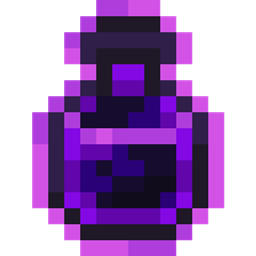
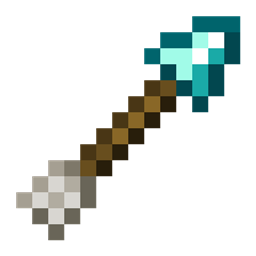
This resource pack adds some compatibility textures for JNE's Conflict Pack. It adds various bottle, arrow, and mushroom textures. It also fixes the tether & subtle potions (and subtle tipped arrow) from Caverns & Chasms to work with JNE.
by Derp_gamer22
Download Claim this project
Add a badge to your pageLink to Jaden's Nether Expansion Texture Compat from a README, website or forum post.
Preview: Badge

Badges update automatically and link to the resource pack page on MineUniverse.

801 downloads
0 likes
0 followers
Updated Oct 14, 2026
0 hypes
Follow0
16x Mod Support
Advertisement Remove ads with Premium →

Adds compatablity to various items for the mod, Jaden's Nether Expansion. Most of these textures are things like bottles, arrows, mushrooms, and vines. This also fixes some things that haven't been fixed in JNE yet, like the Dragon's Breath bottle and Cerebrage Skull.


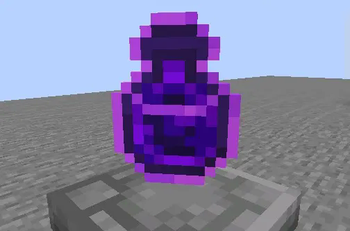
Dimensional Tears Bottle from Spelunkery.
 

Tether Potions from Caverns and Chasms
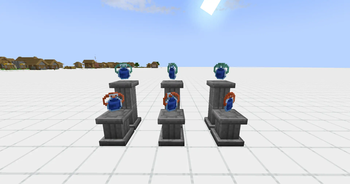
Tether Potions

JNEcompat 1.3.5
MC 1.20.1
Release 2026-04-05 Get
JNEcompat 1.3.4
MC 1.20.1, 1.21.1
Release 2025-10-23 Get
JNEcompat 1.3.3
MC 1.20.1, 1.21.1
Release 2025-10-19 Get
JNEcompat 1.3.2
MC 1.20.1, 1.21.1
Release 2025-10-10 Get
JNEcompat 1.3.1
MC 1.20.1
Release 2025-10-09 Get
JNEcompat 1.3.0.1
MC 1.20.1
Release 2025-09-12 Get
JNEcompat 1.3.0
MC 1.20.1
Release 2025-09-06 Get
JNEcompat 1.2.9
MC 1.20.1
Release 2025-08-21 Get
JNEcompat 1.2.7
MC 1.20.1
Release 2025-08-19 Get
JNEcompat 1.2.8
MC 1.20.1
Release 2025-08-19 Get
JNEcompat 1.2.6
MC 1.20.1
Release 2025-08-18 Get
JNEcompat.zip
MC 1.20.1
Release 2025-08-03 Get

Requirements & install

How to use this resource pack in Minecraft
Resolution
16x
Minecraft
1.20.1 – 1.21.1
Install folder
.minecraft/resourcepacks

How to install resource packs

  1. Download the resource pack .zip file (do not extract it).
  2. In Minecraft open Options → Resource Packs → Open Pack Folder.
  3. Drop the .zip into the resourcepacks folder (.minecraft/resourcepacks).
  4. Move the pack to the Selected column and click Done.
Browse more: 16x resource packs 32x resource packs 64x resource packs 128x resource packs 256x resource packs 512x+ resource packs Resource Packs for 1.21.1 All resource packs

More from Derp_gamer22

Advertisement Remove ads with Premium →

You Might Also Like