Mineuniverse
Resource Packs
Iron's Spells Armor Reimagined

Iron's Spells Armor Reimagined

RESOURCE PACK
Updated armor visuals for Iron’s Spells ’n Spellbooks, featuring enhanced detail and a more cohesive, immersive style in-game
by Waffy
Download Claim this project
Add a badge to your pageLink to Iron's Spells Armor Reimagined from a README, website or forum post.
Preview: Badge

Badges update automatically and link to the resource pack page on MineUniverse.

188,513 downloads
0 likes
0 followers
Updated Oct 14, 2026
0 hypes
Follow0
16x Medieval Mod Support Traditional
Advertisement Remove ads with Premium →

✨ About

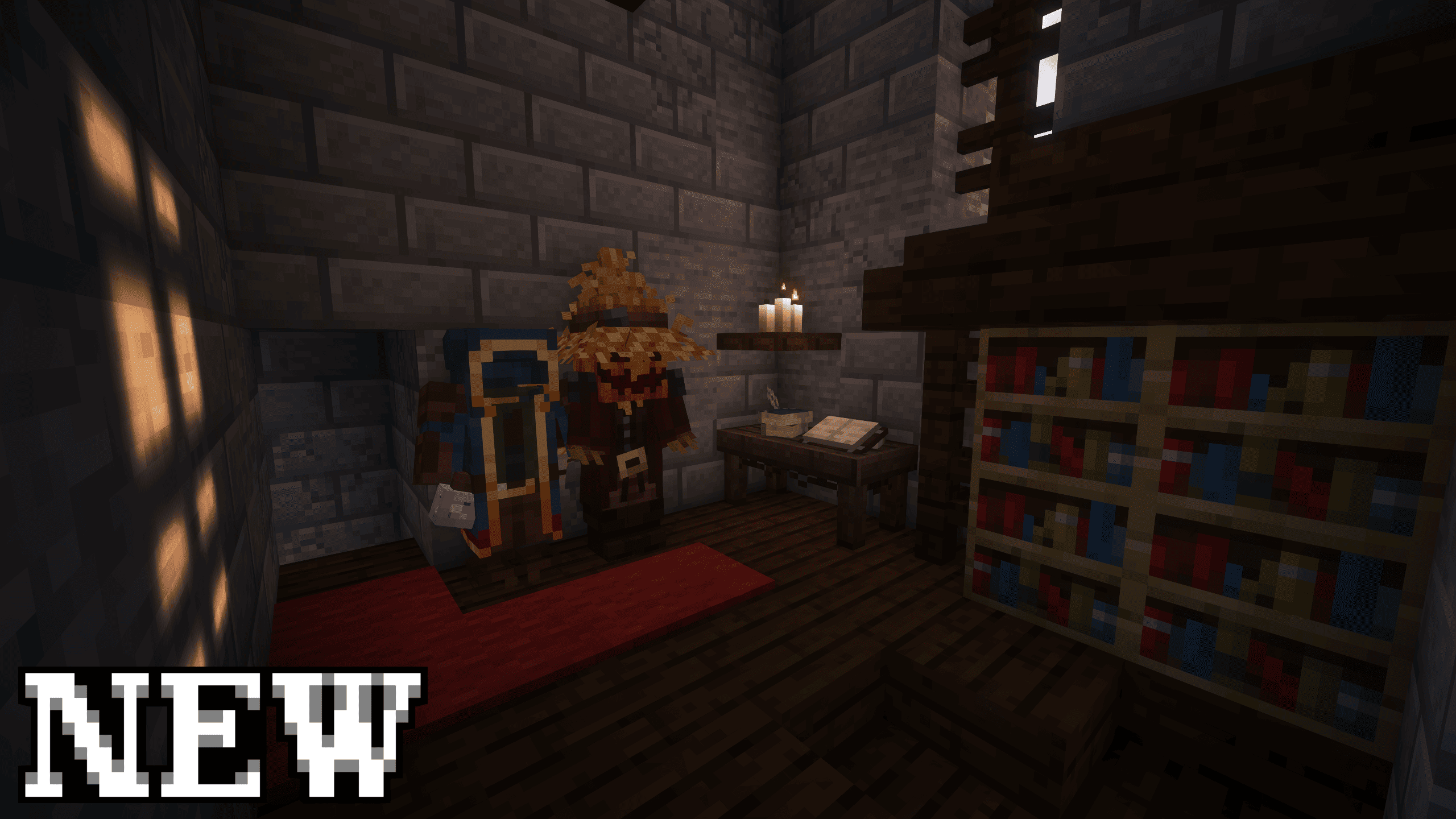
Tired of the flat, 2D look of armor in Iron’s Spells ’n Spellbooks? This resource pack reimagines all armor sets with enhanced textures, adding depth, detail, and a more immersive visual experience.

P.S. Feel free to include this resource pack in your modpacks!


🛡️ List of Armor

This pack reimagines the following armor sets from Iron’s Spells 'n Spellbooks:

🧥 Armor:

  • Pumpkin Armor
  • Wandering Magician Armor

🗡️ All model:


🖼️ Gallery

Be sure to check the 'Gallery' tab above to see all the models in action!

🌟 My Other Projects


❓ Frequently Asked Questions (FAQ)

❔ Does this pack change gameplay?
✅ Answer: No! The pack only updates armor textures without affecting the game or mod.

❔ Is the pack compatible with other resource packs?
✅ Answer: Yes! It works well alongside most other packs.

❔ How often will updates be released?
✅ Answer: Updates are planned with new mod versions, adding improved textures.


📜 Credits & Rights

  • Original Mod Author: Iron431 — thanks for the amazing mod!

⚖️ Rights: This project is a fan-made resource pack. All rights for the original mod belong to its creator, Iron431. We are simply enhancing its visual presentation.

Iron's Spells AR v0.1
MC 1.19.2, 1.20.1, 1.21.1
Release 2025-08-27 Get

Requirements & install

How to use this resource pack in Minecraft
Resolution
16x
Minecraft
1.19.2 – 1.21.1
Install folder
.minecraft/resourcepacks

How to install resource packs

  1. Download the resource pack .zip file (do not extract it).
  2. In Minecraft open Options → Resource Packs → Open Pack Folder.
  3. Drop the .zip into the resourcepacks folder (.minecraft/resourcepacks).
  4. Move the pack to the Selected column and click Done.
Browse more: 16x resource packs 32x resource packs 64x resource packs 128x resource packs 256x resource packs 512x+ resource packs Resource Packs for 1.21.1 All resource packs

More from Waffy

Advertisement Remove ads with Premium →

You Might Also Like