Mineuniverse
Resource Packs
[IR] Darkez International Railways

[IR] Darkez International Railways

RESOURCE PACK
Immersive Railroading content pack that adds Darkez Industries related liveries and content
by LauraDarkez2001
Download Claim this project
Add a badge to your pageLink to [IR] Darkez International Railways from a README, website or forum post.
Preview: Badge

Badges update automatically and link to the resource pack page on MineUniverse.

1,168 downloads
0 likes
0 followers
Updated Oct 14, 2026
0 hypes
Follow0
16x Miscellaneous Mod Support
Advertisement Remove ads with Premium →

From the creator of the Immersive Vehicles DKZ Industries, comes Darkez International Railways, a project devoted to DKZ Industries related IR content

Requires UNU Civilian IR content pack to be installed
This resource pack is an Immersive Railroading content pack, and can not be used without IR and UNU Civilian IR pack.


- To install, Place the zip folder into the immersiverailroading folder inside configs


Welcome to DKZ Industries!


DKZ Industries, was founded in 2017 By Laura M. Darkez, is one of the largest, most diverse manufacturing companies in the United Chunks of Minecraftia. With products ranging from tools, weaponry, decorations, toys, accessories, apparel and more.

Welcome to the International Railways Division, where you can find the liveries for Darkez International Railways


Don't forget to check out the other areas of DKZ Industries! 


Primary Facility: Enter Here

Clothing Division: Enter Here 


Discord Links:


Immersive Railroading: https://discord.gg/CS2RTGq

UNU: https://discord.gg/J9jY4Z6

DKZ Industries: https://discord.gg/Qq9TTtg2Qx


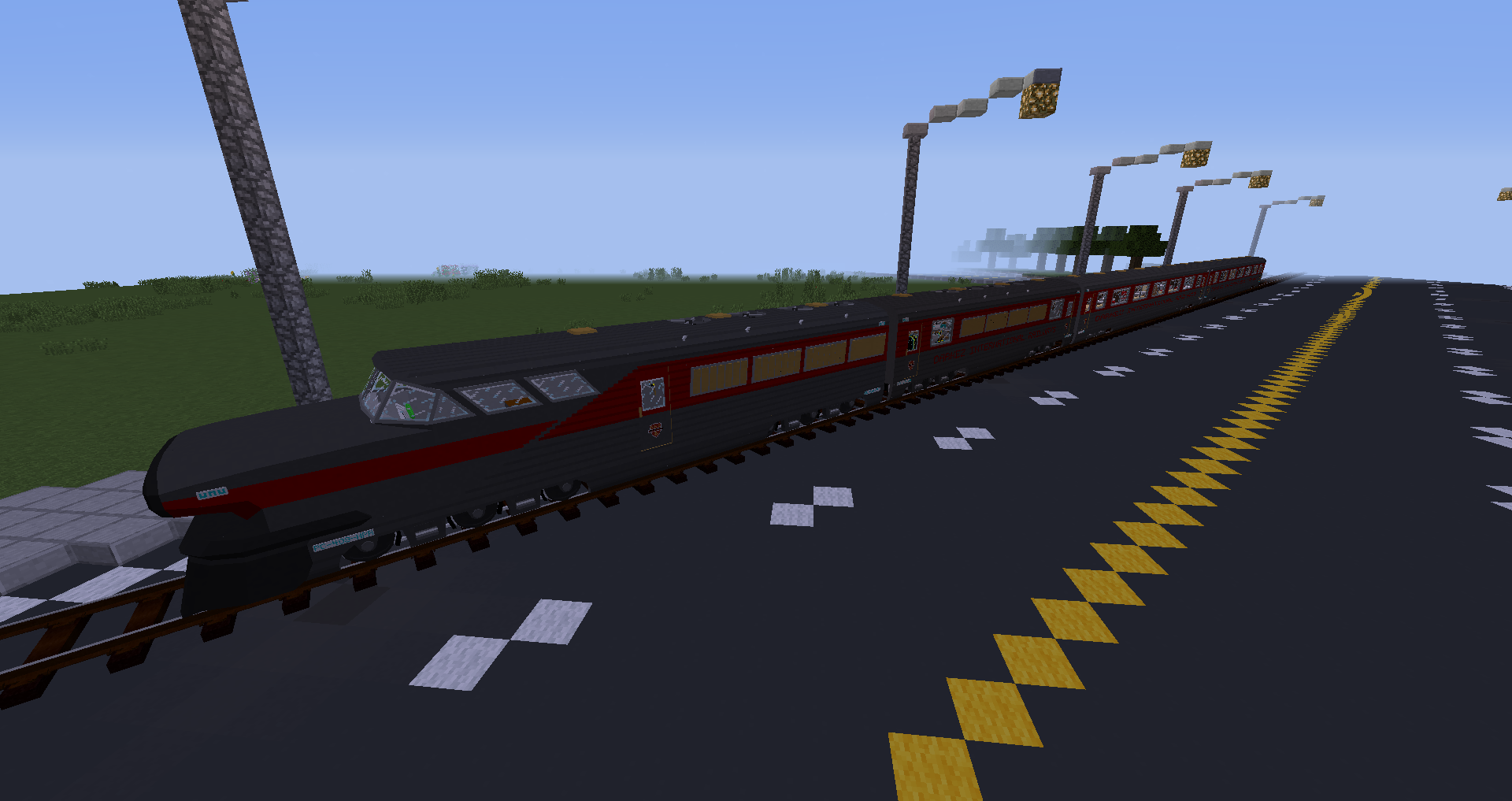
The Darkez International Railways Aerotrain

DKZ International Railways - 1.0.0 Initial Release
MC 1.12.2
Release 2022-09-26 Get

Requirements & install

How to use this resource pack in Minecraft
Resolution
16x
Minecraft
1.12.2
Install folder
.minecraft/resourcepacks

How to install resource packs

  1. Download the resource pack .zip file (do not extract it).
  2. In Minecraft open Options → Resource Packs → Open Pack Folder.
  3. Drop the .zip into the resourcepacks folder (.minecraft/resourcepacks).
  4. Move the pack to the Selected column and click Done.
Browse more: 16x resource packs 32x resource packs 64x resource packs 128x resource packs 256x resource packs 512x+ resource packs Resource Packs for 1.12.2 All resource packs

More from LauraDarkez2001

Advertisement Remove ads with Premium →

You Might Also Like