Mineuniverse
Resource Packs
Invisible Armor for Players (Only)

Invisible Armor for Players (Only)

RESOURCE PACK
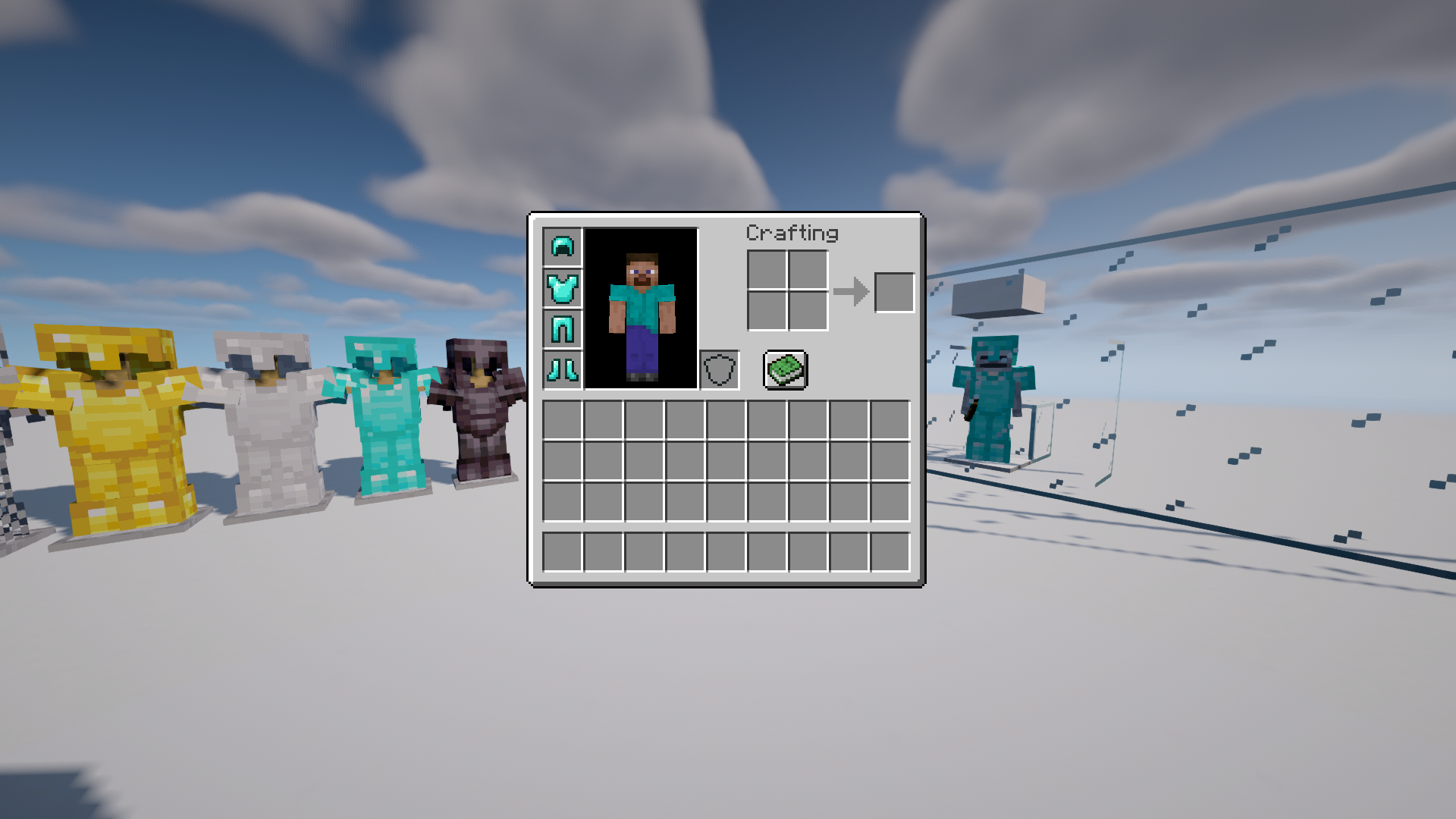
Makes armor invisible for only players, not mobs nor armor stands. Has conditionals to force visibility.
by kamorzy
Download Claim this project
Add a badge to your pageLink to Invisible Armor for Players (Only) from a README, website or forum post.
Preview: Badge

Badges update automatically and link to the resource pack page on MineUniverse.

3,820 downloads
0 likes
0 followers
Updated Oct 14, 2026
0 hypes
Follow0
16x Miscellaneous
Advertisement Remove ads with Premium →

Purpose

Allows players to see and enjoy their skins, without interfering with survival mechanics and gameplay.

Dependencies

Chime mod (Note: The 1.19 version of Chime works on 1.19.2)

Description

With Chime mod loaded, this makes armor invisible when the players wear it, but visible if on anything else (mobs or armor stands). When visible, armor will still show any other changes made to it by other resource packs. If Chime is not loaded, this pack will do nothing.

Force Visibility

The armor can become visible on players too by renaming it.

Force Invisibility

The armor can be forced to be always invisible, whether renamed or on a non-player entity, by:

(1.) Including "Invisible" in its name (case insensitive)

(2.) Ending the name with an underscore (_).

So, for example, the following names would force invisibility on both the player and any other entity that wears it:

  • Invisible Crown_
  • inVISible Ruby Chestplate
  • Pants that are invisible
  • The Greatest Boots_

License

Attribution-NonCommercial-ShareAlike 4.0 International

Contribute

Feel free give a tip on Ko-fi.

Invisible Armor for Players (Only)_v1.0.zip
MC 1.19.2, 1.19.1, 1.19
Release 2022-09-10 Get

Requirements & install

How to use this resource pack in Minecraft
Resolution
16x
Minecraft
1.19 – 1.19.2
Install folder
.minecraft/resourcepacks

How to install resource packs

  1. Download the resource pack .zip file (do not extract it).
  2. In Minecraft open Options → Resource Packs → Open Pack Folder.
  3. Drop the .zip into the resourcepacks folder (.minecraft/resourcepacks).
  4. Move the pack to the Selected column and click Done.
Browse more: 16x resource packs 32x resource packs 64x resource packs 128x resource packs 256x resource packs 512x+ resource packs Resource Packs for 1.19.2 All resource packs

More from kamorzy

Advertisement Remove ads with Premium →

You Might Also Like