Mineuniverse
Resource Packs
Integrated Dungeons and Structures- Alex's Mobs Integration

Integrated Dungeons and Structures- Alex's Mobs Integration

RESOURCE PACK
The Alex's Mobs Integration Datapack for Integrated Dungeons and Structures
by CraisinLord
Download Claim this project
698,600 downloads
0 likes
0 followers
Updated Oct 14, 2026
0 hypes
Follow0
Data Packs Mod Support
Advertisement Remove ads with Premium →


THIS REQUIRES THE MAIN MOD, IT DOES NOTHING ON IT'S OWN


WHAT IS INTEGRATED DUNGEONS AND STRUCTURES? 


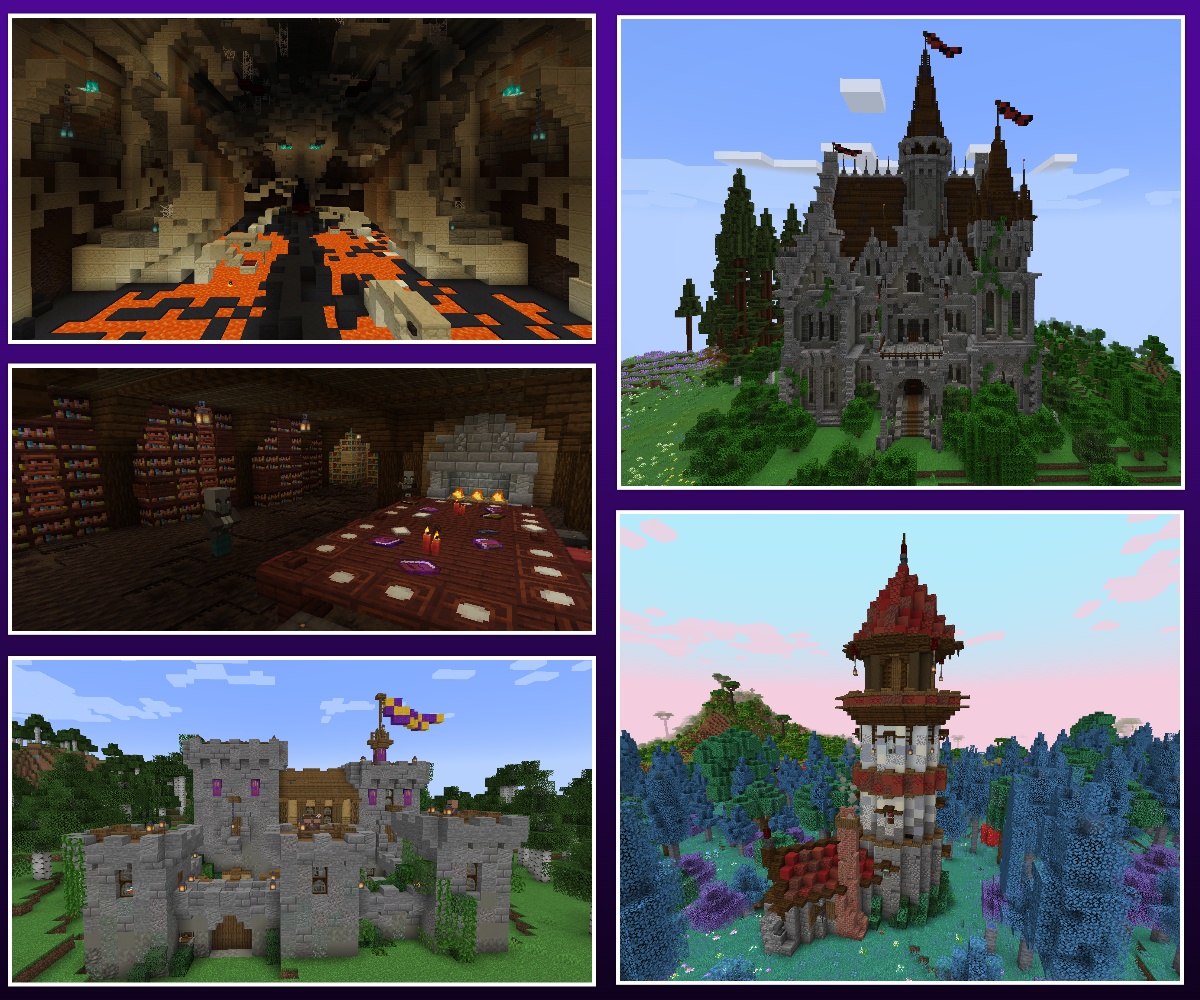
    Integrated Dungeons and Structures (aka IDAS) is a mod that adds heavily detailed structures using blocks and mobs from Quark, Alex’s Mobs, and Create, with optional integrated with Biomes O' Plenty. I got sick of installing structure mods into a pack and roaming the world, only to find vanilla items and nothing of difficulty anywhere. I love detailed builds and Create machines, so I decided to make a mod that adds exactly what I’ve been missing. Beautiful and challenging dungeons and structures packed with lore that are fully integrated into multiple core forge mods.


This is the optional Alex's Mobs datapack for IDAS. It changes advancements, loot tables, and adds Alex's Mobs throughout many of the structures. To install, download the corresponding version, and add it to your worlds datapack folder. Simple as that. Join this discord if you need help or have any questions- https://discord.com/invite/72a7jmc5mb
 

idasalexsmobs-1.13-1.21.1.zip
MC 1.21.1
Release 2026-03-24 Get
idasalexsmobs-1.20.zip
MC 1.20.1
Release 2024-02-19 Get
idasalexsmobs-1.7.5-1.19.2.zip
MC 1.19.2
Release 2023-07-09 Get
idasalexsmobs-1.7.4-1.19.2.zip
MC 1.19.2
Release 2023-05-30 Get
idasalexsmobs-1.7.1-1.19.2.zip
MC 1.19.2
Release 2023-05-19 Get
idasalexsmobs-1.7.0-1.19.2.zip
MC 1.19.2
Release 2023-04-08 Get

Requirements & install

How to use this resource pack in Minecraft
Resolution
Not specified
Minecraft
1.19.2 – 1.21.1
Install folder
.minecraft/resourcepacks

How to install resource packs

  1. Download the resource pack .zip file (do not extract it).
  2. In Minecraft open Options → Resource Packs → Open Pack Folder.
  3. Drop the .zip into the resourcepacks folder (.minecraft/resourcepacks).
  4. Move the pack to the Selected column and click Done.
Browse more: 16x resource packs 32x resource packs 64x resource packs 128x resource packs 256x resource packs 512x+ resource packs Resource Packs for 1.21.1 All resource packs

More from CraisinLord

Advertisement Remove ads with Premium →

You Might Also Like