



Mineuniverse
Resource Packs
Icons

Icons

RESOURCE PACK
Adding icons to several aspects of the game
by mr_ch0c0late
Download Claim this project
3,315,924 downloads
0 likes
Updated Oct 14, 2026
0 hypes
16x Miscellaneous
Advertisement Remove ads with Premium →

Icons Logo

CurseForge Page Modrinth Page (You are here) Our Discord! Respackopts Bedrock Edition


📋 About

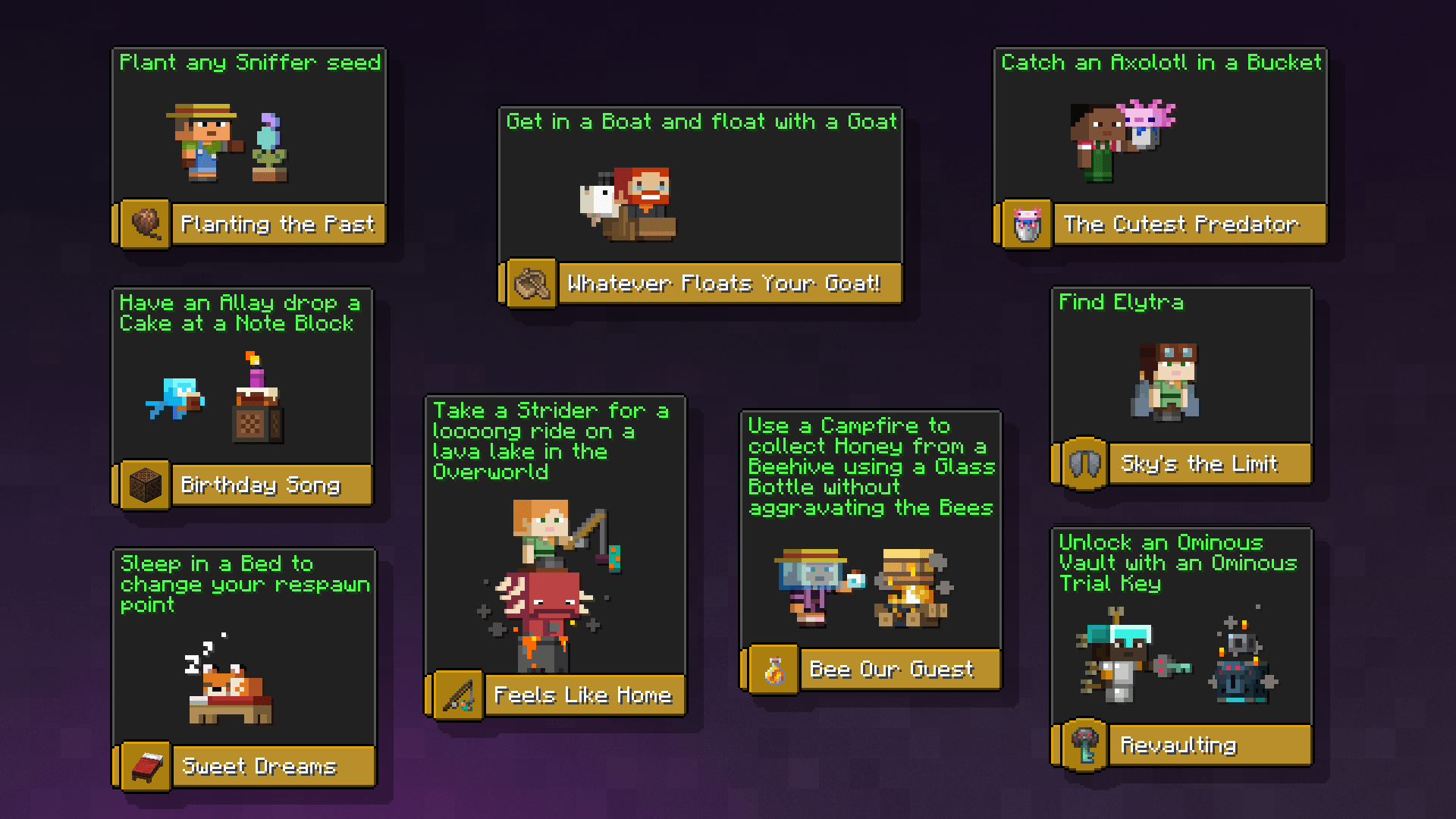
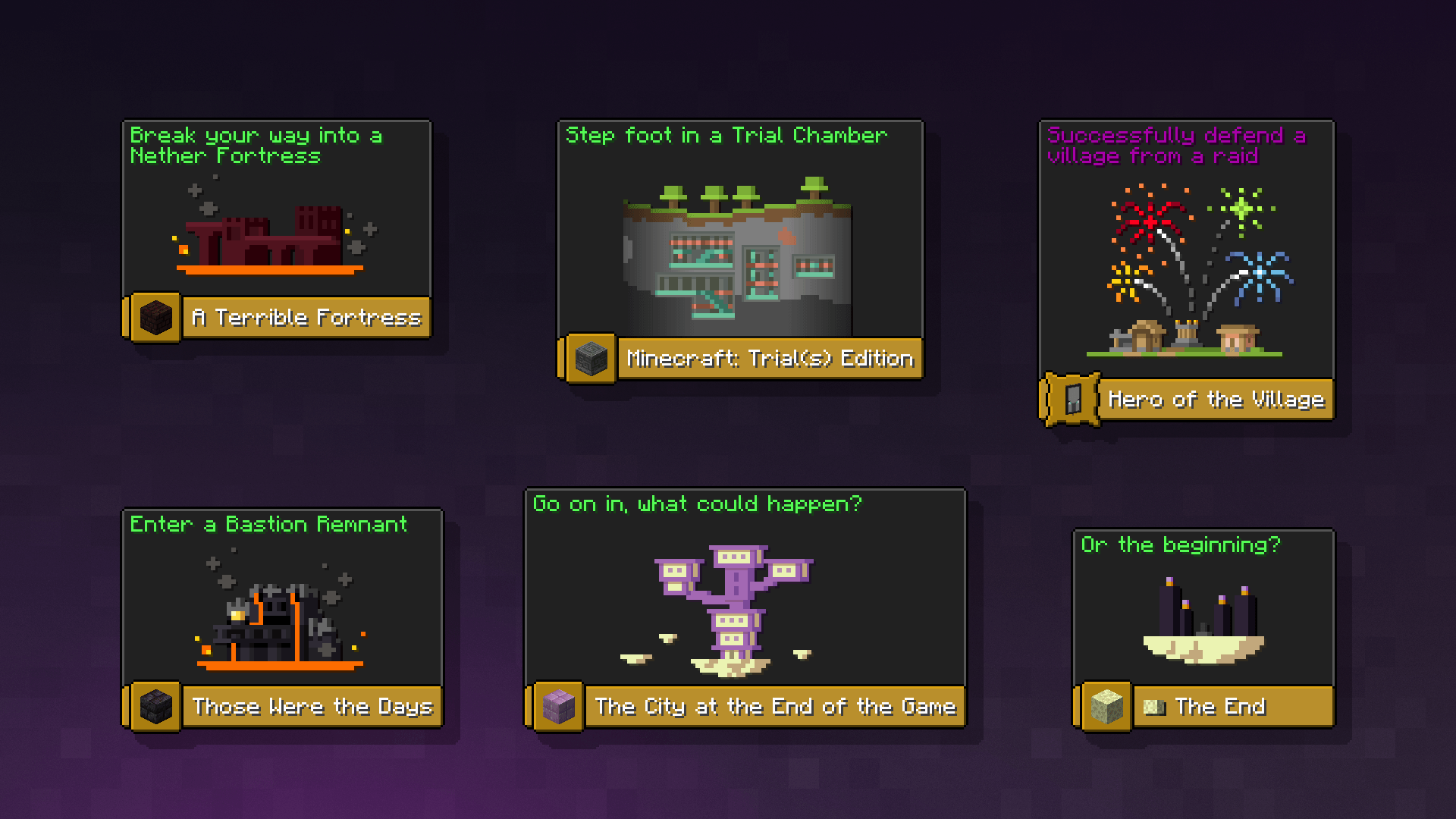
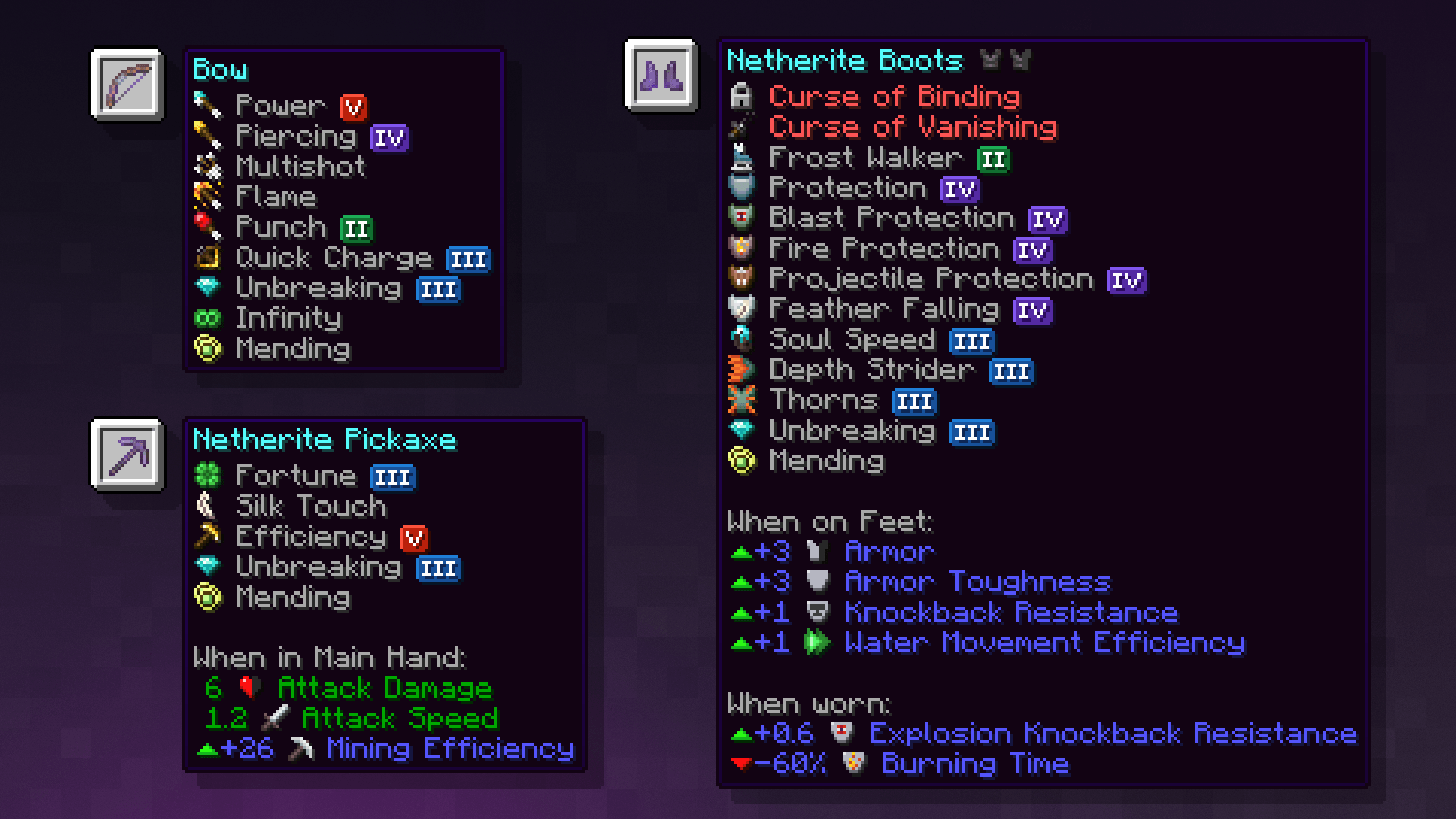
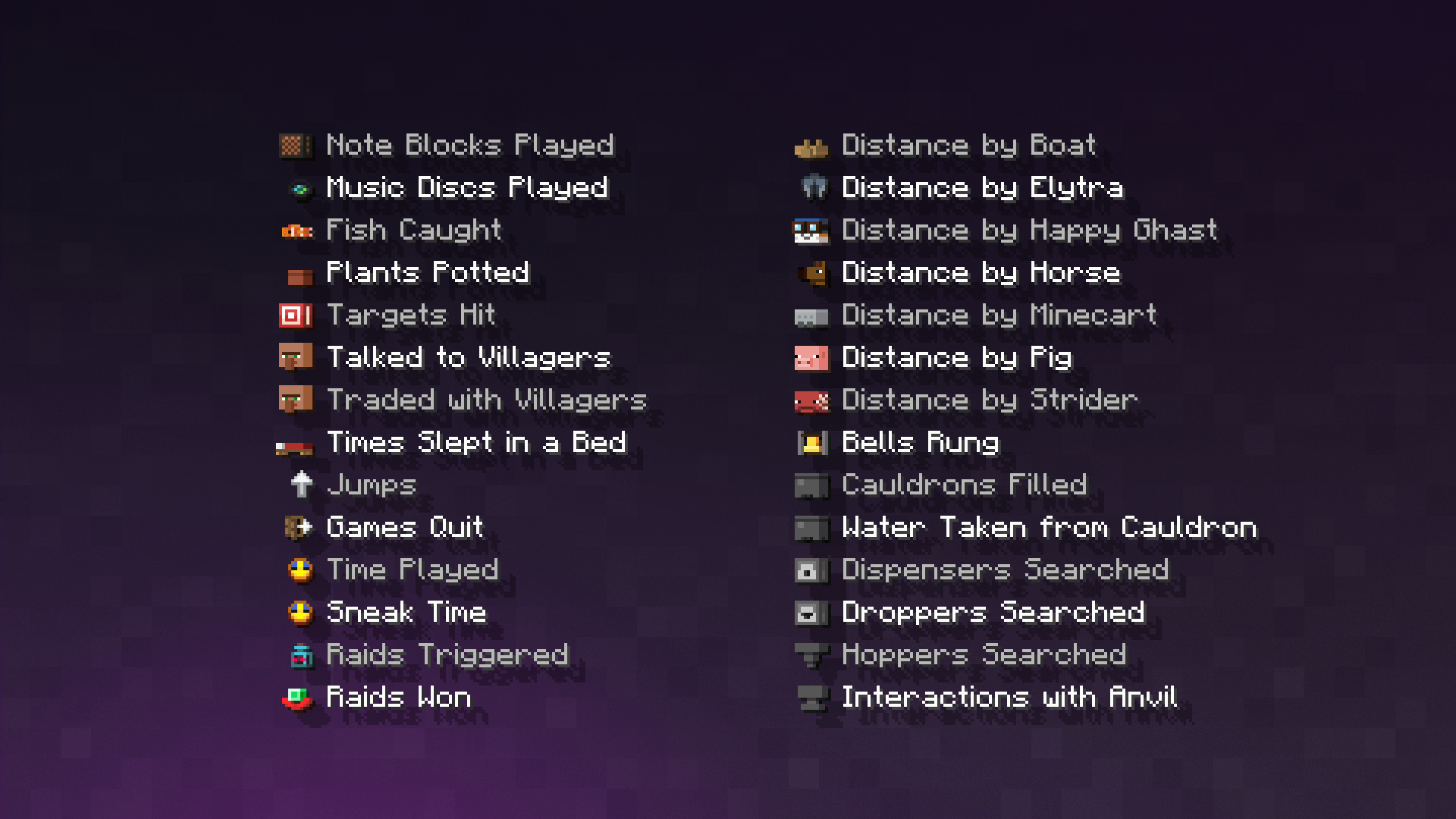
Icons adds icons to menus, items, subtitles, GUI's… just everywhere you could imagine them fitting

The pack makes use of Custom Unicode Characters and Minecraft language files to add said icons

Icons is fully customizable using the Respackopts mod.


🧩 Split & Addon packs

Solo Packs

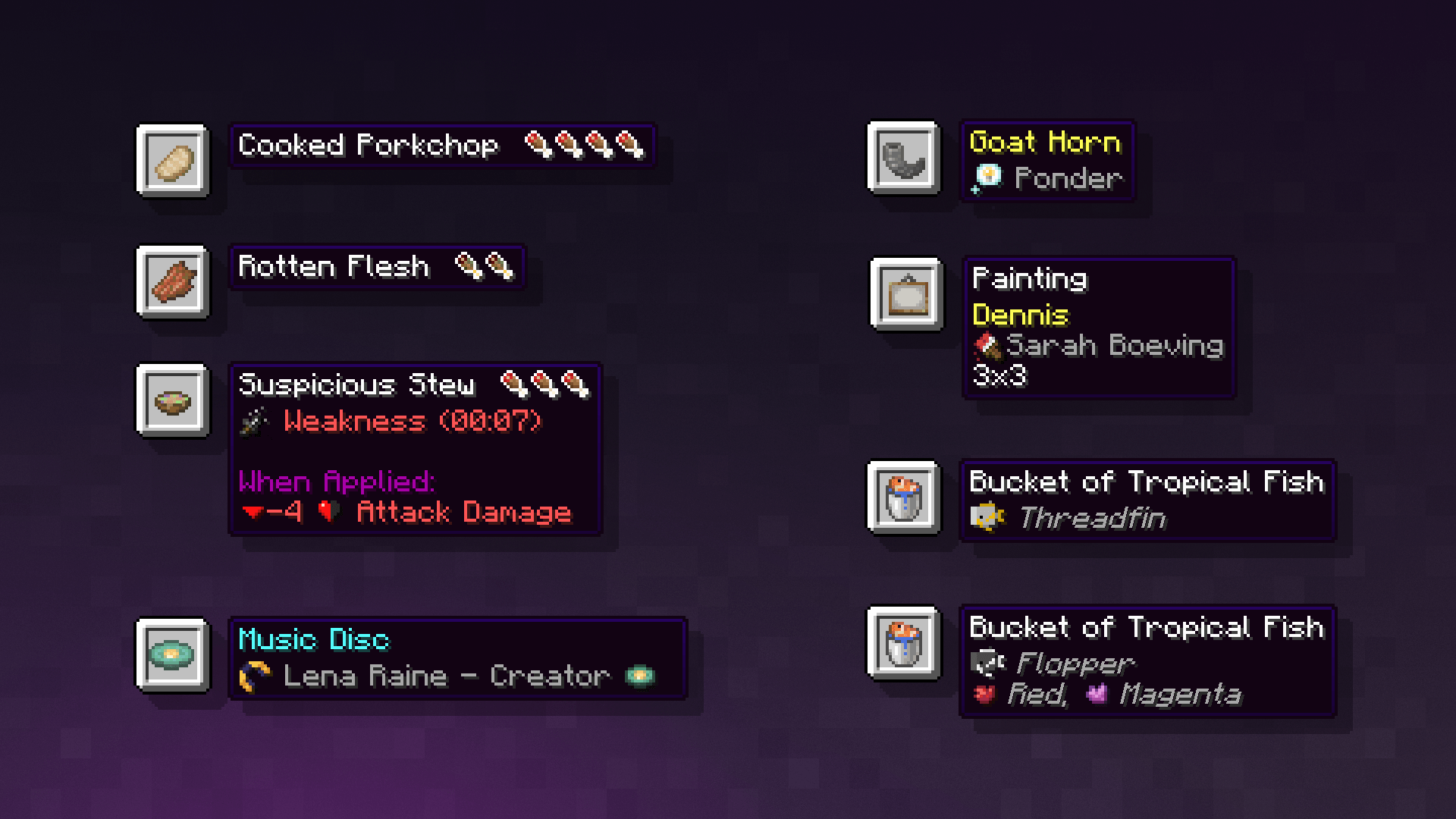
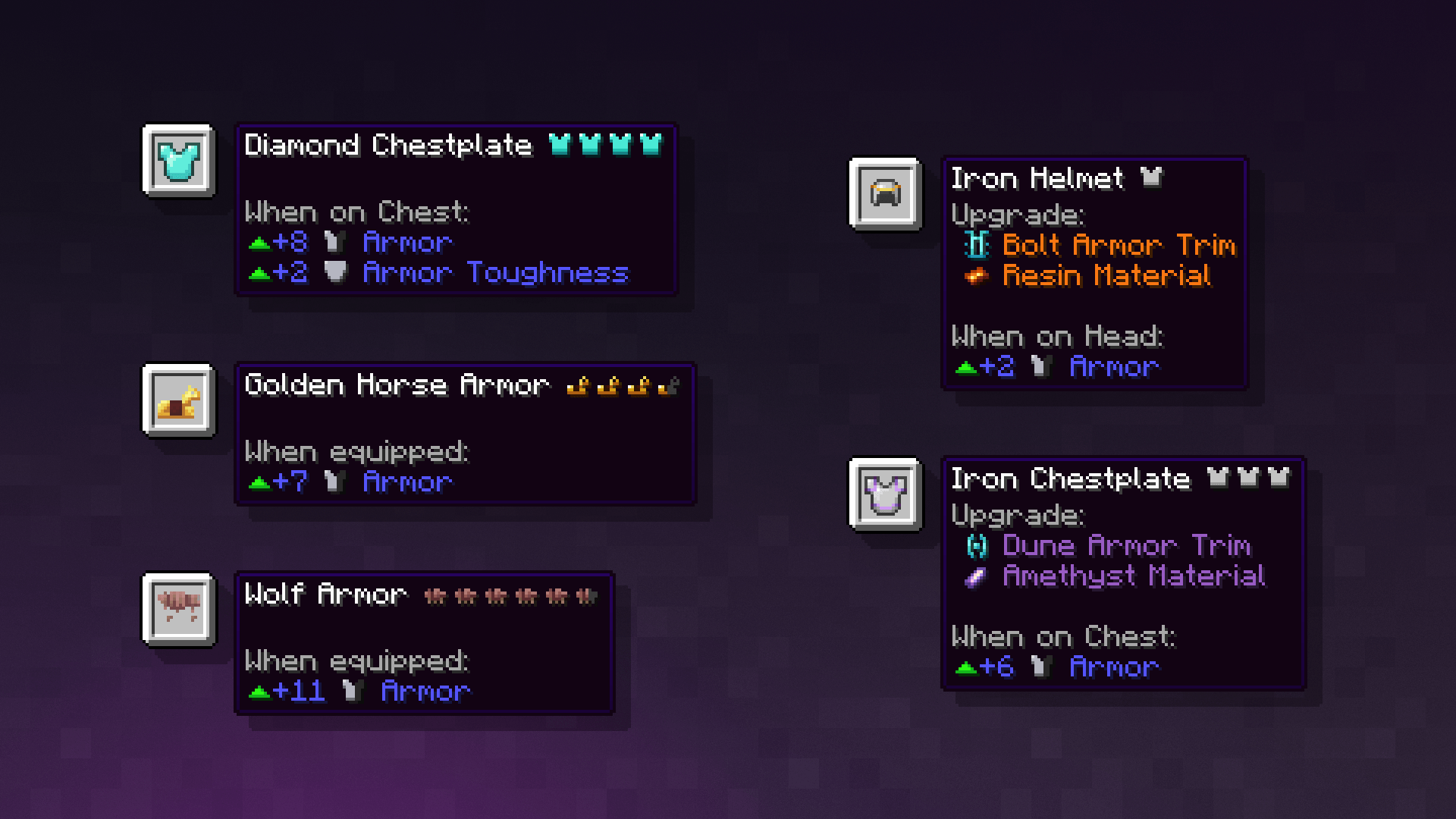
Icons - Armor & Food
Image
Armor and Food preview icons for the items
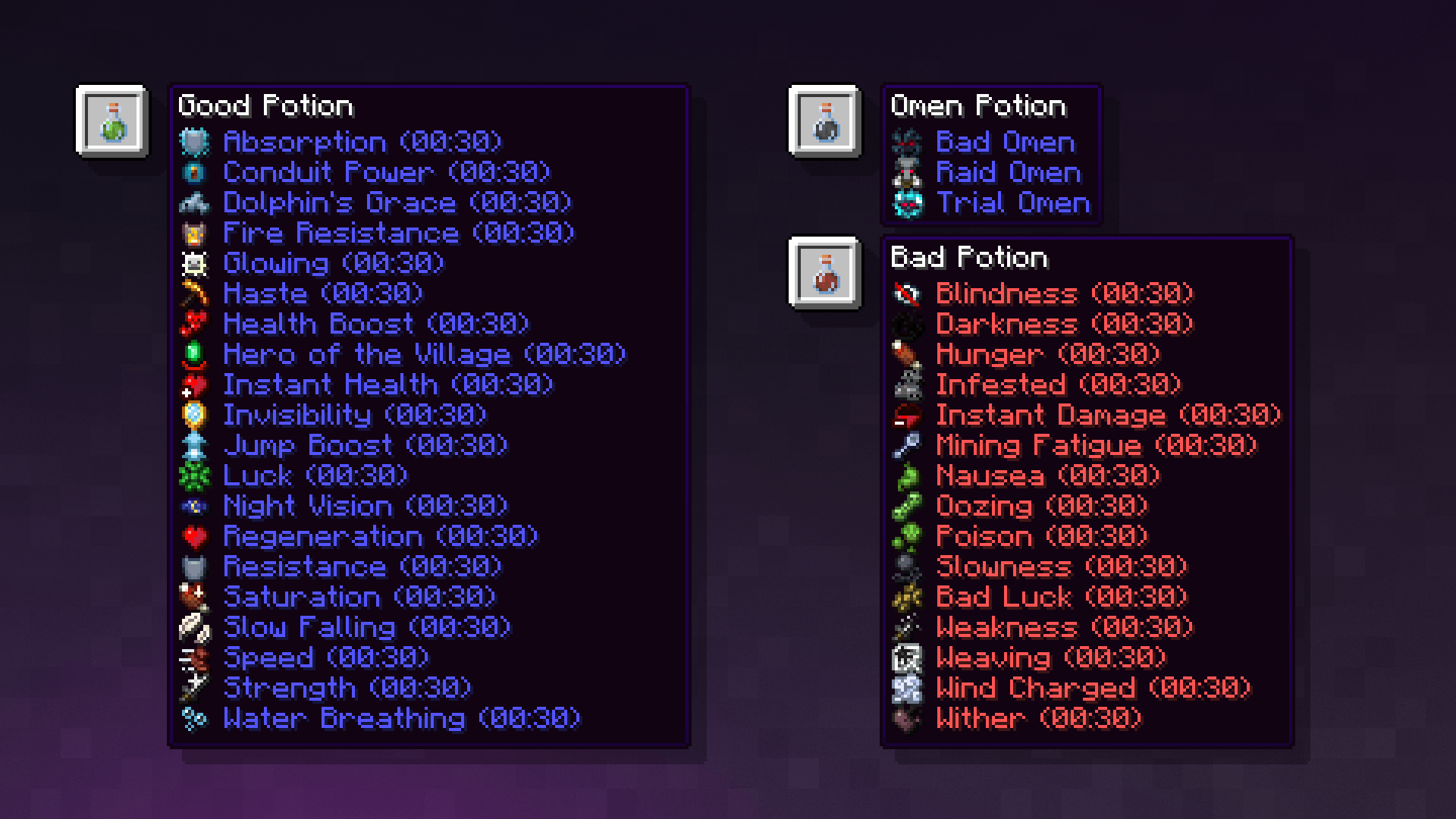
Icons - Effects
Image
Effect icons for Potions, Tipped Arrows and Suspicious Stews
Icons - Enchantments
Image
Enchantment icons for Enchantments
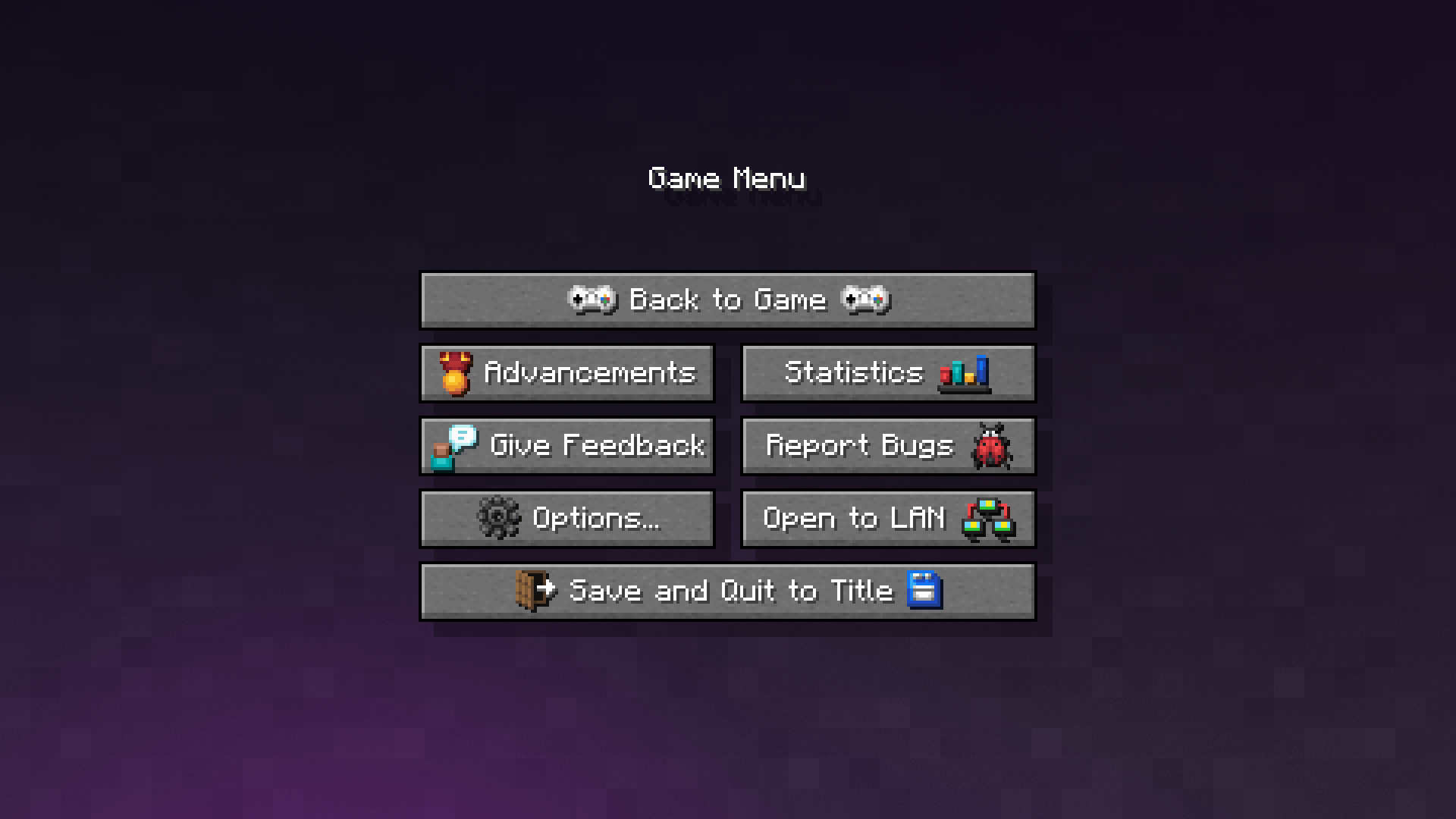
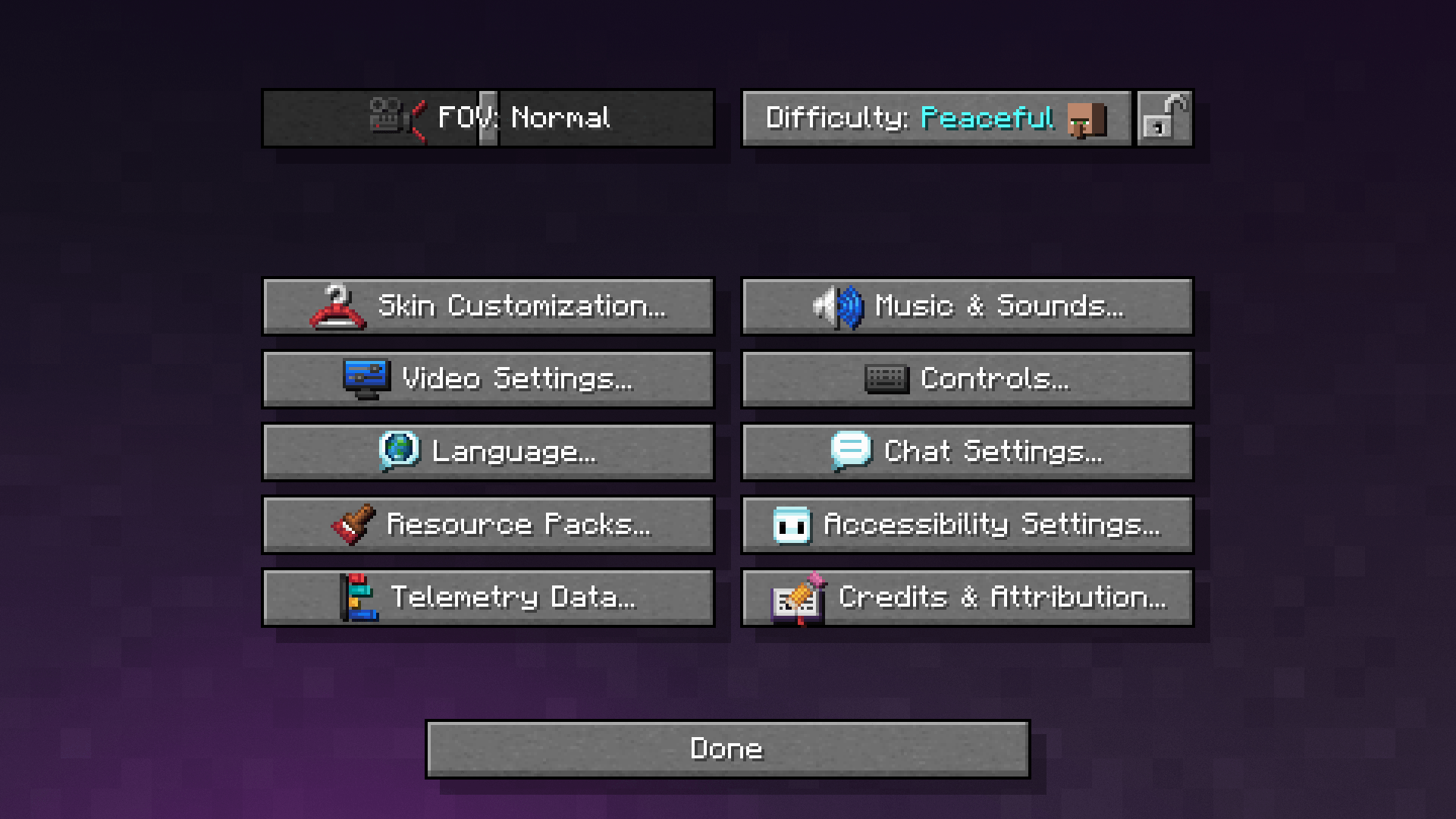
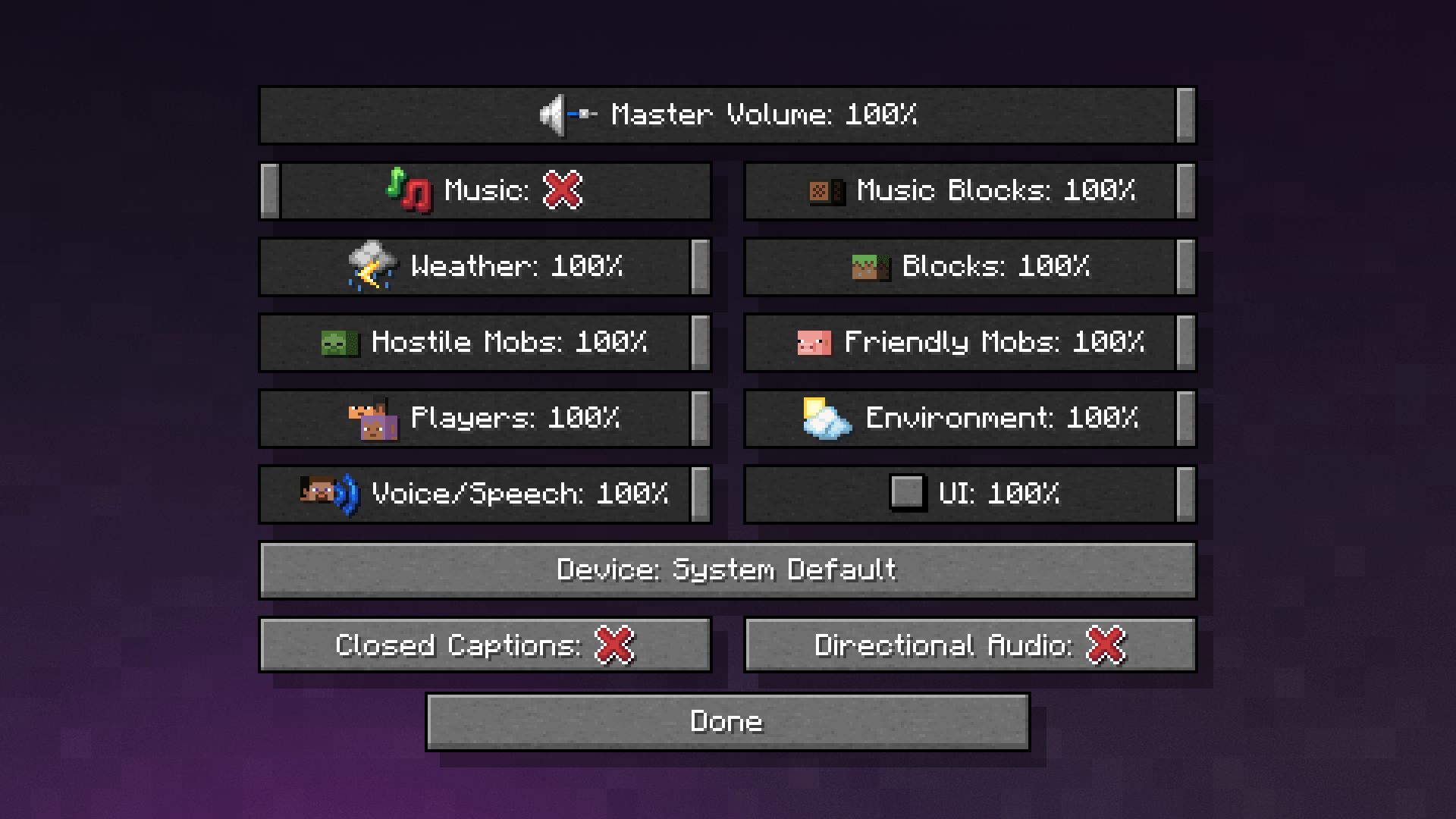
Icons - Menus
Image
Menu icons
Icons - Numerals
Image
Enchantment Levels and Potion Potency numeral badges up to lvl 100
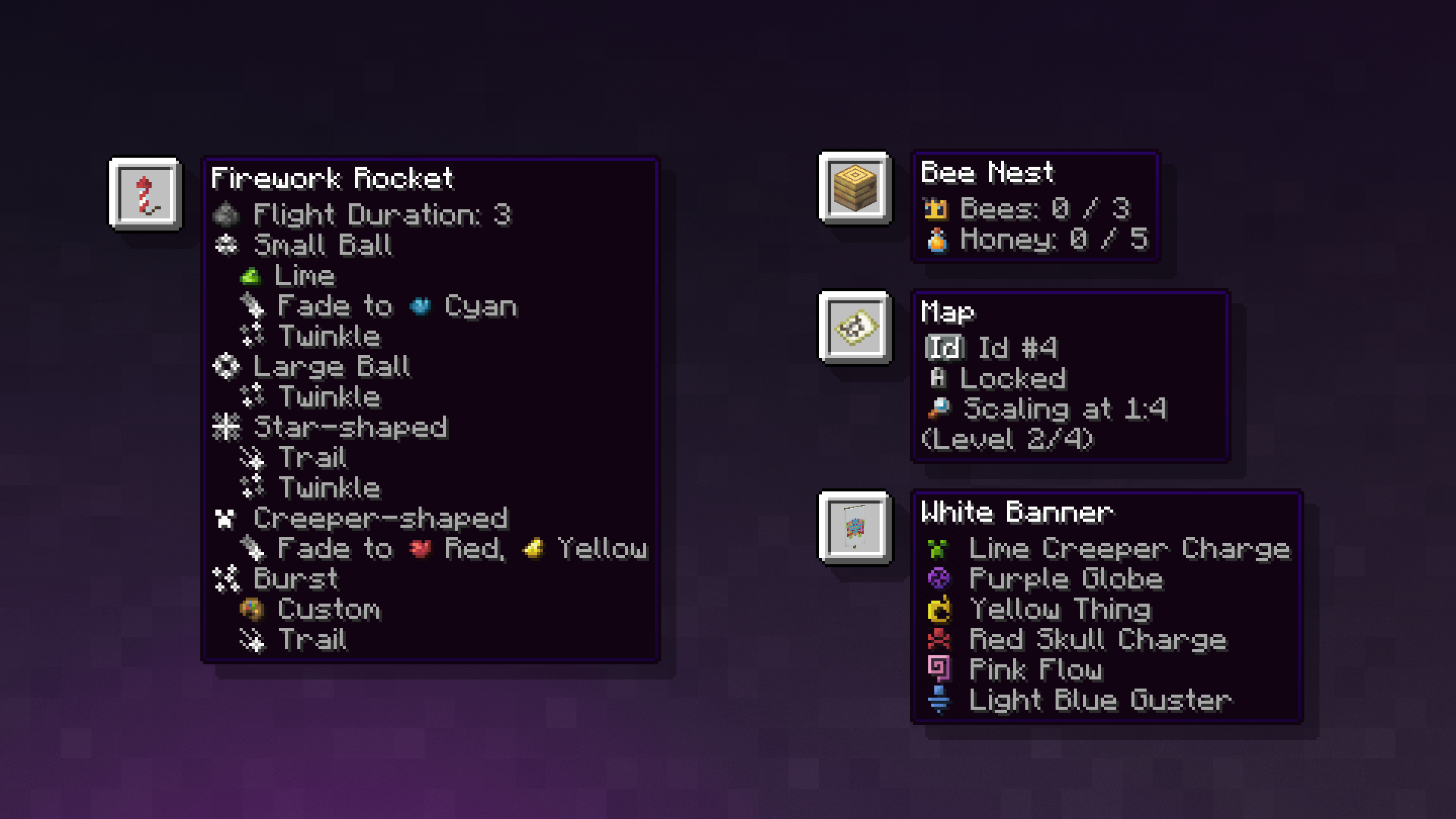
Icons - Tooltips
Image
Tooltip icons for several items like Fireworks and Banners

Addon Packs

Icons - Armor & Food Remover
Image
Armor and Food preview icons remover
Barebones Icons
Image
Addon for Icons or Icons - Menus adapting the BareBones style for the menu icons
Simple Icons
Image
Addon for Icons or Icons - Menus adapting a white, font-like style for the menu icons
Small Icons
Image
Addon for Icons or Icons - Menus adapting a small, font-sized style for the menu icons
Small Simple Icons
Image
Addon for Icons or Icons - Menus combining Simple Icons and Small Icons into a small, white, font-like style for the menu icons

⚙️ Compatibility

This pack is compatible with all resource packs, as long as it stays at the top of the resource packs selection

We cannot guarantee that Icons will work with packs that change the font of Minecraft nor mods that make use of strings that we work with since it was made with the default textures and vanilla in mind

❓ How to use

  1. Drop the pack into your resource packs folder, or Drag and Drop it in the Resource pack selection.
  2. Select Icons. (Have it on top of other packs if you use more)
  3. Select the language in which you want to play
  4. “Force Unicode” must be turned to “off”!
  5. Enjoy!

📄 Terms of Use & Attribution

You can:

• ✅Use it in mod packs

• ✅Use it for Content Creation like YouTube videos (Linking back to this or the other available pages (Modrinth, Planetminecraft, CurseForge))

You cannot:

• ❌Redistribute edited or unedited assets

• ❌Re-upload the pack

• ❌Claim ownership over our assets

These terms may be changed as we deem necessary and at any time.

Versions of this pack before 1.9.2 make use of NegativeSpaces4 resource pack by AmberW/AmberWat which is under Creative Commons Attribution 4.0 International terms.

📝 Credits

• mr_ch0c0late (Creator and Idea)

• Zartrix (I'm just here, don't mind me)

• Moggla (Creator of MC Language Formatter)

Versions pre 1.9.2:

• AmberW/AmberWat (Creator of NegativeSpaces4)

🌍 Former Translation Contributions

• Leroidesafk (French, Romanian, Portuguese(BR), Italian)

• Agente_511 (Portuguese(PT))

• Magnogen [GitHub] (English(GB))

• Blazemetal_VN (Vietnamese)

• Victorth (Finding and fixing bugs in Portuguese(BR))


© 2026 WeNAN Studios. All Rights Reserved.
Icons v.1.14
MC 1.21, 1.20.2, 1.21.8, 1.20.5, 1.21.5, 1.21.4, 1.20.1, 1.20, 1.20.6, 1.21.1, 1.21.6, 1.21.3, 1.21.7, 1.20.4, 1.20.3, 1.21.2, 1.21.9, 1.21.10, 1.21.11, 26.1, 26.1.1, 26.1.2
Release 2026-09-17 Get
Icons v.1.13.4
MC 1.21, 1.20.2, 1.21.8, 1.20.5, 1.21.5, 1.21.4, 1.20.1, 1.20, 1.20.6, 1.21.1, 1.21.6, 1.21.3, 1.21.7, 1.20.4, 1.20.3, 1.21.2, 1.21.9, 1.21.10, 1.21.11, 26.1, 26.1.1, 26.1.2
Release 2026-06-21 Get
Icons v.1.13.3
MC 1.21, 1.20.2, 1.21.8, 1.20.5, 1.21.5, 1.21.4, 1.20.1, 1.20, 1.20.6, 1.21.1, 1.21.6, 1.21.3, 1.21.7, 1.20.4, 1.20.3, 1.21.2, 1.21.9, 1.21.10, 1.21.11, 26.1, 26.1.1, 26.1.2
Release 2026-04-19 Get
Icons v.1.13.2
MC 1.21, 1.20.2, 1.21.8, 1.20.5, 1.21.5, 1.21.4, 1.20.1, 1.20, 1.20.6, 1.21.1, 1.21.6, 1.21.3, 1.21.7, 1.20.4, 1.20.3, 1.21.2, 1.21.9, 1.21.10, 1.21.11
Release 2026-02-02 Get
Icons v.1.13.1
MC 1.21, 1.20.2, 1.21.8, 1.20.5, 1.21.5, 1.21.4, 1.20.1, 1.20, 1.20.6, 1.21.1, 1.21.6, 1.21.3, 1.21.7, 1.20.4, 1.20.3, 1.21.2, 1.21.9, 1.21.10, 1.21.11
Release 2026-01-30 Get
Icons v.1.13
MC 1.21, 1.20.2, 1.21.8, 1.20.5, 1.21.5, 1.21.4, 1.20.1, 1.20, 1.20.6, 1.21.1, 1.21.6, 1.21.3, 1.21.7, 1.20.4, 1.20.3, 1.21.2, 1.21.9, 1.21.10, 1.21.11
Release 2025-12-27 Get
Icons v.1.12.1
MC 1.20.2, 1.21, 1.20.5, 1.21.5, 1.21.8, 1.21.9, 1.21.10, 1.21.4, 1.20.3, 1.20.1, 1.20, 1.20.6, 1.20.4, 1.21.3, 1.21.7, 1.21.1, 1.21.6, 1.21.2
Release 2025-10-24 Get
Icons v.1.12 [1.20.1-1.21.1]
MC 1.20.2, 1.21, 1.20.5, 1.20.3, 1.20.1, 1.20.6, 1.20.4, 1.21.1
Release 2025-09-23 Get
Icons v.1.12 [1.21.2-1.21.9]
MC 1.21.5, 1.21.8, 1.21.9, 1.21.4, 1.21.3, 1.21.7, 1.21.6, 1.21.2
Release 2025-09-23 Get
Icons 1.11.5 - NoLanguageMenu
MC 1.21.5, 1.21.8, 1.21.4, 1.21.3, 1.21.7, 1.21.6, 1.21.2, 1.21.9-snapshot
Release 2025-08-14 Get
Icons 1.9.1 - NoLanguageMenu
MC 1.19.3, 1.19.4, 1.19.2, 1.20.1, 1.20, 1.19.1, 1.19
Release 2025-08-14 Get
Icons 1.11.5
MC 1.21.5, 1.21.8, 1.21.4, 1.21.3, 1.21.7, 1.21.6, 1.21.2
Release 2025-07-26 Get
Icons 1.11.4
MC 1.21.4
Release 2025-04-05 Get
Icons 1.11.3
MC 1.20.2, 1.21.2-Snapshot, 1.21, 1.20.5, 1.20.3, 1.20.6, 1.20.4, 1.21.1
Release 2024-09-21 Get
Icons 1.11.2
MC 1.20.2, 1.21, 1.20.5, 1.20.3, 1.20.6, 1.20.4
Release 2024-06-22 Get
Icons 1.11.1
MC 1.20.2, 1.21, 1.20.5, 1.20.3, 1.20.6, 1.20.4
Release 2024-06-17 Get
Icons 1.11
MC 1.20.2, 1.21, 1.20.5, 1.20.3, 1.20.6, 1.20.4
Release 2024-06-15 Get
Icons 1.10.1
MC 1.20.2, 1.20.5-Snapshot, 1.20.3, 1.20.4
Release 2024-03-01 Get
Icons 1.9.3
MC 1.20.2, 1.20.3-Snapshot
Release 2023-11-24 Get
Icons 1.9.2
MC 1.20.2, 1.20.3-Snapshot
Release 2023-11-12 Get
Icons 1.9.1
MC 1.19.3, 1.19.4, 1.19.2, 1.20.1, 1.20, 1.19.1, 1.19
Release 2023-09-13 Get
Icons 1.9
MC 1.19.3, 1.19.4, 1.19.2, 1.20.1, 1.20, 1.19.1, 1.19
Release 2023-09-02 Get
Icons 1.8
MC 1.19.3, 1.19.4, 1.19.2, 1.20.1, 1.20, 1.19.1, 1.19
Release 2023-06-22 Get
Icons 1.8 pre3
MC 1.17.1, 1.19.4, 1.18.2
Alpha 2023-04-06 Get
Icons 1.8 pre2
MC 1.17.1, 1.18.2, 1.19.2
Beta 2022-10-15 Get
Icons 1.8 pre1
MC 1.17.1, 1.18.2, 1.19.2
Beta 2022-08-08 Get
Icons 1.7.1
MC 1.17.1, 1.18.1, 1.17, 1.18.2, 1.19.2, 1.19.1, 1.18, 1.19
Release 2022-07-01 Get
Icons 1.7
MC 1.17.1, 1.19-Snapshot, 1.18.2
Release 2022-06-03 Get
Icons 1.6.2
MC 1.17.1, 1.18.1, 1.16.5
Release 2022-02-06 Get
Icons 1.6.1
MC 1.17.1, 1.18.1, 1.16.5, 1.15.2
Release 2021-12-27 Get
Icons 1.6.1 [Forge]
MC 1.17.1, 1.18.1, 1.16.5, 1.15.2
Beta 2021-12-27 Get
Icons 1.6.1 [Sodium Compat]
MC 1.17.1, 1.18.1, 1.16.5, 1.15.2
Beta 2021-12-27 Get
Icons 1.6.1 [Mod Menu Adjacent]
MC 1.17.1, 1.18.1, 1.16.5, 1.15.2
Beta 2021-12-27 Get
Icons 1.6
MC 1.17.1, 1.14.4, 1.16.5, 1.15.2, 1.18
Release 2021-11-30 Get
Icons 1.5.1
MC 1.17.1, 1.14.4, 1.16.5, 1.15.2
Release 2021-10-12 Get
Icons 1.5
MC 1.17.1, 1.14.4, 1.16.5, 1.15.2
Release 2021-10-11 Get
Icons 1.4.1 [Forge]
MC 1.14.4, 1.16.5, 1.15.2
Beta 2021-06-15 Get
Icons 1.4.1 [Fabric/Mod Menu]
MC 1.14.4, 1.16.5, 1.15.2
Beta 2021-06-15 Get
Icons 1.4.1
MC 1.14.4, 1.16.5, 1.15.2
Release 2021-05-28 Get
Icons 1.4
MC 1.14.4, 1.16.5, 1.15.2
Release 2021-04-18 Get
Icons 1.3.1 [Forge]
MC 1.14.4, 1.16.5, 1.15.2
Beta 2021-02-14 Get
Icons 1.3.1 [Fabric/Mod Menu]
MC 1.14.4, 1.16.5, 1.15.2
Beta 2021-02-14 Get
Icons 1.3.1 [1.13]
MC 1.13.1, 1.13, 1.13.2
Release 2021-02-14 Get
Icons 1.3.1
MC 1.14.4, 1.16.5, 1.15.2
Release 2021-02-04 Get
Icons 1.3
MC 1.14.4, 1.16.5, 1.15.2
Release 2021-01-24 Get
Icons 1.2
MC 1.14.4, 1.16.5, 1.15.2
Release 2020-12-30 Get
Icons 1.1
MC 1.14.4, 1.15.2, 1.16.4
Release 2020-11-25 Get
Icons 1.0
MC 1.14.4, 1.15.2, 1.16.4
Release 2020-11-24 Get

Requirements & install

How to use this resource pack in Minecraft
Resolution
16x
Minecraft
1.21.8 – 26.1.2
Install folder
.minecraft/resourcepacks

How to install resource packs

  1. Download the resource pack .zip file (do not extract it).
  2. In Minecraft open Options → Resource Packs → Open Pack Folder.
  3. Drop the .zip into the resourcepacks folder (.minecraft/resourcepacks).
  4. Move the pack to the Selected column and click Done.
Browse more: 16x resource packs 32x resource packs 64x resource packs 128x resource packs 256x resource packs 512x+ resource packs Resource Packs for 26.1.2 All resource packs

More from mr_ch0c0late

Advertisement Remove ads with Premium →

You Might Also Like