Mineuniverse
Resource Packs
Hold My Fresh Fixed Doors

Hold My Fresh Fixed Doors

RESOURCE PACK
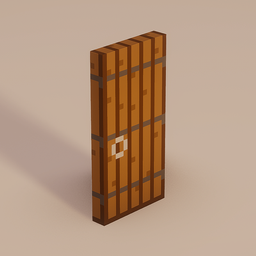
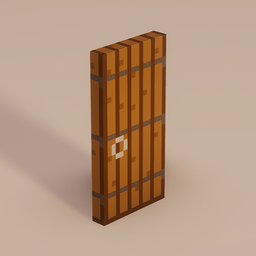
Fixes door and trapdoor texture inconsistencies for a cleaner, fresher look with or without Fancy Door Animation mods
by Yomna
Download Claim this project
Add a badge to your pageLink to Hold My Fresh Fixed Doors from a README, website or forum post.
Preview: Badge

Badges update automatically and link to the resource pack page on MineUniverse.

3,234 downloads
0 likes
0 followers
Updated Oct 14, 2026
0 hypes
Follow0
16x Miscellaneous Mod Support
Advertisement Remove ads with Premium →

Simply Fixed Doors

A resource pack that fixes rotation texture inconsistencies on doors and trapdoors.

Animations from the Fancy Door Animations mod

What it fixes

Vanilla Minecraft has subtle texture rotation inconsistencies on doors and trapdoors. Sides and edges where the UV mapping doesn't stay consistent across different block states and orientations. These issues are nearly invisible in normal gameplay, but become noticeable when using animation mods like Fancy Door Animations, where the transition between states reveals mismatched textures.

This pack corrects the UV mapping across all vanilla door and trapdoor types so that textures remain consistent regardless of placement, orientation, or open/close state.

Fence gate support is coming soon.

Compatibility

  • Works standalone, no mods required
  • Designed as a companion for Fancy Door Animations, fixing the texture artifacts visible during animations
  • Compatible with any resource pack that doesn't override door/trapdoor models
  • Covers all 21 trapdoor types and all door types
Simply Fixed Doors v1 (1.20.2 - 1.21.8)
MC 1.21.2-Snapshot, 1.21, 1.21.6-snapshot, 1.20.2-Snapshot, 1.20.5-Snapshot, 1.21.1-Snapshot, 1.20.2, 1.21.8, 1.20.5, 1.21.5, 1.21.4, 1.21.5-Snapshot, 1.20.6, 1.21.1, 1.21.6, 1.21.3
Release 2026-03-17 Get
Simply Fixed Doors v1 (1.21.9+)
MC 1.21.9-snapshot, 1.21.9, 1.21.10, 1.21.11-snapshot, 1.21.11
Release 2026-03-17 Get

Requirements & install

How to use this resource pack in Minecraft
Resolution
16x
Minecraft
1.21.6-snapshot – 1.21.11
Install folder
.minecraft/resourcepacks

How to install resource packs

  1. Download the resource pack .zip file (do not extract it).
  2. In Minecraft open Options → Resource Packs → Open Pack Folder.
  3. Drop the .zip into the resourcepacks folder (.minecraft/resourcepacks).
  4. Move the pack to the Selected column and click Done.
Browse more: 16x resource packs 32x resource packs 64x resource packs 128x resource packs 256x resource packs 512x+ resource packs Resource Packs for 1.21.11 All resource packs

More from Yomna

Advertisement Remove ads with Premium →

You Might Also Like