Mineuniverse
Resource Packs
Hidden Item Frame

Hidden Item Frame

RESOURCE PACK
Makes the item frame invisible
by NetheriteGroup
Download Claim this project
Add a badge to your pageLink to Hidden Item Frame from a README, website or forum post.
Preview: Badge

Badges update automatically and link to the resource pack page on MineUniverse.

313 downloads
0 likes
0 followers
Updated Oct 14, 2026
0 hypes
Follow0
16x Miscellaneous Modern Photo Realistic Traditional
Advertisement Remove ads with Premium →

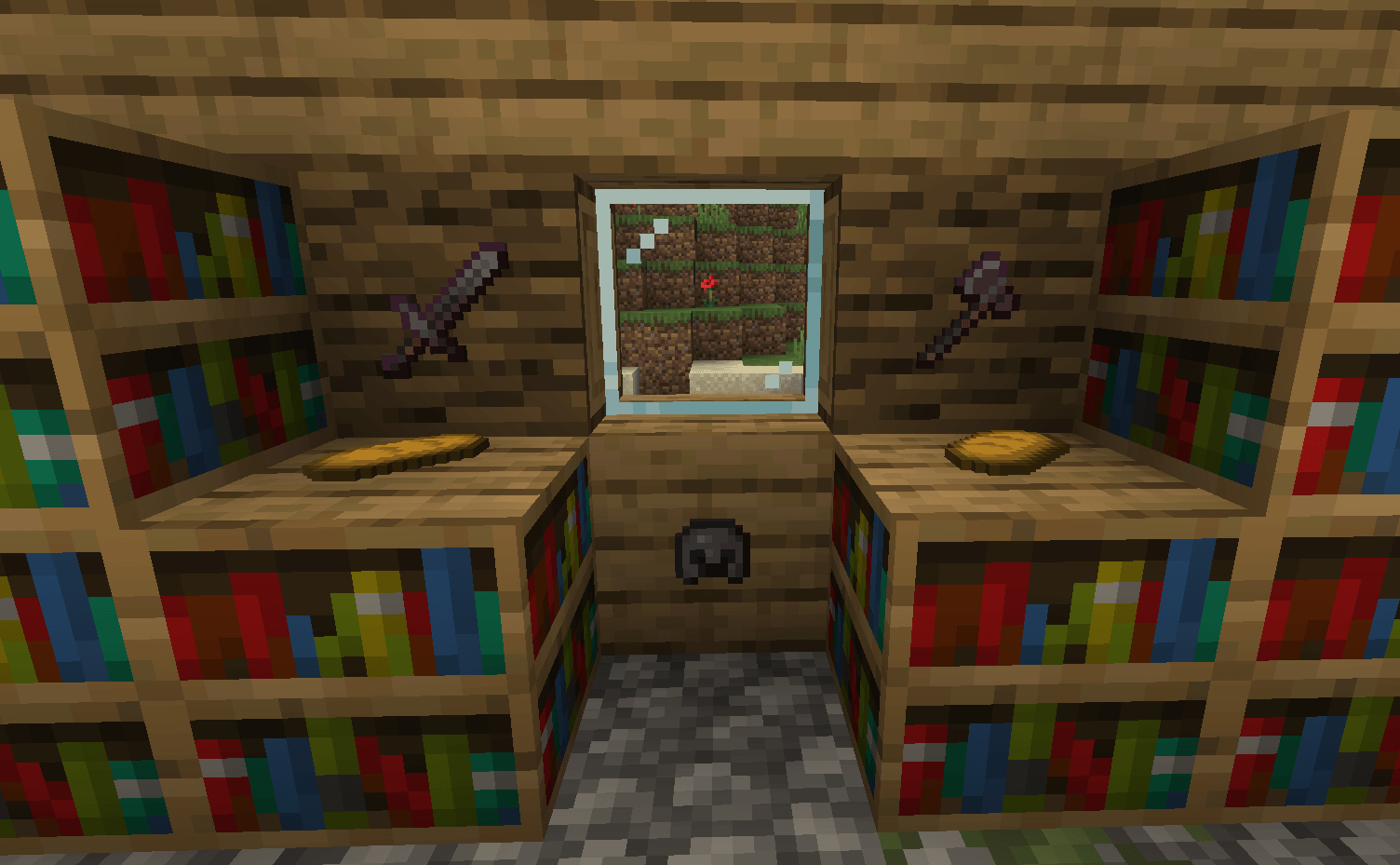
Invisible Item Frames is a clean resource pack that removes the wooden border and background from item frames. This makes items look like they are placed directly on blocks, creating a much better look for decorations and storage.

Features


- Fully Transparent: Only the item inside the frame is visible.

- Support: Works for both regular and Glowing Item Frames.

- No Lag: Lightweight textures that don't affect FPS.

- Server Ready: Works on any server or world without needing mods.

__________________________________________________________________________________________-

Connect with us:

Support us on Ko-fi: https://ko-fi.com/netheritegroup

Modrinth Profile: https://modrinth.com/user/NetheriteGroup

CurseForge Projects: https://www.curseforge.com/members/netheritegroup/projects

Hidden item frame - 1.21.5
MC 1.21.5
Release 2026-06-13 Get
Hidden item frame - 1.21.1
MC 1.21.1
Release 2026-05-16 Get
Hidden item frame - 1.20.6
MC 1.20.6
Release 2026-05-16 Get
Hidden item frame - 1.20.4
MC 1.20.4
Release 2026-05-16 Get
Hidden item frame - 1.20.1
MC 1.20.1
Release 2026-05-16 Get
Hidden item frame - 1.19.4
MC 1.19.4
Release 2026-05-16 Get
Hidden item frame - 1.19.2
MC 1.19.2
Release 2026-05-16 Get
Hidden item frame - 1.18.2
MC 1.18.2
Release 2026-05-16 Get
Hidden item frame - 1.17.1
MC 1.17.1
Release 2026-05-16 Get
Hidden item frame - 1.12.2
MC 1.12.2
Release 2026-05-16 Get
Hidden item frame - 1.14.4
MC 1.14.4
Release 2026-05-16 Get

Requirements & install

How to use this resource pack in Minecraft
Resolution
16x
Minecraft
1.18.2 – 1.21.5
Install folder
.minecraft/resourcepacks

How to install resource packs

  1. Download the resource pack .zip file (do not extract it).
  2. In Minecraft open Options → Resource Packs → Open Pack Folder.
  3. Drop the .zip into the resourcepacks folder (.minecraft/resourcepacks).
  4. Move the pack to the Selected column and click Done.
Browse more: 16x resource packs 32x resource packs 64x resource packs 128x resource packs 256x resource packs 512x+ resource packs Resource Packs for 1.21.5 All resource packs

More from NetheriteGroup

Advertisement Remove ads with Premium →

You Might Also Like