Mineuniverse
Resource Packs
Heraldry Reforged

Heraldry Reforged

RESOURCE PACK
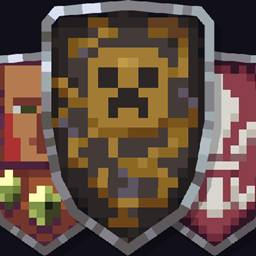
Reforges the vanilla shield into a 3D medieval heater shield with 17 heraldic designs determined by banner color.
by VeiledTail
Download Claim this project
1,449 downloads
0 likes
0 followers
Updated Oct 14, 2026
0 hypes
Follow0
16x Medieval Traditional
Advertisement Remove ads with Premium →

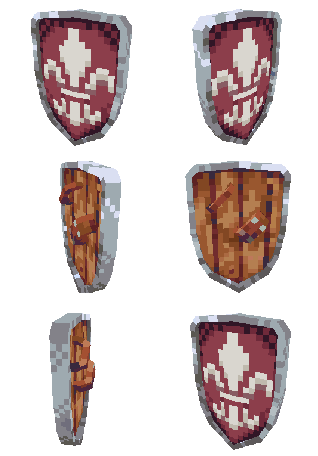
In Heraldry Reforged, I redesigned Minecraft’s shield as a fully three-dimensional medieval heater shield and created 17 distinct appearances for it: one default style and 16 heraldic designs corresponding to the base colors of banners.
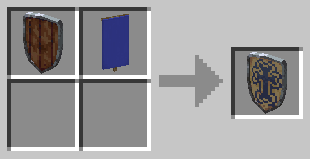
Simply combine a vanilla shield with a plain banner of your chosen color to obtain the corresponding heraldic design. No mods or data packs are required—all you need is this resource pack!

After downloading, place the file in your resource packs folder and enable it from the Resource Packs menu in-game.
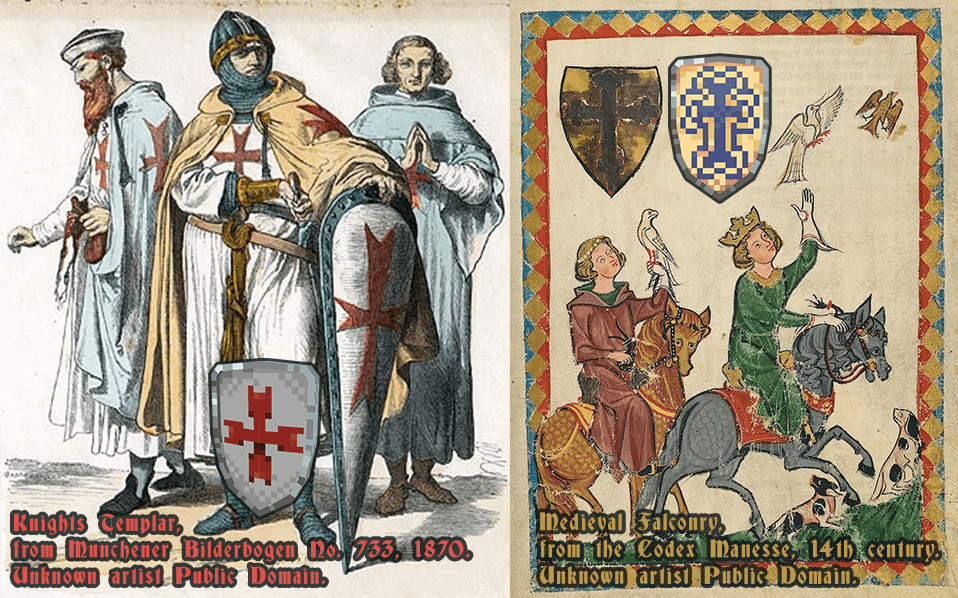
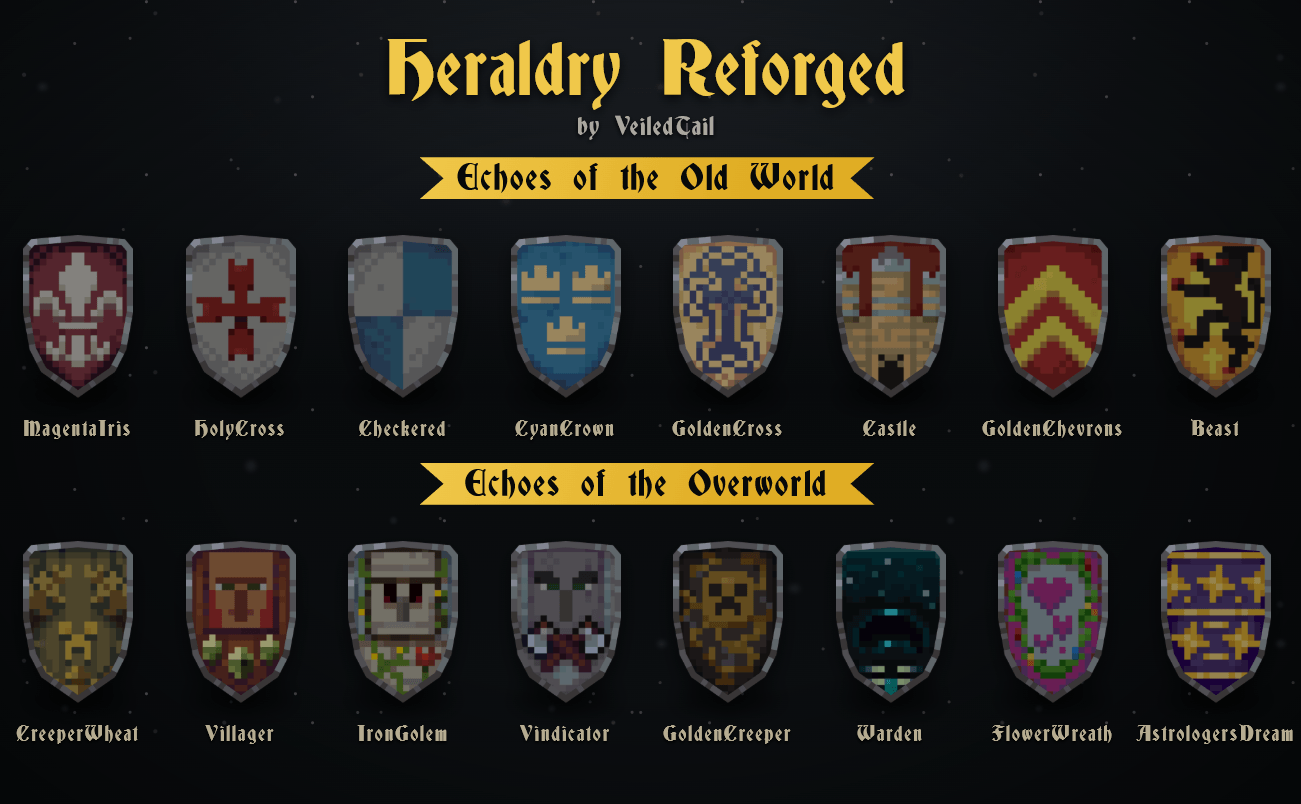
My designs are divided into two themes. Echoes of the Old World features designs inspired by classic medieval heraldry, while Echoes of the Overworld reimagines familiar Minecraft creatures and motifs as heraldic emblems. Together, they are echoes from two worlds—one looking back into the past, and the other answering Minecraft itself.
I personally love the CreeperWheat and Villager shields. They really look like signs hanging outside medieval shops!

Special thanks to my dear friends. Without you, I would never have been able to solve the many challenges I encountered while bringing these resources into the pack.

 Note: A shield’s appearance is determined solely by the banner’s base color. Any additional colors or patterns on the banner will not appear on the 3D model.

Heraldry-Reforged-1.0.1-MC-26.1-26.2.zip
MC 26.1, 26.1.1, 26.1.2, 26.2
Release 2026-09-01 Get
Heraldry-Reforged-1.0.2-MC-26.1-26.2.zip
MC 26.1, 26.1.1, 26.1.2, 26.2
Release 2026-09-01 Get
Heraldry Reforged 1.0.0 (BROKEN ZIP — Use 1.0.1 Instead) [Minecraft 26.1]
MC 26.1, 26.1.1, 26.1.2
Release 2026-08-03 Get

Requirements & install

How to use this resource pack in Minecraft
Resolution
16x
Minecraft
26.1 – 26.2
Install folder
.minecraft/resourcepacks

How to install resource packs

  1. Download the resource pack .zip file (do not extract it).
  2. In Minecraft open Options → Resource Packs → Open Pack Folder.
  3. Drop the .zip into the resourcepacks folder (.minecraft/resourcepacks).
  4. Move the pack to the Selected column and click Done.
Browse more: 16x resource packs 32x resource packs 64x resource packs 128x resource packs 256x resource packs 512x+ resource packs Resource Packs for 26.2 All resource packs
Advertisement Remove ads with Premium →

You Might Also Like




