Mineuniverse
Resource Packs
Hazel Oak + Bushy

Hazel Oak + Bushy

RESOURCE PACK
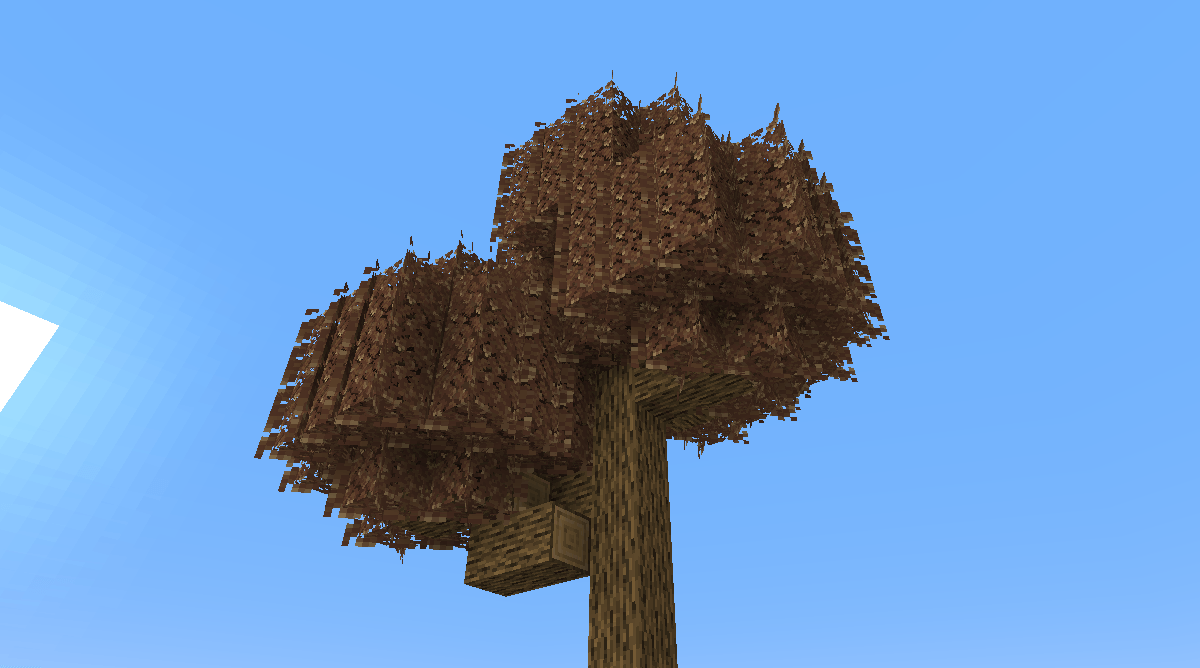
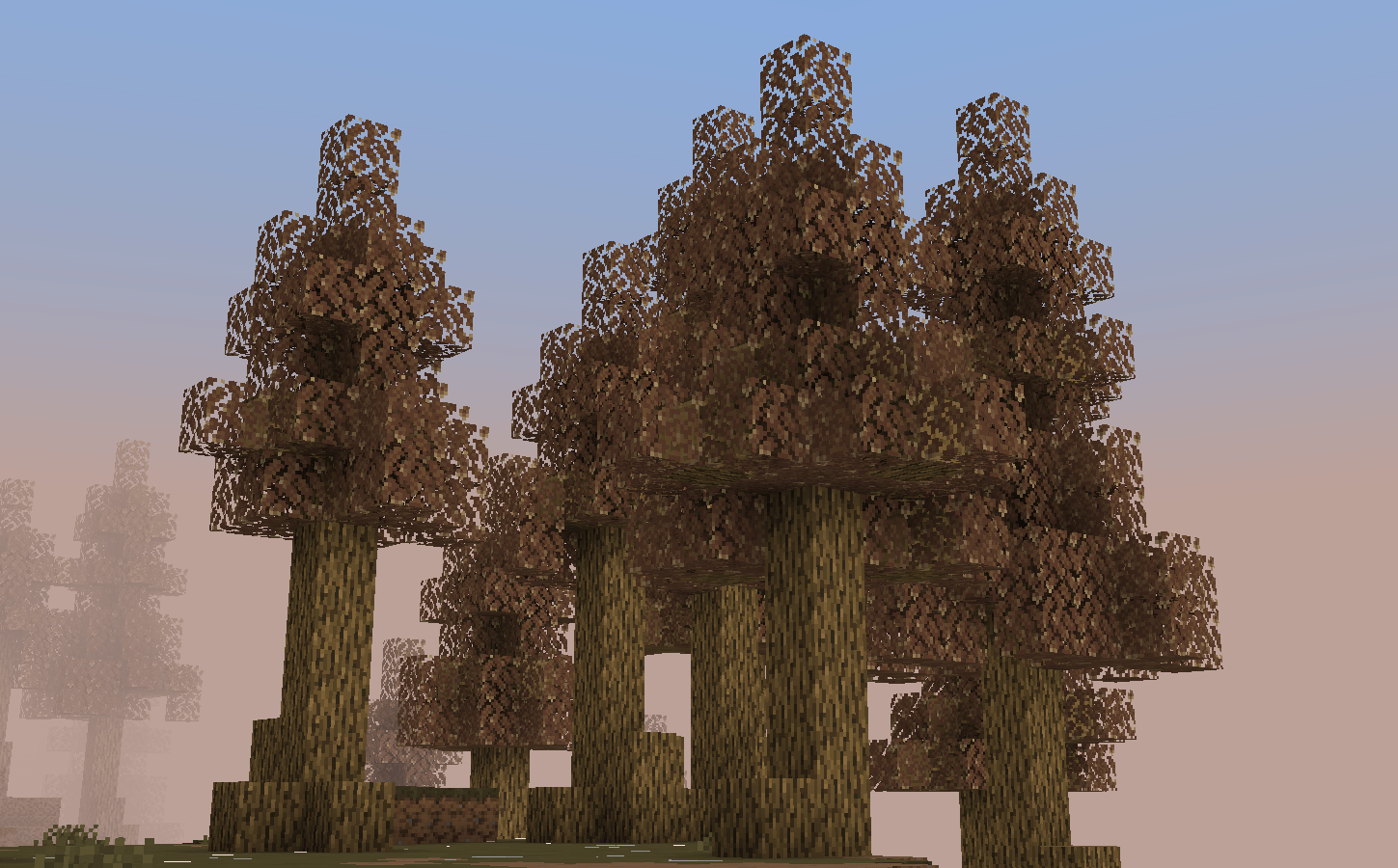
Hazel colored Oak trees!
by Azturax
Download Claim this project
530 downloads
0 likes
0 followers
Updated Oct 14, 2026
0 hypes
Follow0
16x Traditional
Advertisement Remove ads with Premium →

Transform your Minecraft landscape with the enchanting hazel-colored oak trees!

1

These unique trees feature rich, warm hues of hazel that add a touch of autumnal beauty to any biome. Their sturdy trunks and vibrant foliage create a stunning contrast against the game's lush greenery. Perfect for building serene forests or cozy woodland retreats, hazel oak trees bring a new level of charm and character to your world.

Explore and enjoy the vibrant aesthetic these trees provide!


Support the work

If you enjoy what I create, supporting the page helps me spend more time on updates, polishing features, fixing issues, and creating new content for future releases.

Every bit of support helps keep development going — thank you for making the next update possible.  

Hazel Oak 1.20+ - 1.21+.zip
MC 1.20.2, 1.21, 1.20.5, 1.21.5, 1.21.8, 1.21.4, 1.20.3, 1.20.1, 1.20, 1.20.6, 1.20.4, 1.21.3, 1.21.7, 1.21.1, 1.21.6, 1.21.2
Release 2025-08-17 Get
Hazel Oak Bushy 1.20+ - 1.21+.zip
MC 1.21, 1.21.5, 1.21.8, 1.21.4, 1.21.3, 1.21.7, 1.21.1, 1.21.6, 1.21.2
Release 2025-08-17 Get
hazel_oak_1.21.6.zip
MC 1.21.6
Release 2025-07-02 Get
hazel_oak_bushy_1.21.6.zip
MC 1.21.6
Release 2025-07-02 Get
hazel_oak_1.21.7.zip
MC 1.21.8, 1.21.7
Release 2025-07-02 Get
hazel_oak_bushy_1.21.7.zip
MC 1.21.8, 1.21.7
Release 2025-07-02 Get
bushy leaves hazel oak.zip
MC 1.21.5
Release 2025-04-18 Get
hazel_oak1.21.5.zip
MC 1.21.5
Release 2025-03-27 Get
hazel_oak.zip
MC 1.21.1
Release 2025-01-07 Get
hazel_oak_1.21.4.zip
MC 1.21.4
Release 2025-01-07 Get

Requirements & install

How to use this resource pack in Minecraft
Resolution
16x
Minecraft
1.21.1 – 1.21.8
Install folder
.minecraft/resourcepacks

How to install resource packs

  1. Download the resource pack .zip file (do not extract it).
  2. In Minecraft open Options → Resource Packs → Open Pack Folder.
  3. Drop the .zip into the resourcepacks folder (.minecraft/resourcepacks).
  4. Move the pack to the Selected column and click Done.
Browse more: 16x resource packs 32x resource packs 64x resource packs 128x resource packs 256x resource packs 512x+ resource packs Resource Packs for 1.21.8 All resource packs

More from Azturax

Advertisement Remove ads with Premium →

You Might Also Like