Mineuniverse
Resource Packs
Harvest highlights

Harvest highlights

RESOURCE PACK
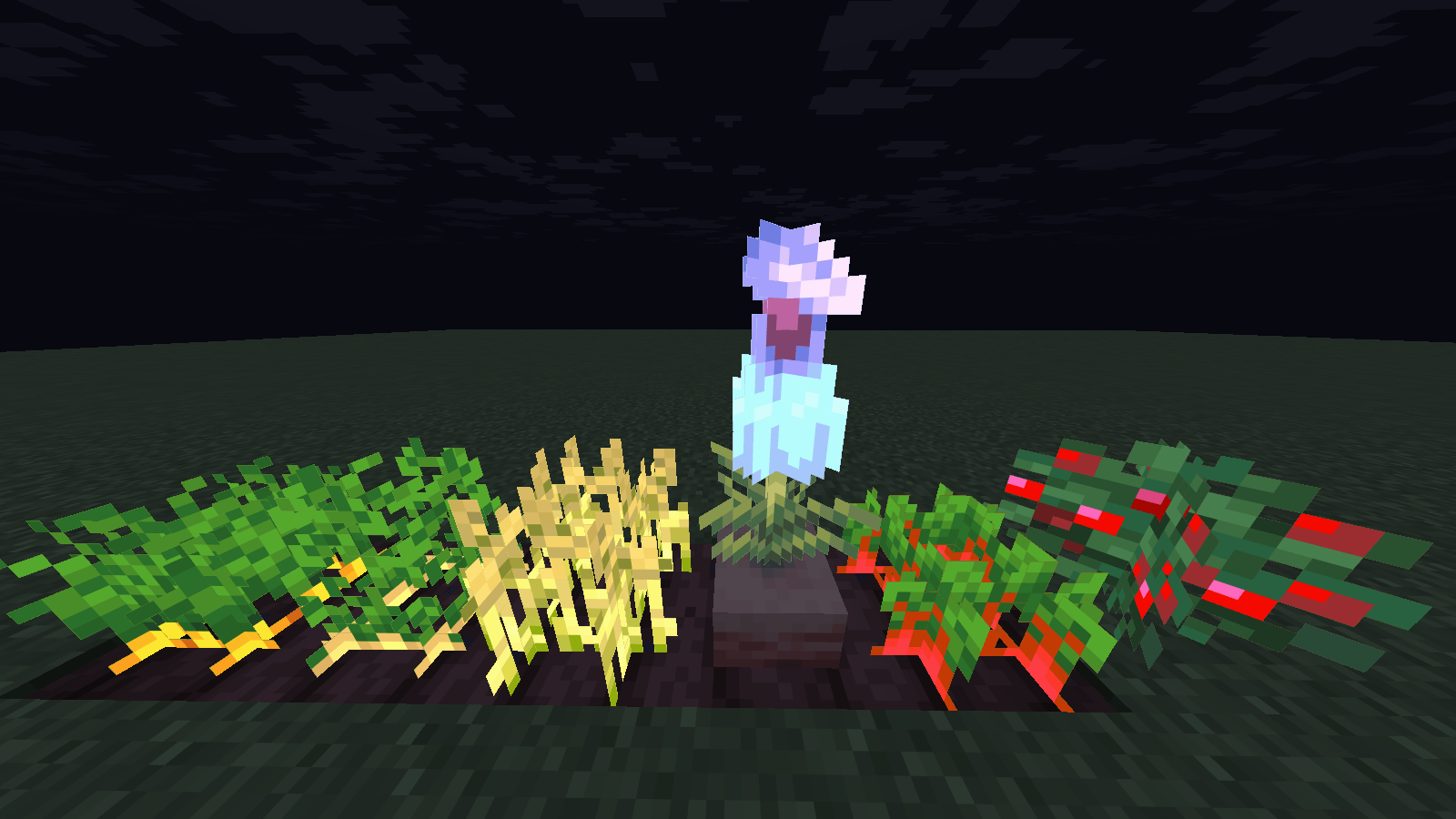
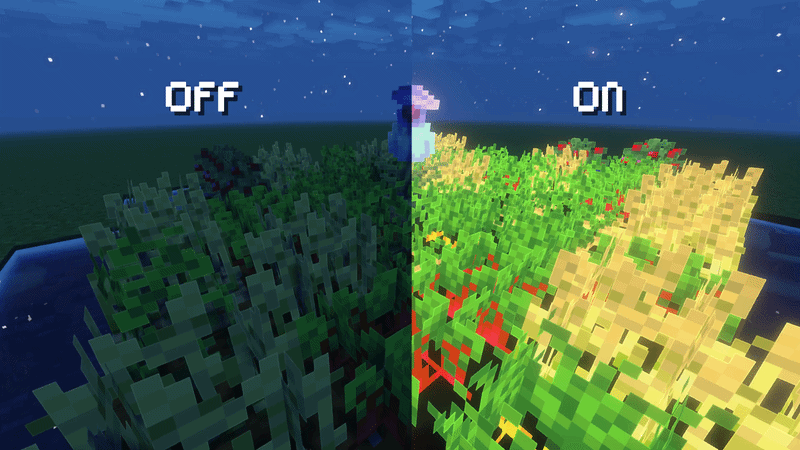
"A simple 16x16 texture pack that makes your crops glow beautifully in the dark. Looks amazing with shaders!"
by Zensiyoo
Download Claim this project
121 downloads
0 likes
Updated Oct 14, 2026
0 hypes
16x Miscellaneous Mod Support
Advertisement Remove ads with Premium →

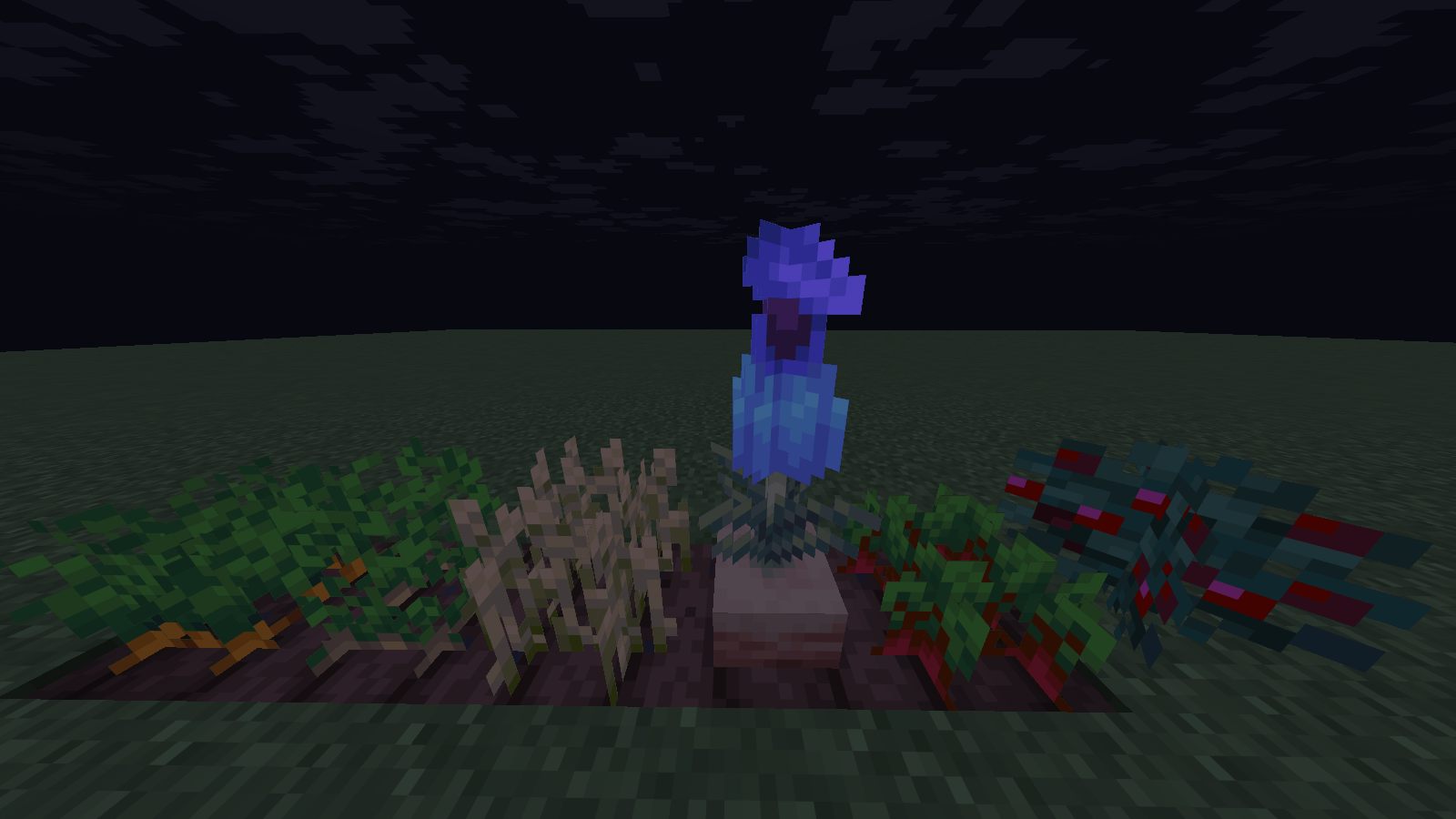
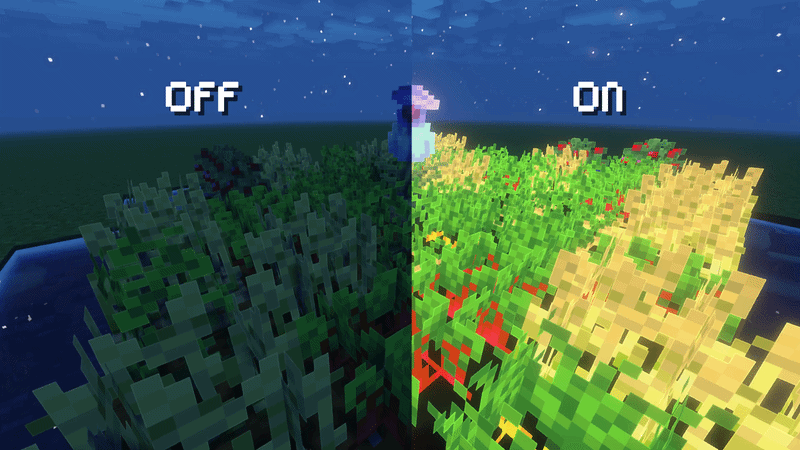
Harvest Highlights makes your Minecraft farm look awesome in the dark by adding a custom glow to your crops.


**Features**
- Pure Vanilla Style: Everything stays in 16x16 resolution, so it matches the default game perfectly.
- Zero Lag: Very lightweight and performance-friendly.

**What You Need**
To see the glowing effect, you need:

1.Optifine (Turn ON Emissive Textures).  

Included Crops:
1. Wheat
2. Carrots
3. Potatoes
4. Beetroots
5. Sweet Berries
6. Pitcher Plant

§6§lHarvest Highlights.zip
MC 1.21.11, 26.1, 26.1.1, 26.1.2
Release 2026-06-16 Get

Requirements & install

How to use this resource pack in Minecraft
Resolution
16x
Minecraft
1.21.11 – 26.1.2
Install folder
.minecraft/resourcepacks

How to install resource packs

  1. Download the resource pack .zip file (do not extract it).
  2. In Minecraft open Options → Resource Packs → Open Pack Folder.
  3. Drop the .zip into the resourcepacks folder (.minecraft/resourcepacks).
  4. Move the pack to the Selected column and click Done.
Browse more: 16x resource packs 32x resource packs 64x resource packs 128x resource packs 256x resource packs 512x+ resource packs Resource Packs for 26.1.2 All resource packs

More from Zensiyoo

Advertisement Remove ads with Premium →

You Might Also Like