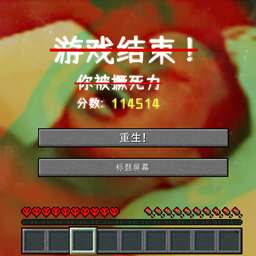
Have you ever lost the hardcore mode world that you have worked so hard on for a long time because of some stupid mistakes? Do you hope to get more chances to reborn in your hardcore world to fulfill your unfinished wish? Why not this datapack!
In a hardcore world, after installing this datapack, players is given three more chances to respawn.
When the number of deaths exceeds three times, the player will turn into "soul state" to watch the world. When the player's "soul" stays within a 7-block radius of a conduit, the conduit block will be consumed and the player will respawn. Players who reborn in this way will lose 6 maximum health.
Players can recover their maximum health limit by eating golden apples. Each golden apple gives an 11% probability to recover 2 maximum health (not exceed 20). Players who eats enchanted golden apples will directly recover the full 20 points of maximum health.
The data package disables the "teleport to player" function for players in spectator mode. If one in spectator mode moves more than 16 blocks within 1 tick, the player will be teleported back to the original place.
This project is a customized datapack. Unless noted, the datapack is under CC BY-NC-SA 4.0 license. You can freely use it to create non-profit modpacks and start non-profit servers.